
VDIAGTOOL BT300
VDIAGTOOL BT300 Car Battery Tester User Manual
Model: BT300 | Brand: VDIAGTOOL
1. Introduction
The VDIAGTOOL BT300 is a professional 6V/12V automotive battery tester designed for comprehensive analysis of vehicle battery and electrical systems. It provides instant, accurate results for battery health, cranking performance, and charging system efficiency. This manual provides detailed instructions for the proper use and maintenance of your BT300 tester.
2. Safety Information
- Always wear eye protection and protective clothing when working near batteries.
- Ensure the vehicle is in a well-ventilated area.
- Avoid sparks and open flames near the battery.
- Keep the tester away from moisture and extreme temperatures.
- Do not touch hot engine parts.
- Ensure proper connection of the clamps: Red to positive (+), Black to negative (-). Reverse polarity protection is built-in, but correct connection is always recommended.
- This device is not compatible with Lithium Batteries or Golf Cart Deep Cycle Batteries.
3. Package Contents
- VDIAGTOOL BT300 Car Battery Tester (x1)
- User Manual (x1)
4. Product Overview
The BT300 features a 2.8" HD TFT display and intuitive controls for easy operation. It is designed for portability and durability.

Image 4.1: Front view of the VDIAGTOOL BT300 tester showing the main menu and control buttons.
4.1 Key Features
- Display: 2.8" HD TFT color screen.
- Battery Compatibility: 6V and 12V lead-acid batteries (VRLA/SLA, AGM, GEL, LSI) from 5-3000 CCA.
- Test Functions: Battery Test, Cranking Test, Charging Test, Voltage Waveform, Load Test, Resistance Test, Ripple Analysis.
- Protections: Reverse Polarity, Over Temperature, Short Circuit, Over Current.
- Connectivity: USB for data printing and lifetime updates.

Image 4.2: Overview of the multi-function starter and alternator testing capabilities of the BT300.
5. Setup and Connection
The BT300 is a plug-and-play device powered directly by the vehicle's battery. No external charging is required.
- Ensure the vehicle's ignition is off and all accessories are turned off.
- Connect the red positive (+) clamp to the positive terminal of the battery.
- Connect the black negative (-) clamp to the negative terminal of the battery.
- The device will power on automatically.
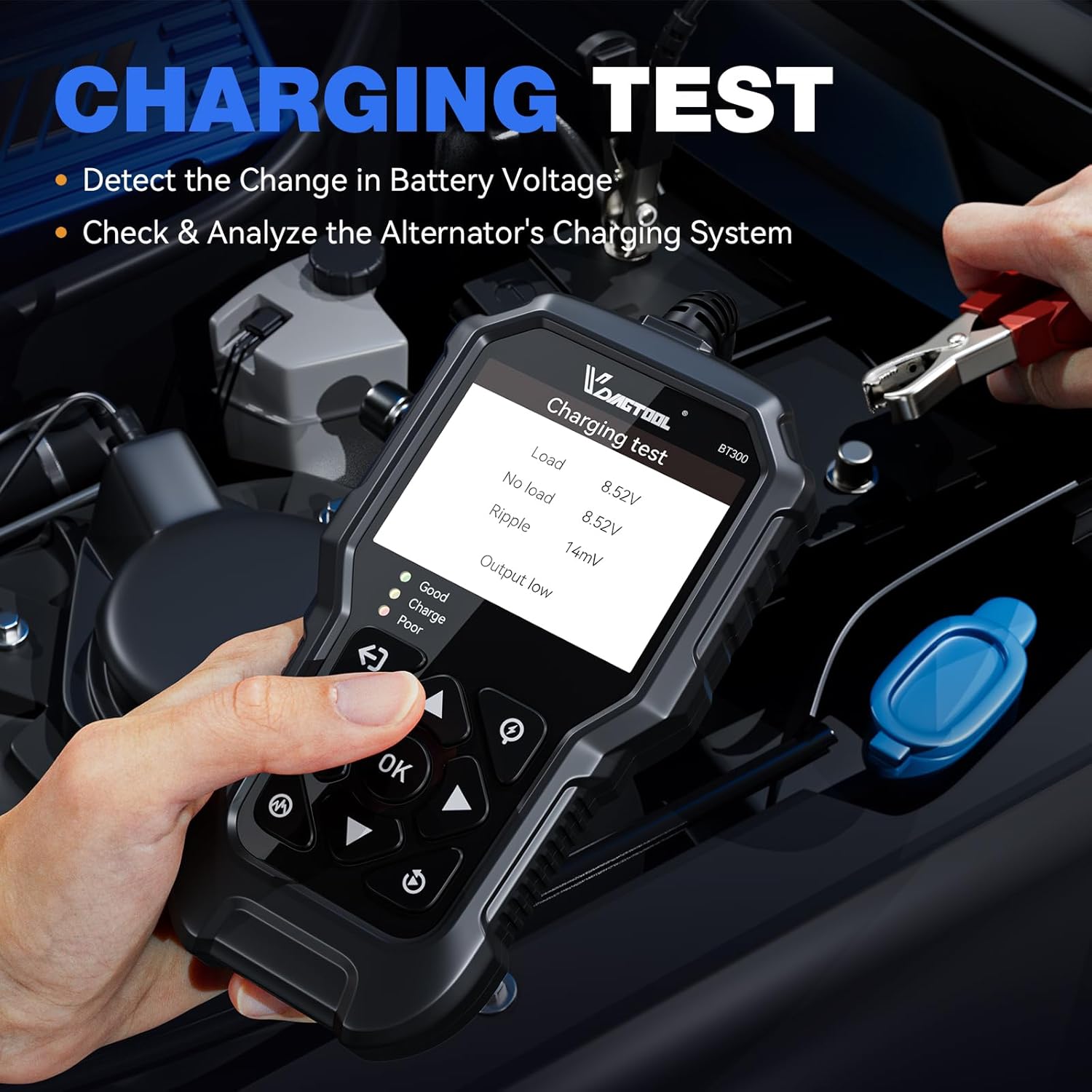
Image 5.1: Proper connection of the BT300 to a vehicle battery for testing.
6. Operating Instructions
Navigate the menu using the directional buttons and confirm selections with the "OK" button.
6.1 Battery Test
This test assesses the overall health of the battery, including voltage, internal resistance, Cold Cranking Amps (CCA), State of Health (SOH), and State of Charge (SOC).
- From the main menu, select "Car" or "Motorcycle" depending on your vehicle type.
- Choose "Battery Test".
- Select the battery type (e.g., GEL, AGM, VRLA, SLA, LSI).
- Enter the battery's CCA rating. Adjust CCA settings by ±5 or ±50 using the arrow keys for precision.
- The tester will display results including SOH, SOC, Resistance (R), measured CCA, standard CCA (STD), and Voltage (VOL).
- An intuitive LED indicator (Green=Good, Yellow=Normal, Red=Poor) will provide a quick status.

Image 6.1: Example of battery test results and voltage waveform display.
6.2 Cranking Test
This test evaluates the starting system by monitoring cranking voltage and time.
- From the main menu, select "Car" or "Motorcycle".
- Choose "Cranking Test".
- Follow the on-screen prompts to start the engine.
- The tester will display the cranking time, maximum voltage, minimum voltage, and a status (e.g., Normal).

Image 6.2: Cranking test results on the BT300 screen.
6.3 Charging Test
This test checks the alternator's charging system to prevent overcharge or incomplete charge. Ensure all electrical devices are off during testing for accurate results.
- From the main menu, select "Car" or "Motorcycle".
- Choose "Charging Test".
- Follow the on-screen prompts, which may include revving the engine to a specified RPM for a duration.
- The tester will display load voltage, no-load voltage, ripple, and output status.
Image 6.3: Charging test in progress, showing the tester connected to the battery.
6.4 Waveform Analysis
The BT300 can display a real-time voltage waveform for detailed monitoring of battery performance.
- From the main menu, select "Waveform".
- Observe the real-time voltage fluctuations.
6.5 Data Review and Printing
Test results can be reviewed on the device or uploaded to a computer for printing.
- To review previous tests, select "Review" from the main menu.
- To print results, connect the BT300 to a computer via USB cable. Follow the instructions provided with the device software for data upload and printing.
7. Compatibility
The VDIAGTOOL BT300 is compatible with a wide range of 6V and 12V lead-acid batteries (VRLA or SLA), AGM, GEL, and LSI types, with CCA ratings from 5-3000. It is suitable for use with:
- Motorcycles
- Cars
- Trucks
- SUVs
- ATVs
- Boats
Note: This device is not compatible with Lithium Batteries or Golf Cart Deep Cycle Batteries.
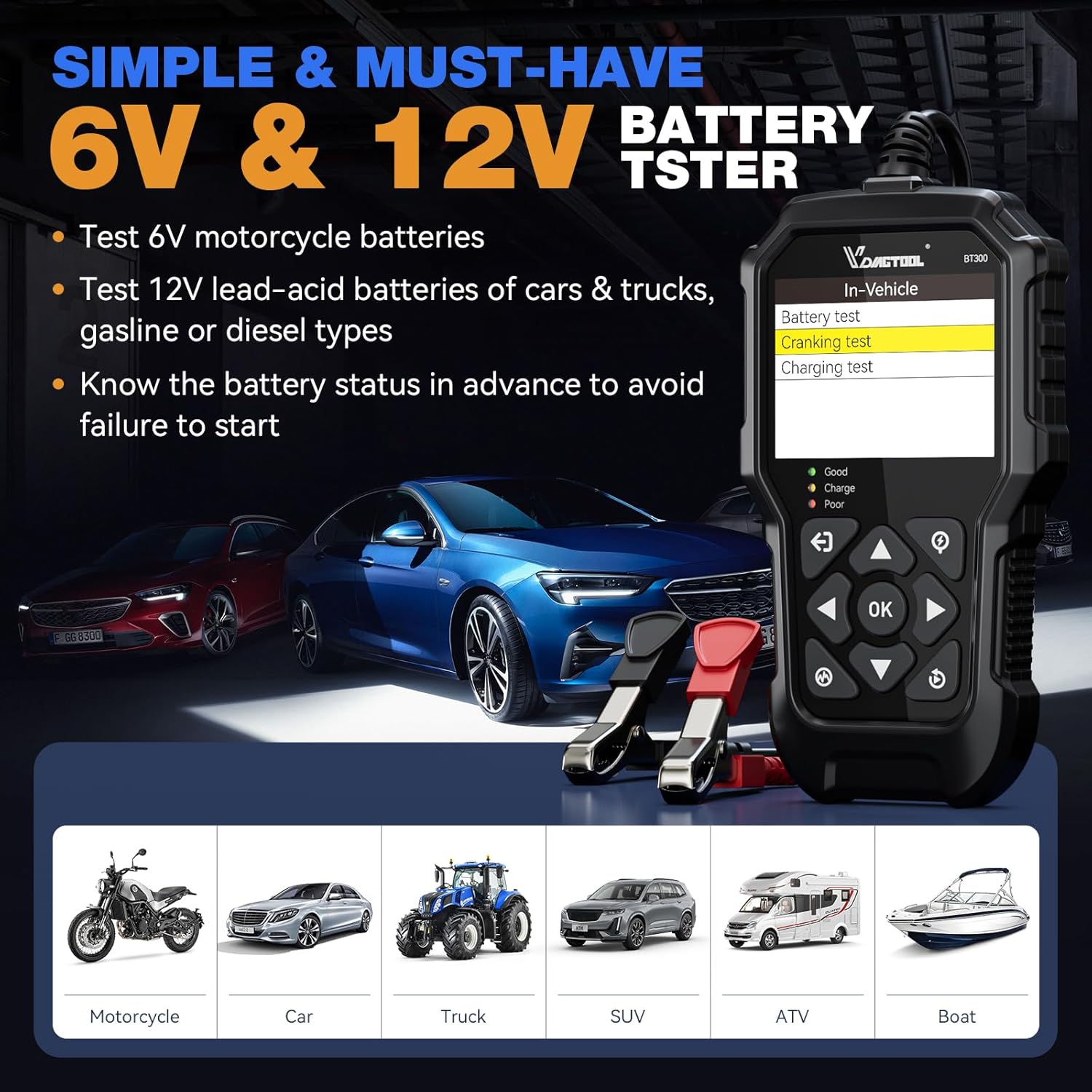
Image 7.1: The BT300 is designed for a broad range of 6V and 12V vehicle types.

Image 7.2: The BT300 supports multiple 6V and 12V battery technologies.
8. Troubleshooting
| Problem | Possible Cause | Solution |
|---|---|---|
| Device does not power on. | Incorrect battery connection or battery voltage too low. | Ensure clamps are securely connected to the correct battery terminals (Red to +, Black to -). Check if the battery voltage is above the minimum operating voltage (typically 6V for 6V batteries, 12V for 12V batteries). |
| Inaccurate test results. | Incorrect CCA input, loose connections, or vehicle accessories drawing power. | Verify the CCA rating entered matches the battery's specification. Ensure clamps are clean and tightly connected. Turn off all vehicle accessories and the ignition before testing. |
| Screen freezes or device is unresponsive. | Temporary software glitch. | Disconnect the device from the battery, wait a few seconds, then reconnect. If the issue persists, contact customer support. |
| Cannot print test results. | Improper USB connection or software not installed/configured. | Ensure the USB cable is securely connected to both the device and the computer. Install the necessary VDIAGTOOL software and drivers on your computer. Refer to the software's instructions for printing. |
9. Specifications
| Feature | Detail |
|---|---|
| Brand | VDIAGTOOL |
| Model | BT300 |
| Power Source | Plug and Play, Powered By Car Batteries |
| Battery Voltage Range | 6V / 12V |
| CCA Range | 5 - 3000 CCA |
| Supported Battery Types | VRLA (SLA), AGM, GEL, LSI |
| Display | 2.8" HD TFT Color Screen |
| Operating Temperature | -20°C to 65°C (-4°F to 140°F) |
| Dimensions (L x W x H) | 6.45 x 3.35 x 0.96 inches |
| Item Weight | 15.1 ounces (0.43 Kilograms) |
10. Maintenance and Storage
- Clean the device with a soft, dry cloth. Do not use abrasive cleaners or solvents.
- Keep the clamps clean and free of corrosion to ensure good electrical contact.
- Store the BT300 in a dry, cool place, away from direct sunlight and extreme temperatures.
- Avoid dropping the device or subjecting it to strong impacts.
11. Warranty and Support
VDIAGTOOL provides a 3-year warranty for the BT300 Car Battery Tester. Additionally, a 90-day free return policy is available.
For technical support or warranty claims, please contact VDIAGTOOL customer service:
- Email: vdiagtool2@outlook.com
- Support Hours: 24/7 AS (Assumed to mean 24/7 After-Sales Support)

Image 11.1: VDIAGTOOL customer support and warranty information.
Related documentsBT300


Ask a question about this manual
Ask about setup, troubleshooting, compatibility, parts, safety, or missing instructions. Manuals+ will review the question and use this page’s manual context to help answer it.