
1. Introduction
This manual provides detailed instructions for the assembly, operation, and maintenance of your AODK 55-Inch Electric Standing Desk. Please read this manual thoroughly before use to ensure safe and efficient operation. Keep this manual for future reference.

Figure 1: AODK 55-Inch Electric Standing Desk in a home office environment.
2. Safety Information
Please observe the following safety guidelines to prevent injury or damage to the product:
- This product includes an electric motor and power outlets with USB ports. Ensure the desk is properly grounded to reduce the risk of electrical shock.
- The desk has a maximum weight recommendation of 70 kg (approximately 154 lbs). Exceeding this weight limit could lead to instability or damage to the desk.
- This product requires assembly. Follow the provided assembly instructions carefully to ensure the desk is stable and safe to use.
- Keep children and pets away from the desk during operation to prevent accidents.
- Do not place liquids directly on the desk surface near electrical components.
3. Package Contents
Verify that all components are present and undamaged before beginning assembly. Refer to the included parts list for detailed identification.
- Desk tabletop sections
- Desk legs and frame components
- Electric motor and control panel
- Monitor stand components
- Keyboard tray
- 2 Cloth drawers
- Built-in power outlet with 3 AC outlets & 2 USB ports
- LED light strip and controller
- Assembly hardware (screws, tools)
- Instruction manual
4. Setup and Assembly
The AODK Electric Standing Desk is designed for easy assembly. All parts are clearly labeled, and detailed instructions are provided in the included manual. Typically, assembly takes approximately 1.5 to 2 hours for one person. All necessary tools are included.
Assembly Overview
Follow the step-by-step instructions in the separate assembly guide provided with your product. Ensure all connections are secure before use.

Figure 2: Product dimensions and key features for assembly reference.
Cable Management
Utilize the hidden under-desk tray to manage cables, keeping your workspace tidy and organized.

Figure 3: Hidden cable management system.
5. Operating Instructions
Height Adjustment
The desk features an electric motor for smooth height adjustment, ranging from 29.9 inches to 46.1 inches. The control panel allows for easy operation.
- Use the Up and Down arrows on the control panel to manually adjust the desk height.
- The desk has 3 height-memorizing features (buttons 1, 2, 3). To set a preset height, adjust the desk to your desired level, then press and hold the 'S' button until the display flashes, then press the desired number button (1, 2, or 3) to save the setting. To recall a preset height, simply press the corresponding number button.
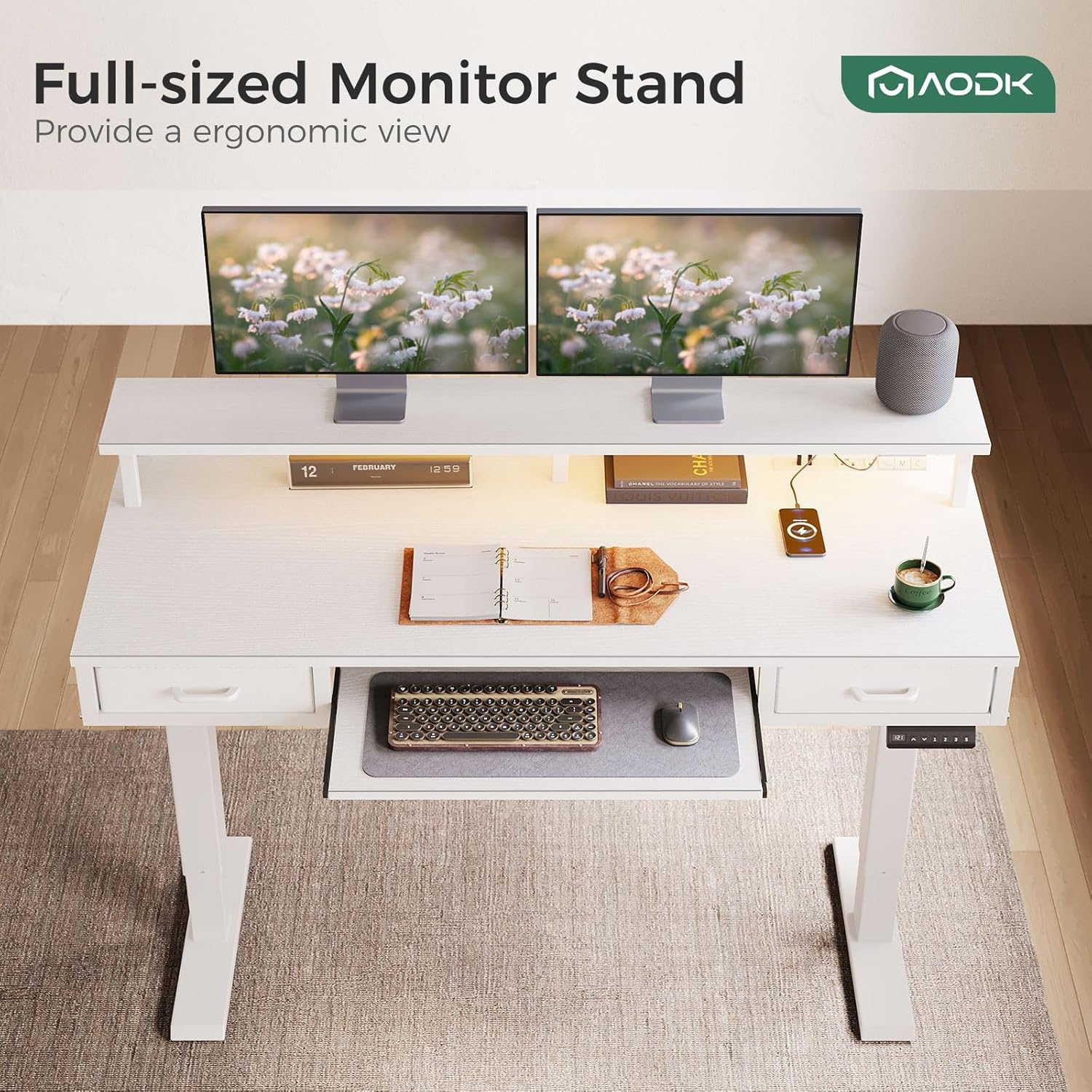
Figure 4: Height adjustment in action, showing sitting and standing positions.
LED Lights
The integrated LED lights offer 20 dynamic modes and various color options to enhance your workspace ambiance.
- The LED light controller is located on the underside of the monitor stand.
- Press the ON/OFF button to turn the lights on or off.
- Use the M button to cycle through 20 dynamic lighting modes.
- Use the C button to select different static colors.

Figure 5: LED light controller for mode and color selection.
Power Outlets and USB Ports
A built-in power outlet with 3 AC outlets and 2 USB ports is conveniently located on the desk for charging your devices.

Figure 6: Integrated power outlets and USB ports.
Storage Features
The desk includes two cloth drawers and a keyboard tray for organized storage.
- Cloth Drawers: Two fabric drawers with iron structures provide ample space for office accessories. These drawers are designed for quick assembly.
- Keyboard Tray: A dedicated keyboard tray slides out for ergonomic typing and can be retracted to save space.
- Monitor Stand: A full-sized monitor stand provides an ergonomic viewing height for your screens.

Figure 7: Storage options including cloth drawers and keyboard tray.
6. Maintenance
To ensure the longevity and optimal performance of your AODK Electric Standing Desk, follow these maintenance guidelines:
- Cleaning: Wipe the desk surfaces with a soft, damp cloth. Avoid harsh chemicals or abrasive cleaners that could damage the finish.
- Electrical Components: Regularly check all electrical connections for any signs of wear or damage. Ensure cables are not pinched or strained.
- Weight Capacity: Do not exceed the maximum weight recommendation of 70 kg (154 lbs) to prevent damage to the motor and frame.
- Motor Care: The updated high-quality motor is designed for over 10,000 runs with low decibel operation (45-55 dB). No specific user maintenance is required for the motor itself.
7. Troubleshooting
If you encounter any issues with your AODK Electric Standing Desk, refer to the following common troubleshooting tips:
- Desk Not Adjusting Height: Check all power connections. Ensure the power cord is securely plugged into both the desk and a working wall outlet. If the control panel displays an error code, consult the full instruction manual for specific code meanings.
- LED Lights Not Working: Verify the LED light strip is properly connected to its power source (one of the USB ports). Check the ON/OFF button on the LED controller.
- Desk Wobbles: Ensure all assembly screws are tightened. If the desk is on an uneven surface, adjust the leveling feet on the bottom of the desk legs.
- Noise During Adjustment: A low decibel operation (45-55 dB) is normal. If you hear unusual or loud noises, discontinue use and contact customer support.
For further assistance, please refer to the comprehensive troubleshooting section in your product's full instruction manual or contact AODK customer support.
8. Specifications
| Feature | Specification |
|---|---|
| Brand | AODK |
| Model Number | B0CR1CCPRT |
| Desk Design | Standing Desk |
| Product Dimensions (D x W x H) | 21.25"D x 55"W x 30.9"H |
| Adjustable Height Range | 29.9" to 46.1" |
| Maximum Height | 47.6 Inches |
| Minimum Height | 30.7 Inches |
| Color | White |
| Top Material Type | Engineered Wood |
| Base Material | Engineered Wood |
| Number of Drawers | 2 (Cloth-lined Box Drawers) |
| Keyboard Tray | Yes |
| Power Outlets | 3 AC Outlets |
| USB Ports | 2 USB Ports |
| LED Lights | Yes (20 modes) |
| Motor Noise Level | 45-55 dB |
| Maximum Weight Recommendation | 70 Kilograms (154 lbs) |
| Required Assembly | Yes |
| Includes All Assembly Tools | Yes |
9. Warranty and Support
Your AODK Electric Standing Desk comes with a limited warranty. For specific details regarding warranty coverage, please refer to the documentation included with your purchase.
- Returns: This product is eligible for 30-day easy returns.
- Customer Support: For any questions, technical assistance, or warranty claims, please contact AODK-US customer support. Contact information can typically be found on the product packaging or the official AODK website.
10. Official Product Videos
Watch these official videos from the seller for additional guidance on assembly and features.
Video 1: Electric Standing Desk with Drawers & Keyboard Tray. This video demonstrates the key features and functionality of the desk, including its electric height adjustment and integrated storage.
Video 2: Electric Standing Desk with 3 Drawers. This video provides a closer look at the desk's drawer system and its storage capabilities.
Video 3: AODK Standing Desk with Monitor Stand and Keyboard Tray. A comprehensive video detailing the assembly process, features, and benefits of the AODK standing desk.