
1. Introduction
Thank you for choosing the Linsoul KZ EDX Pro X in-ear earphones. This manual provides essential information to help you get the most out of your new audio device, including setup instructions, operational guidelines, maintenance tips, and troubleshooting advice. Please read this manual carefully before using the product.
2. What's in the Box
Upon unboxing your Linsoul KZ EDX Pro X earphones, please verify that all the following components are included:
- KZ EDX Pro X In-Ear Earphones (Left and Right units)
- Detachable 2-Pin Cable with Microphone
- Silicone Ear Tips (S, M, L sizes)
- User Manual (this document)
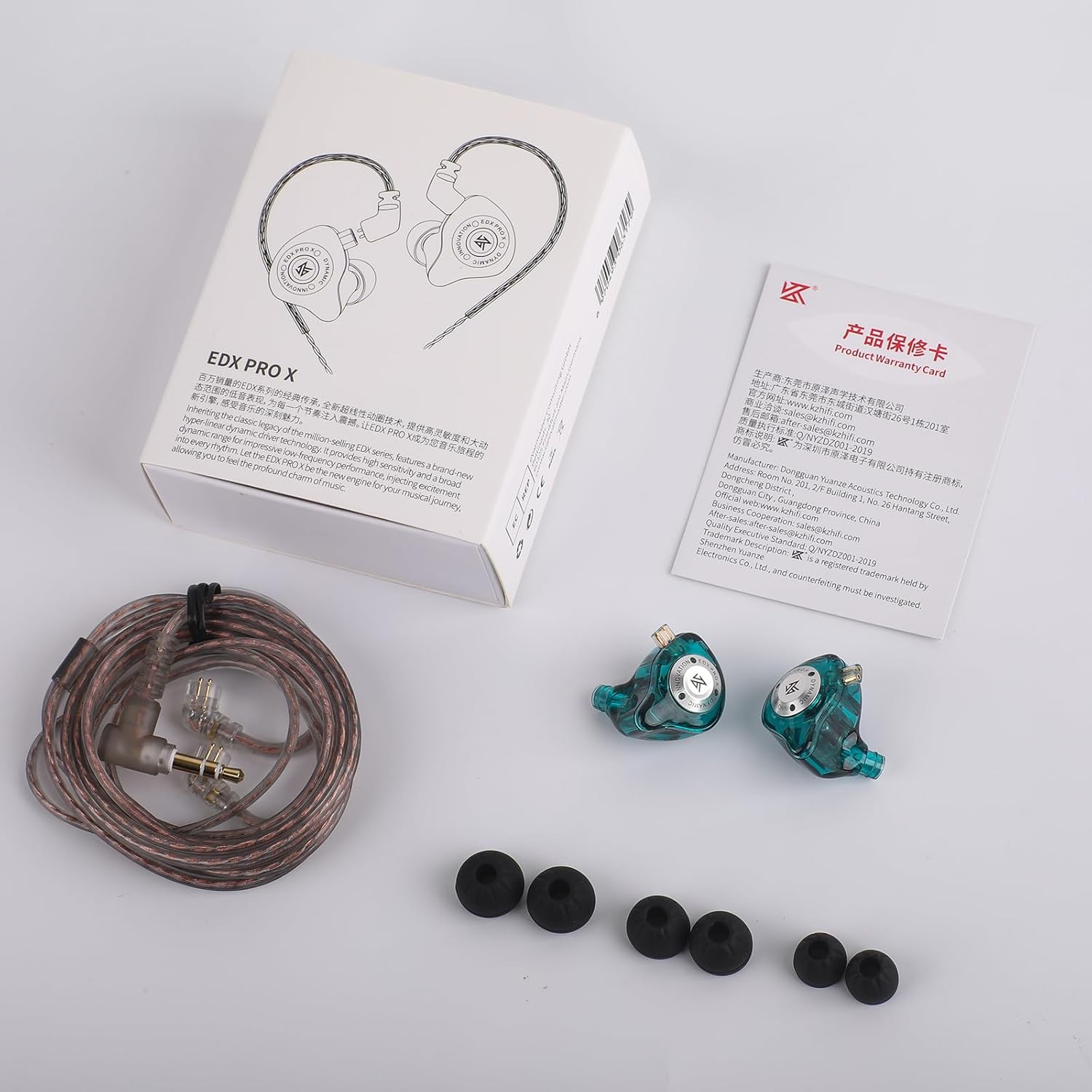
Image: All components included in the KZ EDX Pro X package.
3. Product Overview
The KZ EDX Pro X earphones feature a single dynamic driver design with a transparent resin shell and a detachable 2-pin cable. The ergonomic shape is designed for comfortable and secure fit.
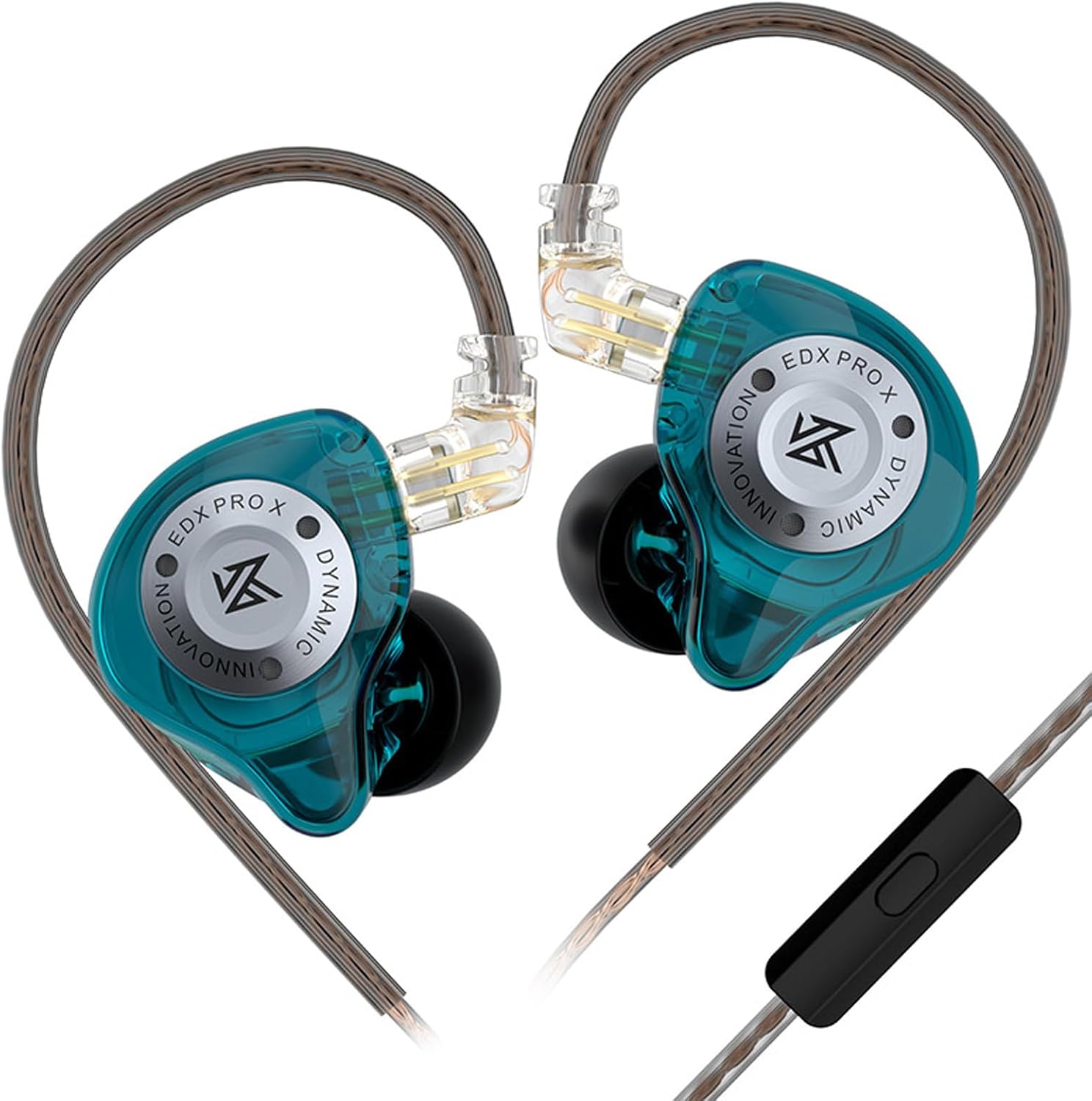
Image: Linsoul KZ EDX Pro X earphones with cable attached.
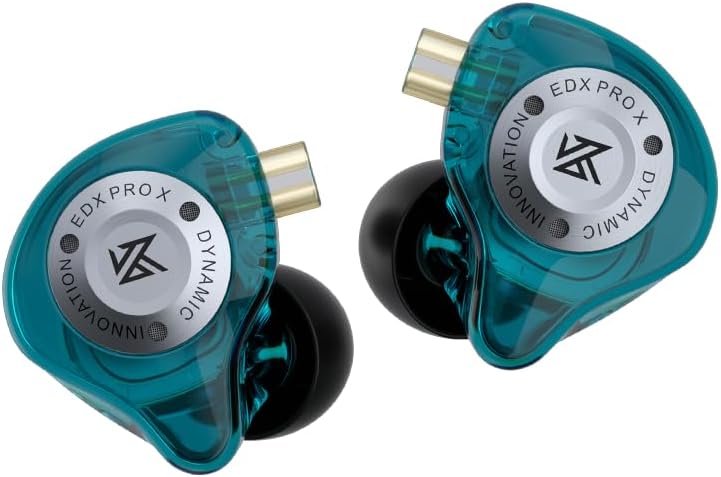
Image: Close-up of the earphone units, highlighting the transparent shell and metal faceplate.
4. Setup
4.1 Attaching the Detachable Cable
- Identify the left (L) and right (R) earphone units and cable connectors. The cable connectors are typically marked with 'L' and 'R' or have a colored indicator (e.g., blue for left, red for right).
- Align the 2-pin connector on the cable with the corresponding socket on the earphone unit. Ensure the pins are correctly oriented.
- Gently push the connector into the socket until it is firmly seated. Do not force it.
- Repeat for the other earphone unit.

Image: Proper connection of the detachable cable to the earphone.
4.2 Choosing and Installing Ear Tips
Select the ear tips that provide the best seal and comfort for your ears. A good seal is crucial for optimal sound quality and bass response.
- Gently remove the pre-installed ear tips by pulling them off the nozzle.
- Choose a pair of ear tips (Small, Medium, or Large) that fit snugly in your ear canal.
- Push the chosen ear tip onto the earphone nozzle until it is securely attached.

Image: Selection of ear tips for personalized fit.
4.3 Wearing the Earphones
The KZ EDX Pro X earphones are designed to be worn with the cable over the ear for a secure and comfortable fit, especially during movement.
- Insert the earphone unit into your ear canal.
- Guide the cable over the top and behind your ear. The pre-formed ear hook section of the cable should rest comfortably over your ear.
- Adjust the earphone and cable until you achieve a comfortable and secure fit with a good seal.
5. Operating Instructions
5.1 Connecting to an Audio Source
Plug the 3.5mm jack of the earphone cable into the headphone port of your audio device (smartphone, tablet, computer, digital audio player, etc.).
5.2 Basic Audio Playback
Once connected, play audio from your device. Adjust the volume using your device's volume controls.
5.3 Using the In-line Microphone and Remote (if applicable)
Your KZ EDX Pro X cable may include an in-line microphone and a single-button remote for media control and calls.
- Single Press: Play/Pause music; Answer/End call.
- Double Press: Skip to next track.
- Triple Press: Skip to previous track.
- Long Press: Activate voice assistant (e.g., Siri, Google Assistant) or reject call.
6. Maintenance
6.1 Cleaning
- Earphone Units: Wipe the earphone shells with a soft, dry, lint-free cloth. Do not use harsh chemicals or abrasive materials.
- Ear Tips: Remove ear tips and wash them with mild soap and water. Rinse thoroughly and allow them to dry completely before reattaching.
- Nozzles: Gently clean any earwax or debris from the earphone nozzles using a small, soft brush or a cleaning tool. Be careful not to push debris further into the earphone.
6.2 Storage
When not in use, store your earphones in a clean, dry place, preferably in a protective case, to prevent tangling, damage, and dust accumulation. Avoid extreme temperatures and humidity.
6.3 Cable Care
Handle the detachable cable with care. Avoid sharp bends, excessive pulling, or twisting, as this can damage the internal wires. When disconnecting, always pull from the connector housing, not the cable itself.
7. Troubleshooting
| Problem | Possible Cause | Solution |
|---|---|---|
| No sound or low volume |
|
|
| Distorted sound |
|
|
| Microphone not working |
|
|
8. Specifications
| Feature | Detail |
|---|---|
| Model Name | KZ EDX Pro X |
| Driver Type | Single Dynamic Driver |
| Connectivity | Wired (3.5mm Jack) |
| Cable Feature | Detachable 2-Pin |
| Impedance | 23 Ohm |
| Sensitivity | 108 dB |
| Frequency Range | 20-40000Hz |
| Noise Control | Passive Noise Cancellation |
| Material | Plastic (Transparent Resin) |
| Color | Cyan |
| Item Weight | 2.11 ounces |
9. Warranty and Support
The Linsoul KZ EDX Pro X earphones come with a standard warranty. Please refer to the warranty card included in your package for specific terms and conditions. For technical support, warranty claims, or any other inquiries, please contact the seller or Linsoul customer service through their official channels. Keep your purchase receipt as proof of purchase.


