
Introduction
The FDUCE W13 Wireless Microphone System provides a reliable and high-quality audio solution for various applications, including karaoke, parties, weddings, and outdoor events. This manual will guide you through the setup, operation, and maintenance of your new microphone system to ensure optimal performance.
Package Contents
Please check the box for the following items:
- Handheld microphone (x2)
- Receiver (x1)
- Power cord (x1)
- Anti-slip Rings (x2)
- Foam Covers (x2)
- Instruction Manual (x1)
- 6.35mm Audio Cable (1m) (x1)

Figure 1: FDUCE W13 Wireless Microphone System Package Contents
Product Features
- Excellent Sound Quality: Equipped with an advanced chip, supporting S/N Ratio: 96dB and THD+N<0.05% to minimize noise and distortion. The dynamic cardioid pickup pattern effectively suppresses background noise, providing clear and full sound.
- Easy to Use: Microphones and receiver automatically match upon power-on. Features a lightweight yet durable metal spray paint and ABS plastic construction. The receiver includes an LED display for channel and frequency, with individual volume controls for precise sound balance.
- Wide Compatibility: Offers both 6.35mm audio output jack and 2 XLR output jacks, ensuring broad compatibility with amplifiers, karaoke machines, and speakers. Connect to the "MIC IN" input for optimal sound.
- 30 Adjustable Channels: Each karaoke microphone provides 15 UHF adjustable channels, allowing up to 30 microphones to be used simultaneously while avoiding radio interference.
- Wide Transmission Range: Achieves a transmission range of up to 200ft (60m), providing stable, anti-howling, and anti-interference performance.
- Wireless Frequency Band: Operates within the 902-928MHz frequency range.

Figure 2: Handheld Microphone Overview

Figure 3: UHF Wireless Receiver Overview
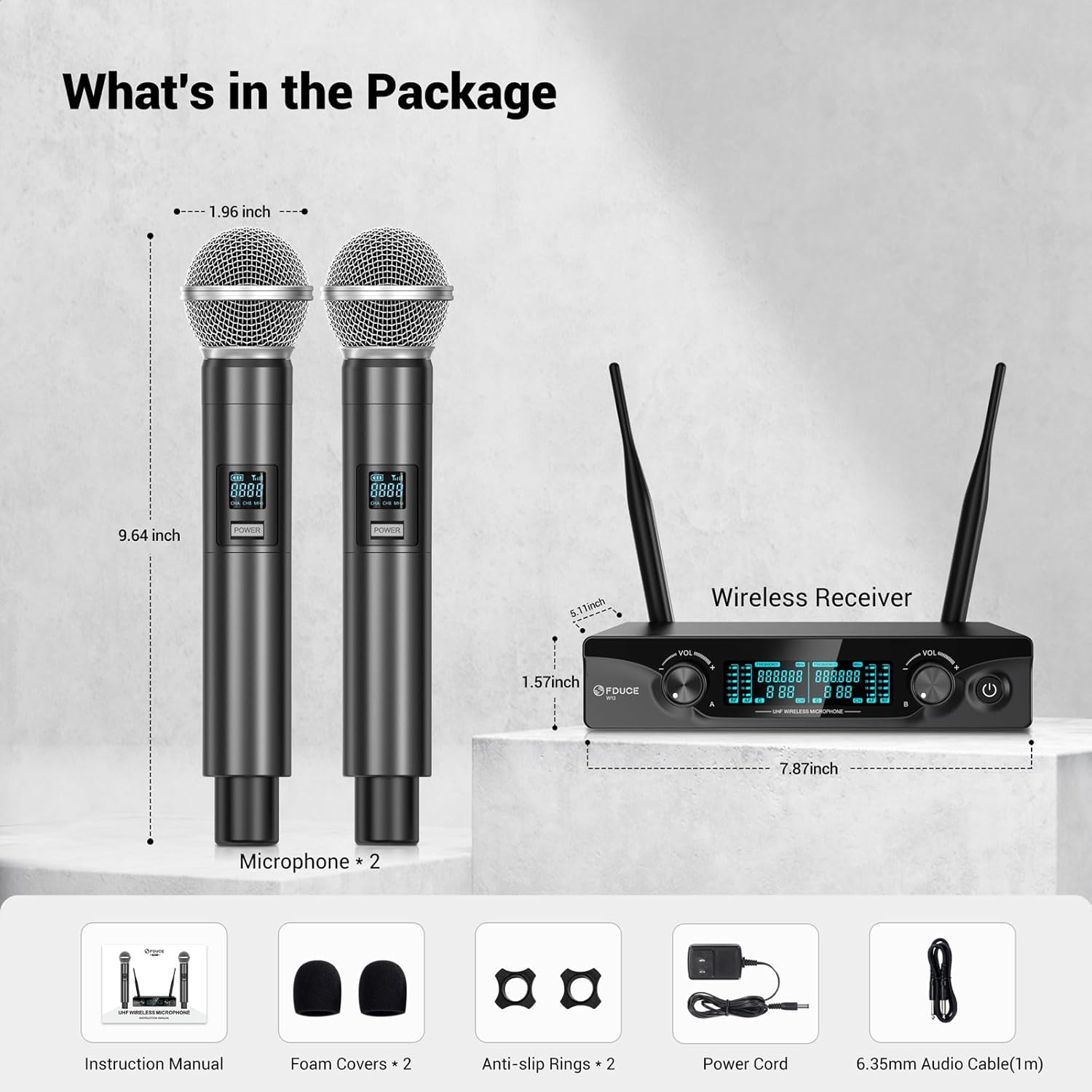
Figure 4: Wireless Signal Range
Setup Instructions
Follow these steps to set up your FDUCE W13 Wireless Microphone System:
- Microphone Battery Installation: Unscrew the bottom part of each handheld microphone. Insert two (2) AA batteries (not included) into each microphone, ensuring correct polarity. Screw the bottom part back on securely.
- Receiver Setup: Connect the provided power cord to the receiver's DC power input and then to a standard power outlet. Extend both receiver antennas vertically for optimal signal reception.
- Audio Connection: Choose one of the following connection methods based on your audio equipment:
- 6.35mm Output: Connect the receiver's 6.35mm audio output jack to the "MIC IN" input of your amplifier, karaoke machine, or speaker using the supplied 6.35mm audio cable.
- XLR Output: For professional setups, connect the receiver's balanced XLR output jacks (BAL A and BAL B) to an audio mixer or amplifier using XLR cables (not included).
- Power On: Long press the power button on the receiver to turn it on. Then, long press the power button on each microphone to activate them.
- Automatic Matching: The microphones and receiver are designed to automatically match upon power-on. The receiver's LED display will show channel and frequency information, indicating a successful connection.

Figure 5: Easy Setup Steps
Connection Diagrams
XLR Audio Output Connection:

Figure 6: XLR Output Connection Example
6.35mm Audio Output Connection:
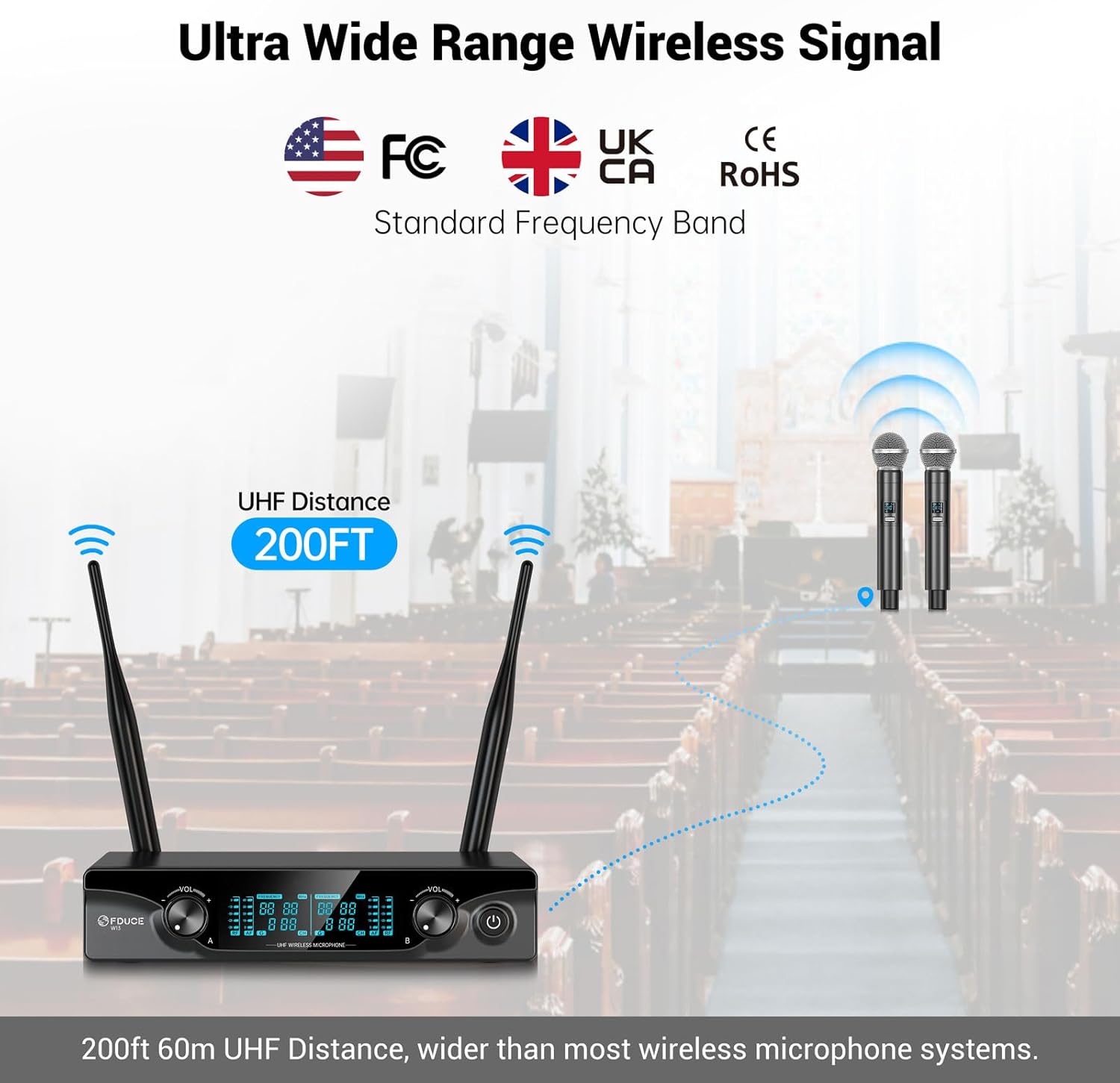
Figure 7: 6.35mm Output Connection Example
Optimal Boot and Shutdown Order
For best performance and to prevent audio pops:
- Optimum Boot Order: Audio Mixer → Audio Amplifier → Speaker → Receiver → Microphone
- Optimum Shutdown Order: Microphone → Receiver → Speaker → Audio Amplifier → Audio Mixer
Product Introduction Video
Video 1: Official product introduction video for the FDUCE W13 Wireless Microphone System, demonstrating key features, setup, and usage scenarios.
Operating Instructions
- Channel Adjustment: Each microphone has 15 UHF adjustable channels. If you experience interference or need to change the operating frequency, briefly press the "Channel Switch Button" on the microphone. The LCD display will show the new channel.
- Volume Control: Use the individual volume control knobs on the receiver, labeled "CHA VOL" and "CHB VOL", to adjust the output volume of each microphone independently. Turn clockwise to increase volume and counter-clockwise to decrease.
- Frequency Band Information: The system operates within the 902-928MHz frequency range. Ensure this band is available and suitable for use in your specific area to avoid regulatory issues or interference.

Figure 8: Microphone LCD and Channel Button

Figure 9: Receiver LCD Display
Maintenance
- Cleaning: Use a soft, dry cloth to clean the microphones and receiver. Avoid using liquid cleaners or abrasive materials.
- Storage: Store the system in a cool, dry place away from extreme temperatures, humidity, and direct sunlight.
- Battery Care: Remove batteries from the microphones if the system will not be used for an extended period to prevent potential battery leakage and damage.
Troubleshooting
If you encounter issues with your FDUCE W13 Wireless Microphone System, refer to the following common problems and solutions:
| Problem | Possible Cause | Solution |
|---|---|---|
| No Sound Output | Microphones or receiver not powered on; low batteries; incorrect cable connection; low volume settings. | Ensure all components are powered on. Replace microphone batteries. Verify audio cables are securely connected to the "MIC IN" input. Increase volume on receiver and audio device. |
| Interference or Poor Sound Quality | Operating on a crowded frequency; receiver too far from microphones; obstructions; other wireless devices. | Press the channel switch button on the microphone to change channels. Ensure receiver antennas are fully extended. Reduce distance between microphones and receiver. Avoid placing receiver near other electronics. |
| Short Transmission Range | Receiver antennas not properly positioned; physical obstructions; low microphone battery. | Adjust receiver antennas for optimal line-of-sight. Remove obstructions. Replace microphone batteries. |
| Microphone Display Not Working | Dead or incorrectly installed batteries. | Replace batteries with fresh AA batteries, ensuring correct polarity. |
Specifications
| Feature | Specification |
|---|---|
| Model Name | W13 |
| Brand | FDUCE |
| Microphone Form Factor | Handheld |
| Connectivity Technology | Auxiliary, UHF |
| Connector Type | 6.35 mm Jack, XLR |
| Polar Pattern | Unidirectional |
| Number of Channels | 30 (2x15 UHF adjustable) |
| Frequency Response | 902-928 MHz |
| Audio Sensitivity | 96 Decibels |
| Signal-to-Noise Ratio | 96 dB |
| Impedance | 600 Ohms |
| Power Source | Battery Powered (2 AA per mic) |
| Material | Plastic (with metal spray paint) |
| Item Weight | 0.89 Kilograms (1.96 pounds) |
| Product Dimensions (L x W x H) | 7.87 x 5.12 x 9.45 inches |
| Recommended Uses | Karaoke, Singing |
| Compatible Devices | Amplifier, Audio Interface, Audio Mixer, Karaoke Machine, PA System |
Warranty and Support
For detailed warranty information, technical assistance, or customer support, please refer to the contact details provided in your product packaging or visit the official FDUCE website. Our support team is available to help with any questions or issues you may encounter.


