
1. Introduction
Thank you for choosing the Brookstone 4-in-1 Wireless Charging Station. This device is designed to simplify your charging experience by providing a centralized solution for your iPhone, Apple Watch, and AirPods, along with an integrated digital clock. Please read this manual carefully before using the product to ensure proper operation and to maximize its lifespan.
2. Package Contents
Please verify that all items listed below are included in your package:
- 1 x Brookstone 3-in-1 Wireless Charger with Clock
- 1 x USB-C Cable
- 1 x User Guide

Image: The Brookstone 4-in-1 Wireless Charging Station shown with an iPhone, Apple Watch, and AirPods, illustrating its multi-device charging capability. The package includes the charging station, a USB-C cable, and a user guide.
3. Product Overview
3.1 Key Features
- 4-in-1 Functionality: Simultaneously charges iPhone, Apple Watch, and AirPods, and features a digital alarm clock.
- Wide Compatibility: Supports iPhone 12/13/14/15 Pro Max Series, all Apple Watch Series (Ultra, Ultra 2, 8, 7, SE, 6, 5, 4, 3, 2), and AirPods Pro, 3, and 2.
- MagSafe Alignment: Integrated magnets ensure perfect alignment for efficient iPhone charging.
- Fast Charging: Delivers up to 15W for iPhone and 5W for other devices (power output may vary).
- Safety Protections: Built-in over-current, over-temperature, and over-voltage protection.
- Digital Alarm Clock: Features adjustable brightness and 12/24 hour display.
- Detachable Charging Port: The Apple Watch charging module can be detached for convenience.
3.2 Components

Image: A detailed diagram highlighting the various components and features of the Brookstone 4-in-1 Wireless Charging Station, including the SmartWatch Charging Area, Adjustable Brightness Button, Adjustable Volume Button, Mode Button, Alarm Clock Display, Wireless Airpod Charging Display, Phone Charging Area, Output Port, Input Port, and Detachable Charging Port.
| Component | Description |
|---|---|
| SmartWatch Charging Area | Dedicated magnetic charging stand for Apple Watch. |
| Adjustable Brightness Button | Controls the brightness of the digital clock display. |
| Adjustable Volume Button | Adjusts the alarm volume. |
| Mode Button | Used to switch between clock settings and alarm settings. |
| Alarm Clock Display | Digital LED display for time and alarm. |
| Wireless Airpod Charging Display | Wireless charging pad for AirPods. |
| Phone Charging Area | Wireless charging pad for iPhone with MagSafe compatibility. |
| Output Port (USB-A) | USB-A port for additional wired charging. |
| Input Port (USB-C) | USB-C port for powering the charging station. |
| Detachable Charging Port | The Apple Watch charging module can be detached for flexible use. |
4. Setup
Follow these steps to set up your Brookstone 4-in-1 Wireless Charging Station:
- Connect Power: Insert the provided USB-C cable into the Input Port (USB-C) on the back of the charging station. Connect the other end of the USB-C cable to a compatible power adapter (not included). A power adapter with at least 18W output is recommended for optimal performance.
- Positioning: Place the charging station on a flat, stable surface, such as a nightstand or desk. Ensure there is adequate ventilation around the device.
- Attach Apple Watch Module: If detached, insert the Apple Watch charging module into its designated USB-A port on the top platform until it is securely connected.
- Initial Power On: Once connected to power, the digital clock display will illuminate, indicating the device is ready for use.
Video: An official product video demonstrating the features and setup of the Brookstone 3-in-1 Wireless Charging Stand with Digital Clock. This video provides a visual guide to connecting the device and showcasing its multi-charging capabilities.
5. Operating Instructions
5.1 Charging Devices
The charging station allows for simultaneous wireless charging of your compatible devices.
- iPhone Charging: Place your iPhone on the flat charging pad (Phone Charging Area). The built-in MagSafe technology will help align your device for optimal charging. Ensure the charging indicator on your iPhone appears.
- Apple Watch Charging: Place your Apple Watch on the magnetic charging stand. The watch will snap into place and begin charging.
- AirPods Charging: Place your AirPods case on the dedicated AirPods charging pad (Wireless Airpod Charging Display). Ensure the charging indicator on your AirPods case illuminates.
- Additional Wired Charging: Use the USB-A Output Port on the back of the device to charge an additional device via a USB cable (not included).

Image: The Brookstone 4-in-1 Wireless Charging Station actively charging an iPhone, Apple Watch, and AirPods, demonstrating its 15W fast charging capability for the iPhone.
5.2 Digital Clock Functions
The integrated digital clock offers time display and alarm functions.
- Setting Time: Press the 'M' (Mode) button to cycle through time setting modes. Use the '+' and '-' buttons to adjust hours and minutes. Press 'M' again to confirm.
- Setting Alarm: Press the 'M' button until the alarm icon appears. Use the '+' and '-' buttons to set the alarm time. Press 'M' again to confirm.
- Adjusting Brightness: Use the brightness button (sun icon) to cycle through different brightness levels for the clock display.
- 12/24 Hour Format: The clock supports both 12-hour (with AM/PM indicator) and 24-hour formats. Refer to the user guide for specific instructions on switching between formats.
- Adjusting Volume: Use the volume buttons (+/-) to adjust the alarm sound level.
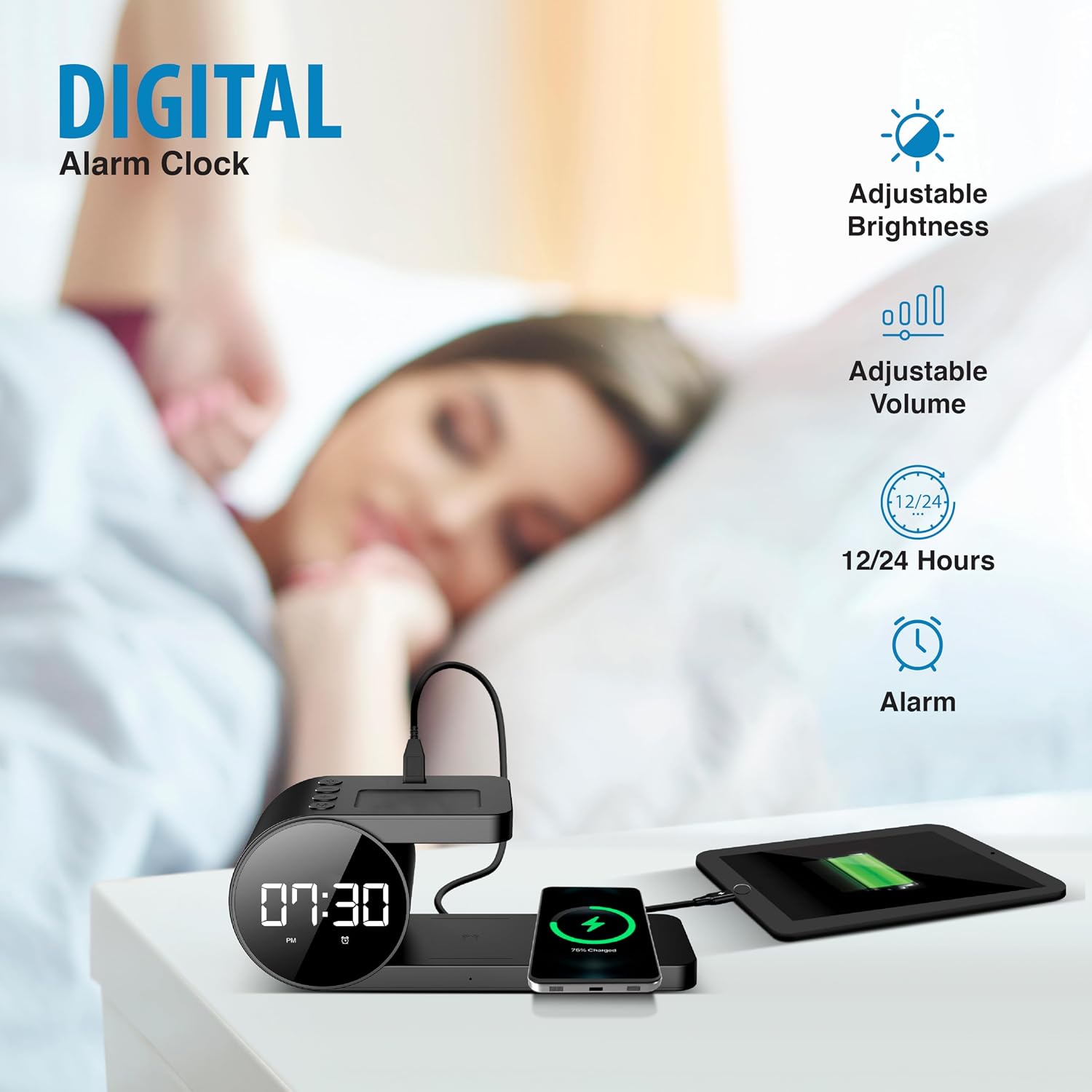
Image: The digital alarm clock display of the Brookstone 4-in-1 Wireless Charging Station, highlighting its adjustable brightness, adjustable volume, 12/24 hour format, and alarm functions, shown in a bedroom setting.
6. Maintenance
Proper maintenance ensures the longevity and optimal performance of your charging station.
- Cleaning: Disconnect the power before cleaning. Use a soft, dry, lint-free cloth to wipe the surface of the charging station. Do not use abrasive cleaners, solvents, or chemical sprays.
- Storage: When not in use for extended periods, store the charging station in a cool, dry place away from direct sunlight and extreme temperatures.
- Avoid Liquids: Keep the device away from water and other liquids.
7. Troubleshooting
If you encounter issues with your charging station, please refer to the table below for common problems and their solutions.
| Problem | Possible Cause | Solution |
|---|---|---|
| Device not charging wirelessly. | Improper device placement, incompatible phone case, insufficient power adapter, foreign objects on charging pad. | Ensure device is centered on the charging pad. Remove thick or metallic phone cases. Use an 18W or higher power adapter. Remove any foreign objects. |
| Digital clock display is too bright/dim. | Brightness setting is not optimal. | Press the brightness button (sun icon) to adjust the display intensity to your preference. |
| Alarm does not sound or is too quiet. | Alarm not set correctly, volume too low. | Verify alarm time and activation. Adjust alarm volume using the '+' and '-' buttons. |
| Charging is intermittent or slow. | Weak power adapter, device overheating, poor connection. | Ensure you are using a power adapter of at least 18W. Allow the device to cool down if it feels warm. Re-seat the USB-C cable and ensure the Apple Watch module is firmly connected. |
| Apple Watch module is loose. | Module not fully inserted. | Push the Apple Watch charging module firmly into its USB-A port until it clicks into place. |
8. Specifications
| Feature | Detail |
|---|---|
| Model Number | BK15-5QC1D-BK |
| Product Dimensions | 9 x 4 x 2 inches |
| Item Weight | 1.61 pounds |
| Connectivity Technology | Wireless |
| Connector Type | USB Type C (Input) |
| Compatible Devices | Smartphones (Qi Charging), Headphones (Qi Charging), Smartwatches (Apple Watch) |
| Input Voltage | 12 Volts |
| Mounting Type | Tabletop Mount |
| Color | Black |

Image: The Brookstone 4-in-1 Wireless Charging Station with its key dimensions (length, width, height) clearly labeled, providing a visual reference for its physical size.
9. Warranty and Support
The Brookstone 4-in-1 Wireless Charging Station comes with a 1-year warranty from the date of purchase. This warranty covers any defects in materials or workmanship under normal use.
For warranty claims, technical support, or any inquiries, please contact Brookstone customer service. Refer to the product packaging or the official Brookstone website for the most current contact information.

