
1. Introduction
This manual provides essential information for the installation, operation, and maintenance of your Superer 750W ATX Power Supply (PSU). Please read this manual thoroughly before installation and retain it for future reference. This power supply is designed to deliver stable and efficient power to your computer system.
2. Safety Information
- High Voltage: The power supply contains high voltage components. Do not open the PSU casing. There are no user-serviceable parts inside. Opening the casing will void the warranty and poses a risk of electric shock.
- Professional Installation: Installation should be performed by qualified personnel. Incorrect installation can damage your system or the PSU.
- Ventilation: Ensure adequate ventilation around the power supply. Do not block the fan or ventilation openings.
- Moisture and Dust: Keep the power supply away from moisture, dust, and extreme temperatures.
- Grounding: Always connect the power supply to a grounded outlet.
- Power Off: Always disconnect the AC power cord from the wall outlet before installing, removing, or servicing the power supply or any other system components.
3. Product Features
3.1 Fully Modular Design
The fully modular design allows you to connect only the cables your system requires, reducing cable clutter and improving airflow within your PC case. This contributes to a cleaner build and better thermal performance.

Image: Overview of the fully modular interface on the Superer 750W PSU, showing various connection ports.
3.2 80 PLUS Gold Efficiency
This power supply is 80 PLUS Gold certified, ensuring high energy efficiency of over 91% at typical loads. Higher efficiency reduces wasted energy as heat, leading to lower operating temperatures, reduced noise, and lower electricity consumption.

Image: Efficiency curve demonstrating the 80 PLUS Gold performance across various load percentages.
3.3 120mm Whisper Quiet Fan
Equipped with a 120mm fan, the power supply provides efficient cooling while maintaining minimal noise levels. The fan operates quietly, contributing to a more silent computing experience, even under high load conditions.

Image: Visual representation of the 120mm fan and its quiet operation, with a noise level comparison chart.
3.4 105°C Japanese Capacitors
The power supply utilizes high-quality 105°C Japanese capacitors. These components ensure superior power reliability, stability, and extended durability, contributing to the long lifespan of the PSU.

Image: Internal view showing the 105°C Japanese capacitors, emphasizing their role in stability and reliability.
3.5 Advanced Protection
The Superer 750W PSU is equipped with comprehensive protection mechanisms to safeguard your system components. These include:
- UVP (Under Voltage Protection): Protects against voltage drops.
- OVP (Over Voltage Protection): Protects against excessive voltage.
- SCP (Short Circuit Protection): Protects against short circuits.
- OCP (Over Current Protection): Protects against excessive current.
- OTP (Over Temperature Protection): Protects against overheating.
- OPP (Over Power Protection): Protects against excessive power draw.

Image: Diagram detailing the various safety protections integrated into the power supply.
4. Setup and Installation
Before beginning installation, ensure your computer is powered off and disconnected from the wall outlet. Refer to your PC case and motherboard manuals for specific installation instructions.
4.1 Cable Specifications
The Superer 750W PSU is fully modular, allowing you to select and connect only the necessary cables. Below is a list of included cables and their typical uses:
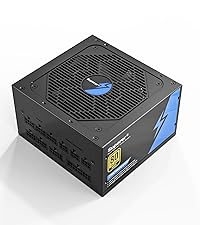
Image: Detailed view of the modular cables provided with the PSU, including their types and typical configurations.
- MB (20+4 Pins): Connects to the motherboard's main power connector.
- CPU (4+4 Pins): Connects to the CPU power connector on the motherboard.
- PCI-E (6+2 Pins): Connects to graphics cards (GPUs).
- SATA: Connects to SATA devices such as SSDs, HDDs, and optical drives.
- Peripheral (Molex) / Floppy: Connects to older peripherals or case fans.
4.2 Installation Steps
- Mount the PSU: Secure the power supply into the designated PSU bay in your computer case using the provided screws. Ensure the fan is oriented correctly for optimal airflow (typically facing down or up, depending on your case design).
- Connect Main Power: Connect the 20+4 pin MB cable to your motherboard's main power connector.
- Connect CPU Power: Connect the 4+4 pin CPU cable(s) to your motherboard's CPU power connector(s).
- Connect GPU Power: If using a dedicated graphics card, connect the appropriate 6+2 pin PCI-E cable(s) to your GPU.
- Connect Peripherals: Connect SATA cables to your storage drives (SSDs, HDDs) and optical drives. Use Peripheral (Molex) cables for other components as needed.
- Cable Management: Route cables neatly to improve airflow and aesthetics.
- Connect AC Power: Once all internal connections are secure, connect the AC power cord to the power supply and then to a grounded wall outlet.
- Power On: Flip the power switch on the back of the PSU to the 'ON' position, then power on your computer.
5. Operating Instructions
The Superer 750W ATX Power Supply is designed for continuous operation within its specified limits. Once installed, it requires minimal user interaction.
- Power On/Off: Use the main power switch on the back of the PSU to cut off or restore power to the unit. For normal operation, leave it in the 'ON' position.
- System Shutdown: Always shut down your computer through the operating system before turning off the PSU's main power switch or disconnecting the AC power cord.
- Fan Operation: The 120mm fan will operate automatically to cool the internal components. Its speed will adjust based on the power supply's load and temperature to maintain optimal cooling with minimal noise.
6. Maintenance
Proper maintenance ensures the longevity and optimal performance of your power supply.
- Dust Cleaning: Periodically clean dust from the exterior of the power supply, especially around the fan intake and exhaust vents. Use compressed air to gently blow dust away. Ensure the system is powered off and unplugged before cleaning.
- Airflow: Ensure that the internal components of your PC case have good airflow. Blocked vents or excessive dust can lead to overheating and reduced efficiency.
- Cable Check: Occasionally check that all modular cables are securely connected to both the PSU and your components.
7. Troubleshooting
If you encounter issues with your power supply, perform the following basic checks:
- No Power:
- Ensure the AC power cord is securely plugged into both the wall outlet and the PSU.
- Verify the power switch on the back of the PSU is in the 'ON' position.
- Check the wall outlet by plugging in another device.
- Ensure all modular cables are correctly and firmly connected to the PSU and system components.
- System Instability/Crashes:
- Ensure your system's power requirements do not exceed the PSU's 750W capacity.
- Check for proper ventilation and ensure the PSU fan is spinning.
- Verify all power connections are secure.
- Unusual Noise:
- If you hear unusual noises (e.g., grinding, buzzing), power down your system immediately and contact support.
- A slight fan noise under load is normal.
If these steps do not resolve the issue, contact Superer customer support for further assistance.
8. Specifications
| Feature | Specification |
|---|---|
| Brand | Superer |
| Model Number | ATX-750GM |
| Output Wattage | 750 Watts |
| Form Factor | ATX |
| Efficiency Certification | 80 PLUS Gold |
| Power Supply Design | Full Modular |
| Cooling Method | Air (120mm Fan) |
| Fan Count | 1 |
| Capacitors | 105°C Japanese Capacitors |
| Minimum Input Voltage | 100 Volts (AC) |
| Maximum Input Voltage | 230 Volts (AC) |
| System Bus Connector Type | ATX |
| Mfr Part Number | SP-06235 |
| ASIN | B0CQYSS68S |
9. Warranty and Support
9.1 Warranty Information
The Superer 750W ATX Power Supply comes with a 10-Year Warranty, guaranteeing dependable performance. This warranty covers defects in materials and workmanship under normal use. Please retain your proof of purchase for warranty claims.
9.2 Customer Support
For technical support, warranty claims, or any questions regarding your Superer power supply, please contact Superer customer service through the retailer where you purchased the product or visit the official Superer website for contact information.