
Introduction
Thank you for choosing the HiLIFE 3.2L Ultrasonic Cool Mist Humidifier. This device is designed to efficiently increase humidity in your living spaces, providing relief from dry air and creating a more comfortable environment for you, your family, and your plants. Please read this manual thoroughly before operation to ensure safe and optimal performance.
Safety Instructions
- Always place the humidifier on a firm, flat, water-resistant surface away from direct sunlight and heat sources.
- Do not place the humidifier directly on carpet or rugs.
- Ensure the power cord is not damaged and is placed where it cannot be tripped over.
- Do not immerse the base unit in water or other liquids.
- Unplug the humidifier before filling, cleaning, or moving it.
- Do not add essential oils directly into the water tank as this may damage the unit.
- Keep out of reach of children and pets.
- Use only clean, cool tap water. Distilled water is recommended to prevent mineral buildup.
Package Contents
- HiLIFE 3.2L Ultrasonic Cool Mist Humidifier Unit
- AC Power Adapter
- User Manual
Product Overview
The HiLIFE Humidifier features a transparent water tank, a control panel with touch buttons, and a top-fill design for convenience.

Figure 1: Overview of the HiLIFE 3.2L Ultrasonic Cool Mist Humidifier.
Setup
- Unpack: Carefully remove all components from the packaging.
- Placement: Place the humidifier on a flat, stable surface. Ensure it is at least 6 inches (15 cm) away from walls and furniture.
- Fill Water Tank: Remove the top cover. Fill the 3.2L water tank directly from the top opening. Do not fill water into the mist outlet pipe in the center. Fill up to the 'MAX' water mark.
- Replace Cover: Securely place the top cover back onto the unit.
- Connect Power: Plug the AC power adapter into the humidifier and then into a standard electrical outlet.
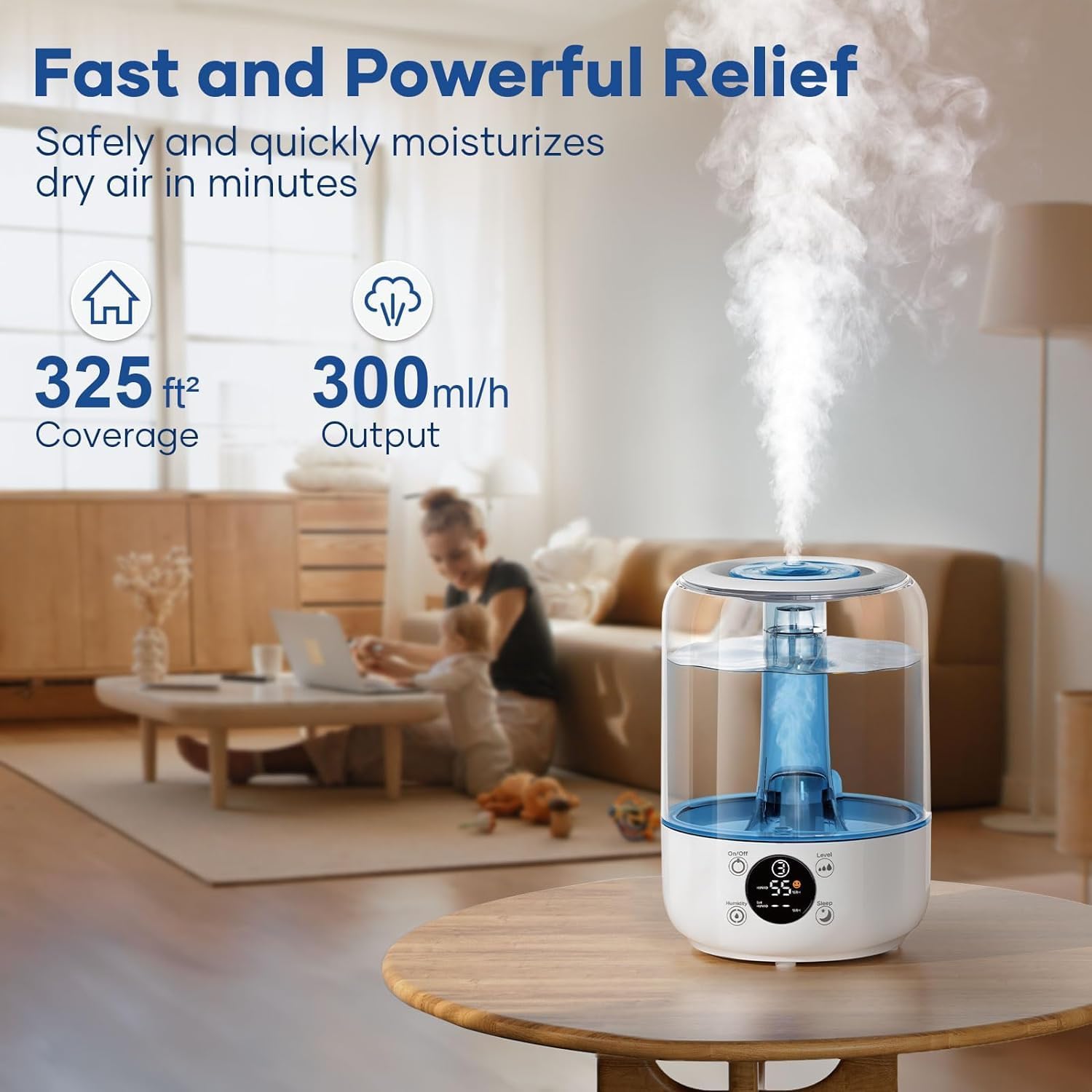
Figure 2: Easy top-fill design for water refill.
Operation
Control Panel
The humidifier features a touch-sensitive control panel with an LED display for easy operation.
Video 1: Demonstration of the HiLIFE Humidifier's control panel and features by PureReviews.
Power On/Off
- Press the On/Off button to turn the humidifier on or off. The LED display will illuminate when the unit is on.
Mist Level Adjustment
The humidifier offers 3 mist output levels:
- Press the Level button repeatedly to cycle through Level 1 (100 ml/h), Level 2 (200 ml/h), and Level 3 (300 ml/h).

Figure 3: Three levels of mist adjustment for customized output.
Smart Humidity Setting (Auto Mode)
- Press the Humidity button to activate the intelligent humidity setting. You can set your desired humidity level between 40% and 90% Relative Humidity (RH). The humidifier will automatically adjust mist output to maintain this level.
- The unit will pause misting once the set humidity is reached and resume when the humidity drops below the set level.

Figure 4: Smart Humidity Setting automatically adjusts mist to maintain optimal humidity (45%RH - 55%RH).
Sleep Mode
- Press the Sleep button to turn off the LED display lights for an undisturbed sleeping environment. The humidifier will continue to operate at its current settings.

Figure 5: Whisper-quiet operation and Sleep Mode for undisturbed rest.
Automatic Shut-Off
- The humidifier is equipped with an automatic shut-off feature that activates when the water level is too low, preventing damage to the unit.
Care & Maintenance
Regular cleaning is essential to prevent mineral buildup and ensure optimal performance and hygiene.
- Daily Maintenance: Empty and rinse the water tank daily. Refill with fresh water.
- Weekly Cleaning:
- Unplug the humidifier.
- Remove the water tank from the base.
- Clean the water tank with a mixture of white vinegar and water. Use a soft brush to scrub cracks and corners. Rinse thoroughly with clean water.
- Wipe the base compartment with a damp cloth. Do not rinse the base with water.
- Air dry all parts completely before reassembling.
- Storage: If storing the humidifier for an extended period, ensure all parts are clean and dry. Store in a cool, dry place.
Troubleshooting
| Problem | Possible Cause | Solution |
|---|---|---|
| No mist or low mist output | Low water level; Mineral buildup; Mist outlet blocked | Refill water tank; Clean the unit as per maintenance instructions; Ensure mist outlet is clear. |
| Unusual odor | Stagnant water; Dirty water tank | Empty and clean the water tank thoroughly. Use fresh water. |
| Water leakage | Tank not properly seated; Damaged tank/seal | Ensure the water tank is correctly placed on the base; Check for cracks or damage. Contact customer support if damaged. |
| Unit not turning on | No power; Power button not pressed correctly | Check power connection; Ensure outlet is functional; Press the On/Off button firmly. |
Specifications
| Feature | Detail |
|---|---|
| Brand | HiLIFE |
| Model Name | HF4 |
| Operation Mode | Ultrasonic Cool Mist |
| Water Tank Capacity | 3.2 Liters (approx. 0.85 Gallons) |
| Max Mist Output | 300 ml/h |
| Max Runtime | Up to 35 hours (on low setting) |
| Noise Level | < 30dB |
| Special Features | Auto Shut-Off, Humidity Control, Top Fill Design, 3 Mist Levels, Sleep Mode |
| Product Dimensions | 7.28"D x 7.28"W x 10.43"H |
| Item Weight | 2.1 Pounds |
| Voltage | 110 Volts |
Warranty & Customer Support
HiLIFE offers a 12-month warranty for this product. For any questions, concerns, or technical support, please contact our customer support team. We are committed to ensuring your satisfaction.
- Customer Support: Expect a 24-hour prompt response.
- Online Store: Visit the HiLIFE Store on Amazon for more products and information.
Video 2: A seller's perspective on the HiLIFE Humidifier, highlighting its benefits for plants and overall air quality.
Video 3: Another seller's review of the HiLIFE Humidifier, emphasizing its features and ease of use.
Video 4: A seller's testimonial on how the humidifier benefits family sleep and well-being.
