
Soundcore A3955
Contents
Soundcore P40i Wireless Earbuds User Manual
Model: A3955 | Brand: Soundcore
Introduction
The Soundcore P40i by Anker are advanced noise-cancelling wireless earbuds designed for an immersive audio experience. Featuring adaptive noise cancelling, powerful bass, extended playtime, and a versatile 2-in-1 charging case that doubles as a phone stand, these earbuds are built for convenience and high-quality sound on the go.

Image: Soundcore P40i wireless earbuds and their charging case, showcasing the navy blue color.
Setup
What's in the Box
- Soundcore P40i Earbuds
- Charging Case
- USB-C Charging Cable
- XS/S/L/XL Ear Tips (M size pre-installed)

Image: All items included in the Soundcore P40i package: earbuds, charging case, USB-C cable, and various ear tip sizes.
Charging
Before first use, fully charge the earbuds and the charging case. The case supports both USB-C cable charging and wireless charging for convenience.
- Connect the USB-C cable to the charging case and a power source.
- For wireless charging, place the case on a compatible wireless charging pad.
- A full charge takes approximately 2.4 hours.

Image: The Soundcore P40i charging case being charged wirelessly on a charging pad.
Pairing
The Soundcore P40i earbuds offer fast and stable Bluetooth 5.3 connectivity with multipoint connection capabilities.
- Open the charging case. The earbuds will automatically enter pairing mode.
- On your device (smartphone, tablet, laptop), enable Bluetooth and select "Soundcore P40i" from the list of available devices.
- For Android devices, Fast Pair enables quick, effortless pairing.
- Multipoint connection allows seamless switching between two paired devices.

Image: A smartphone displaying a "Fast Pair" notification for the Soundcore P40i earbuds, indicating quick Bluetooth connection.

Image: Soundcore P40i earbuds and their case positioned between a laptop and a smartphone, demonstrating the multipoint connection feature.
Ear Tip Fit
For optimal sound quality and noise cancellation, selecting the correct ear tip size is crucial. The Soundcore P40i comes with XS, S, L, and XL ear tips, with M size pre-installed.
- Try different sizes to find the most comfortable and secure fit.
- A good seal in your ear canal is essential for effective noise cancelling and bass response.
- Use the Soundcore app's "Hearing Test" feature to find your perfect sound profile and fit.

Image: A man wearing Soundcore P40i earbuds, with a smartphone displaying a hearing test interface to help find the perfect sound and fit.
Operating Instructions
Controls
The Soundcore P40i earbuds feature intuitive touch controls for managing playback, calls, and modes. The raised dot on the earbuds guides you for easy touch control.
- Play/Pause: Single tap on either earbud.
- Next Track: Double tap right earbud.
- Previous Track: Double tap left earbud.
- Answer/End Call: Single tap on either earbud.
- Reject Call: Press and hold either earbud.
- Volume Control: Customizable via the Soundcore app.
- Switch Noise Cancelling Modes: Press and hold either earbud (customizable).

Image: A detailed view of the Soundcore P40i earbuds, emphasizing the intuitive touch control surface.
Noise Cancelling
The P40i features Smart Noise Cancelling with Adaptive ANC, which automatically detects ambient noise and adjusts cancellation levels for optimal peace and tranquility.
- Adaptive ANC: Automatically adjusts noise cancellation based on your environment.
- Manual Mode: Customize noise cancelling with five levels and three modes for tailored sound control via the Soundcore app.
- The advanced noise cancelling system, combining noise isolation and sound sensors, reduces noise by up to 45dB.

Image: A man wearing Soundcore P40i earbuds in a bustling train station, illustrating the effectiveness of smart noise cancelling.

Image: A woman wearing Soundcore P40i earbuds while riding a subway, highlighting the noise cancelling feature in a noisy environment.

Image: A person wearing Soundcore P40i earbuds, enjoying a quiet moment with a cup of coffee, demonstrating the effectiveness of noise cancellation.
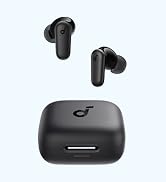
Image: An exploded view diagram of the Soundcore P40i earbud, illustrating the internal components responsible for its advanced noise cancelling system.
Image: A smartphone screen displaying the Soundcore app's noise cancellation settings, allowing users to choose between Adaptive ANC and Manual Mode with various levels.
Sound Quality
Experience thumping beats and intensive audio with the Soundcore P40i. Equipped with 11mm composite drivers and BassUp technology, these earbuds deliver real-time intense bass.

Image: A detailed diagram illustrating the 11mm composite driver and BassUp technology within the Soundcore P40i earbuds, designed for powerful audio output.
Call Quality
The P40i earbuds ensure superior call quality with 6 microphones and an AI algorithm. Your voice is transmitted with clarity and strength, whether on a call or video chat.

Image: A woman engaged in a video call while wearing Soundcore P40i earbuds, highlighting the clear call quality provided by the 6 microphones and AI algorithm.

Image: A diagram illustrating the strategic placement of 6 microphones within the Soundcore P40i earbuds, designed to enhance call clarity with AI technology.
2-in-1 Charging Case and Phone Stand
The unique charging case for the Soundcore P40i doubles as a convenient phone stand, allowing for hands-free viewing of content.
- Simply open the case and position your phone in the designated slot.
- Ideal for watching videos or making video calls on the go.
- Note: Phone stand only supports horizontal orientation. Foldable screens or thick phone cases may not be compatible. Earbuds must be removed while using the case as a phone stand.

Image: The Soundcore P40i charging case functioning as a phone stand, holding a smartphone for hands-free viewing, possibly on an airplane tray table.

Image: Two individuals enjoying content on a smartphone, which is propped up by the Soundcore P40i charging case acting as a phone stand.
Soundcore App Customization
Personalize your listening experience with the Soundcore app. The app allows you to customize EQ settings, find your device, and more.
- Adjust sound profiles with the custom EQ feature.
- Change control settings to suit your preferences.
- Access various listening modes, including Adaptive ANC and Transparency Mode.

Image: Multiple screenshots of the Soundcore mobile application, showcasing features like custom equalizer settings, device management, and ambient sound mode selection.
Gaming and Movie Modes
Enhance your entertainment with specialized audio modes:
- Gaming Mode: Enhances the sound of footsteps and other in-game audio for a more immersive gaming experience.
- Movie Mode: Places you as part of the story with 3D sound effects.

Image: Visual representations of Gaming Mode and Movie Mode, indicating specialized audio enhancements for different entertainment types.
Maintenance
Water Resistance
The Soundcore P40i earbuds have an IPX5 water resistance rating, protecting them from water splashes.
- Avoid submerging the earbuds in water.
- Wipe them dry with a clean cloth if they get wet.

Image: Soundcore P40i earbuds being splashed with water, visually representing their IPX5 water-resistant capabilities.
Cleaning
Regular cleaning helps maintain optimal performance and hygiene.
- Gently wipe the earbuds and charging case with a soft, dry, lint-free cloth.
- Remove ear tips and clean them with mild soap and water, then dry thoroughly before reattaching.
- Use a dry cotton swab to clean the charging contacts on both the earbuds and the case.
Troubleshooting
If you encounter issues with your Soundcore P40i earbuds, try the following steps:
- No Sound/Connectivity Issues:
- Ensure earbuds are charged.
- Verify Bluetooth is enabled on your device and the earbuds are selected.
- Try unpairing and re-pairing the earbuds.
- Reset the earbuds (refer to the Soundcore app or online support for specific instructions).
- Poor Sound Quality:
- Check ear tip fit for a proper seal.
- Clean ear tips and earbud grilles.
- Adjust EQ settings in the Soundcore app.
- Noise Cancelling Not Effective:
- Ensure ear tips provide a tight seal.
- Check noise cancelling mode settings in the Soundcore app.
For further assistance, please refer to the official Soundcore support website or contact customer service.
Specifications
| Feature | Detail |
|---|---|
| Model Name | P40i |
| Noise Control | Active Noise Cancellation |
| Connectivity Technology | Wireless |
| Wireless Communication Technology | Bluetooth 5.3 |
| Drivers | 11mm Composite Drivers |
| Microphones | 6 (with AI algorithm for calls) |
| Battery Life (Earbuds) | 12 hours (single charge) |
| Total Playtime (with Charging Case) | 60 hours |
| Charging Time | 2.4 Hours |
| Water Resistance Level | IPX5 |
| Control Type | Touch, Volume Control |
| Compatible Devices | Cellphones, Desktops, Laptops, Tablets |
| Material | Plastic |
| Item Weight | 1.92 ounces |
| Product Dimensions | 4.25 x 4.25 x 2.17 inches |
| UPC | 194644190965 |

Image: The Soundcore P40i charging case with earbuds, illustrating the impressive 60-hour total playtime.
Warranty and Support
Soundcore P40i earbuds typically come with an 18-month warranty. Please retain your proof of purchase for warranty claims.
For detailed warranty information, product registration, FAQs, and customer support, please visit the official Soundcore website:
Documents and downloads
Ask a question about this manual
Ask about setup, troubleshooting, compatibility, parts, safety, or missing instructions. Manuals+ will review the question and use this page’s manual context to help answer it.