
1. Introduction
This manual provides comprehensive instructions for the safe and effective operation of your CREWORKS 60000 mg/h Ozone Negative Ion Generator, Model IOG-P030-00. This device is designed to eliminate tough odors and purify air in various environments by generating ozone and negative ions. Please read this manual thoroughly before use and retain it for future reference.
2. Important Safety Instructions
WARNING: Ozone can be harmful in high concentrations. Use this device only in unoccupied spaces. Ensure no humans, pets, or plants are present during operation.
- Always unplug the generator when not in use or before cleaning.
- Do not operate the unit in wet or damp environments.
- Keep out of reach of children.
- Ensure adequate ventilation after each use. Wait at least 30-60 minutes after the cycle ends and ventilate the area thoroughly before re-entry.
- Do not block the air inlet or outlet during operation.
- Avoid direct inhalation of ozone.
- If you experience any discomfort, immediately turn off the unit, leave the area, and ventilate.
3. Product Overview
The CREWORKS Ozone Negative Ion Generator is designed for powerful odor elimination and air purification. Key features include a durable aluminum alloy shell, precise timer controls, and a portable design.
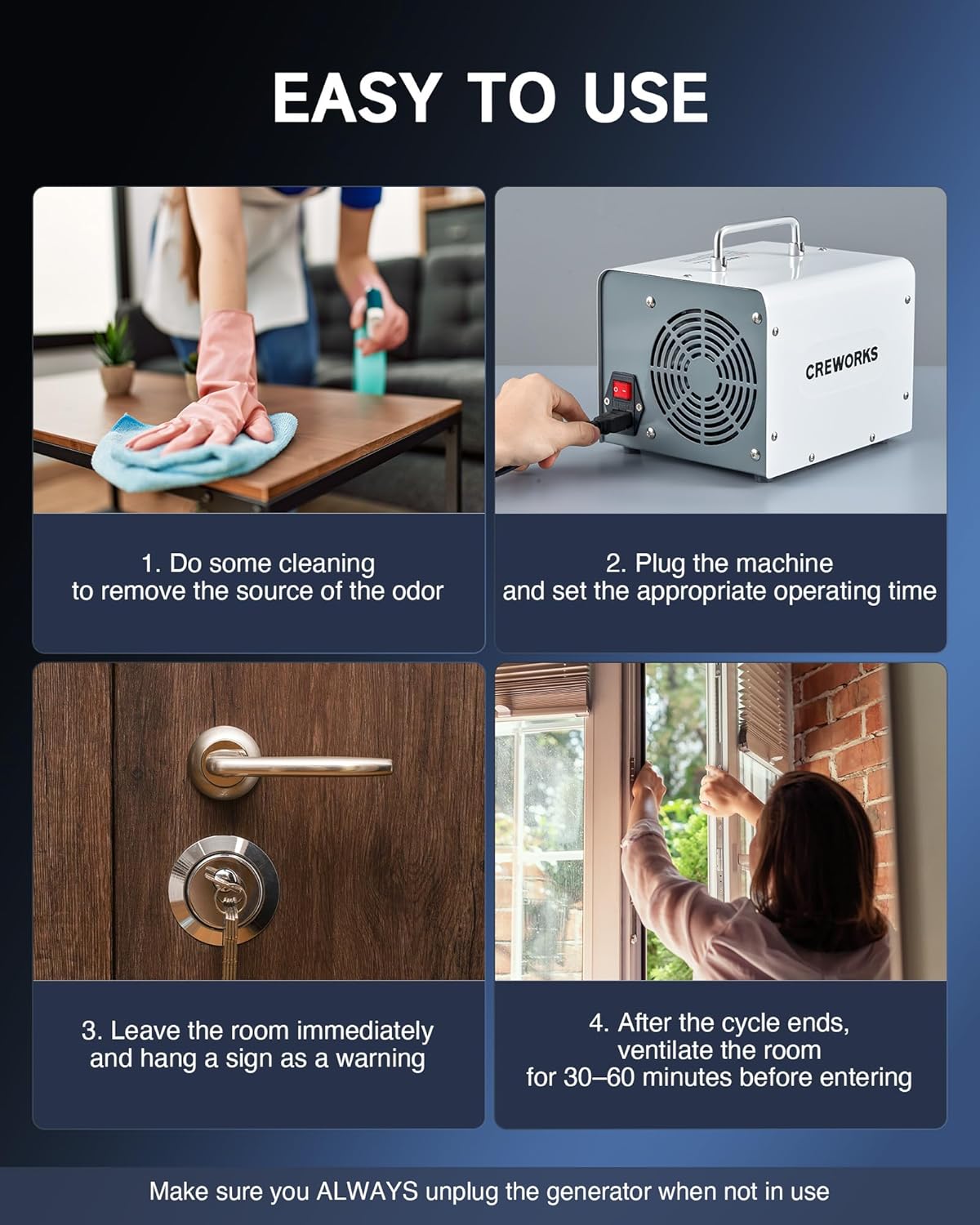
Image: Front view of the CREWORKS Ozone Negative Ion Generator, highlighting the timer knob and control panel.
Product Components (Refer to Product Diagram)

Image: Detailed product diagram illustrating the comfy handle, timer knob, ozone/anion outlet, mode switch button, indicator light, fan, air inlet, power switch, and power cord port.
- Comfy Handle: For easy portability.
- Timer Knob: Sets operation duration (0-180 minutes or HOLD).
- Ozone/Anion Outlet: Where purified air is dispersed.
- Mode Switch Button: To select between Ozone and Negative Ion modes.
- Indicator Light: Shows operational status.
- Fan: Circulates air for effective treatment.
- Air Inlet: Where air enters the unit.
- Power Switch: Turns the unit on/off.
- Power Cord Port: For connecting the power cable.
- Removable Filter: For easy cleaning and maintenance.
- Nonslip Feet: Ensures stable operation.
4. Setup
- Prepare the Area: Ensure the space to be treated is unoccupied by humans, pets, and plants. Remove any valuable artwork or delicate items that might be sensitive to ozone.
- Clean the Source of Odor: For best results, clean or remove the primary source of the odor before operating the ozone generator.
- Placement: Place the ozone generator in a central location within the treatment area, preferably elevated, to allow for optimal air circulation.
- Power Connection: Plug the power cord into a standard electrical outlet.

Image: Visual guide for easy use, showing steps: 1. Clean the source of odor, 2. Plug in and set timer, 3. Leave the room, 4. Ventilate after use.
5. Operating Instructions
5.1 Ozone Generation Mode
- Set the Timer: Turn the timer knob clockwise to set the desired operating time (0-180 minutes). For continuous operation, turn the knob counter-clockwise to the "HOLD" position.
- Activate: Flip the power switch to the "ON" position. The indicator light will illuminate.
- Evacuate: Immediately leave the treatment area. Ensure all doors and windows are closed to contain the ozone.
- Ventilation: After the set time, the unit will automatically shut off (or manually turn off if on "HOLD"). Wait at least 30-60 minutes for the ozone to dissipate. Open windows and doors to thoroughly ventilate the area before re-entry.
5.2 Negative Ion Mode
To activate the negative ion mode, ensure the unit is plugged in and the power switch is on. Press the "NEGATIVE ION" button. This mode can be used in occupied spaces for general air purification.
5.3 Recommended Treatment Durations
The optimal treatment duration depends on the room size and the severity of the odor. Refer to the table below for general guidelines. Always start with shorter durations and increase if necessary.

Image: Guide for ozone treatment durations based on room size. For example, 161.5 sq ft (15 m²) for 10 min, up to 3200 sq ft (297 m²) for 80 min.
| Room Size (sq ft) | Room Size (m²) | Duration (min) |
|---|---|---|
| 161.5 | 15 | 10 |
| 323 | 30 | 20 |
| 538.2 | 50 | 30 |
| 753.5 | 70 | 40 |
| 1076.4 | 100 | 50 |
| 1614.5 | 150 | 60 |
| 3200 | 297 | 80 |
6. Applications
The CREWORKS Ozone Negative Ion Generator is effective in eliminating a wide range of odors in various enclosed spaces, including:

Image: Visual representation of odors effectively removed, such as pet odor, chemical odor, food smells, smoke, musty smells, and car smells.
- Homes and Apartments (e.g., kitchens, basements, attics)
- Vehicles (cars, RVs, boats)
- Offices and Commercial Spaces
- Pet Areas
- Areas affected by smoke, mold, mildew, or chemical odors.

Image: The ozone generator depicted in different application settings, including a pet room, basement, car, attic, kitchen, and bathroom.
7. Maintenance
Regular maintenance ensures optimal performance and longevity of your ozone generator.
- Cleaning the Filter: The unit features a removable filter. Regularly clean the filter to prevent dust buildup and maintain efficient airflow. To clean, slide out the filter, gently brush off any debris, and rinse with water if necessary. Ensure it is completely dry before reinserting.
- Cleaning Ozone Plates: Over time, the ozone plates may accumulate residue, reducing efficiency. Refer to the manufacturer's guidelines for cleaning or replacing ozone plates. Always unplug the unit before attempting to clean internal components.
- Exterior Cleaning: Wipe the exterior of the unit with a soft, dry cloth. Do not use abrasive cleaners or solvents.
8. Troubleshooting
If you encounter issues with your CREWORKS Ozone Negative Ion Generator, please refer to the following common troubleshooting steps:
- Unit Not Turning On:
- Ensure the power cord is securely plugged into both the unit and a working electrical outlet.
- Check if the power switch is in the "ON" position.
- Verify that the timer knob is not set to "OFF".
- Reduced Odor Elimination:
- Clean the removable filter and ozone plates as described in the Maintenance section.
- Ensure the treatment area is properly sealed during operation.
- Increase the treatment duration or consider treating smaller sections of the area.
- Unusual Noise:
- Check for any obstructions near the fan or air inlets.
- Ensure the unit is placed on a stable, flat surface.
If problems persist, please contact CREWORKS customer support for assistance.
9. Specifications
| Feature | Detail |
|---|---|
| Brand | CREWORKS |
| Model Number | IOG-P030-00 |
| Ozone Output | 60,000 mg/h |
| Coverage Area | Up to 3200 sq ft |
| Product Dimensions | 9.84"D x 8.15"W x 7.67"H |
| Item Weight | 6.4 Pounds |
| Power Source | AC |
| Color | White |
10. Warranty and Support
For warranty information, technical support, or any questions regarding your CREWORKS Ozone Negative Ion Generator, please contact CREWORKS customer service. Refer to the product packaging or the official CREWORKS website for the most up-to-date contact details.
Online Support: Visit the CREWORKS Store on Amazon