
1. Introduction
Thank you for choosing the Hbada E3 Ergonomic Office Chair. This chair is designed to provide optimal comfort and support for extended periods of sitting, featuring advanced ergonomic adjustments. Please read this manual thoroughly before assembly and use to ensure proper function and longevity of your chair.
2. Safety Information
- Do not stand on the chair.
- Do not use the chair as a step stool.
- Ensure all bolts and screws are securely tightened before use. Periodically check and re-tighten as necessary.
- Do not exceed the maximum weight capacity (typically 120 kg or 265 lbs, though not specified in provided data, this is a standard safety precaution).
- Keep hands and fingers clear of moving parts during adjustment.
- Use the chair on a level surface to prevent tipping.
3. Package Contents
Please verify that all components are present before beginning assembly. If any parts are missing or damaged, please contact customer support.
- Backrest Assembly
- Seat Assembly
- Headrest
- Armrests (Left and Right)
- Gas Lift Cylinder
- Star Base
- Casters (5 pcs)
- Hardware Kit (Screws, Allen Wrench)
4. Setup and Assembly
Follow these general steps for assembly. Refer to the included graphical instructions for detailed diagrams.
- Attach the casters to the star base by pushing them firmly into the holes.
- Insert the gas lift cylinder into the center hole of the star base.
- Attach the armrests to the seat assembly using the provided screws.
- Connect the backrest to the seat assembly.
- Place the assembled seat and backrest onto the gas lift cylinder.
- Attach the headrest to the top of the backrest.

Image: Overall dimensions of the Hbada E3 office chair, showing height, width, and depth measurements.
5. Operating Instructions and Adjustments
The Hbada E3 chair offers multiple adjustment options for personalized comfort.
5.1. Chair Height Adjustment
To adjust the chair height, pull the lever located under the seat upwards while applying or releasing body weight. Release the lever at the desired height.
5.2. Recline Function
The chair features a 140-degree recline function. Use the recline lever (usually on the side) to unlock the backrest, lean back to your preferred angle, and then push the lever down to lock it in place.

Image: A person demonstrating the 140-degree recline function of the Hbada E3 chair.
5.3. Lumbar Support Adjustment
The 3-zone lumbar support system provides comprehensive back protection. It can be adjusted in 8 directions, including inner/outer 40-degree rotation and a 14-degree buffer zone for optimal comfort and pressure relief.
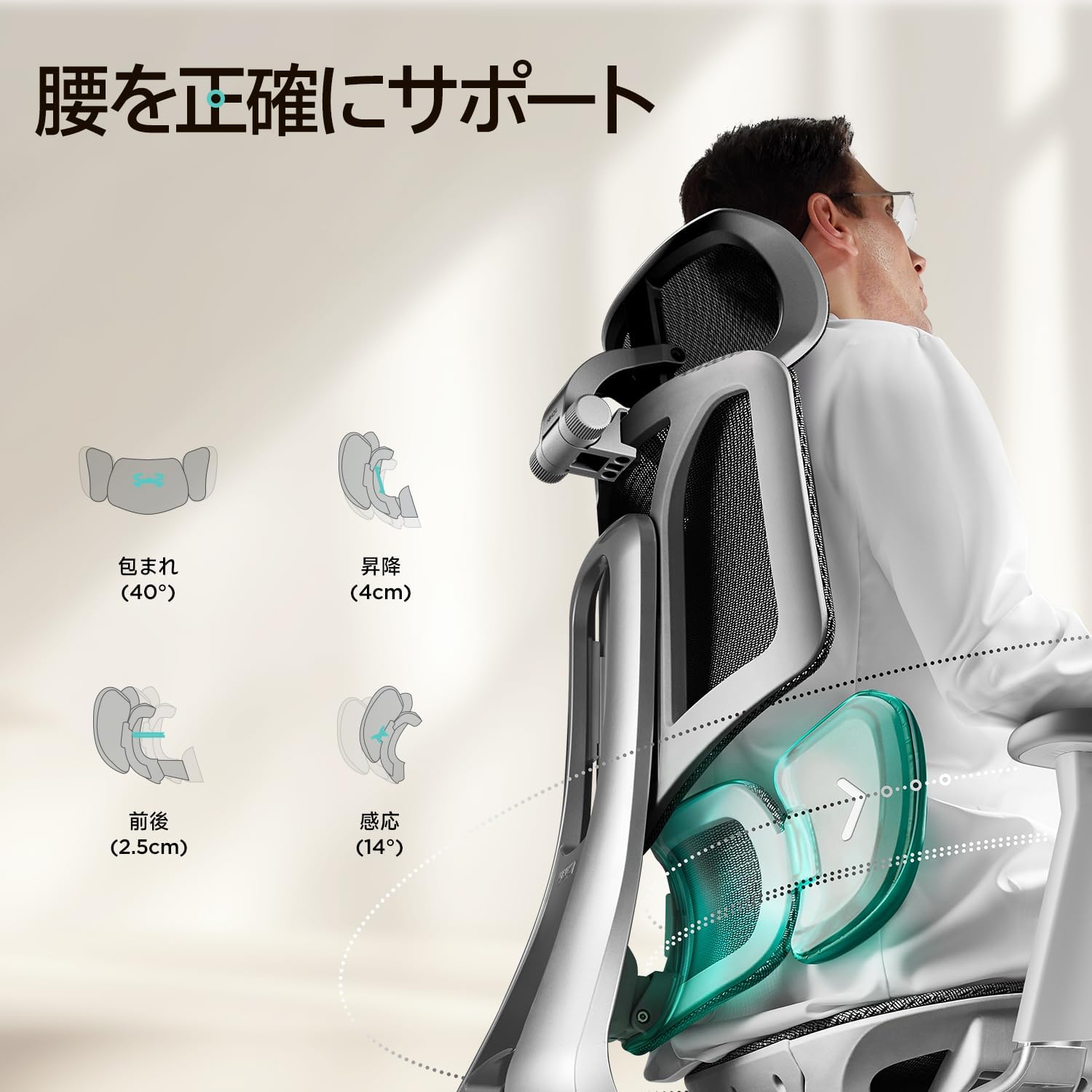
Image: Detailed view of the Hbada E3's adjustable 3-zone lumbar support system.
5.4. 3D Armrest Adjustment
The 3D armrests offer versatile adjustments to support your arms and shoulders. They can be adjusted:
- Height: Up to 70mm (2.95 inches) vertically.
- Front/Back: Up to 50mm (1.65 inches) horizontally.
- Rotation: Up to 40 degrees inward or outward.

Image: Diagram illustrating the height, front/back, and rotational adjustments of the 3D armrests.
5.5. 3D Headrest Adjustment
The 3D headrest provides neck and head support and can be adjusted:
- Height: Up to 4.5cm vertically.
- Rotation: Up to 60 degrees.
- Tilt: Up to 45 degrees.
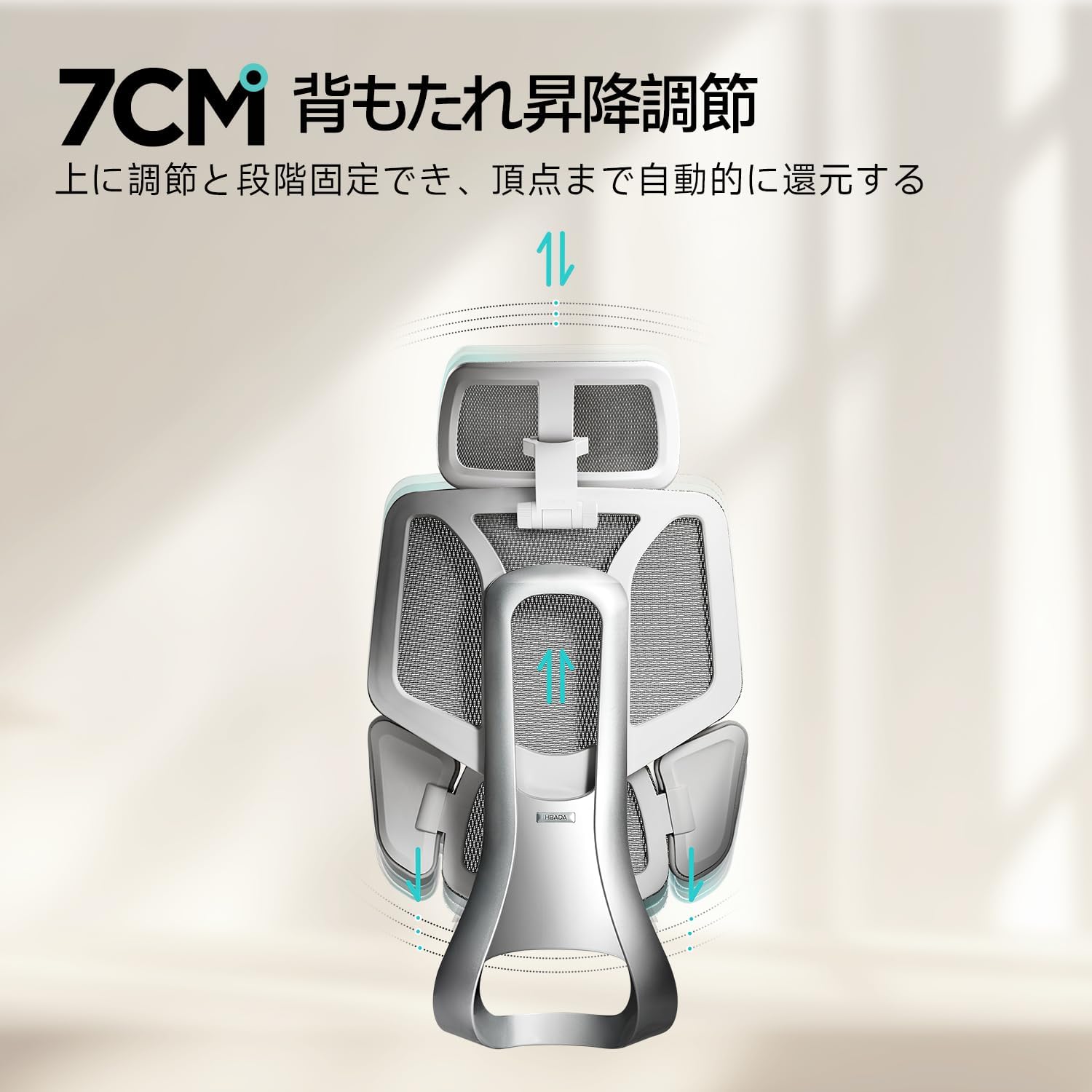
Image: Diagram illustrating the height, rotation, and tilt adjustments of the 3D headrest.
5.6. Seat Depth Adjustment
Adjust the seat depth by up to 5cm to accommodate different leg lengths and ensure proper thigh support.

Image: Illustration of the 5cm seat depth adjustment mechanism.
5.7. Backrest Height Adjustment
The backrest can be adjusted vertically by 7cm to align the lumbar support with your natural spine curvature.

Image: Diagram showing the 7cm vertical adjustment range for the backrest.
6. Maintenance
Regular maintenance helps prolong the life of your chair.
- Cleaning: Wipe mesh and plastic surfaces with a damp cloth and mild detergent. Avoid harsh chemicals.
- Inspection: Periodically check all screws and bolts for tightness and re-tighten as needed.
- Casters: Keep casters free of debris (hair, dust) to ensure smooth movement.
- Gas Lift: Do not attempt to disassemble the gas lift cylinder.
7. Troubleshooting
If you encounter any issues, refer to the following common problems and solutions.
| Problem | Possible Cause | Solution |
|---|---|---|
| Chair does not adjust height | Gas lift cylinder malfunction or lever not engaged. | Ensure the height adjustment lever is fully pulled. If the issue persists, the gas lift may need replacement. Contact support. |
| Squeaking noises | Loose connections or friction between parts. | Check and tighten all screws and bolts. Apply a small amount of silicone lubricant to moving parts if necessary. |
| Chair wobbles | Loose base connections or uneven floor. | Ensure the star base is securely attached and all casters are properly inserted. Check if the floor is level. |
If troubleshooting steps do not resolve the issue, please contact Hbada customer support.
8. Specifications
- Model: E3 (E301G-V3)
- Brand: Hbada
- Backrest Style: Mesh Back
- Seat Material Type: Mesh
- Special Features: Ergonomic, Lumbar Adjustment Function
- Recommended Use: Office, Gaming
- Room Type: Office
- Armrest Style: 3D Armrest
- Base Style: Wheel
- Reclining Stages: 2 (Implied by 140-degree recline, usually lockable at upright and reclined)
- Color: White (Note: Product title mentions 'White', but images show grey/silver. Assuming 'White' refers to the frame/accents for this specific model variant.)
9. Warranty and Support
Hbada is committed to providing high-quality products and excellent customer service.
- 3-Year Warranty: The product comes with a 3-year warranty service.
- 30-Day Return Policy: Enjoy a 30-day no-questions-asked return and exchange policy.
- Customer Service: For any initial defects, malfunctions, or inquiries, please contact our customer service center. We will provide free replacement parts.
For support, please refer to the contact information provided with your purchase or visit the official Hbada website.
10. Official Product Videos
No relevant official product videos with 'Seller' as creator type and m3u8 format were found in the provided data.


