
1. Important Safety Information
WARNING: Ozone is a powerful oxidant. High concentrations can be harmful to humans, pets, and plants. Always ensure the area is unoccupied during operation and adequately ventilated before re-entry.
- Do not operate in occupied spaces: Ensure no humans, pets, or plants are present in the treatment area during operation.
- Ventilation is crucial: After treatment, ventilate the area thoroughly for at least 30-60 minutes before re-entering. Open windows and doors.
- Unplug when not in use: Always unplug the generator when not in use or during maintenance.
- Avoid high humidity: Do not use the generator in areas with very high humidity, as this can affect metallic objects.
- Keep away from water: Do not immerse the unit in water or expose it to excessive moisture.
- Proper placement: Place the unit on a stable, flat surface, ensuring clear airflow around the intake and outlet.
2. Product Overview
The CREWORKS Digital Ozone Generator (Model IOG-W035-00) is designed for comprehensive air purification and powerful deodorization. It produces O3 molecules to eliminate tough odors at their source, rather than just masking them. With a maximum ozone output of 35,000 mg/h and a 2800 rpm fan, it can effectively treat spaces up to 3200 square feet.

Image: Front view of the CREWORKS Digital Ozone Generator, showcasing its digital display and control panel.
Key Features:
- High Ozone Output: Generates up to 35,000 mg/h of ozone for effective odor elimination.
- Wide Coverage: Suitable for areas up to 3200 square feet.
- Intuitive Operation: Features a digital timer and 12/24 cycle mode buttons for precise control.
- Countdown Display: Provides real-time feedback on remaining operation time.
- Compact & Portable: Lightweight design (3.5 lbs) with a built-in handle for easy transport.
- Durable Construction: Housed in an aluminum alloy shell for industrial-grade durability.
- Reusable Filter: Equipped with a washable filter for easy maintenance.
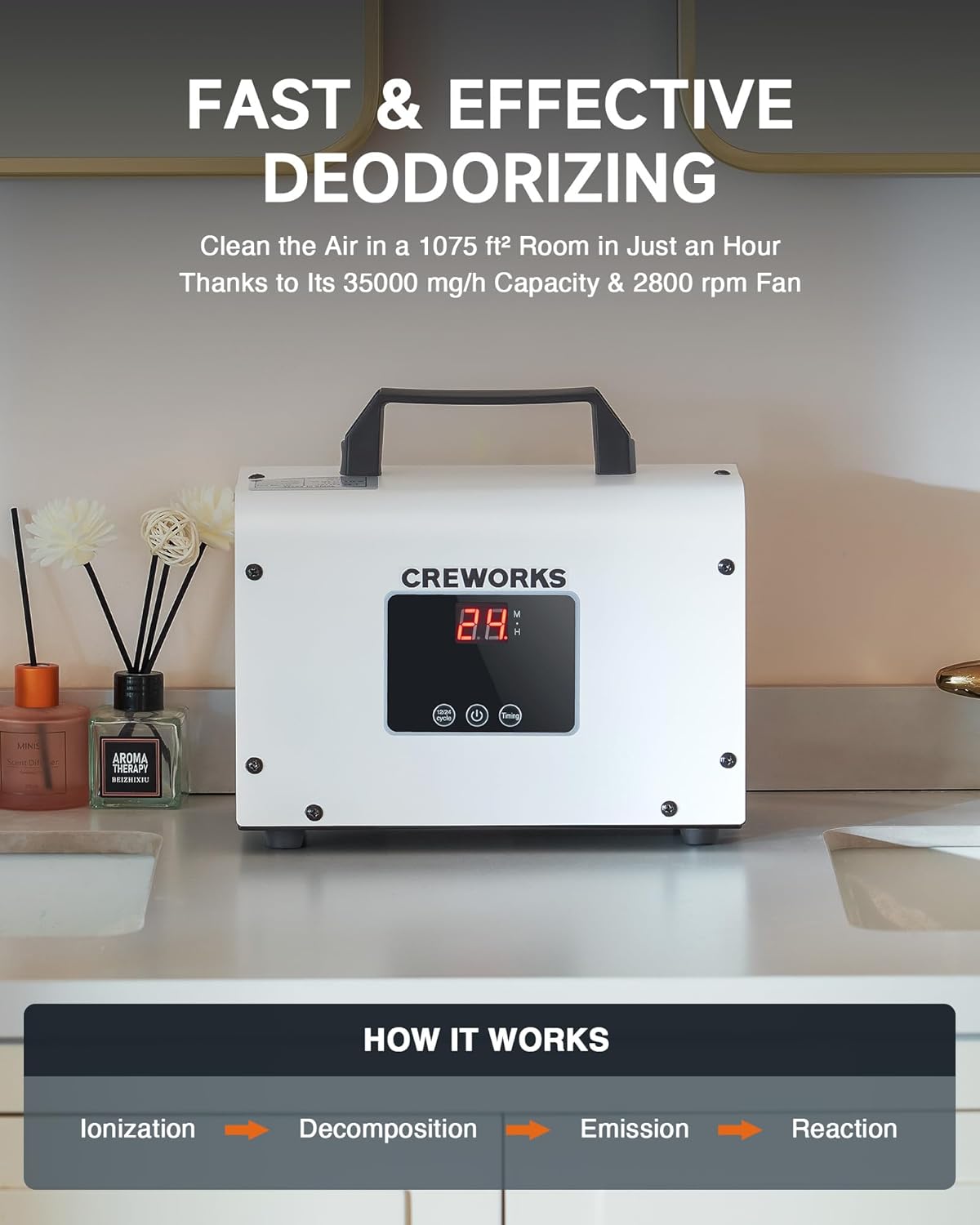
Image: Diagram illustrating the four-step process of the ozone generator: Ionization, Decomposition, Emission, and Reaction.
This generator is effective in various settings, including homes, offices, pet areas, basements, and vehicles, targeting odors such as smoke, pet scents, cooking smells, and musty odors.
3. Setup
- Prepare the Area: Before operating the ozone generator, thoroughly clean the area to remove the source of the odor. This includes vacuuming, mopping, and wiping surfaces.
- Place the Unit: Position the ozone generator in the center of the room or area to be treated, ensuring it is on a stable, flat surface. Ensure the air intake and ozone outlet are not obstructed.
- Close Doors and Windows: Close all windows and exterior doors in the treatment area. If treating a vehicle, close all windows and doors.
- Remove Occupants: Ensure all humans, pets, and plants are removed from the area to be treated.
- Plug In: Connect the power cord to a suitable electrical outlet.

Image: Side view of the CREWORKS Digital Ozone Generator, highlighting the control panel and air vents.
4. Operation
- Set the Timer: Use the timer button to set the desired operating duration. The unit can be set for various times, typically from 1 minute up to 5 hours. The digital display will show the remaining time.
- Select Cycle Mode (if applicable): If your model features a 12/24 cycle mode, you can select this for recurring treatments. Refer to the display for real-time feedback.
- Start Operation: Press the "Start" button (or the main power button if combined with timer). The unit will typically provide a short delay (e.g., 10 seconds) to allow you to leave the room safely.
- Vacate the Area: Immediately leave the treatment area once the unit begins operation. Place a warning sign on the door to prevent accidental re-entry.
- Ventilate After Treatment: Once the set time has elapsed and the unit has stopped, wait for at least 30-60 minutes before re-entering the area. Open all windows and doors to allow fresh air to circulate and dissipate any residual ozone.
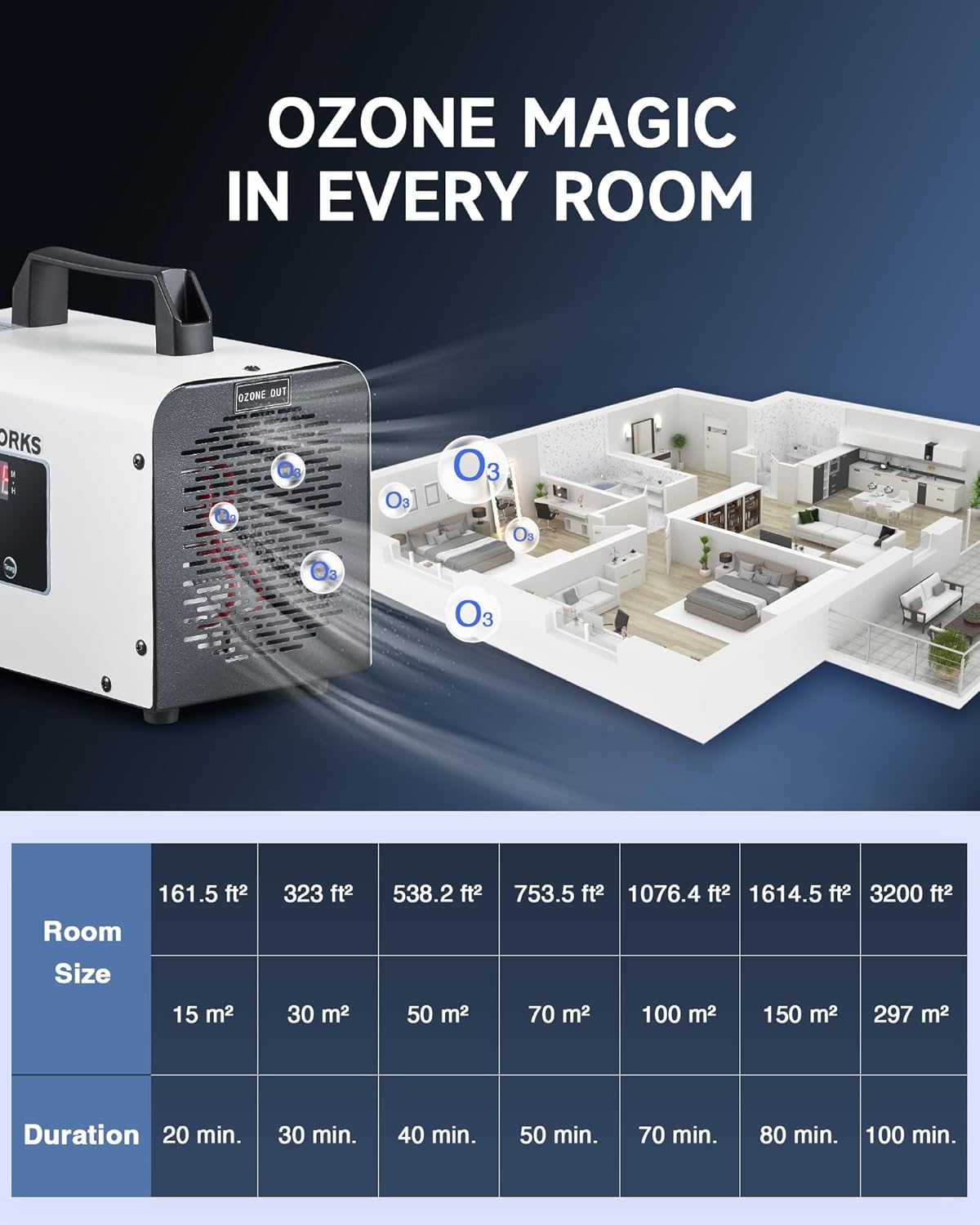
Image: Illustration of ozone distribution within a house, with a table recommending treatment durations based on room size (e.g., 161.5 sq ft for 20 min, 3200 sq ft for 100 min).
Note on Ozone Smell: A faint, clean smell similar to chlorine may linger after treatment. This is normal and will dissipate with proper ventilation. Do not re-enter the area if the ozone smell is strong.
5. Maintenance
Regular maintenance ensures optimal performance and longevity of your CREWORKS Digital Ozone Generator.
- Clean the Reusable Filter: The unit is equipped with a washable filter. Periodically remove the filter (often located on the side or back panel, secured by clips or a cover) and clean it with water. Allow it to dry completely before reinserting.
- Wipe Exterior: Use a soft, dry cloth to wipe down the exterior of the unit. Do not use abrasive cleaners or solvents.
- Inspect for Damage: Regularly check the power cord and the unit for any signs of damage. If damage is found, discontinue use and contact customer support.
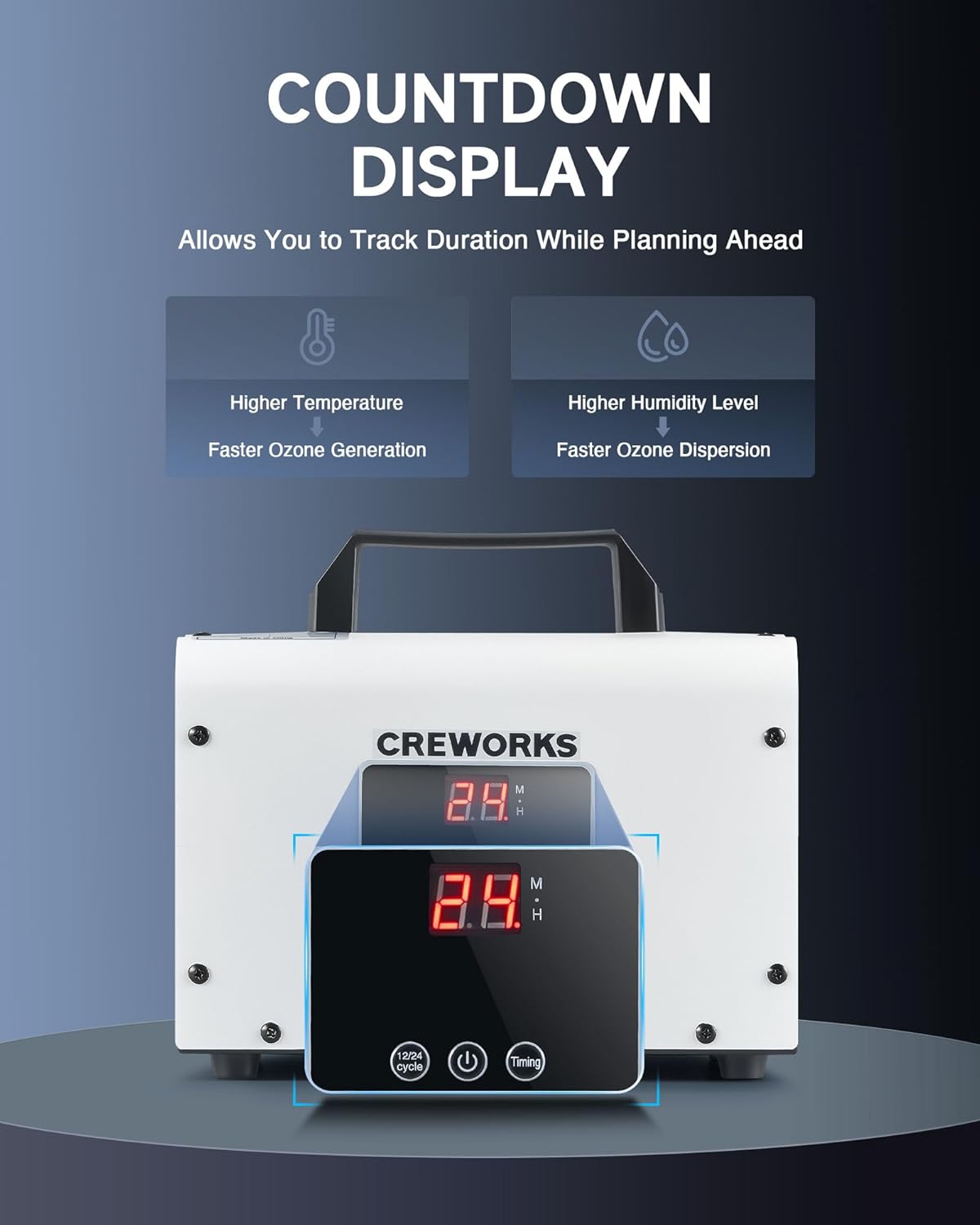
Image: Side view of the ozone generator, illustrating the removable and washable filter for easy cleaning.
6. Troubleshooting
| Problem | Possible Cause | Solution |
|---|---|---|
| Unit does not power on. | No power supply; loose connection; unit malfunction. | Check power cord connection and outlet. Ensure the power button is pressed. |
| Weak ozone output. | Dirty filter; low ambient temperature/humidity. | Clean the air filter. Note that lower temperatures and humidity can reduce ozone generation. |
| Odor persists after treatment. | Insufficient treatment time; source of odor not removed; large area. | Increase treatment duration. Ensure the odor source was thoroughly cleaned or removed. Consider treating smaller sections if the area is very large. |
| Strong ozone smell after ventilation. | Inadequate ventilation time. | Increase ventilation time. Open more windows and use fans to circulate air. |
7. Specifications
- Model Number: IOG-W035-00
- Brand Name: CREWORKS
- Product Dimensions: 11.42 x 9.45 x 7.48 inches
- Item Weight: 4.2 Pounds
- Power Source: AC
- Control Method: Touch, Button Control
- Filter Type: Ionizers (Reusable/Washable)
- Floor Area Coverage: Up to 3200 Square Feet
- Special Features: High Ozone Output, Wide Coverage, Versatile Use, Intuitive Operation
- Color: White
- Certification: FCC Certified
- First Available: December 26, 2023
8. Warranty & Support
For warranty information, technical support, or any questions regarding your CREWORKS Digital Ozone Generator, please contact CREWORKS customer service. Refer to the product packaging or the official CREWORKS website for the most up-to-date contact details.
Return Policy: This product typically has a 30-day return/replacement policy. Please check your purchase details for specific terms.