
1. Product Overview
The CREWORKS 60000 mg/h Ozone Negative Ion Generator is a versatile 2-in-1 odor eliminator and air purifier designed for effective air treatment in various environments. It produces O3 molecules to neutralize tough odors at their source and generates negative ions for air purification.
This device is suitable for use in homes, offices, pet areas, basements, cars, and other spaces up to 3200 square feet, effectively combating odors from smoke, pets, cooking, and mustiness.
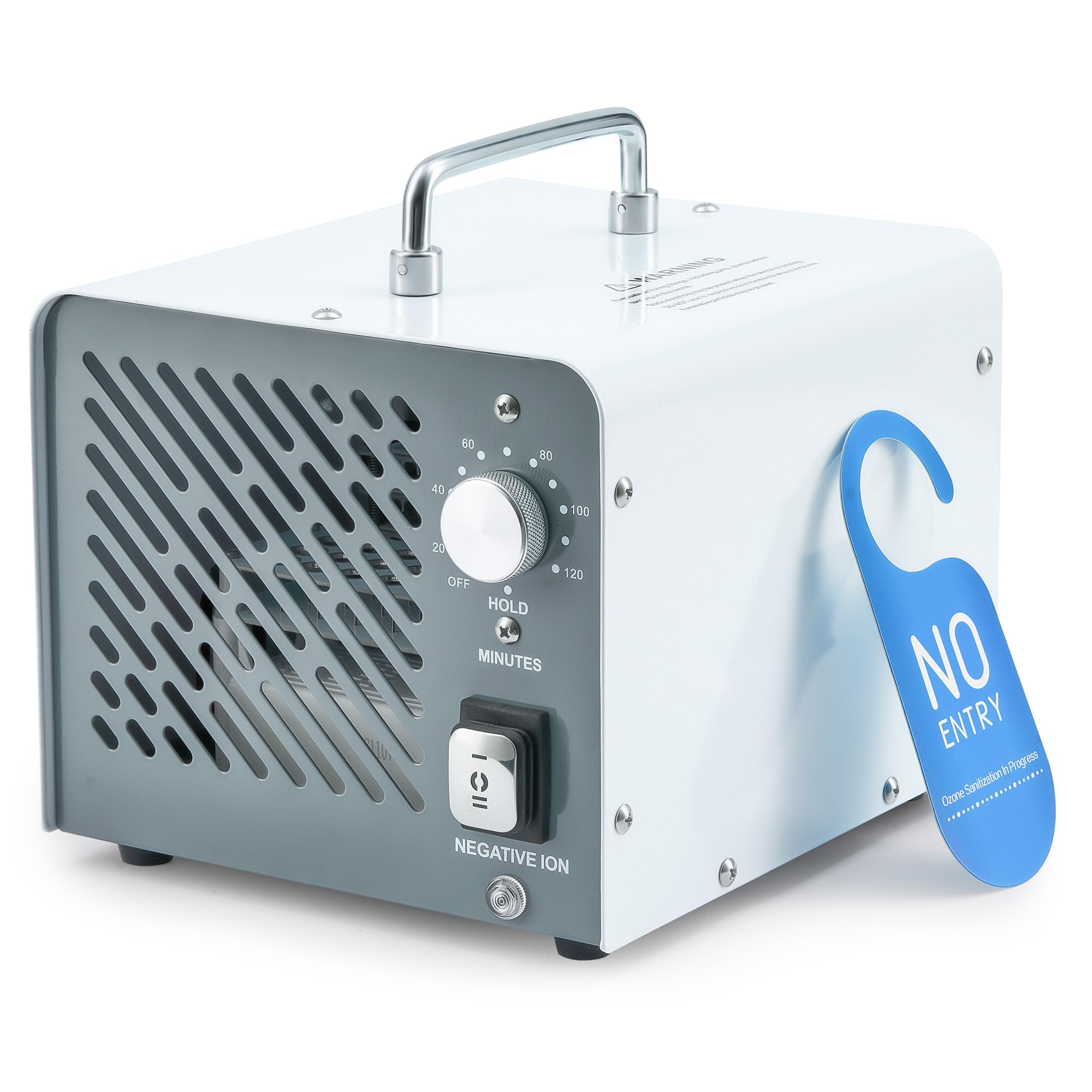
Image 1.1: CREWORKS 60000 mg/h Ozone Negative Ion Generator.
Key Features:
- Comprehensive Air Purification: Generates O3 molecules to eliminate pollutants and airborne contaminants.
- Powerful Deodorization: 60,000 mg/h ozone output and 2800 rpm fan for spaces up to 3200 sq ft.
- Odor Elimination: Effectively removes smoke, pet scents, cooking smells, and musty odors.
- Intuitive Operation: Features a timer knob for duration setting and a display for real-time temperature and humidity.
- Compact & Portable Design: Weighs 6.4 pounds with a built-in handle for easy transport.
2. Important Safety Information
WARNING: USE OZONE IN UNOCCUPIED SPACES ONLY!
- High concentrations of ozone can be harmful to humans and animals.
- Always follow safety instructions and ensure the area is well-ventilated when using an ozone generator.
- Excessive ozone may cause damage to objects.
- Do not operate the device in the presence of people, pets, or plants.
- Ensure the treated area is thoroughly aired out for at least 30-60 minutes after treatment before re-entering.
- Unplug the generator when not in use.
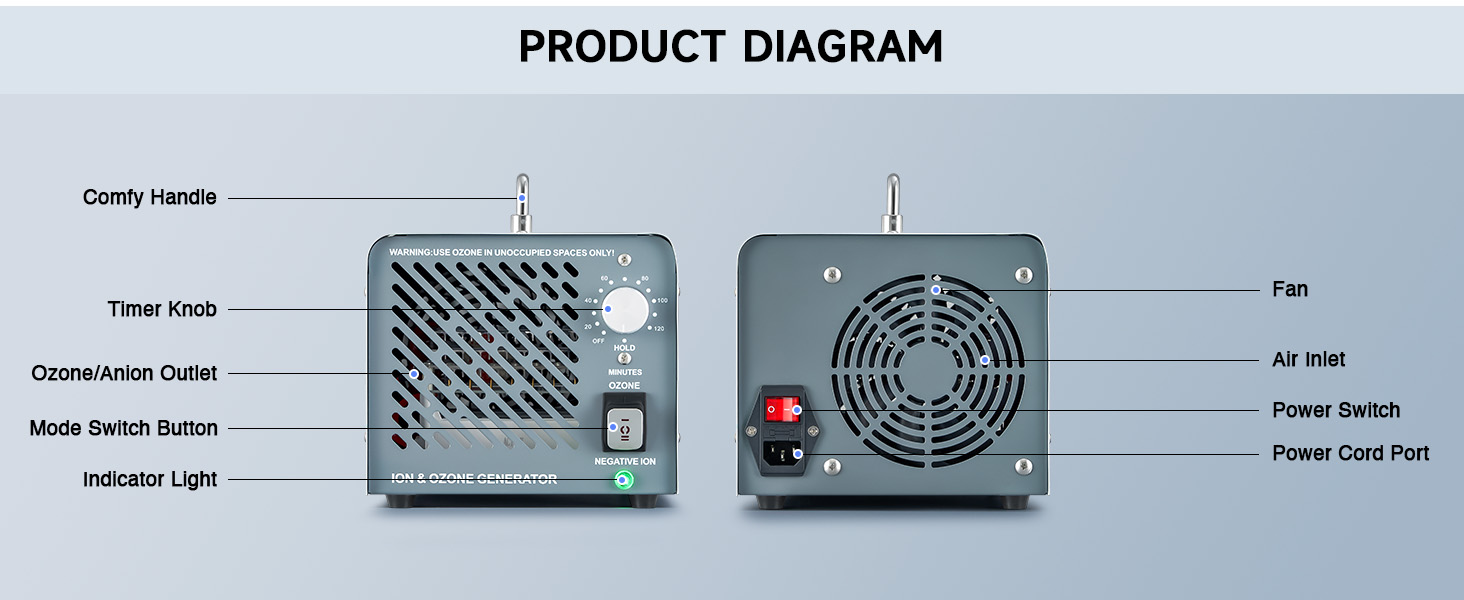
Image 2.1: Safety guidelines for ozone generator use.
3. Product Components
Familiarize yourself with the different parts of your CREWORKS Ozone Negative Ion Generator:

Image 3.1: Front and back view of the generator with labeled components.
- Comfy Handle: For easy portability.
- Timer Knob: To set the operating duration.
- Ozone/Anion Outlet: Where treated air is dispersed.
- Mode Switch Button: To select between Ozone and Negative Ion modes.
- Indicator Light: Shows device status.
- Fan: Circulates air through the device.
- Air Inlet: Where ambient air enters the device.
- Power Switch: To turn the device on/off.
- Power Cord Port: For connecting the power cable.
4. Setup Instructions
Before operating your ozone generator, follow these steps for proper setup:
- Prepare the Area: Ensure the space to be treated is unoccupied by humans, pets, and plants. Remove any valuable or sensitive items that could be affected by ozone.
- Clean the Source of Odor: For best results, clean or remove the source of the odor as much as possible before using the generator. For example, clean spills, remove trash, or vacuum carpets.
- Position the Generator: Place the generator in a central location within the room or area to be treated, ensuring clear airflow around the device.
- Ensure Ventilation: Close all windows and doors in the treatment area to contain the ozone during operation.
- Plug In: Connect the power cord to the generator and then plug it into a standard electrical outlet.
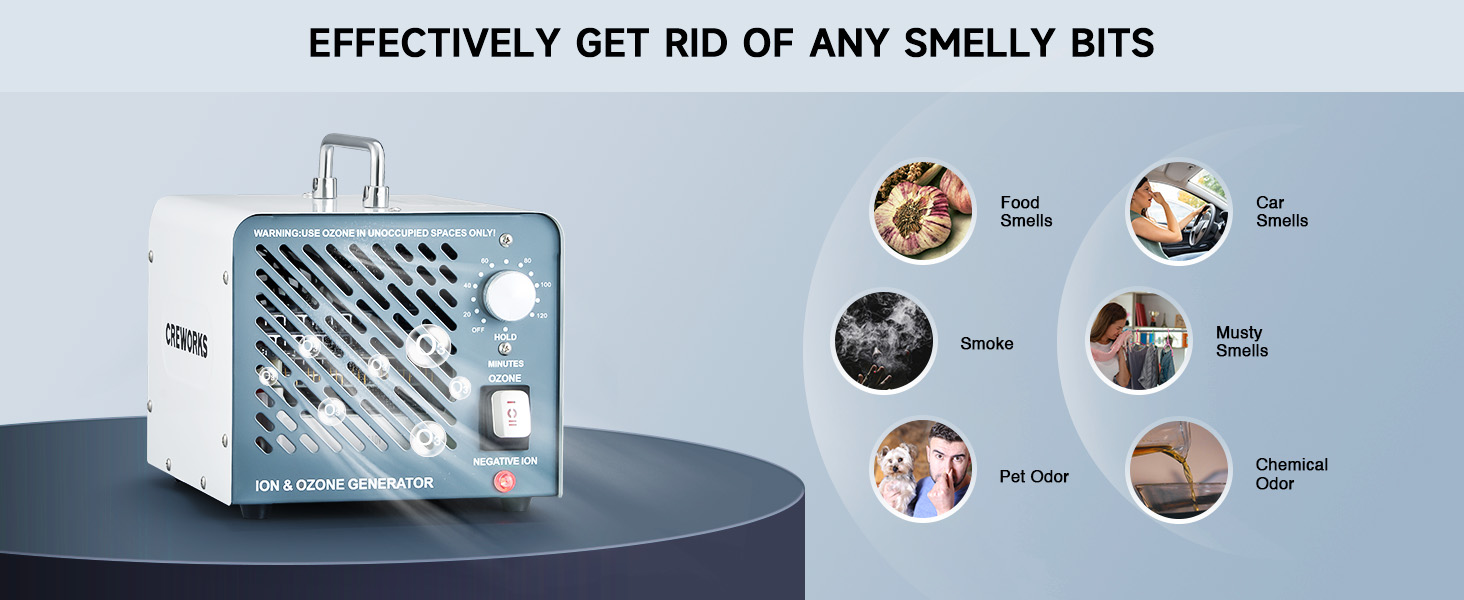
Image 4.1: Visual guide for initial setup and use.
5. Operating Instructions
Follow these steps to operate your CREWORKS Ozone Negative Ion Generator:
- Select Mode: Use the Mode Switch Button to choose between Ozone generation (for odor removal) or Negative Ion generation (for general air purification).
- Set Timer: Turn the Timer Knob to set the desired operating duration. The timer can be set for up to 180 minutes. For continuous operation, select the "HOLD" setting.
- Leave the Area: Once the timer is set and the device is turned on, immediately leave the room and ensure no one enters during operation. It is recommended to place a warning sign on the door.
- Ventilate After Cycle: After the operating cycle is complete, allow the treated area to ventilate for 30-60 minutes by opening windows and doors before re-entering. This allows ozone to dissipate and fresh air to circulate.
Recommended Treatment Durations:
The optimal treatment duration depends on the room size and the intensity of the odor. Refer to the table below for general guidelines:

Image 5.1: Recommended treatment durations based on room size.
| Room Size (sq ft) | Room Size (m²) | Duration (min) |
|---|---|---|
| 161.5 | 15 | 10 |
| 323 | 30 | 20 |
| 538.2 | 50 | 30 |
| 753.5 | 70 | 40 |
| 1076.4 | 100 | 50 |
| 1614.5 | 150 | 60 |
| 3200 | 297 | 80 |
Note: Start with a lower ozone output and gradually increase the duration and frequency as needed.
6. Maintenance
Regular maintenance ensures optimal performance and longevity of your ozone generator.
Filter Cleaning:
The device features a removable filter for easy cleaning. Periodically check and clean the filter to prevent dust buildup and maintain efficient airflow.
- Unplug the device before any cleaning or maintenance.
- Locate the removable filter (refer to the product diagram).
- Carefully remove the filter.
- Clean the filter using a vacuum cleaner or by rinsing it with water. Ensure it is completely dry before reinserting.
- Reinsert the clean, dry filter back into the device.

Image 6.1: Close-up of the removable filter for easy cleaning.
7. Troubleshooting
If you encounter issues with your CREWORKS Ozone Negative Ion Generator, refer to the following common troubleshooting steps:
- Device Not Turning On:
- Ensure the power cord is securely plugged into both the device and a working electrical outlet.
- Check if the power switch is in the "ON" position.
- Verify that the electrical outlet is functional by plugging in another device.
- No Ozone/Ion Output:
- Confirm that the correct mode (Ozone or Negative Ion) is selected using the Mode Switch Button.
- Check if the timer is set correctly and not in the "OFF" position.
- Ensure the air inlet and outlet are not obstructed.
- Odor Not Fully Eliminated:
- Increase the treatment duration or repeat the treatment cycle.
- Ensure the room size is within the recommended capacity for the device.
- Verify that the source of the odor has been adequately cleaned or removed prior to treatment.
- Ensure the room was properly sealed during operation.
- Unusual Noise:
- Check if the fan is obstructed.
- Ensure the device is placed on a stable, flat surface.
If the issue persists after trying these steps, please contact CREWORKS customer support for further assistance.
8. Product Specifications
| Feature | Detail |
|---|---|
| Brand | CREWORKS |
| Model Number | IOG-P030-00 |
| Ozone Output | 60,000 mg/h |
| Coverage Area | Up to 3200 sq ft |
| Product Dimensions | 9.84"D x 8.15"W x 7.67"H (24.99 x 20.70 x 19.48 cm) |
| Item Weight | 6.44 Pounds (2.92 kg) |
| Power Source | AC |
| Color | White |
9. Warranty and Support
For warranty information or technical support, please visit the official CREWORKS store or contact their customer service directly.
CREWORKS Official Store: Visit Store
Note: Protection plans may be available for purchase separately. Refer to your purchase details for specific coverage.