
1. Introduction
This manual provides detailed instructions for the installation, operation, and maintenance of your Superer 850W 80 Plus Gold Fully Modular Power Supply. Please read this manual thoroughly before installation to ensure proper setup and safe operation. Retain this manual for future reference.
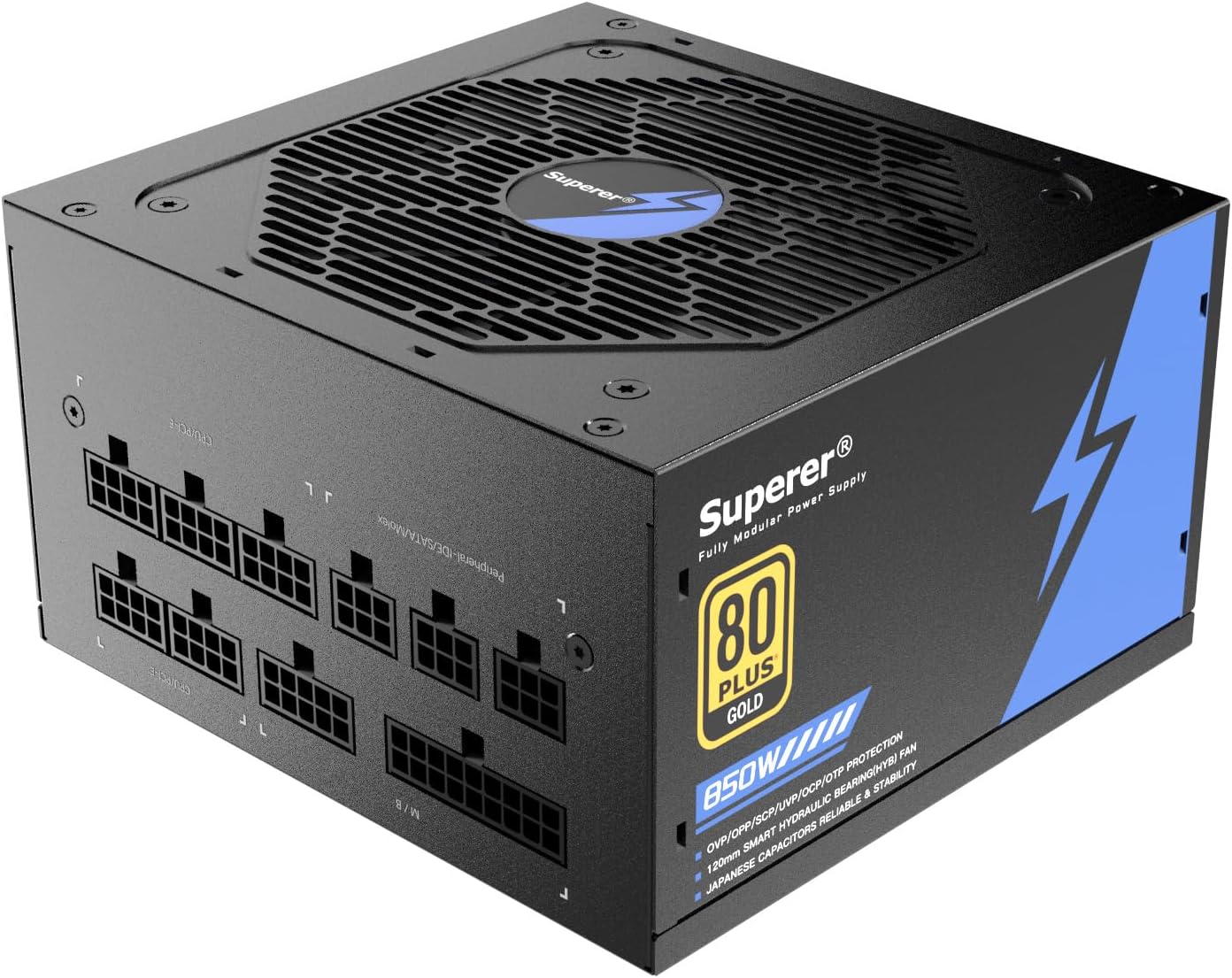
Figure 1: Superer 850W Fully Modular Power Supply, top-down view showing the fan grille and modular cable ports.
2. Safety Information
WARNING: Improper installation or use can lead to equipment damage, electric shock, or serious injury. Always follow these safety guidelines.
- Ensure the power supply is disconnected from the AC outlet before installation or handling.
- This power supply is designed for use in computer systems only. Do not use it for any other purpose.
- Do not open the power supply casing. High voltages are present inside, even when disconnected. There are no user-serviceable parts.
- Install the power supply in a well-ventilated area, away from heat sources, direct sunlight, and moisture.
- Use only the modular cables provided with this power supply. Using incompatible cables may damage the PSU and connected components.
- Ensure all cables are securely connected before powering on the system.
3. Package Contents
Verify that all items listed below are present in your package:
- Superer 850W 80 Plus Gold Fully Modular Power Supply Unit
- AC Power Cord
- Modular Cable Set (see "Cable Specifications" for details)
- Mounting Screws
- User Manual (this document)
4. Key Features
The Superer 850W Power Supply is engineered with advanced features for reliable and efficient performance:
- Fully Modular Design: Allows for connecting only the necessary cables, improving airflow and reducing cable clutter within your PC case.
- 80 PLUS Gold Efficiency: Achieves over 91% efficiency at typical loads (50% load at 230V), minimizing energy waste and heat generation.
- 120mm Whisper Quiet Fan: Provides effective cooling with minimal noise output, ensuring quiet operation even under load.
- 105°C Japanese Capacitors: Utilizes high-quality Japanese capacitors for enhanced durability, stability, and long-term reliability.
- Comprehensive Safety Protections: Equipped with multiple protection circuits including Under Voltage Protection (UVP), Over Voltage Protection (OVP), Short Circuit Protection (SCP), Over Current Protection (OCP), Over Temperature Protection (OTP), and Over Power Protection (OPP).

Figure 2: Close-up view of the fully modular cable ports on the Superer 850W Power Supply, illustrating the organized connection points for various components.

Figure 3: Graph illustrating the 80 PLUS Gold efficiency rating, showing power conversion efficiency at different load percentages for 115V/60Hz and 230V/50Hz inputs.

Figure 4: Diagram showing the 120mm fan and noise levels associated with quiet operation, indicating minimal sound output.

Figure 5: Internal view highlighting the Japanese 105°C capacitors, emphasizing their role in power stability and reliability.

Figure 6: Visual representation of the six advanced protection features: UVP, OVP, SCP, OCP, OTP, and OPP, ensuring system safety.
5. Setup and Installation
Follow these steps to properly install your Superer 850W Power Supply:
- Prepare Your System:
- Turn off your computer and disconnect the AC power cord from the wall outlet.
- Open your computer case.
- If replacing an existing power supply, disconnect all cables from the old PSU and remove it from the case.
- Mount the Power Supply:
- Carefully place the Superer 850W PSU into the designated power supply bay in your computer case.
- Ensure the fan is facing the correct direction for optimal airflow (typically facing down if there's a bottom vent, or facing into the case if mounted at the top/rear).
- Secure the PSU to the case using the provided mounting screws.
- Connect Modular Cables:
- Identify the necessary cables for your motherboard, CPU, graphics card(s), and storage devices.
- Connect the required modular cables to the corresponding ports on the power supply. Ensure a firm connection.
- Route the cables neatly through your case's cable management system to improve airflow and aesthetics.
- Connect to Components:
- Connect the 20+4 pin ATX cable to your motherboard.
- Connect the 4+4 pin CPU power cable(s) to your motherboard.
- Connect the 6+2 pin PCIe cables to your graphics card(s).
- Connect SATA power cables to your SSDs/HDDs and other SATA devices.
- Connect Peripheral/Molex cables to any other required components (e.g., case fans, fan controllers).
- Final Checks:
- Double-check all cable connections to ensure they are secure and correctly seated.
- Close your computer case.
- Connect the AC power cord to the power supply and then to a wall outlet.
- Flip the power switch on the PSU to the "ON" position.

Figure 7: Detailed diagram of the modular cables included with the Superer 850W Power Supply, showing connector types and lengths for M/B, CPU, PCIe, SATA, and PATA/Floppy connections.
6. Operating Instructions
Once installed, operating your Superer 850W Power Supply is straightforward:
- Power On: After ensuring all connections are secure and the PSU switch is ON, press the power button on your computer case. The PSU will provide power to your system components.
- Fan Operation: The 120mm fan will operate automatically to cool the power supply. Its speed will adjust based on the internal temperature and load to maintain optimal cooling and low noise levels.
- Power Off: Always shut down your computer through the operating system before turning off the PSU switch or disconnecting the AC power cord.
7. Maintenance
To ensure the longevity and optimal performance of your power supply, follow these maintenance guidelines:
- Cleaning: Periodically clean the exterior of the power supply and its fan grille to prevent dust buildup. Use compressed air to gently clear dust from the fan blades and vents. Ensure the PSU is powered off and unplugged before cleaning.
- Ventilation: Ensure your computer case has adequate airflow. Do not obstruct the power supply's intake or exhaust vents.
- Cable Management: Maintain tidy cable routing to prevent interference with airflow inside the case.
- Environmental Conditions: Operate the power supply within recommended temperature and humidity ranges. Avoid extreme conditions.
8. Troubleshooting
If you encounter issues with your Superer 850W Power Supply, refer to the following common problems and solutions:
| Problem | Possible Cause | Solution |
|---|---|---|
| System does not power on. |
|
|
| System powers on but shuts down immediately. |
|
|
| Unusual noise from PSU. |
|
|
If the problem persists after attempting these solutions, please contact Superer customer support for further assistance.
9. Technical Specifications
| Feature | Detail |
|---|---|
| Model Name | Superer 850W PSU |
| Wattage | 850 Watts |
| Efficiency Certification | 80 PLUS Gold (91% efficiency at typical loads) |
| Form Factor | ATX |
| Power Supply Design | Fully Modular |
| Cooling Method | Air (120mm Whisper Quiet Fan) |
| Capacitors | Japanese 105°C Capacitors |
| Protections | UVP, OVP, SCP, OCP, OTP, OPP |
| Dimensions (Package) | 10.2 x 8.43 x 4.76 inches |
| Item Weight | 5.66 pounds |
| Manufacturer | SUPERER |
10. Warranty and Support
Superer provides comprehensive after-sales support for your 850W Power Supply:
- Return/Replacement Policy: This product is eligible for replacement or returns within 30 days of purchase, in accordance with retailer policies.
- Manufacturer Guarantee: An additional 36-month (3-year) guarantee is provided by the manufacturer, covering defects in materials and workmanship under normal use.
- Contact Support: For warranty claims, technical assistance, or any questions not covered in this manual, please contact Superer customer support through their official website or the retailer's support channels.