
1. Introduction
Thank you for choosing the Anker Power Bank (10000mAh, 22.5W). This portable charger is designed to provide reliable and fast power to your devices on the go. It features a compact design, high capacity, and multiple safety protections.

Image: Anker Power Bank (10000mAh, 22.5W) in various colors, highlighting its next-generation design.
Key Features:
- Compact and High Capacity: Despite its small size, it offers 10000mAh, capable of charging an iPhone 17 approximately 1.8 times or a Galaxy S25 approximately 1.7 times.
- Ultra-Thin Design: At approximately 16mm thick, it is thinner than a 1-yen coin's diameter, making it easy to carry in small pockets.
- Integrated Strap Cable: The included USB-C to USB-C cable can be stored and used as a convenient strap, eliminating the need for an extra cable.
- 22.5W Fast Charging: Delivers up to 22.5W output for rapid charging of compatible smartphones and other devices.
- Multi-Device Charging: Equipped with two USB-C ports and one USB-A port, allowing simultaneous charging of up to three devices.
- Enhanced Safety Features: Incorporates temperature management, short-circuit prevention, and current/voltage control for safe operation, complying with PSE technical standards.

Image: Icons representing 22.5W fast charging, included USB-C cable, compact size, and digital display.
2. Package Contents
Please check the package for the following items:
- Anker Power Bank (10000mAh, 22.5W)
- USB-C to USB-C Cable (integrated strap design)
- Instruction Manual
- Customer Support Information
3. Setup
Initial Charging of the Power Bank
Before first use, fully charge your Anker Power Bank. This ensures optimal performance and battery longevity.
- Connect the included USB-C to USB-C cable to one of the USB-C ports on the power bank.
- Connect the other end of the cable to a compatible USB wall charger (not included). For fastest charging, use a charger that supports 20W Power Delivery.
- The digital display on the power bank will show the charging progress. It is fully charged when the display shows 100%.

Image: Illustration showing how to charge the Anker Power Bank using a USB-C cable and wall adapter.
4. Operating Instructions
Charging Your Devices
The Anker Power Bank can charge various devices, including smartphones, tablets, and other USB-powered gadgets.
- Connect your device to the power bank using a compatible USB cable. You can use the included USB-C to USB-C cable or your device's original charging cable.
- The power bank will automatically begin charging your device. The digital display will show the remaining battery percentage.
- To charge multiple devices, connect them to the available USB-C and USB-A ports. The power bank supports simultaneous charging of up to three devices.

Image: The Anker Power Bank connected to and charging multiple devices, including smartphones and earbuds.
Checking Battery Level
Press the power button once to activate the digital display, which shows the remaining battery percentage.
Using the Integrated Strap Cable
The included USB-C to USB-C cable is designed to be stored neatly and also functions as a strap for easy carrying.
- To use as a strap: Ensure both ends of the USB-C cable are securely tucked into their designated slots on the power bank.
- To charge: Pull out the USB-C connectors from their slots and connect them to your devices.

Image: A hand holding the Anker Power Bank by its integrated strap cable, demonstrating its dual function.
5. Maintenance
Proper maintenance ensures the longevity and safe operation of your power bank.
- Cleaning: Use a dry, soft cloth to clean the surface of the power bank. Do not use corrosive cleaners or sprays.
- Storage: Store the power bank in a cool, dry place away from direct sunlight and extreme temperatures.
- Battery Health: For optimal battery health, fully charge and discharge the power bank at least once every three months if not in regular use.
6. Troubleshooting
Common Issues and Solutions:
- Power Bank Not Charging:
- Ensure the charging cable is securely connected to both the power bank and the wall charger.
- Try a different wall charger and cable to rule out faulty accessories.
- Verify the wall charger is functioning correctly.
- Device Not Charging from Power Bank:
- Ensure the power bank has sufficient charge.
- Check if the charging cable connecting the device to the power bank is working correctly.
- Try a different port on the power bank.
- Some devices may require a specific charging protocol; ensure compatibility.
- Slow Charging:
- Ensure you are using a fast-charging compatible cable and wall adapter for the power bank itself.
- For device charging, ensure your device and cable support fast charging protocols (e.g., Power Delivery).
When to Stop Use Immediately:
Discontinue use and contact customer support if you observe any of the following:

Image: Visual warnings to stop using the power bank if it is swollen, damaged/deformed, or has internal port damage.
- The power bank appears swollen.
- The power bank is damaged or deformed.
- There is damage inside the charging ports (e.g., a broken pin).
7. Specifications
| Feature | Specification |
|---|---|
| Brand | Anker |
| Model Number | A1257 |
| Capacity | 10000mAh |
| Max Output | 22.5W |
| Input Voltage | 5 Volts |
| Battery Type | Lithium Polymer |
| Item Weight | 200 grams |
| Battery Weight | 135 grams |
| Dimensions (L x W x H) | 11.4 x 7.1 x 1.6 cm |
| Ports | 2x USB-C (Input/Output), 1x USB-A (Output) |
| Compatible Devices | Smartphones, Tablets, and other USB-powered devices |
| UPC | 194644189976 |
8. Warranty and Support
Anker provides comprehensive warranty and customer support for your product.
Warranty Information:
Your Anker Power Bank comes with an 18-month warranty from the date of purchase. In case of any defects or issues, Anker will handle exchanges or repairs. Additionally, if you register as an Anker member, your warranty will be automatically extended to 24 months.

Image: Visual representation of Anker's 18-month standard warranty and an additional 6-month extension for registered members, totaling 24 months.
Customer Support:
For any inquiries regarding the product or delivery, please contact our customer support team. Our dedicated support staff is available to assist you.
Please refer to the customer support information included in your package for contact details.
9. Safety Information
To ensure safe operation and prevent damage, please observe the following precautions:
General Precautions:

Image: Visual warnings against using or storing the power bank in high temperatures, direct sunlight, or hot car interiors.
- Avoid using or placing the product in areas with high temperatures for extended periods. This can cause the lithium-ion battery inside to expand, rupture, or ignite.
- Do not expose the power bank to direct sunlight.
- Do not leave the power bank in a hot car or similar high-temperature environments.
- During charging, the power bank may generate some heat, which is normal. If the temperature rises excessively, the product's protection function may stop charging. Charging will resume once the temperature stabilizes.
Important Safety Points:
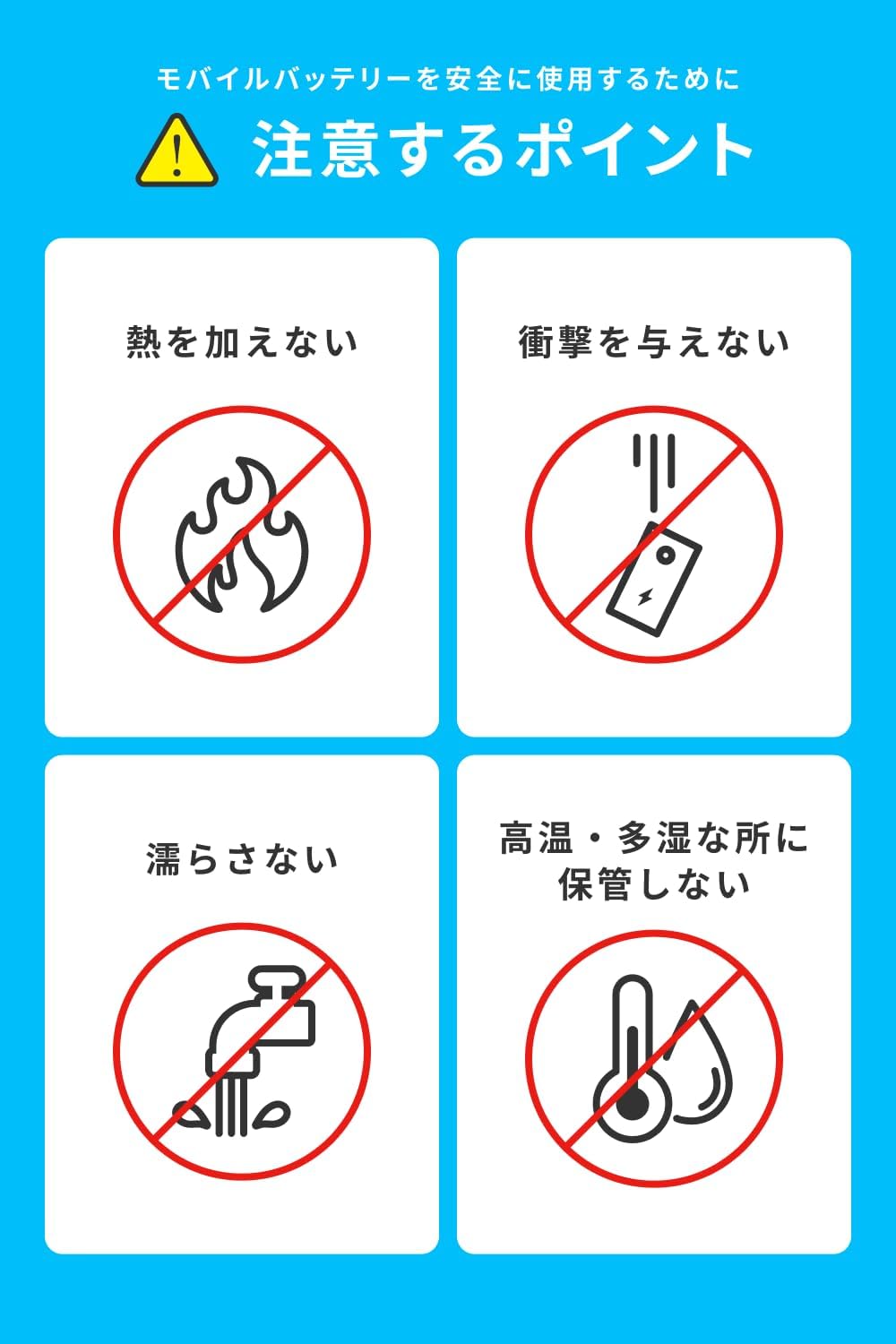
Image: Visual guidelines for safe use: Do not apply heat, do not impact, do not get wet, do not store in high temperature/humidity.
- Do not apply heat to the power bank.
- Avoid dropping or subjecting the power bank to strong impacts.
- Do not get the power bank wet.
- Do not store in high temperature or high humidity environments.
Anker's Commitment to Safety:
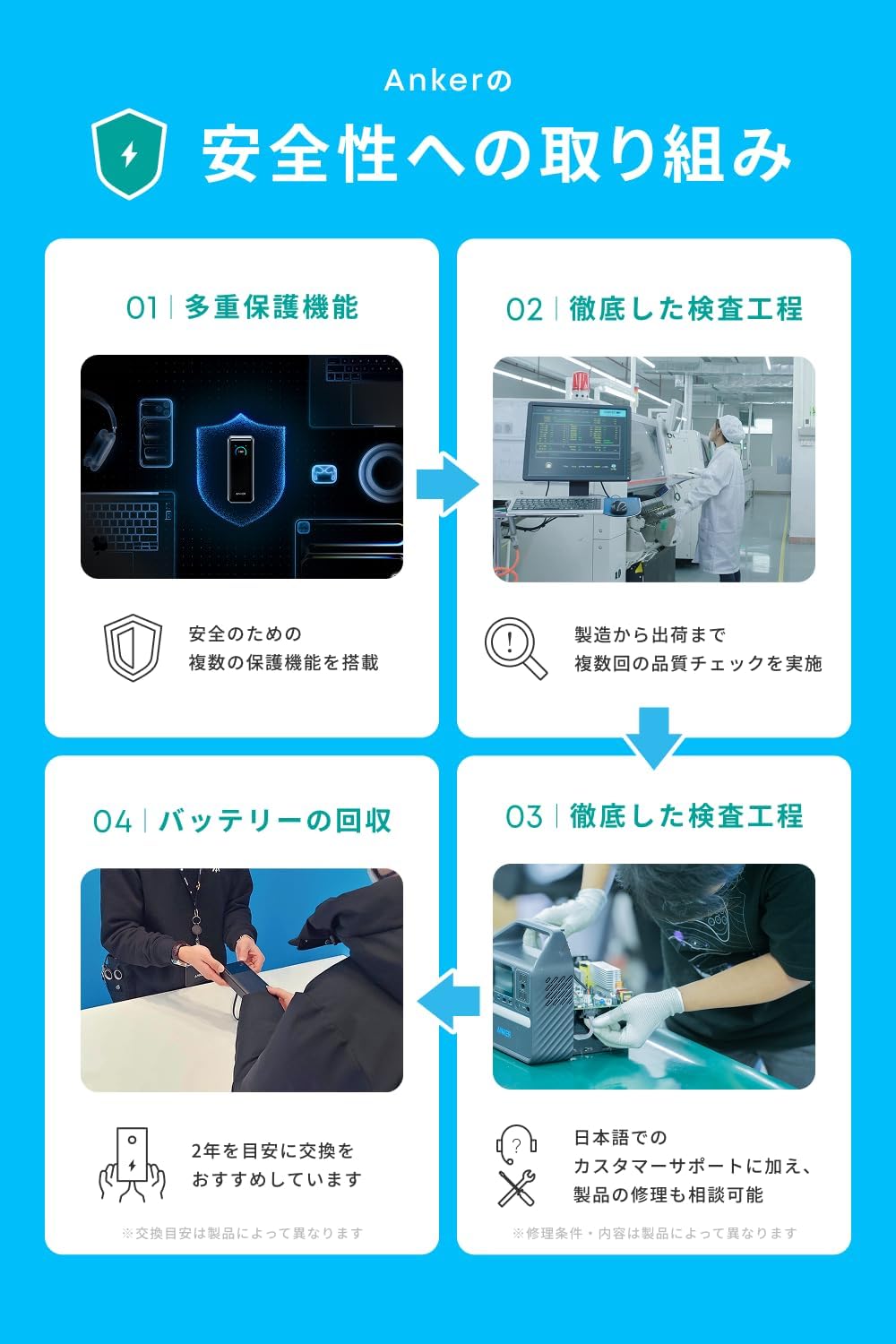
Image: Anker's four-point commitment to safety: Multi-protection functions, thorough inspection processes, battery recycling, and dedicated customer support.
- Multiple Protection Functions: Equipped with various safety features to protect against overcharge, over-discharge, short-circuit, and overheating.
- Thorough Inspection Process: Products undergo rigorous quality checks from manufacturing to shipment.
- Battery Recycling: Anker promotes responsible battery recycling. It is recommended to replace the battery every 2 years.
- Japanese Customer Support: Provides support in Japanese, including product repair consultations.


