
Introduction
The Lexar E-Series 64GB Micro SD Card 5 Pack provides a high-speed, durable, and versatile storage solution for a wide range of electronic devices. Designed for optimal performance, these microSDXC UHS-I cards are ideal for capturing and storing high-resolution media.
- Wide Compatibility: Ideal for smartphones, tablets, drones, action cameras, and GoPro devices.
- 4K Ultra UHD: Supports quick capture, playback, and transfer of 1080p Full-HD, 3D, and 4K UHD video.
- High Speed Memory Card: Leverages UHS-I technology for transfer speeds up to 100MB/s. Features A1-rated performance for faster app loading.
- Multi-Capacity: Each 64GB card can store approximately 3 hours of 4K video, 10 hours of 1080P video, 18,800 photos, or 9,900 songs.
- Ultra Durable: Constructed to be waterproof, temperature-proof, shockproof, and magnetic-proof.
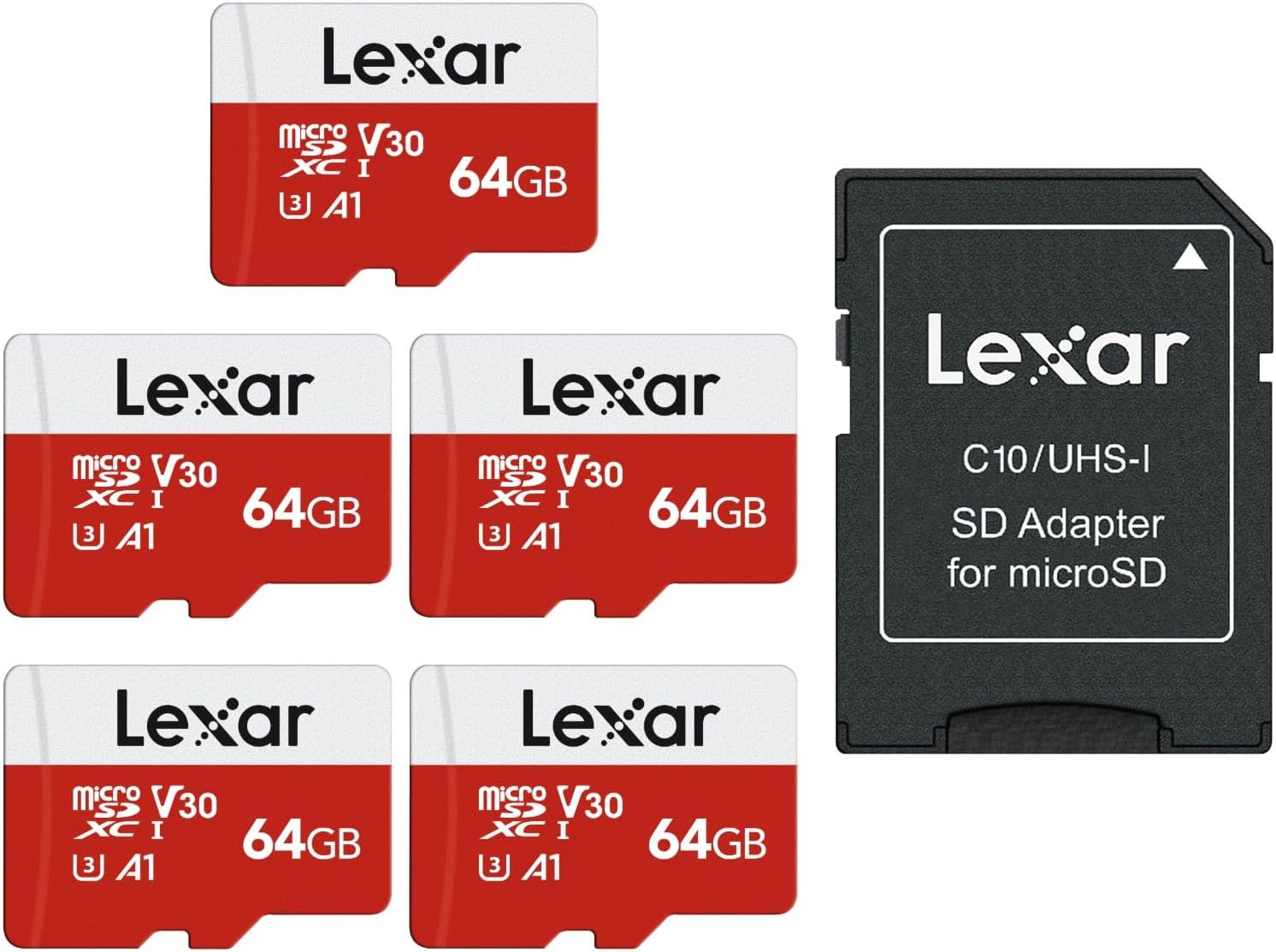
Image: The Lexar E-Series 64GB Micro SD Card 5 Pack, including five microSD cards and one standard SD adapter.
Setup
Follow these general steps to set up your Lexar E-Series Micro SD Card. Specific installation may vary depending on your device.
- Insert the Micro SD Card: Locate the microSD card slot on your compatible device (smartphone, tablet, camera, drone, etc.). Gently insert the microSD card into the slot until it clicks into place.
- Using the SD Adapter: If your device uses a standard SD card slot, insert the microSD card into the provided Lexar SD adapter. Then, insert the adapter into your device's SD card slot.
- Formatting the Card: For optimal performance and compatibility, it is recommended to format the new microSD card using your device's internal formatting function. Refer to your device's user manual for specific instructions on how to format an SD card.

Image: A Lexar microSD card is shown inserted into a larger black Lexar SD adapter, demonstrating how to use the adapter for devices with standard SD card slots.
Video Guides for Setup:
Video: A user demonstrates unboxing and inserting a Lexar microSD card into an adapter, highlighting its ease of installation and good storage capacity.
Video: A detailed guide on setting up an SD card for a Tapo C246D HybridCam Duo security camera, including insertion and formatting steps within the app.
Video: Instructions on setting up a Tapo C400 camera, including how to insert and format a microSD card for local recording.
Operating
The Lexar E-Series Micro SD Card is designed for seamless operation across various devices, providing reliable storage and fast data transfer.
Usage in Compatible Devices:
Once installed and formatted, the card will be recognized by your device as additional storage. You can then:
- Store Photos and Videos: Save high-resolution photos, 1080p Full-HD, 3D, and 4K UHD videos directly to the card.
- Expand App Storage: For smartphones and tablets, move compatible applications to the SD card to free up internal device memory, benefiting from the A1-rated performance for faster app loading.
- Record Continuously: In devices like dash cams or security cameras, enable loop recording to continuously overwrite older footage when the card is full.

Image: Various electronic devices including a smartphone, tablet, laptop, DSLR camera, action camera, and drone are displayed around a Lexar microSD card, illustrating its broad compatibility.
Performance and Capacity:
The card's UHS-I technology ensures rapid data transfer, with read speeds up to 100MB/s. The 64GB capacity offers substantial storage:
| Media Type | Quantity |
|---|---|
| 4K Video | Up to 3 hours |
| 1080P Video | Up to 10 hours |
| Photos | Up to 18,800 |
| Songs | Up to 9,900 |
Note: Actual available capacity may be less due to different capacity algorithms and system files. Performance may vary with host devices and environments.

Image: A table illustrating the approximate storage capacities for various media types (4K video, 1080P video, photos, songs) across different Lexar microSD card sizes, including 64GB.
Maintenance
The Lexar E-Series Micro SD Card is built for durability, ensuring your data remains safe in challenging conditions.
- Waterproof: Protects against water damage.
- Temperature-Proof: Designed to withstand extreme temperatures.
- Shockproof: Resists damage from drops and impacts.
- Magnetic-Proof: Safeguards data from magnetic interference.
No specific user maintenance is required for the card itself beyond proper handling and storage. Always ensure the card is properly ejected from devices before removal to prevent data corruption.

Image: A visual representation of the Lexar E-Series microSD card's durability features, including resistance to water, temperature, shock, and magnets.
Troubleshooting
If you encounter issues with your Lexar E-Series Micro SD Card, consider the following:
- Card Not Detected: Ensure the card is fully inserted into the device or adapter. Try inserting it into another compatible device to rule out a device-specific issue.
- Data Corruption: If files are corrupted or the card is unreadable, try reformatting the card (note: this will erase all data). If the issue persists, the card may be faulty.
- Slow Performance: Ensure your device supports UHS-I speeds. Older devices or those not supporting UHS-I may experience slower transfer rates.
- Insufficient Storage: Check the available capacity on the card. If full, transfer data to another storage device or delete unnecessary files.
Specifications
| Feature | Detail |
|---|---|
| Brand | Lexar |
| Model Name | LMSESXX064G-B5AAU |
| Flash Memory Type | Micro SD |
| Memory Storage Capacity | 64 GB |
| Compatible Devices | Camera, Personal Computer, Smartphone, Tablet |
| Additional Features | Drop Proof, Dust Proof, Magnetic Proof, Temperature Proof, X Ray Proof |
| Read Speed | 100 Megabytes Per Second |
| Media Speed | 30 MB/s |
| Hardware Connectivity | microSDXC |
| Secure Digital Association Speed Class | Class 10 |
| Item Dimensions D x W x H | 0.04"D x 0.59"W x 0.04"H |
| Item Weight | 0.2 Grams |
| Item Dimensions L x W | 0.59"L x 0.43"W |
| Model Number | LMSESXX064G-B5AAA |
| Manufacturer | Lexar Co.,LTD |
| UPC | 843367134038 |
| Unit Count | 5.0 Count |
Warranty
Lexar provides a 10-year limited warranty for the SD card and a 1-year limited warranty for the adapter. Please retain your proof of purchase for warranty claims.

Image: A shield logo with 'Lexar Quality Labs' text, accompanied by text stating '10 Years Limited Warranty', emphasizing the product's reliability and warranty coverage.
Support
For further assistance, technical support, or warranty inquiries, please visit the official Lexar website or contact their customer service department. You can find contact information on the Lexar website or through your product's packaging.