
1. Introduction
Thank you for choosing the SIBRILLE RGB Floor Lamp. This manual provides essential information for the safe and efficient use of your new lamp. Please read these instructions carefully before assembly and operation, and retain them for future reference.
This 36W LED standing lamp features stepless dimming, color-changing RGB modes, and a 350° rotating head for versatile lighting. It can be controlled via a remote or touch interface and includes convenient timing and memory functions.
2. Product Overview
2.1 Package Contents
Verify that all components are present in the package:
- Integrated LED Lamp Head
- Lamp Pole Sections (multiple)
- Lamp Base
- Remote Control
- Power Adapter
- User Manual (this document)
2.2 Key Features
- 36W Bright LED: Provides powerful illumination.
- RGB Color Modes: Offers single color and dynamic color-changing effects.
- Stepless Dimming: Adjustable brightness from 10% to 100%.
- Adjustable Color Temperature: Ranges from 3000K (warm white) to 6000K (cool white).
- 350° Rotating Head: Direct light in various directions (upward, downward, or angled).
- Dual Control: Operable via remote control and integrated touch controls on the lamp pole.
- Memory Function: Retains the last used lighting settings.
- Timing Function: 1-hour auto-off timer.
- Stable Base: 7.7 lbs base for enhanced stability.

Image: SIBRILLE RGB Floor Lamp with its remote control, showcasing its sleek design and color-changing capabilities.
3. Assembly Instructions
Please assemble the lamp upright. Installing horizontally may cause misalignment and damage to the threads.
- Screw the lamp head to the pole: Carefully attach the lamp head to the top pole section by screwing it clockwise until secure.
- Screw the remaining pole sections: Connect the remaining pole sections one by one, screwing them clockwise until all sections form a complete pole.
- Screw the base: Attach the assembled lamp pole to the heavy base, screwing it clockwise until it is firm and stable.
- Connect the power adapter: Plug the power adapter into the lamp's power port, then plug the adapter into a standard electrical outlet.
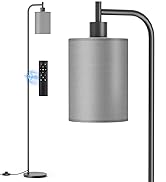
Image: Visual guide for assembling the SIBRILLE RGB Floor Lamp, showing four steps from connecting the lamp head to plugging in the power adapter.

Image: Diagram illustrating the floor lamp's dimensions (69 inches tall, 10-inch base diameter, 7.7 lbs base weight) and included accessories (lamp head, pole sections, power adapter, remote control).
4. Operating Instructions
4.1 Remote Control Functions
The remote control allows for comprehensive adjustment of the lamp's settings. Ensure the remote has working batteries (not included) and is within range (up to 33 feet/10 meters).
- ON/OFF: Power the lamp on or off.
- 1H Timer: Activates a 1-hour auto-off timer (CCT mode only).
- CCT Mode: Switches to Color Correlated Temperature mode.
- Brightness +/-: Adjusts brightness (10%-100%).
- Color Temperature +/-: Adjusts color temperature (3000K-6000K).
- RGB Single Color Mode: Activates static RGB colors.
- RGB Dynamic Mode: Activates dynamic color-changing effects.
- RGB +/-: Adjusts brightness or speed of RGB modes.
- Night Mode: Sets the lamp to a low, warm light setting.
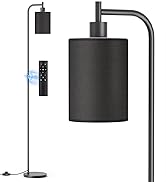
Image: Detailed diagram of the remote control buttons and their corresponding functions for the SIBRILLE RGB Floor Lamp.
4.2 Touch Control Functions
The lamp pole features integrated touch controls for basic functions:
- Power Button (Short Press): Turns the lamp ON/OFF.
- Power Button (Long Press): Activates 1-hour timer (CCT mode only).
- CCT Button (Short Press): Cycles through warm white, cool white, and daylight white.
- CCT Button (Long Press): Adjusts brightness in CCT mode.
- RGB Button (Short Press): Toggles between RGB single color mode and RGB dynamic mode.
- RGB Button (Long Press): Adjusts speed of dynamic RGB modes.
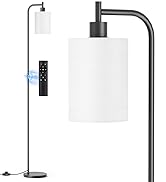
Image: Close-up of the touch control panel on the SIBRILLE RGB Floor Lamp pole, detailing the functions of each touch area.
4.3 Adjusting Light Direction
The lamp head can rotate 350° horizontally and vertically. Gently adjust the lamp head to direct light as desired, whether for upward ambient lighting, downward task lighting, or angled accent lighting.

Image: Illustration demonstrating the 350-degree rotational capability of the SIBRILLE RGB Floor Lamp head, allowing for flexible light direction.

Image: Visual representation of the stepless dimming and color temperature adjustment features of the SIBRILLE RGB Floor Lamp, showing light from warm 3000K to cool 6000K and brightness from 10% to 100%.

Image: Display of various RGB color modes available on the SIBRILLE RGB Floor Lamp, including single color, multi-color, jumping, and gradient effects.

Image: Illustration of the 1-hour timer and memory function features of the SIBRILLE RGB Floor Lamp.
5. Maintenance
To ensure the longevity and optimal performance of your SIBRILLE RGB Floor Lamp, follow these maintenance guidelines:
- Cleaning: Disconnect the power before cleaning. Use a soft, dry cloth to wipe the lamp. Do not use abrasive cleaners, solvents, or polishing agents as they may damage the finish.
- Bulb Replacement: The LED light source is integrated and not user-replaceable. Do not attempt to disassemble the lamp head.
- Storage: If storing the lamp for an extended period, disconnect it from power and store it in a dry, cool place.
6. Troubleshooting
If you encounter issues with your SIBRILLE RGB Floor Lamp, refer to the following common problems and solutions:
| Problem | Possible Cause | Solution |
|---|---|---|
| Lamp does not turn on. | No power connection. Remote control batteries are dead. | Ensure the power adapter is securely plugged into the lamp and a working outlet. Replace remote control batteries (AAA, not included). |
| Remote control not responding. | Out of range. Batteries are dead or incorrectly inserted. Obstruction between remote and lamp. | Move closer to the lamp (within 33 feet/10 meters). Replace batteries, ensuring correct polarity. Remove any objects blocking the signal path. |
| Light flickers or is unstable. | Loose connection. Power supply issue. | Check all pole connections and ensure they are tightly screwed. Try plugging the lamp into a different outlet. |
| Cannot change colors or brightness. | Incorrect mode selected. Remote control issue. | Ensure you are in the correct CCT or RGB mode. Use the touch controls on the lamp pole to verify functionality. If touch controls work, troubleshoot the remote. |
If the problem persists after attempting these solutions, please contact SIBRILLE customer support for assistance.
7. Specifications
| Feature | Detail |
|---|---|
| Brand | SIBRILLE |
| Model Name | MF30012R |
| Product Dimensions | 16.33"D x 11.81"W x 5.51"H (Overall) |
| Item Weight | 11 Pounds |
| Lamp Type | LED (Integrated) |
| Wattage | 36 watts |
| Brightness | 2400 Lumen |
| Efficiency | 66.7 lm/W |
| Voltage | 110 Volts |
| Color Temperature | 3000K-6000K (Adjustable) |
| Light Color | Red, Yellow, Green, Light Blue, Blue, Purple, White (RGB) |
| Control Method | Remote and Touch Control |
| Base Material | Metal |
| Shade Material | Metal |
| Finish Type | Coated |
| Room Type | Bedroom, Gaming Room, Living Room, Office, Study Room |
| Indoor/Outdoor Usage | Indoor use only |
| Special Features | 36W Super Bright & Energy-saving Integrated LED, All-around Rotating Lamp Head, Continuously Adjustable Brightness and Color Temperature, RGB Single Color Mode & RGB Dynamic Scene Mode, Remote & Touch Control |
8. Warranty and Support
SIBRILLE offers a 2-year after-sales guarantee for this product. Should the lamp experience any issues within this period, SIBRILLE will replace it at no cost.
For any inquiries, technical support, or warranty claims, please contact SIBRILLE customer support. Our team is available to provide comprehensive assistance.
You can typically find contact information on the product packaging or through the retailer where the product was purchased.