
Introduction
This manual provides detailed instructions for the setup, operation, and maintenance of your OLEVS Mens Quartz Analog Watch. Designed with a classic, minimalist aesthetic, this timepiece features a precise quartz movement, a durable leather band, and a date display. Please read this manual carefully to ensure proper use and longevity of your watch.
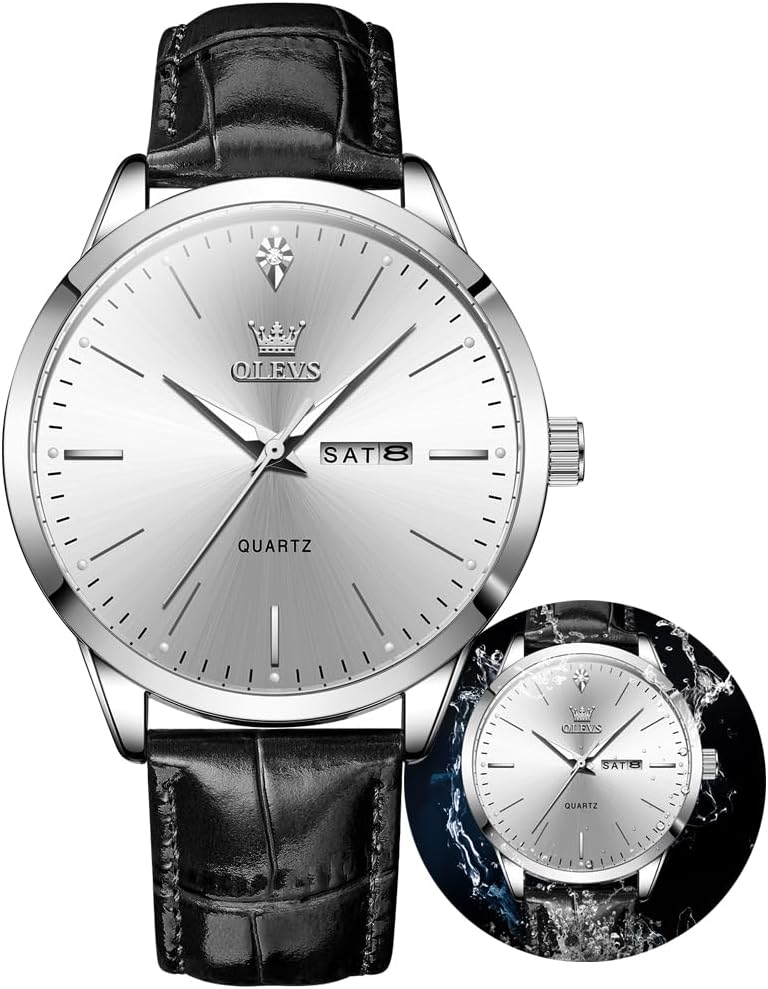
Image: OLEVS Mens Quartz Analog Watch with a black leather band and silver face, showcasing its elegant design.
Setup
Setting Time and Date
Your OLEVS watch features a crown on the right side of the watch case for adjusting the time and date. Follow these steps:
- Normal Position (Position 1): The crown is pushed all the way in against the watch case. This is the normal operating position.
- Setting the Date (Position 2): Gently pull the crown out to the first click. Rotate the crown either clockwise or counter-clockwise to adjust the date. Once the correct date is set, proceed to set the time or push the crown back to Position 1.
- Setting the Time (Position 3): Pull the crown out to the second click. Rotate the crown to set the hour and minute hands. For accurate time setting, it is recommended to set the time a few minutes ahead and then push the crown back to Position 1 when a time signal (e.g., from a radio or phone) reaches the desired time.

Image: Diagram illustrating the three crown positions for setting the date and time on the OLEVS watch.
Adjusting the Leather Band
The leather band is designed for comfort and adjustability. To adjust the fit, simply use the buckle to select the appropriate hole that provides a snug yet comfortable fit on your wrist. Ensure the watch is not too tight to avoid discomfort or too loose to prevent excessive movement.
Operating Your Watch
Timekeeping
Your OLEVS watch is equipped with a high-quality quartz movement, providing precise and reliable timekeeping. The hour, minute, and second hands move smoothly to indicate the current time.
Date Display
The watch features a date window, typically located at the 3 o'clock position, which displays the current day of the month. The date automatically advances at midnight. If the date needs adjustment (e.g., after a month with fewer than 31 days), refer to the 'Setting the Date' instructions in the Setup section.
Luminous Hands
The hands of your OLEVS watch are treated with a luminous material, allowing for visibility in low-light conditions. For optimal glow, expose the watch dial to a light source (natural or artificial) for a period before entering a dark environment.
Water Resistance
This watch is water resistant to 30 meters (3ATM/100 feet). This rating means the watch is suitable for daily use, such as splashes or brief immersion in water. It is not suitable for showering, bathing, swimming, snorkeling, or any water-related work where it would be submerged for extended periods or subjected to high-pressure water.

Image: The OLEVS watch shown with water splashes, illustrating its 30M water resistance capability for daily use.
Maintenance
Cleaning
- Watch Case and Crystal: Wipe regularly with a soft, dry, lint-free cloth to remove dust and fingerprints. For stubborn marks, a slightly damp cloth can be used, followed by immediate drying.
- Leather Band: Avoid prolonged exposure to water, direct sunlight, and extreme temperatures, as these can cause the leather to dry out, crack, or discolor. Clean the leather band with a soft, damp cloth and allow it to air dry completely. Do not use harsh chemicals or abrasive cleaners.
Battery Replacement
Your OLEVS watch is powered by a quartz battery. The battery life typically ranges from 2 to 3 years, depending on usage. When the watch stops or the second hand begins to skip, it is an indication that the battery needs to be replaced. It is highly recommended to have the battery replaced by a qualified watch technician to ensure the watch's water resistance is maintained and to prevent damage to the internal components.
General Care
- Avoid exposing the watch to strong magnetic fields, as this can affect the accuracy of the quartz movement.
- Protect the watch from sudden impacts or drops.
- Ensure the crown is pushed fully into Position 1 after setting the time or date to maintain water resistance.
Troubleshooting
Watch Not Keeping Accurate Time
- Check Crown Position: Ensure the crown is fully pushed in to Position 1. If it is pulled out, the watch will not operate correctly.
- Battery Life: If the watch is running slow, stopping intermittently, or has stopped completely, the battery may need replacement. Refer to the 'Battery Replacement' section.
- Impact: A severe impact could affect the internal mechanism. If the issue persists after checking the above, professional inspection is recommended.
Date Not Changing or Incorrect
- Manual Adjustment: The date mechanism typically advances once every 24 hours. If the date is incorrect, manually adjust it using the crown in Position 2.
- AM/PM Setting: Ensure the time is set correctly for AM/PM. The date changes around midnight. If the date changes at noon, you have set the time 12 hours off. Advance the time by 12 hours.
Luminous Hands Not Glowing
- Insufficient Light Exposure: The luminous material requires exposure to light to charge. Ensure the watch has been exposed to sufficient light before expecting it to glow in the dark. The glow will fade over time.
Specifications
| Feature | Detail |
|---|---|
| Brand | OLEVS |
| Model Number | G2935G |
| Movement | Quartz Analog |
| Case Material | Stainless Steel |
| Mirror Material | Hardened Mineral Crystals |
| Band Material | Leather |
| Water Resistance | 30M (3ATM/100 feet) |
| Mirror Diameter | 1.69 inches (43 mm) |
| Case Thickness | 0.39 inches (10 mm) |
| Band Width | 0.78 inches (20 mm) |
| Band Length | 9.45 inches (240 mm) |
| Clasp Type | Push-button-clasp |
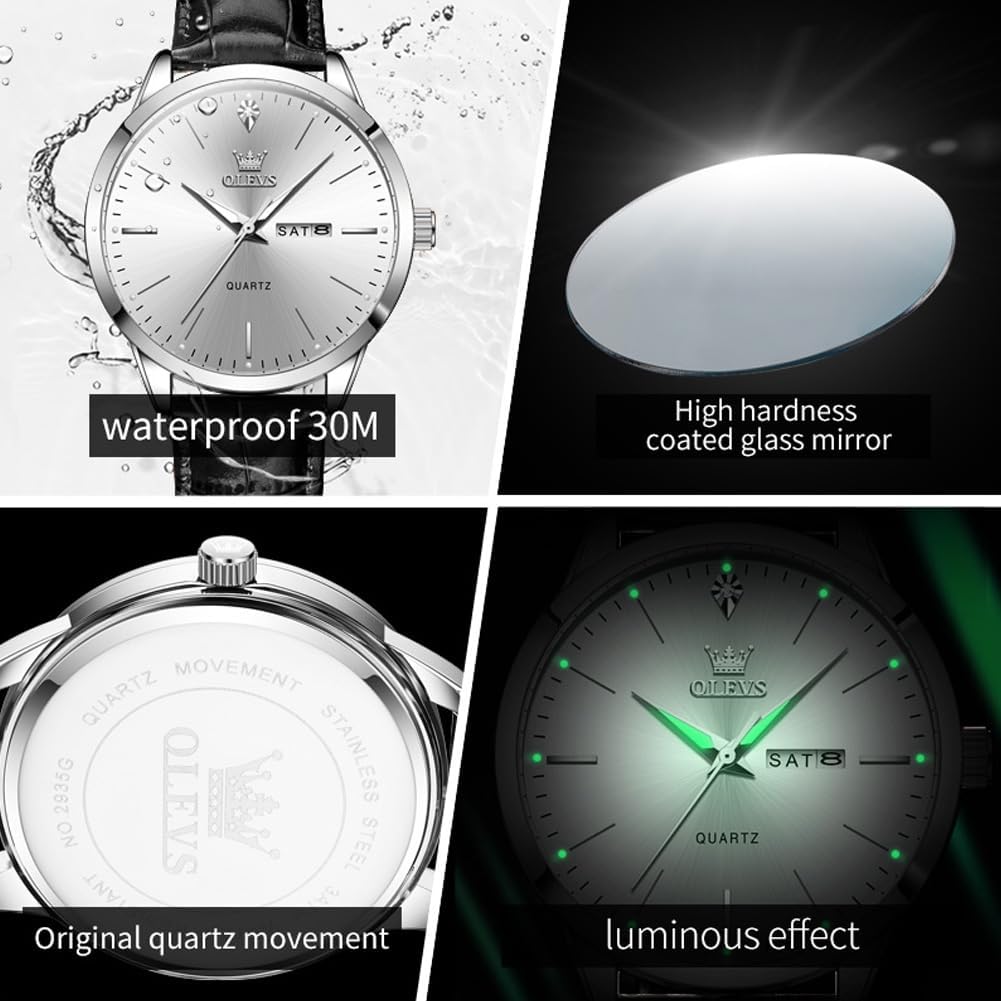
Image: Close-up view highlighting key features: 30M waterproof, high hardness coated glass mirror, original quartz movement, and luminous effect.
Warranty and Support
OLEVS is committed to customer satisfaction. If you encounter any questions or concerns regarding your watch, please do not hesitate to contact our customer service. We are dedicated to providing satisfactory solutions and support for your product.
For specific warranty details and to address any issues, please refer to the warranty information provided with your purchase or contact the seller directly. Additional protection plans may be available for purchase to extend coverage beyond the standard warranty.


