
1. Introduction
The FNIRSI SWM-10 is a portable, intelligent color screen spot welding machine designed for various battery welding applications. This device integrates a 5000mAh high-rate power battery, offering efficient and reliable spot welding for materials up to 0.25mm thick. It is suitable for DIY projects, battery pack assembly, and other precision welding tasks. This manual provides essential information for safe operation, setup, maintenance, and troubleshooting.

Figure 1.1: FNIRSI SWM-10 Portable Spot Welder in operation, showing the main unit and welding probes connected to a battery array.
2. Safety Instructions
- Always wear appropriate personal protective equipment (PPE), including safety glasses, when operating the spot welder.
- Ensure the work area is well-ventilated and free from flammable materials.
- Do not operate the device with wet hands or in damp conditions.
- Keep the device away from children and unauthorized personnel.
- Avoid touching the welding probes during operation, as they can become hot and carry electrical current.
- Do not attempt to weld materials thicker than 0.25mm or materials not specified as weldable by the manufacturer.
- If the device shows signs of damage or malfunction, discontinue use immediately and contact support.
3. Product Overview
The FNIRSI SWM-10 is a versatile tool combining spot welding capabilities with a power bank function. It features a high-resolution color screen for displaying welding parameters and battery status.
3.1 Key Features
- Portable Design: Compact and lightweight for easy transport and use.
- High-Rate Battery: Integrated 5000mAh power battery for sustained operation.
- Dual Functionality: Functions as a spot welder and a 5V2.1A USB power bank.
- Double Pulse Welding: Advanced technology for firm, stable, and reliable welds, reducing oxidation and improving consistency.
- Weldable Materials: Capable of welding nickel plate, sheet iron, and steel sheet up to 0.25mm thickness.
- Intelligent Control: Color screen display for precise parameter adjustment and monitoring.

Figure 3.1: The FNIRSI SWM-10 highlighting its multi-functionality and key specifications.

Figure 3.2: The FNIRSI SWM-10 functioning as a power bank, charging mobile devices.
3.2 Components
- Main Spot Welder Unit with Color Screen
- Welding Probes (Red and Black)
- USB Charging Cable (Type-C)
- Nickel Strips (for testing/initial use)

Figure 3.3: Internal components of the FNIRSI SWM-10, showcasing the high-quality A-grade batteries.
4. Setup
4.1 Initial Charging
- Connect the provided USB Type-C cable to the charging port on the FNIRSI SWM-10.
- Connect the other end of the cable to a suitable USB power adapter (5V/2A recommended).
- Allow the device to charge fully before first use. The screen will indicate charging status.
4.2 Connecting Welding Probes
- Ensure the spot welder is turned off.
- Insert the red welding probe into the red terminal on the main unit.
- Insert the black welding probe into the black terminal on the main unit.
- Ensure connections are secure to prevent arcing or poor performance.
5. Operating Instructions
5.1 Power On/Off
Press and hold the power button (usually located on the side or front panel) for a few seconds to turn the device on or off. The color screen will illuminate upon power-on.
5.2 Adjusting Welding Parameters
The FNIRSI SWM-10 features an intelligent control system with a color screen. Use the navigation buttons (up/down arrows, select button) to adjust parameters such as:
- Preb (Pre-pulse): Cleans the oxide layer on the weldment surface.
- Puls (Main Pulse): The primary welding pulse duration.
- Intv (Interval): Time between pre-pulse and main pulse (for double pulse mode).
- Dots: Number of welding pulses.
- Power Level: Adjust the welding power based on material thickness and type. Start with lower settings and increase gradually.
Refer to the on-screen interface for specific parameter names and adjustment ranges. Experiment with scrap material to find optimal settings for your application.
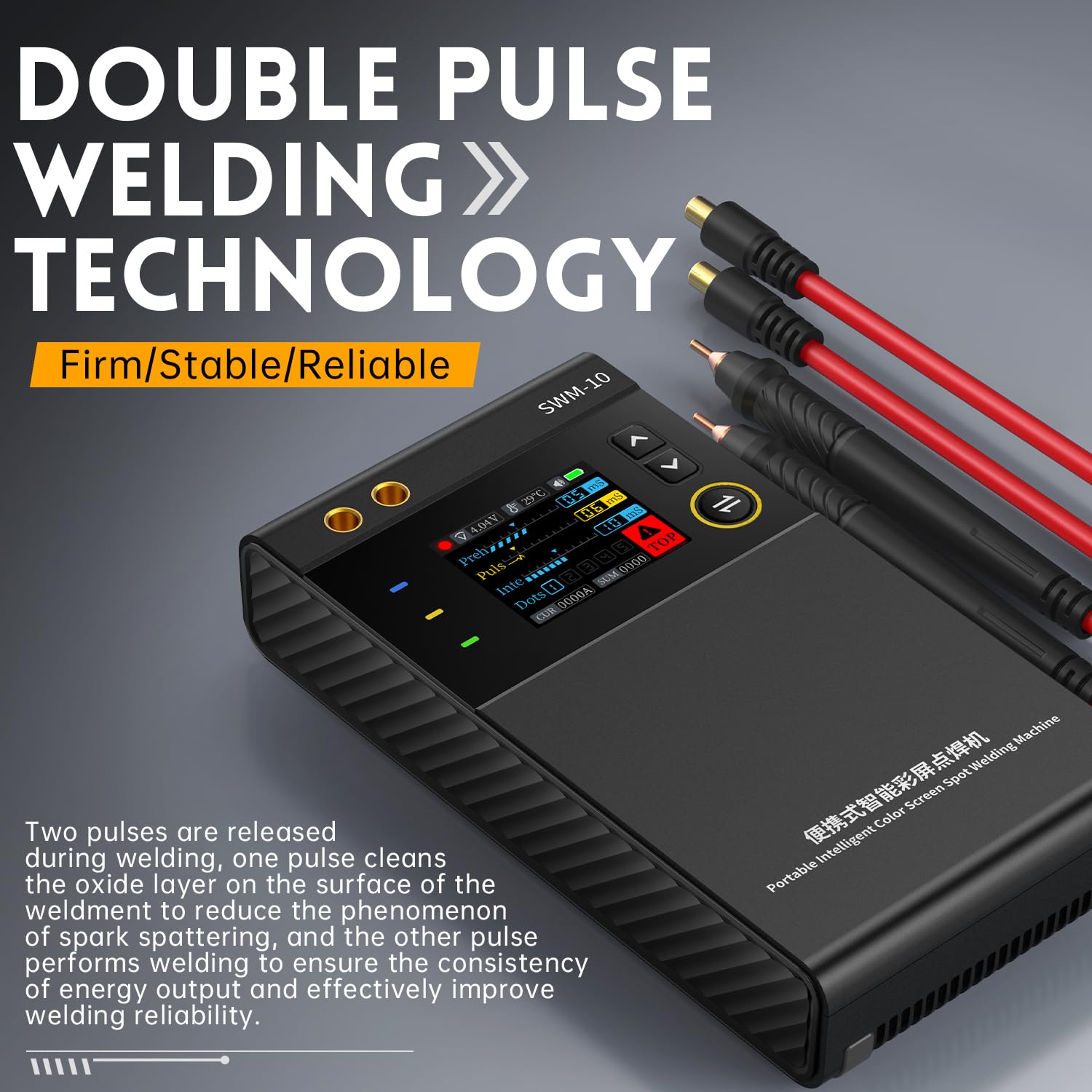
Figure 5.1: The FNIRSI SWM-10 displaying double pulse welding technology settings, which enhance weld quality by cleaning the surface before the main weld.
5.3 Performing a Spot Weld
- Prepare the materials to be welded. Ensure surfaces are clean and free of rust or contaminants.
- Place the nickel strip (or other weldable material) onto the battery terminal or workpiece.
- Position both welding probes firmly and simultaneously onto the nickel strip, ensuring good contact with the underlying material.
- The device will automatically detect contact and initiate the welding process according to the set parameters.
- After the weld, lift the probes. Inspect the weld for strength and appearance. Adjust settings if necessary.
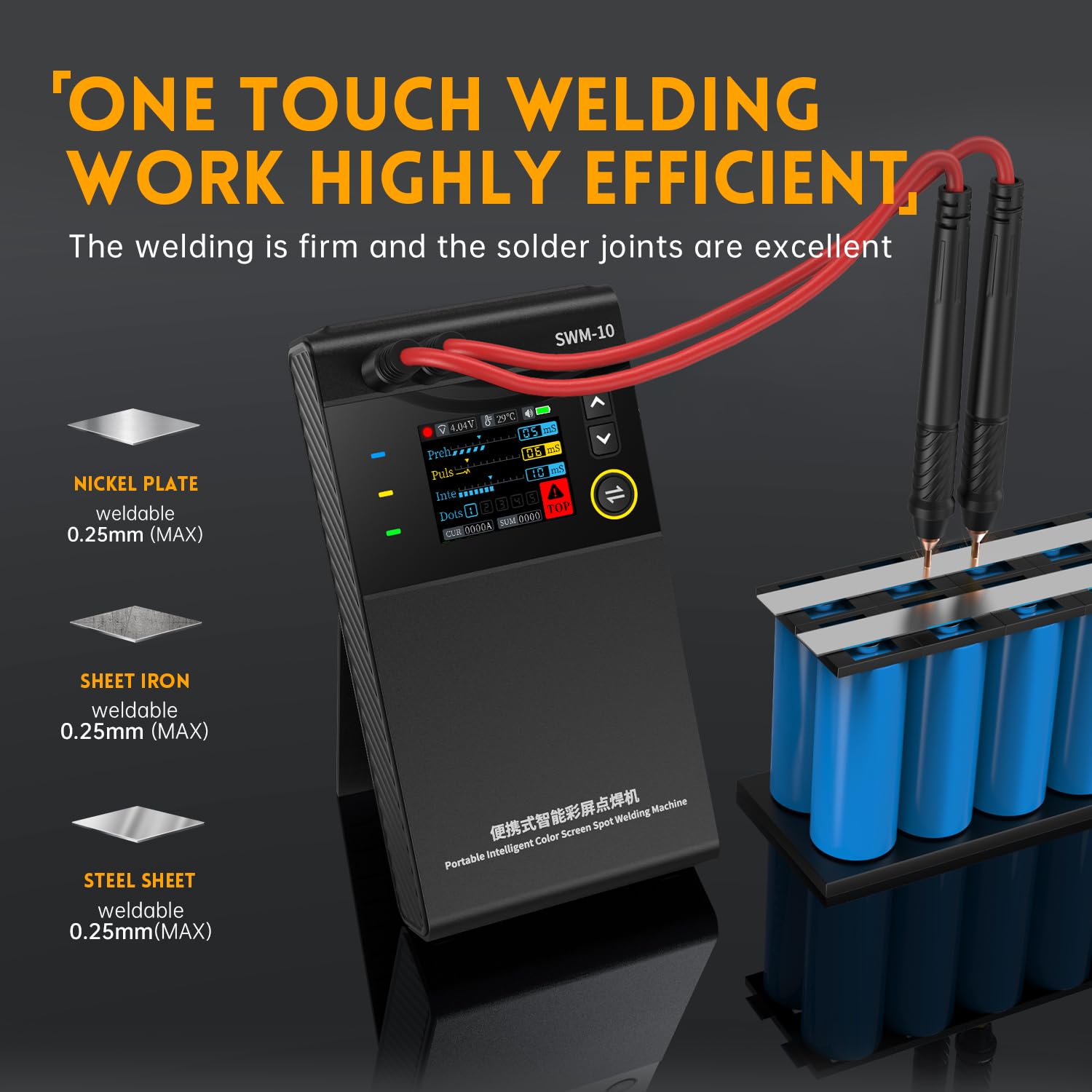
Figure 5.2: The FNIRSI SWM-10 in action, demonstrating efficient spot welding on a battery array. It supports welding of nickel plate, sheet iron, and steel sheet up to 0.25mm.
6. Maintenance
- Cleaning: Regularly clean the welding probes and the main unit with a dry, soft cloth. Do not use abrasive cleaners or solvents.
- Probe Condition: Inspect the tips of the welding probes for wear or oxidation. If necessary, gently file or sand the tips to ensure good electrical contact.
- Storage: Store the device in a cool, dry place, away from direct sunlight and moisture. Ensure the battery is partially charged (around 50-70%) for long-term storage.
- Battery Care: Avoid fully discharging the battery frequently. Recharge the device when the battery level is low.
7. Troubleshooting
| Problem | Possible Cause | Solution |
|---|---|---|
| Poor or weak welds | Incorrect power setting, dirty probes, poor contact, material too thick | Increase power setting, clean probe tips, ensure firm contact, verify material thickness is within limits. |
| Device does not turn on | Low battery, faulty power button | Charge the device fully. If problem persists, contact support. |
| Overheating warning | Continuous use, high ambient temperature | Allow the device to cool down. Operate in a well-ventilated area. |
| Screen not displaying correctly | Software glitch, internal issue | Restart the device. If problem persists, contact support. |
8. Specifications
- Model Number: YH-FNIRSI-SWM-10
- Brand: FNIRSI
- Power Source: Battery Powered
- Battery Capacity: 5000 mAh (Integrated)
- Max Weldable Thickness: 0.25 mm (Nickel plate, sheet iron, steel sheet)
- USB Output: 5V/2.1A (Power Bank Function)
- Product Dimensions (L x W x H): 20 x 10 x 15 cm
- Item Weight: 1 Kilogram
- Color: Black
- Country of Origin: China
9. Warranty and Support
For warranty information and technical support, please refer to the documentation provided with your purchase or contact the retailer/manufacturer directly. Keep your proof of purchase for warranty claims.


