
Introduction
This manual provides comprehensive instructions for the safe and effective use of your YteaTh Sonic Electric Toothbrush, Model Y02. Please read this manual thoroughly before first use and retain it for future reference. This ultrasonic electric toothbrush is designed to assist in maintaining optimal oral hygiene by providing a superior clean compared to manual brushing.

Figure 1: YteaTh Sonic Electric Toothbrush and accessories.
The YteaTh Sonic Electric Toothbrush features up to 40,000 vibrations per minute, offering a gentle yet effective cleaning experience. It includes multiple brushing modes, a built-in smart timer, and a long-lasting battery, making it suitable for daily oral care.
Package Contents
Before beginning, please verify that all items listed below are present in your package:
- 1 x Electric Toothbrush Handle
- 8 x Toothbrush Heads (various types for different needs)
- 1 x Toothbrush Holder
- 1 x USB Charging Cable
- 1 x Travel Case
- 1 x Travel Bag
- 1 x Instruction Manual (this document)

Figure 2: All components included in the YteaTh Sonic Electric Toothbrush package.
Setup and Initial Use
1. Initial Charging
It is recommended to fully charge the toothbrush before its first use. A full charge takes approximately 2.5 hours and provides up to 60 days of use based on standard brushing habits.
- Connect the USB charging cable to the charging port located at the bottom of the toothbrush handle.
- Connect the other end of the USB cable to a compatible USB power source (e.g., PC, power bank, phone charger adapter).
- Place the toothbrush handle into the provided toothbrush holder for stable charging.
- The battery indicator light on the handle will illuminate to show charging status.

Figure 3: The toothbrush handle connected to a USB power source for charging.
2. Attaching a Brush Head
The toothbrush comes with 8 DuPont brush heads, including sensitive and normal types, designed for approximately 2 years of use.
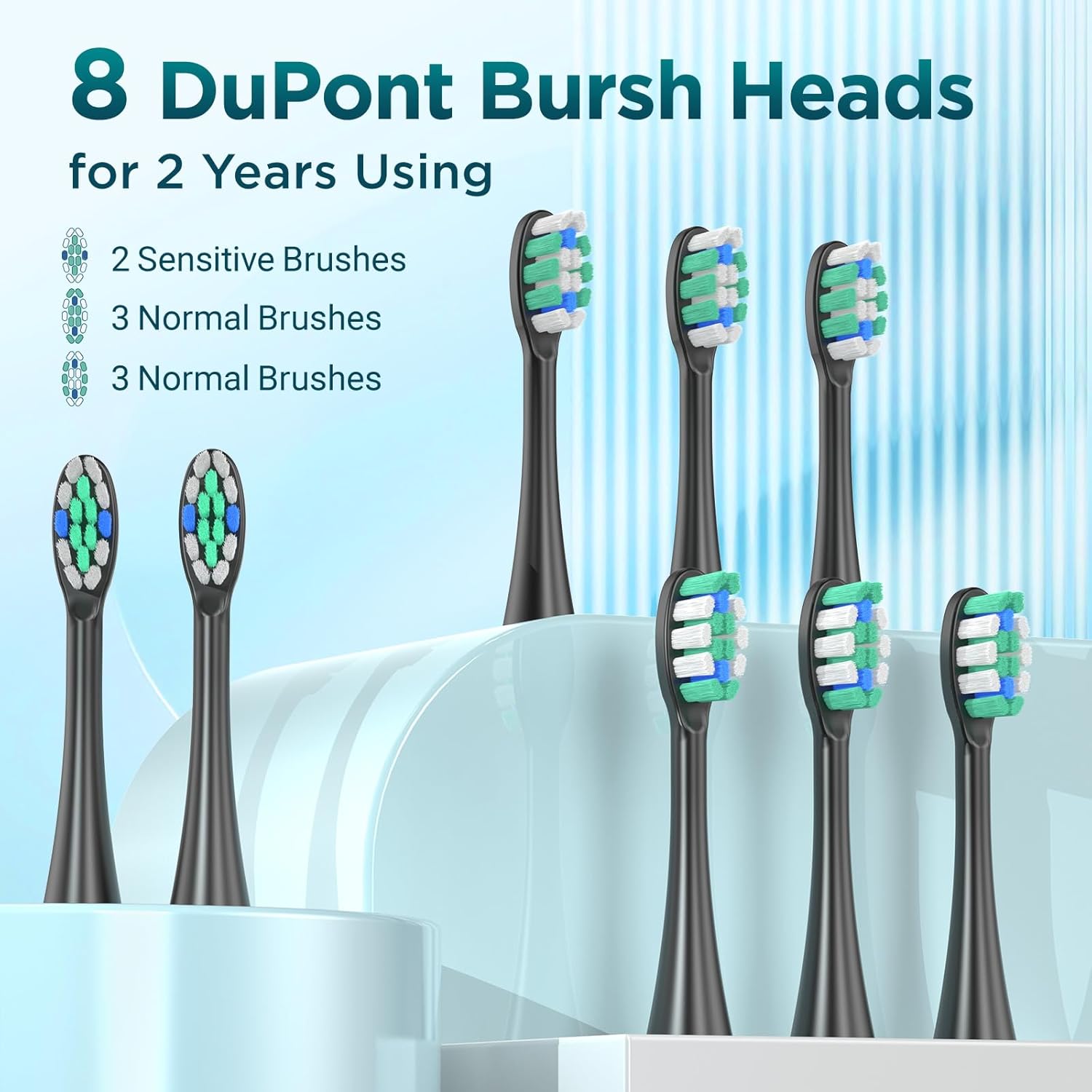
Figure 4: The eight included DuPont brush heads, suitable for approximately two years of use.
- Select a desired brush head.
- Align the brush head with the metal shaft on the toothbrush handle.
- Push the brush head down firmly until it clicks into place. Ensure it is securely attached.
Operating Instructions
1. Power On/Off and Mode Selection
The toothbrush features 5 distinct brushing modes to cater to various oral care needs:
- Clean: For standard daily brushing.
- Sensitive: Softer cleaning for sensitive teeth and gums.
- White: Designed to remove surface stains.
- Polish: A 1-minute mode for teeth whitening.
- Massage: For gentle gum care.
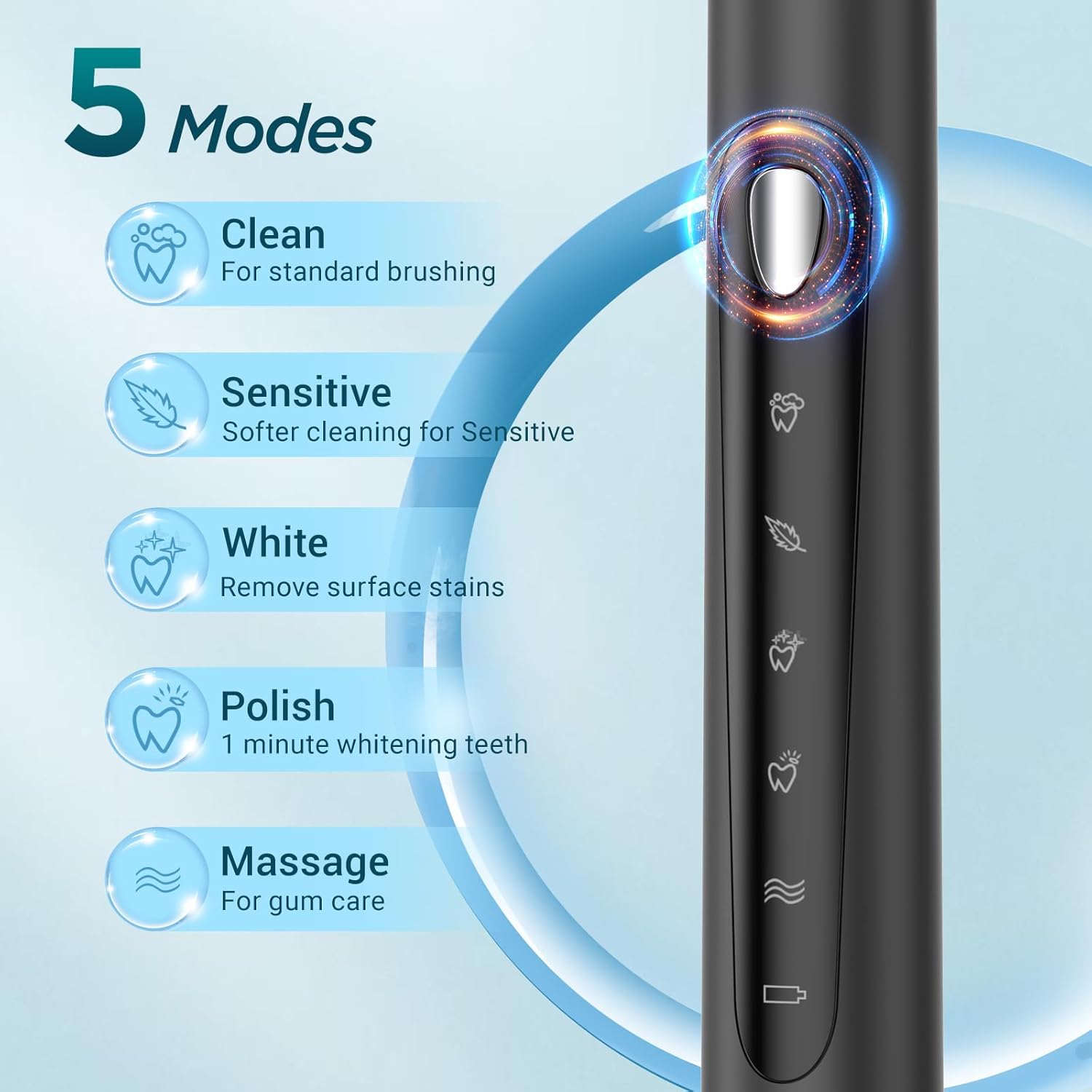
Figure 5: The toothbrush handle displaying the power button and the five distinct brushing modes.
- Press the power button once to turn on the toothbrush. It will start in the last used mode.
- Press the power button repeatedly to cycle through the different modes. The indicator light next to the selected mode will illuminate.
- To turn off the toothbrush, press and hold the power button for approximately 2 seconds, or cycle through all modes until it turns off automatically.
2. Brushing Technique and Smart Timer
For optimal cleaning, apply a small amount of toothpaste to the brush head. Place the brush head against your teeth at a slight angle towards the gumline. Gently move the brush head slowly across each tooth surface, allowing the sonic vibrations to do the work. Do not scrub vigorously.

Figure 6: Proper brushing technique and the visual representation of the 2-minute smart timer with 30-second quadrant reminders.
The toothbrush features a built-in 2-minute smart timer and a 30-second quadrant reminder:
- The toothbrush will pause briefly every 30 seconds to signal you to move to the next quadrant of your mouth (upper right, upper left, lower left, lower right).
- After 2 minutes, the toothbrush will automatically turn off, indicating the completion of the recommended brushing time.

Figure 7: The sonic action of the toothbrush effectively removes plaque from tooth surfaces.
Maintenance and Care
1. Cleaning the Toothbrush
- After each use, rinse the brush head thoroughly under running water while the toothbrush is still on, to remove any remaining toothpaste and debris.
- Turn off the toothbrush and remove the brush head.
- Rinse both the brush head and the handle separately under running water.
- Wipe the handle with a soft, damp cloth. Do not immerse the handle in water for extended periods.
- Allow all parts to air dry before reassembling or storing.
2. Replacing Brush Heads
Dentists recommend replacing your toothbrush head every 3 months, or sooner if the bristles become frayed or worn. Replacement brush heads are available from authorized retailers.
- Grasp the brush head firmly and pull it straight off the handle.
- Align the new brush head with the metal shaft and push it down until it clicks into place.
3. Storage
Store the toothbrush and its accessories in a clean, dry place when not in use. The included travel case and travel bag provide convenient and hygienic storage, especially for travel.
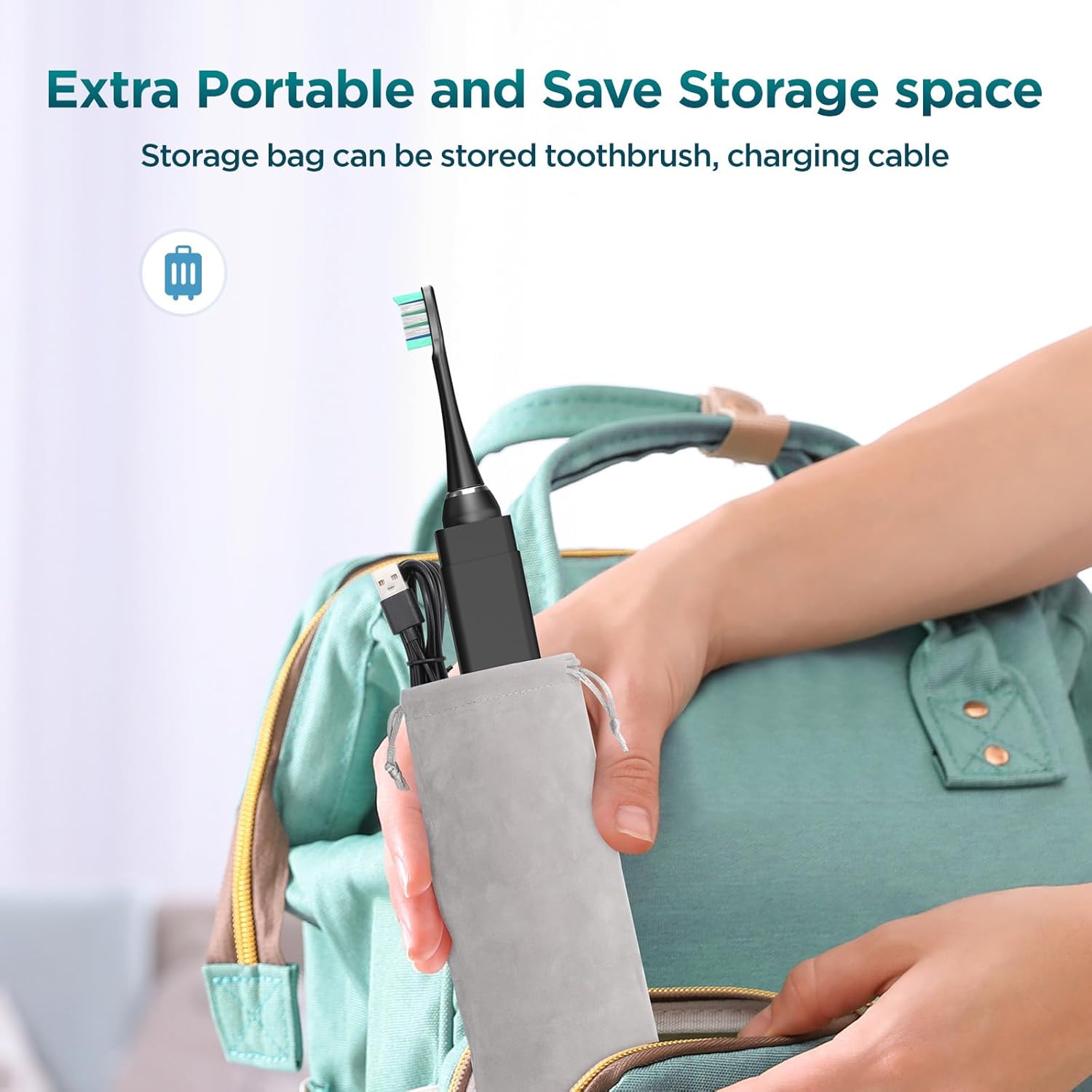
Figure 8: The compact design allows for easy storage and portability using the included travel bag.
Troubleshooting
| Problem | Possible Cause | Solution |
|---|---|---|
| Toothbrush does not turn on. | Battery is depleted. | Charge the toothbrush fully (refer to "Initial Charging" section). |
| Vibration is weak or inconsistent. | Low battery. Brush head not securely attached. | Recharge the toothbrush. Remove and reattach the brush head, ensuring it clicks into place. |
| Toothbrush stops during use. | 2-minute smart timer has completed. Battery is depleted. | This is normal operation. Restart if needed. Recharge the toothbrush. |
| Charging indicator not lighting up. | Cable or power source issue. Toothbrush already fully charged. | Ensure USB cable is properly connected and power source is active. Try a different USB port or adapter. |
Specifications
- Model Number: Y02
- Brand: YteaTh
- Power Source: Corded Electric (USB Charging)
- Battery: 1 Lithium Ion battery (included)
- Battery Life: Up to 60 days on a single charge (approx.)
- Special Features: Brushing Timer, 5 Modes
- Item Firmness Description: Medium (for included brush heads)
- Manufacturer: Ningbo jianjie Daily & Cosmetics CO., Ltd
- Package Dimensions: 9.06 x 3.86 x 1.42 inches
- Item Weight: 10.93 ounces
Warranty and Support
For information regarding warranty coverage, product support, or replacement parts, please refer to the warranty card included with your product or contact the manufacturer directly. The manufacturer is Ningbo jianjie Daily & Cosmetics CO., Ltd.
Please note that statements regarding dietary supplements have not been evaluated by the FDA and are not intended to diagnose, treat, cure, or prevent any disease or health condition. This product is intended for oral hygiene purposes only.