
1. Introduction
This manual provides essential information for the safe and effective operation and maintenance of your TOPUTURE Ctm216 Foldable 3-in-1 Electric Treadmill. Please read this manual thoroughly before initial use and retain it for future reference.
The TOPUTURE Ctm216 is designed for home use, offering versatile exercise modes as both a walking mat (1-6 km/h) and a treadmill (1-12 km/h). It features a 2.5 HP motor, LED display, app control compatibility, and a space-saving foldable design with an adjustable slope.
2. Important Safety Information
To reduce the risk of serious injury, read all important precautions and instructions in this manual before using the treadmill. TOPUTURE assumes no responsibility for personal injury or property damage sustained by or through the use of this product.
- Always place the treadmill on a level surface.
- Keep children and pets away from the treadmill during operation.
- Ensure adequate clearance around the treadmill (at least 2 meters behind and 0.6 meters on each side).
- Wear appropriate exercise clothing and athletic shoes.
- Do not operate the treadmill if it is damaged or malfunctioning.
- Consult a physician before starting any exercise program.
- Use the safety key clip at all times during operation.
- Unplug the treadmill from the power outlet when not in use or before cleaning/maintenance.
- Maximum user weight: 130 kg.
3. Package Contents
Verify that all components are present and undamaged:
- TOPUTURE Ctm216 Treadmill Unit
- Remote Control
- Safety Key
- User Manual (this document)
- Power Cord
Note: Lubricant for the running belt is recommended for separate purchase.
4. Product Overview
Familiarize yourself with the main components of your treadmill.

Image: The TOPUTURE Ctm216 Treadmill in its upright configuration, with a user walking. This image illustrates the overall design and how it appears during use.
- Running Belt: The surface for walking or running.
- Handrail/Riser: Provides support and houses the display.
- LED Display: Shows speed, distance, time, and calories.
- Remote Control: Used to adjust speed and modes.
- Safety Key: Magnetic key that stops the treadmill when removed.
- Transport Wheels: For easy relocation of the folded treadmill.
- Slope Adjustment Mechanism: Allows for incline changes.
5. Setup Instructions
The TOPUTURE Ctm216 treadmill comes largely pre-assembled. Follow these steps for initial setup:
- Unpacking: Carefully remove the treadmill from its packaging.
- Placement: Place the treadmill on a flat, stable surface, ensuring sufficient clear space around it.
- Unfolding the Riser (if applicable): If the riser is folded down, gently lift it into the upright position until it locks securely. Twist the buckle to secure it.
- Power Connection: Plug the power cord into a grounded electrical outlet.
- Safety Key: Attach the safety key to the designated slot on the console. Ensure the clip is attached to your clothing during operation.

Image: The treadmill shown in both its flat walking mat configuration and with the riser extended for treadmill use. This demonstrates the 2-in-1 functionality.
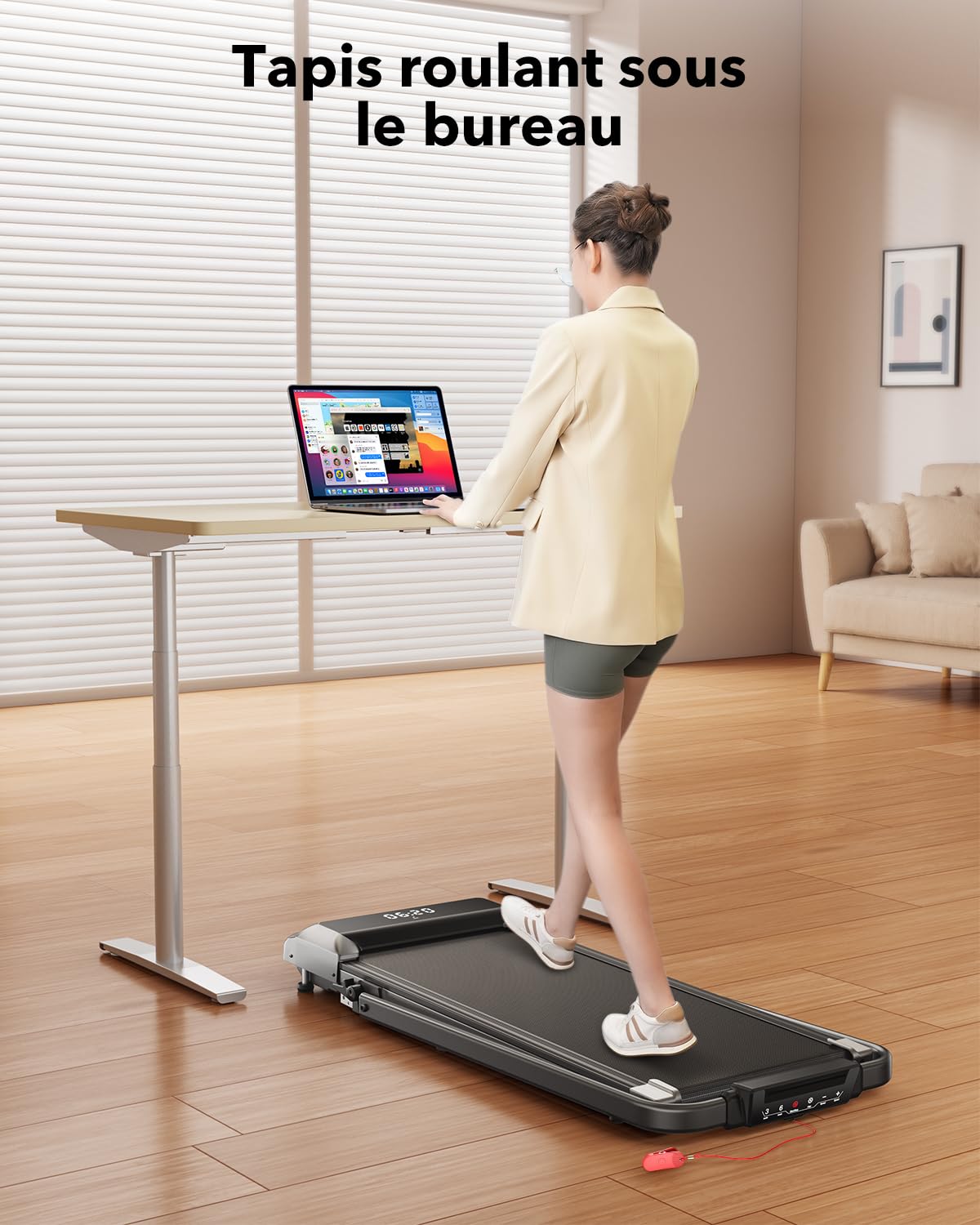
Image: The treadmill folded vertically, being easily moved using its transport wheels. This highlights the space-saving design and portability.
6. Operating Instructions
6.1 Power On/Off
- To power on, ensure the safety key is in place and press the power button on the remote control or console.
- To power off, press the power button again or remove the safety key.
6.2 Modes of Operation
The treadmill offers two primary modes:
- Walking Mat Mode: When the riser is folded down, the speed range is 1-6 km/h.
- Treadmill Mode: When the riser is upright, the speed range is 1-12 km/h.
Image: The treadmill shown in both its flat walking mat configuration and with the riser extended for treadmill use. This illustrates the two operational modes.
6.3 Adjusting Speed
- Use the '+' and '-' buttons on the remote control or touch screen to increase or decrease speed.
- The LED display will show the current speed.
6.4 Preset Programs
The treadmill includes 12 preset programs. Refer to the display or remote control for program selection. Each program offers varied speed profiles for different workout intensities.
6.5 Pause Function
Press the pause button during your workout to temporarily stop the belt without losing your workout data. Press again to resume.
6.6 Smart APP Control (FITSHOW/Kinomap)
Connect your treadmill to compatible fitness applications like "FITSHOW" or "Kinomap" via Bluetooth for enhanced control and tracking.
- Download the chosen app from your device's app store.
- Enable Bluetooth on your mobile device.
- Open the app and follow the instructions to connect to the treadmill (look for model "Fitshow FS-3715B2" if prompted).
- Once connected, you can control speed, monitor metrics, and access various training courses through the app.

Image: A user exercising on the treadmill while viewing a fitness application on a tablet, demonstrating the smart app control feature.
7. Slope Adjustment
The TOPUTURE Ctm216 treadmill features a manual slope adjustment to increase workout intensity.
- The default slope is approximately 2.7°.
- To adjust, gently kick the mechanism at the rear of the treadmill to engage the higher incline setting, which provides a slope of approximately 3.6°.
- To return to the flat position, disengage the mechanism.
- Always ensure the treadmill is stable and the slope is securely set before beginning your workout.

Image: A visual representation of the treadmill with its incline feature, indicating a 7% maximum incline. This illustrates how the slope increases workout intensity.
8. Folding and Storage
The treadmill is designed for convenient storage.
- Power Off: Ensure the treadmill is powered off and unplugged.
- Fold Riser: If the riser is upright, release the buckle and gently lower it until it lies flat against the running deck.
- Relocate: Utilize the integrated transport wheels to move the folded treadmill. It can be stored under a bed, sofa, or against a wall.
Image: The treadmill in its folded, compact state, being easily transported using its built-in wheels. This demonstrates its space-saving design and mobility.
9. Maintenance
Regular maintenance ensures optimal performance and longevity of your treadmill.
- Cleaning: Wipe down the treadmill surfaces with a damp cloth after each use. Avoid abrasive cleaners.
- Running Belt Lubrication: The running belt requires periodic lubrication to reduce friction. Apply silicone lubricant (not included) as per the lubricant manufacturer's instructions, typically every few months depending on usage. Lift the edge of the belt and apply a small amount to the center of the deck.
- Belt Tension and Alignment: Check the running belt tension and alignment periodically. Adjust if necessary according to instructions in a separate service guide or by contacting customer support.
- Storage: Store the treadmill in a dry, clean environment away from direct sunlight and extreme temperatures.
10. Troubleshooting
If you encounter issues, refer to the following common problems and solutions:
| Problem | Possible Cause | Solution |
|---|---|---|
| Treadmill does not power on. | Power cord not connected; Safety key not in place; Power switch off. | Ensure power cord is securely plugged in; Insert safety key fully; Check main power switch. |
| Running belt slips or hesitates. | Belt too loose; Insufficient lubrication. | Adjust belt tension (refer to service guide); Lubricate running belt. |
| Unusual noise during operation. | Loose components; Belt friction; Motor issue. | Check for loose screws; Lubricate belt; Contact customer support if noise persists. |
| Remote control not responding. | Dead battery; Obstruction; Not paired. | Replace remote control battery; Ensure clear line of sight; Re-pair if necessary (refer to operating instructions). |
| App connection issues. | Bluetooth off; Incorrect app; Pairing error. | Ensure device Bluetooth is on; Use recommended apps (FITSHOW/Kinomap); Restart app and treadmill, then try pairing again. |
11. Product Specifications
| Feature | Detail |
|---|---|
| Model Name | Ctm216 |
| Brand | TOPUTURE |
| Product Dimensions (Unfolded) | 130D x 56W x 13.5H Centimeters |
| Folded Size | 130 x 13.5 x 56 Centimeters |
| Item Weight | 27 kg |
| Maximum Weight Recommendation | 130 Kilograms |
| Motor Horsepower | 2.5 HP |
| Speed Range (Walking Mat Mode) | 1 - 6 km/h |
| Speed Range (Treadmill Mode) | 1 - 12 km/h |
| Maximum Incline Percentage | 3.6% (Adjustable) |
| Display Type | LED |
| Connectivity | Bluetooth (for app control) |
| Material | Alloy Steel |
| Assembly Required | No (Pre-assembled) |

Image: Close-up of the treadmill's LED display, illustrating the metrics shown: speed, time, distance, and calories. This highlights the informational feedback provided during workouts.
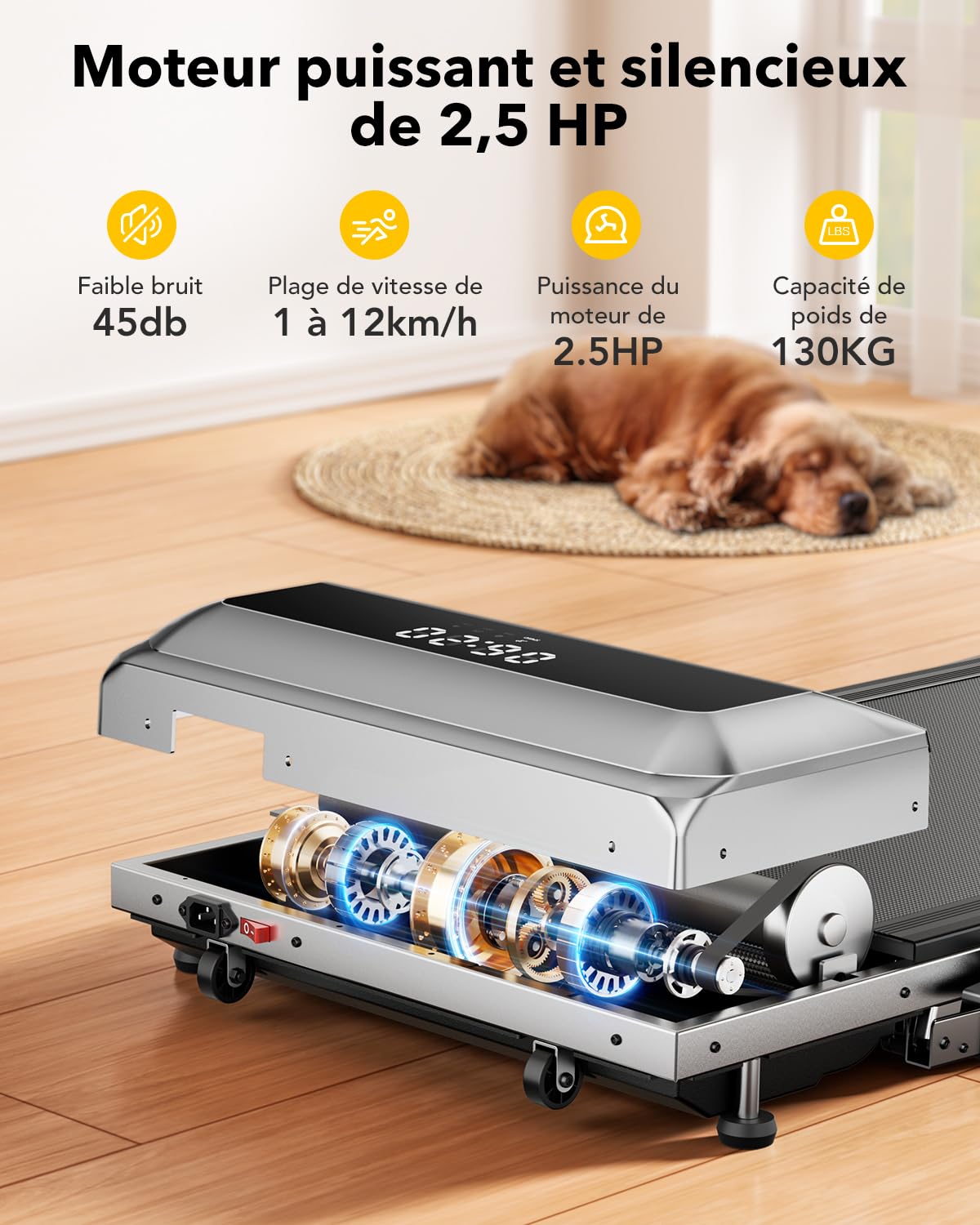
Image: An internal view of the treadmill's 2.5 HP motor and shock-absorbing components. This illustrates the robust engineering for quiet operation and joint protection.
12. Warranty and Customer Support
For warranty information, technical assistance, or to report any issues not covered in this manual, please contact TOPUTURE customer support. Refer to your purchase documentation for specific warranty terms and contact details.
Please have your model number (Ctm216) and purchase date available when contacting support.