
1. Introduction
Thank you for choosing the Migipaws Interactive Donut Cat Toy. This automatic toy is designed to stimulate your cat's natural hunting instincts with its moving feather, catnip, and squeaking sounds. Please read this manual carefully before use to ensure proper operation and maintenance.

Image 1.1: The Migipaws Interactive Donut Cat Toy, showing its design with a moving feather and a cat observing it.
2. Safety Information
- This product is intended for pet use only. Keep out of reach of children.
- Inspect the toy regularly for damage. Discontinue use if any parts are broken or detached to prevent choking hazards.
- Do not attempt to disassemble or modify the toy.
- The toy contains a rechargeable battery. Do not expose to extreme temperatures or water.
- This product is not washable. Clean only with a dry or slightly damp cloth.
3. Package Contents
Please check the package to ensure all items are present:
- 1 x Migipaws Interactive Donut Cat Toy
- 1 x USB-Type C Charging Cable
- 1 x Extra Feather Replacement
4. Setup
4.1 Initial Charging
Before first use, fully charge the toy. Locate the USB-C charging port on the underside of the toy.
- Connect the provided USB-Type C cable to the toy's charging port.
- Connect the other end of the USB cable to a compatible USB power adapter (not included) or a computer USB port.
- The charging indicator light (if present) will show charging status. A full charge typically takes a few hours.

Image 4.1: The USB-C charging port located on the bottom of the toy.
4.2 Attaching/Replacing Feathers
The toy comes with a feather attachment. An extra feather is included for replacement.
- Gently pull the existing feather attachment upwards to remove it from the central mechanism.
- Align the base of the new feather attachment with the central slot.
- Press down firmly until it clicks into place.

Image 4.2: Illustration of how to attach or replace the feather accessory.
5. Operating Instructions
5.1 Powering On/Off
Locate the power switch on the underside of the toy. Slide the switch to the 'ON' position to activate the toy, and to 'OFF' to power it down.
5.2 Automatic Operation
The Migipaws Donut Cat Toy features a motion sensor. Once powered on, the toy will:
- Automatically trigger irregular, intermittent rotation of the feather when a cat approaches.
- Operate for approximately 3 minutes per activation cycle.
- Automatically stop after 3 minutes and enter standby mode, awaiting further interaction.
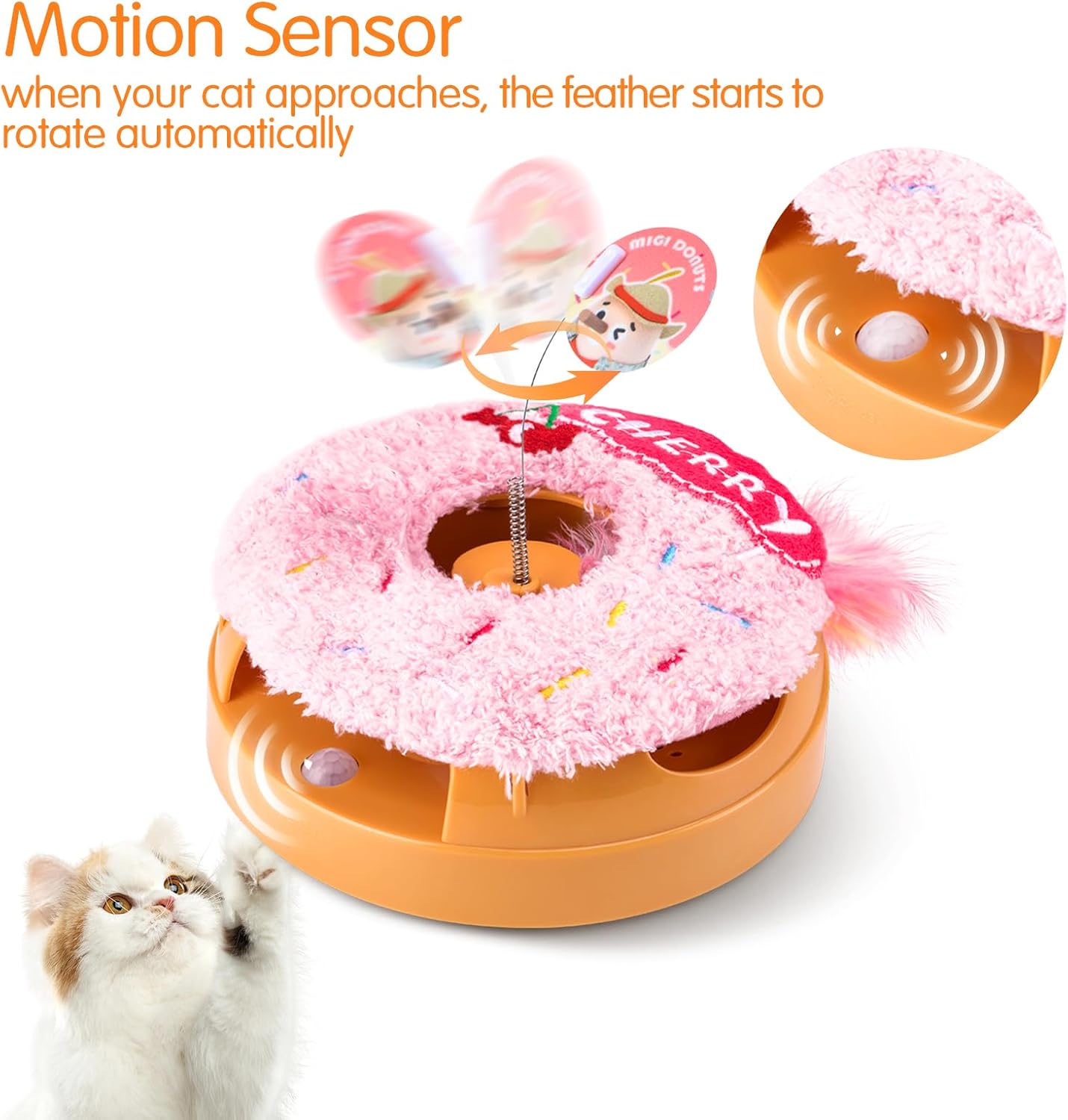
Image 5.1: The toy's motion sensor detects a cat's presence, initiating feather movement.
5.3 Engaging Features
The toy incorporates several features to keep your cat engaged:
- Moving Feather: The feather rotates irregularly, mimicking prey.
- Catnip: The plush cover contains catnip to attract and excite cats.
- Squeaking Sounds: Integrated sounds further stimulate hunting instincts.

Image 5.2: Cats interacting with the toy's moving feather and other features.
6. Maintenance
6.1 Cleaning
As the toy contains electronic components and a battery, it is not washable. To clean:
- Ensure the toy is powered off.
- Wipe the surface with a dry, soft cloth.
- For stubborn spots, use a slightly damp cloth and immediately dry the area.
- Do not use harsh chemicals or abrasive cleaners.
6.2 Feather Replacement
The feather attachment is designed to be replaceable. Refer to Section 4.2 for instructions on how to replace it when it becomes worn or damaged.
7. Troubleshooting
| Problem | Possible Cause | Solution |
|---|---|---|
| Toy does not turn on. | Battery is depleted. | Charge the toy using the provided USB-C cable. |
| Feather does not move. | Toy is not powered on or battery is low. Feather is jammed or detached. | Ensure power switch is ON. Charge the toy. Check if the feather is properly attached and not obstructed. |
| Toy stops too quickly. | Normal operation cycle (3 minutes). Low battery. | This is normal behavior. If it stops significantly sooner, recharge the toy. |
| Cat shows no interest. | Individual cat preference. | Try introducing the toy during active playtimes. Ensure catnip is fresh (if applicable). |
8. Specifications
- Model Name: Migipaws Donut Smart Interactive Cat Toy
- Item Model Number: Migipaws Donut
- Dimensions (LxWxH): 5 x 5 x 2.2 inches
- Item Weight: 7.8 ounces
- Material: Acrylonitrile Butadiene Styrene (ABS)
- Power Source: Rechargeable Battery (USB-Type C charging)
- Target Audience: House Cats (All Life Stages, All Breed Sizes)
- Specific Uses: Indoor
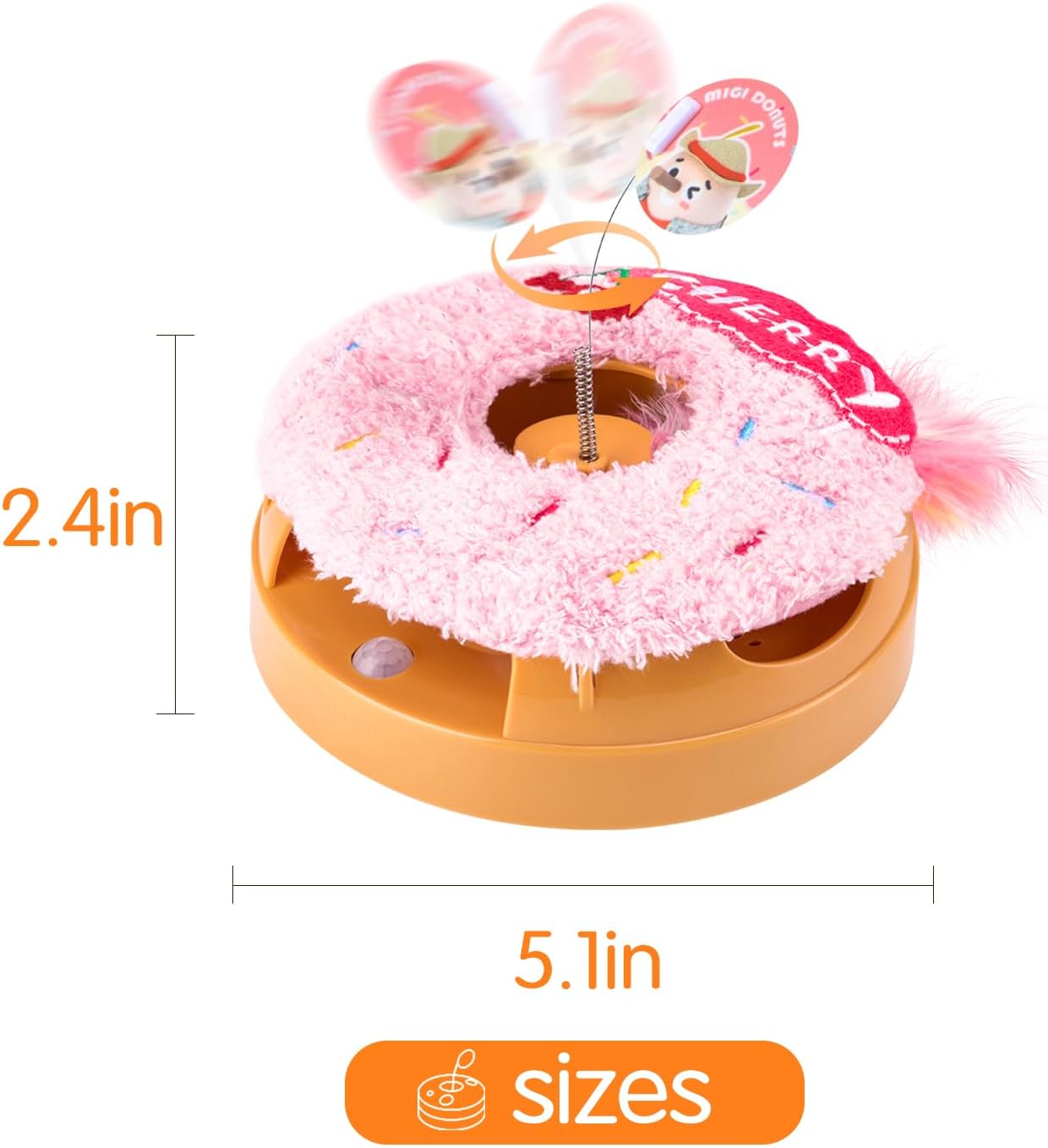
Image 8.1: Product dimensions for the Migipaws Donut Cat Toy.
9. Warranty
This Migipaws product comes with a 2-month warranty from the date of purchase. This warranty covers manufacturing defects under normal use. It does not cover damage caused by misuse, accidents, unauthorized modifications, or normal wear and tear. Please retain your proof of purchase for warranty claims.
10. Customer Support
If you have any questions, concerns, or require assistance with your Migipaws Interactive Donut Cat Toy, please contact our customer support team. Refer to the retailer's website or your purchase documentation for contact information.
For more information about Migipaws products, visit the official Migipaws store: Migipaws Store on Amazon


