
RAINPOINT TTV102B
RAINPOINT Smart WiFi Irrigation Computer User Manual
Model: TTV102B (Timer), TWG009BW (WiFi Hub)
Introduction
The RAINPOINT Smart WiFi Irrigation Computer is designed to automate your garden watering, providing efficient and flexible control over your irrigation system. This device, along with its WiFi Hub, allows for remote management via a smartphone application, offering convenience and water conservation. This manual provides detailed instructions for setup, operation, maintenance, and troubleshooting to ensure optimal performance of your irrigation system.

Image: The RAINPOINT Smart WiFi Irrigation Computer (timer) connected to a spigot, alongside its WiFi Hub and a smartphone displaying the control application.
Setup
1. Unpacking and Components
Before beginning installation, ensure all components are present:
- RAINPOINT Irrigation Computer (Timer)
- RAINPOINT WiFi Hub (TWG009BW)
- User Manual (this document)
- Required batteries (3 AAA batteries for the timer, not always included)
2. Installing Batteries in the Timer
- Locate the battery compartment on the back of the irrigation timer.
- Open the battery compartment cover.
- Insert 3 AAA batteries, ensuring correct polarity (+/-).
- Close the battery compartment cover securely to maintain water resistance.
3. Connecting the Timer to the Water Source
- Screw the irrigation timer onto your outdoor spigot or garden hose connection. Ensure a tight fit to prevent leaks.
- Connect your garden hose or irrigation system to the outlet of the timer.
4. Setting up the WiFi Hub
- Plug the WiFi Hub (TWG009BW) into a power outlet indoors, within range of your 2.4 GHz WiFi network.
- Ensure the indicator light on the hub is blinking, indicating it's ready for pairing.
5. Downloading and Pairing with the RAINPOINT App
- Download the "RAINPOINT" app from your smartphone's app store (iOS or Android). Note: Some users have reported that the "RainPoint Tuya" app is the correct one, not "RainPoint Home". Please verify the correct app based on the product packaging or latest instructions.
- Open the app and create an account or log in.
- Follow the in-app instructions to add the WiFi Hub. This typically involves selecting "Add Device" and choosing the correct device type (e.g., "Mini Socket/Type C Hub").
- Once the hub is connected, add the irrigation timer (TTV102B) to the app. The app may prompt you to connect via Bluetooth first, then link it to the WiFi Hub for remote control.

Image: An illustration of an expandable system, showing one WiFi Hub connected to multiple irrigation timers, allowing for control of different watering zones.
Expandable System: A single WiFi Hub (TWG009BW) can be paired with up to 4 irrigation timers (TTV102B) to manage multiple watering zones in your garden. Additional timers are sold separately.
Operating Instructions
1. Understanding Watering Modes
The RAINPOINT irrigation computer offers two primary watering modes:
- Normal Watering Mode: Provides continuous, uninterrupted watering for a set duration within a cycle.
- Cycle-Soak Mode: Designed for efficient watering, especially on slopes or dense soils. It involves frequent, short watering cycles followed by soak times to allow water to penetrate the soil, reducing runoff and improving water absorption.
You can set up to 20 watering plans across both modes to meet diverse irrigation needs.

Image: The RAINPOINT app interface displaying various programmed watering schedules, including both normal and cycle-soak modes, with options to enable or disable each.
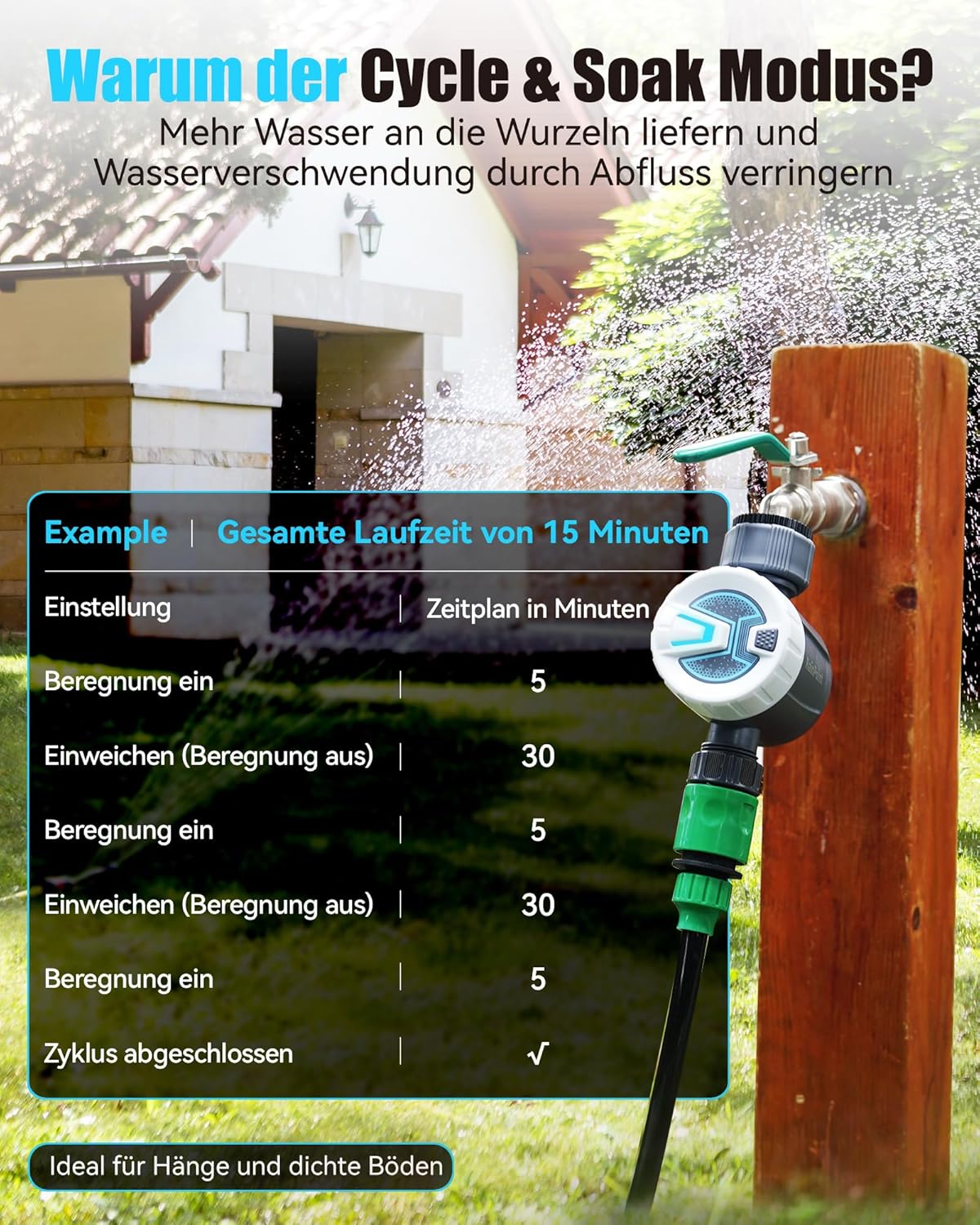
Image: A visual explanation of the "Cycle & Soak" mode, detailing how watering and soaking intervals are alternated to maximize water absorption and minimize runoff, with an example of a 15-minute total run time.
2. Smart Rain Delay
The system can automatically skip scheduled watering based on local weather forecasts (if conditions are set in the app) to prevent overwatering during rainy or snowy weather. You can also manually set a rain delay for 24, 48, or 72 hours via the app.
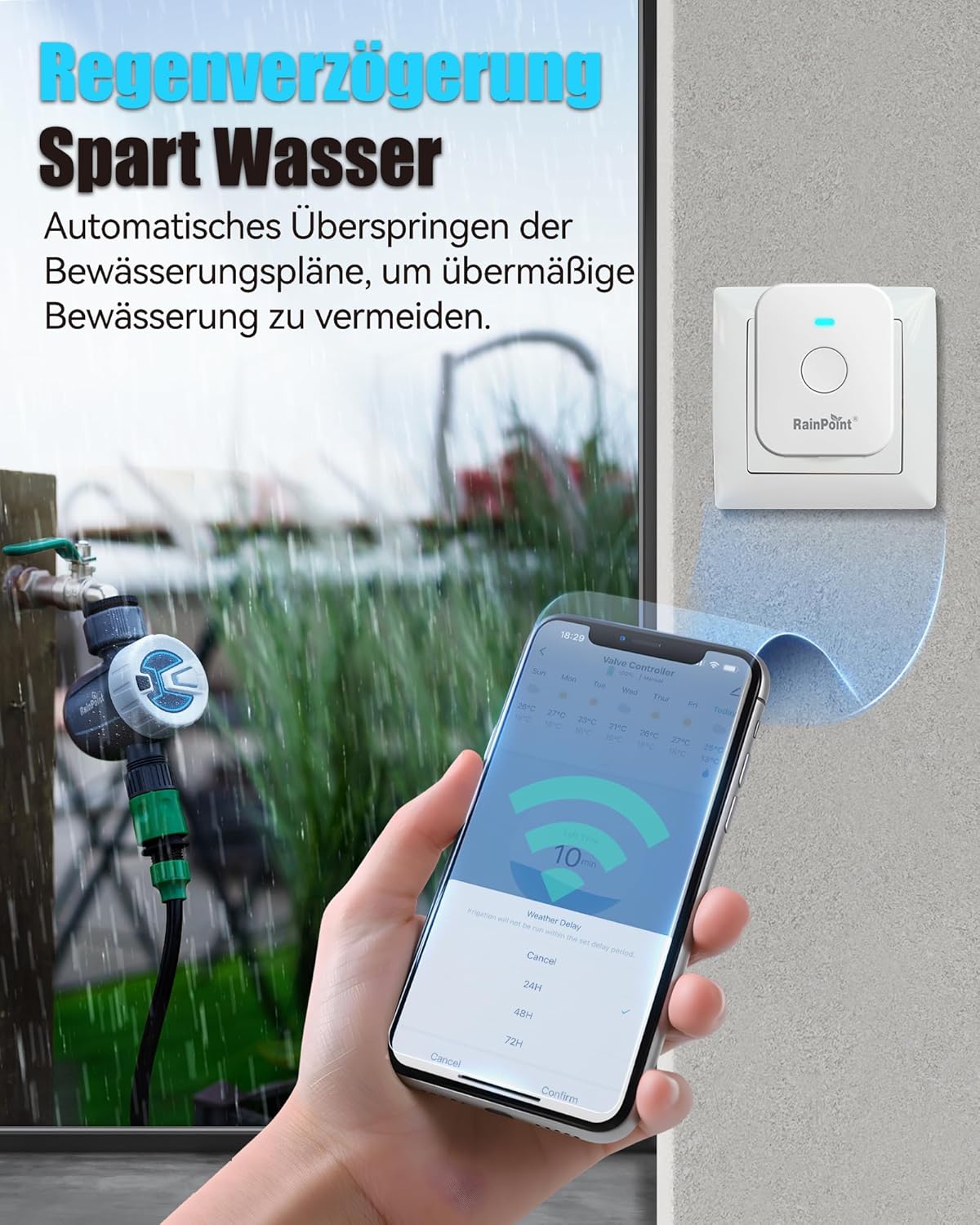
Image: The RAINPOINT app displaying options for setting a rain delay (24H, 48H, 72H), with the irrigation timer and WiFi Hub visible in a rainy outdoor setting, illustrating water conservation.
3. Manual Watering
You can initiate manual watering at any time without interrupting your programmed schedules. This is ideal for temporary watering needs, car washing, or pool filling. Manual watering can be started via the blue button in the app or directly on the WiFi irrigation computer itself (duration from 1 minute to 24 hours).

Image: A user operating the RAINPOINT irrigation timer via the smartphone app for manual watering, showing the timer connected to a spigot and water spraying in the background.
4. Voice Control & Home Management
The RAINPOINT irrigation computer is compatible with Amazon Alexa and Google Assistant. This allows you to control the timer with simple voice commands, such as turning it on or off. The app also supports family co-management, allowing multiple users to manage the timer and share garden care responsibilities.

Image: A woman interacting with an Amazon Alexa device to control the RAINPOINT irrigation timer, demonstrating the voice control feature for smart home integration.
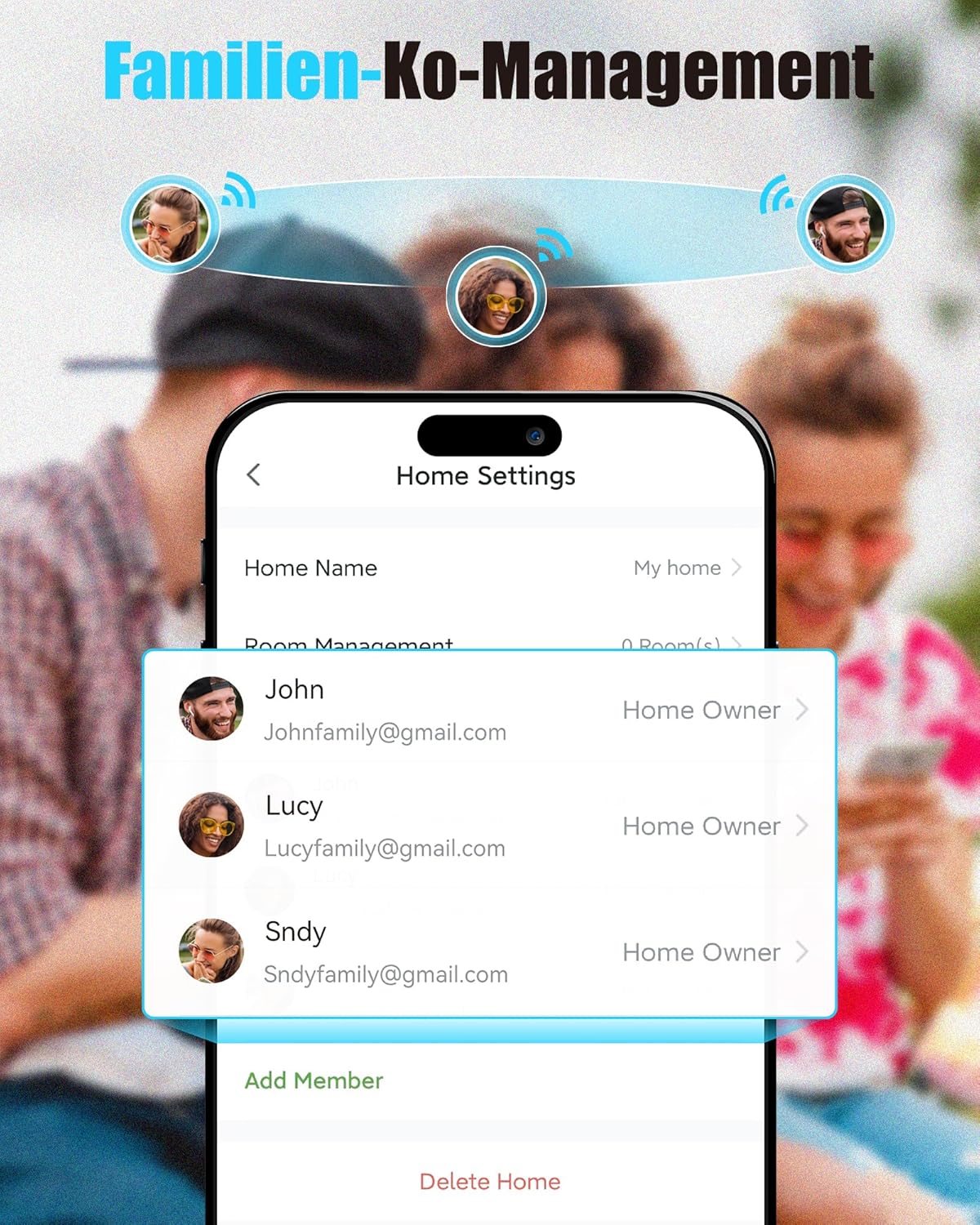
Image: The RAINPOINT app's "Home Settings" screen, illustrating the family co-management feature where multiple users can be added to control the irrigation system.
Maintenance
- Battery Replacement: Replace AAA batteries in the timer when the low battery indicator appears in the app or on the device. Ensure the battery compartment is sealed properly after replacement.
- Cleaning: Periodically clean the exterior of the timer and hub with a damp cloth. Do not use harsh chemicals or abrasive cleaners.
- Winterization: Before the first frost, disconnect the irrigation timer from the spigot and drain any remaining water. Store the timer and hub indoors in a dry, frost-free location to prevent damage.
- Filter Cleaning: Check the filter washer at the inlet of the timer periodically for debris. Clean it if necessary to ensure proper water flow.
Troubleshooting
| Problem | Possible Cause | Solution |
|---|---|---|
| Timer not connecting to WiFi Hub. | Incorrect app used, 5GHz WiFi network, hub out of range, pairing issue. |
|
| Timer not watering as scheduled. | Low batteries, rain delay active, incorrect schedule settings, water pressure issues. |
|
| Leaks from connections. | Loose connections, worn washers, damaged threads. |
|
| App is slow or disconnects frequently. | Poor WiFi signal, app issues, server connectivity. |
|
Specifications
| Feature | Detail |
|---|---|
| Brand | RAINPOINT |
| Model (Timer) | TTV102B |
| Model (WiFi Hub) | TWG009BW |
| Connectivity | 2.4 GHz WiFi, Bluetooth |
| Power Source (Timer) | 3 AAA Batteries (3 Volt) |
| Material | Plastic |
| Color | White / Grey |
| Product Dimensions | Approx. 14T x 7B x 10H cm (Timer) |
| Item Weight | Approx. 380 grams |
| Watering Modes | Normal, Cycle-Soak |
| Max. Watering Plans | Up to 20 |
| Hub Capacity | Connects up to 4 timers |
| Voice Assistant Compatibility | Amazon Alexa, Google Assistant |
Warranty and Support
RAINPOINT offers a 3-year warranty for this product. For any questions regarding installation, operation, or troubleshooting, please contact the professional customer support team. They aim to respond within 24 hours.
For support, please refer to the contact information provided on the product packaging or the official RAINPOINT website. You can also visit the RAINPOINT Store on Amazon for more information and support resources.
Related documentsTTV102B


Ask a question about this manual
Ask about setup, troubleshooting, compatibility, parts, safety, or missing instructions. Manuals+ will review the question and use this page’s manual context to help answer it.