
Devoko 0304
Devoko Gaming Desk LED 120x60cm User Manual
Model: 0304
Product Overview
The Devoko Gaming Desk LED 120x60cm is designed to enhance your gaming experience with its ergonomic features and vibrant RGB lighting. This desk includes practical accessories such as a cup holder and a headphone hook, ensuring a clutter-free gaming environment. Its robust Z-shaped construction provides stability, while the carbon fiber tabletop offers durability and easy maintenance.

Image: The Devoko Gaming Desk, showcasing its LED lighting, carbon fiber texture, and included accessories like the headphone hook and cup holder. A monitor, keyboard, mouse, and gaming PC are also visible, demonstrating a typical setup.
Safety Information
Please read and understand all safety instructions before assembly and use. Failure to follow these instructions may result in injury or damage to the product.
- Maximum Load Capacity: Do not exceed the recommended maximum load of 60 kg (132 lbs) on the tabletop. Overloading can compromise the desk's stability and structural integrity.
- Proper Assembly: Ensure all components are correctly assembled and all screws are tightened securely before use. Refer to the assembly instructions for detailed steps.
- Cleaning and Maintenance: Use a soft, damp cloth for cleaning. Avoid abrasive cleaners or harsh chemicals that may damage the carbon fiber surface or LED components.
- Stability: The desk features adjustable feet. Ensure the desk is level on an even surface to prevent wobbling. Adjust the feet as needed.
Setup and Assembly
This section provides general guidelines for setting up your Devoko Gaming Desk. For detailed, step-by-step assembly instructions, please refer to the included assembly manual or diagrams.
- Unpack Components: Carefully remove all parts from the packaging. Verify that all components listed in the parts list are present and undamaged.
- Assemble Frame: Begin by assembling the Z-shaped metal frame. Attach the horizontal support beams to the vertical legs using the provided screws and tools. Ensure all connections are firm.
- Attach Tabletop: Carefully place the carbon fiber tabletop onto the assembled frame. Align the pre-drilled holes on the tabletop with the frame and secure it using the designated screws.
- Install Accessories: Attach the cup holder and headphone hook to the designated locations on the desk. These are typically designed for easy clip-on or screw-in installation.
- Connect LED Lighting: Connect the RGB LED strips to the power source as indicated in the specific LED lighting instructions. Ensure all connections are secure.
- Level the Desk: Adjust the non-slip feet at the bottom of the desk legs to ensure the desk is stable and level on your floor. This prevents wobbling and ensures optimal performance.

Image: A diagram illustrating the dimensions of the Devoko Gaming Desk (120cm length, 60cm width, 75cm height) and a close-up view of the adjustable, non-slip foot, highlighting the desk's stable design.
Operating Instructions
RGB LED Lighting Operation
The Devoko Gaming Desk features integrated RGB LED lighting on both sides, controllable via a remote control.
- Power On/Off: Use the ON/OFF button on the remote control to turn the LED lights on or off.
- Color Selection: Press the colored buttons on the remote to select a static color (e.g., Red, Green, Blue, White).
- Mode Selection: Use the MODE button or specific mode buttons (if available) to cycle through various dynamic lighting effects, such as flashing, fading, or strobing.
- Brightness Adjustment: Use the S+ and S- buttons to increase or decrease the brightness of the lights.
- Speed Adjustment: For dynamic modes, use the M+ and M- buttons to adjust the speed of the lighting effects.

Image: A close-up view of the RGB LED lighting on the Devoko Gaming Desk and the remote control used to operate it. The remote shows buttons for power, color selection, mode, brightness, and speed adjustments.
Using Desk Accessories
- Cup Holder: Place your beverage securely in the integrated cup holder to prevent spills and keep your desk organized.
- Headphone Hook: Hang your gaming headset on the dedicated hook to keep it easily accessible and prevent damage or clutter on the desk surface.
- Cable Management: Utilize the two cable routing holes on the tabletop to organize and manage your cables, keeping your setup tidy and safe.

Image: A detailed view highlighting the key features of the Devoko Gaming Desk, including the integrated LED lights, the convenient cup holder, and the practical headphone hook, all designed for an optimized gaming setup.
Maintenance and Care
Proper maintenance ensures the longevity and appearance of your Devoko Gaming Desk.
- Cleaning the Tabletop: The carbon fiber tabletop is waterproof and scratch-resistant. For daily cleaning, wipe with a soft, damp cloth. For stubborn marks, a mild soap solution can be used, followed by wiping dry. Avoid abrasive materials or harsh chemical cleaners.
- Cleaning the Frame: The metal frame can be cleaned with a damp cloth. Ensure it is dried thoroughly to prevent rust.
- LED Lights: The LED strips are sealed. If cleaning is necessary, gently wipe the surface with a dry or slightly damp cloth. Do not immerse in water or use liquid cleaners directly on the lights.
- Regular Checks: Periodically check all screws and connections to ensure they remain tight. Re-tighten if necessary to maintain stability.
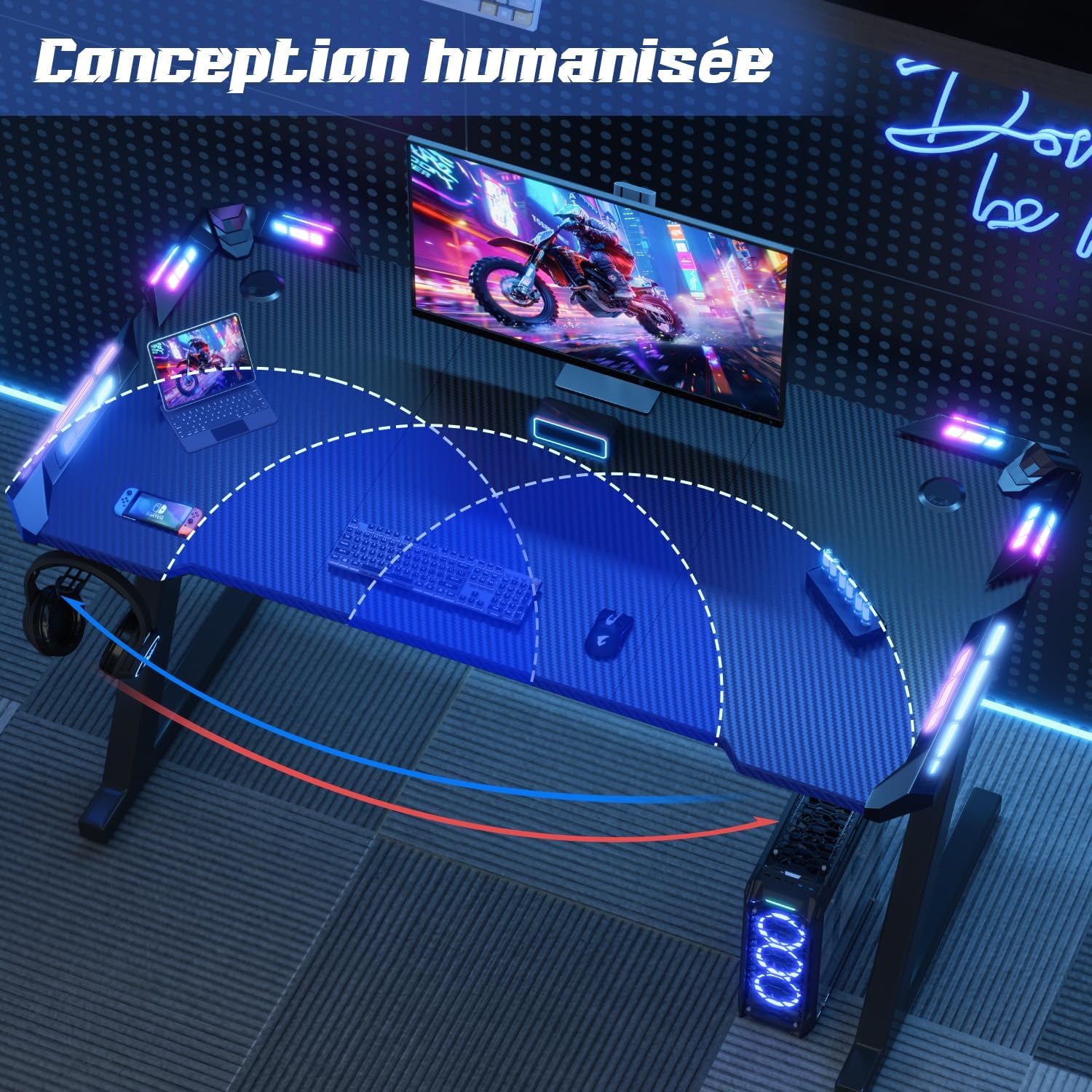
Image: A visual demonstration of the Devoko Gaming Desk's carbon fiber tabletop, showing its resistance to scratches (a hand holding a blade) and ease of cleaning (a hand wiping with a cloth), emphasizing its durability and low maintenance.
Troubleshooting
| Problem | Possible Cause | Solution |
|---|---|---|
| Desk is wobbly/unstable. | Uneven floor surface; loose screws; adjustable feet not properly set. | Adjust the non-slip feet to level the desk. Check and tighten all assembly screws. Ensure the desk is on a flat surface. |
| LED lights are not working. | Power connection issue; remote control battery low; remote not paired. | Check if the LED power cable is securely plugged into the power source and the desk. Replace the remote control battery. Ensure the remote is pointed directly at the LED receiver. |
| Remote control not responding. | Battery depleted; obstruction between remote and receiver; remote malfunction. | Replace the remote control battery. Remove any obstructions. If the issue persists, contact customer support. |
| Tabletop scratches easily / imitation carbon peeling. | Excessive force or sharp objects; manufacturing defect (rare). | Avoid using sharp objects directly on the surface. Use mouse pads or desk mats for protection. If peeling occurs, contact customer support for warranty information. |
Specifications
| Brand | Devoko |
| Model Number | 0304 |
| Color | Black |
| Dimensions (L x W x H) | 120 cm x 60 cm x 75 cm (47.2 x 23.6 x 29.5 inches) |
| Product Weight | 12.25 kg (27 lbs) |
| Material | Carbon Fiber (tabletop), Metal (frame) |
| Special Features | RGB LED Lighting, Ergonomic Design, Cup Holder, Headphone Hook, Cable Management Holes, Adjustable Feet |
| Maximum Load Capacity | 60 kg (132 lbs) |
Warranty and Support
For warranty information and customer support, please refer to the documentation included with your purchase or visit the official Devoko website. Keep your proof of purchase for any warranty claims.
If you encounter any issues not covered in this manual, or require further assistance, please contact Devoko customer service through their official channels. You can often find contact information on the brand's Amazon store page or their dedicated support website.
Devoko Brand Store: Visit Devoko Store on Amazon
Related documents0304


Ask a question about this manual
Ask about setup, troubleshooting, compatibility, parts, safety, or missing instructions. Manuals+ will review the question and use this page’s manual context to help answer it.