
1. Important Safety Information
Please read all safety instructions carefully before using the QUINEAR Professional Leg Recovery System. Failure to follow these instructions may result in injury or damage to the device.
- Do not use the device near water or in damp environments.
- Before each use, inspect the power cords and air hoses for any signs of damage or wear. Do not use if damaged.
- Consult a healthcare professional before use if you have any pre-existing medical conditions, including but not limited to: deep vein thrombosis (DVT), severe peripheral arterial disease, skin infections, open wounds, pacemakers, or are pregnant.
- This device is intended for personal use to promote circulation and relieve muscle soreness. It is not a substitute for medical treatment.
- Keep out of reach of children and pets.
- Do not attempt to disassemble or repair the device yourself. Contact customer support for assistance.
- Statements regarding dietary supplements have not been evaluated by the FDA and are not intended to diagnose, treat, cure, or prevent any disease or health condition.
2. Product Overview
The QUINEAR Professional Leg Recovery System provides cordless air compression therapy designed to enhance blood circulation, reduce muscle pain, and aid in recovery. It features sequential compression with four air chambers, adjustable intensity levels, multiple modes, and a customizable timer.

Image 2.1: The QUINEAR Professional Leg Recovery System, showing the main controller unit and the two leg compression boots.
3. Package Contents
Verify that all items are present in your package:
- Controller Pump
- Leg Massager Boots (2 units)
- Power Adapter
- User Manual (this document)
- Travel Bag

Image 3.1: Visual representation of all items included in the QUINEAR Leg Recovery System package.
4. Size Guide
To ensure optimal fit and effectiveness, please refer to the size chart below and measure your leg dimensions accurately.

Image 4.1: Size chart detailing upper thigh circumference, inseam, and recommended height for Small, Medium, and Large sizes. Includes a diagram on how to measure.
How to Measure:
- Inseam: Measure the distance from your heel to the uppermost part of your thigh.
- Upper Thigh: Measure the circumference of the thickest part of your thigh.
| Size | Upper Thigh | Inseam | Height |
|---|---|---|---|
| Small | Up to 27.5" | 26"–31" | 5'1"–5'9" |
| Medium | Up to 29" | 29"–34" | 5'10"–6'2" |
| Large | Up to 32.5" | 34"–36" | 6'3"–6'6" |
5. Setup Instructions
5.1 Charging the Controller
- Connect the power adapter to the charging port on the controller pump.
- Plug the power adapter into a standard electrical outlet.
- The battery indicator on the controller display will show charging status. A full charge typically takes 2-4 hours and provides 2-4 hours of continuous use.
- Disconnect the charger once fully charged or before use.
5.2 Connecting the Leg Boots
- Unzip the leg boots and place them around your legs, ensuring a comfortable but snug fit.
- Locate the air hose connectors on the leg boots.
- Connect the air hoses from each leg boot to the corresponding ports on the controller pump. Ensure a secure connection.

Image 5.1: Illustrates the process of connecting the air hoses from the leg boots to the main controller unit.
6. Operating Instructions
6.1 Powering On/Off
- To power on, press and hold the power button on the controller until the display illuminates.
- To power off, press and hold the power button until the display turns off.

Image 6.1: The controller display, indicating battery level, time, intensity, and selected mode.
6.2 Selecting Modes
The system offers three distinct massage modes:
- Sequence Mode: Air chambers inflate and deflate sequentially, moving from feet upwards.
- Circulation Mode: All air chambers inflate and deflate simultaneously.
- Combination Mode: A combination of sequential and circulation patterns.
Press the MODE button on the controller to cycle through the available modes.
6.3 Adjusting Intensity
The system provides 12 intensity levels, ranging from 40 mmHg to 150 mmHg. Adjust the intensity to your comfort level.
- Use the + and - buttons next to the "STRENGTH" indicator on the controller to increase or decrease the compression intensity.
6.4 Setting the Timer
The session duration can be set from 15 minutes to 60 minutes, in 5-minute increments.
- Use the + and - buttons next to the "TIME" indicator on the controller to adjust the desired session length.
6.5 Targeted Zone Selection
The leg boots are designed with four independent air chambers (zones) for targeted compression:
- Zone 1: Foot
- Zone 2: Lower Calf
- Zone 3: Upper Calf
- Zone 4: Thigh
You can choose to activate all zones for a full leg massage or select individual zones to focus on specific areas. Refer to the controller's interface for zone selection options.
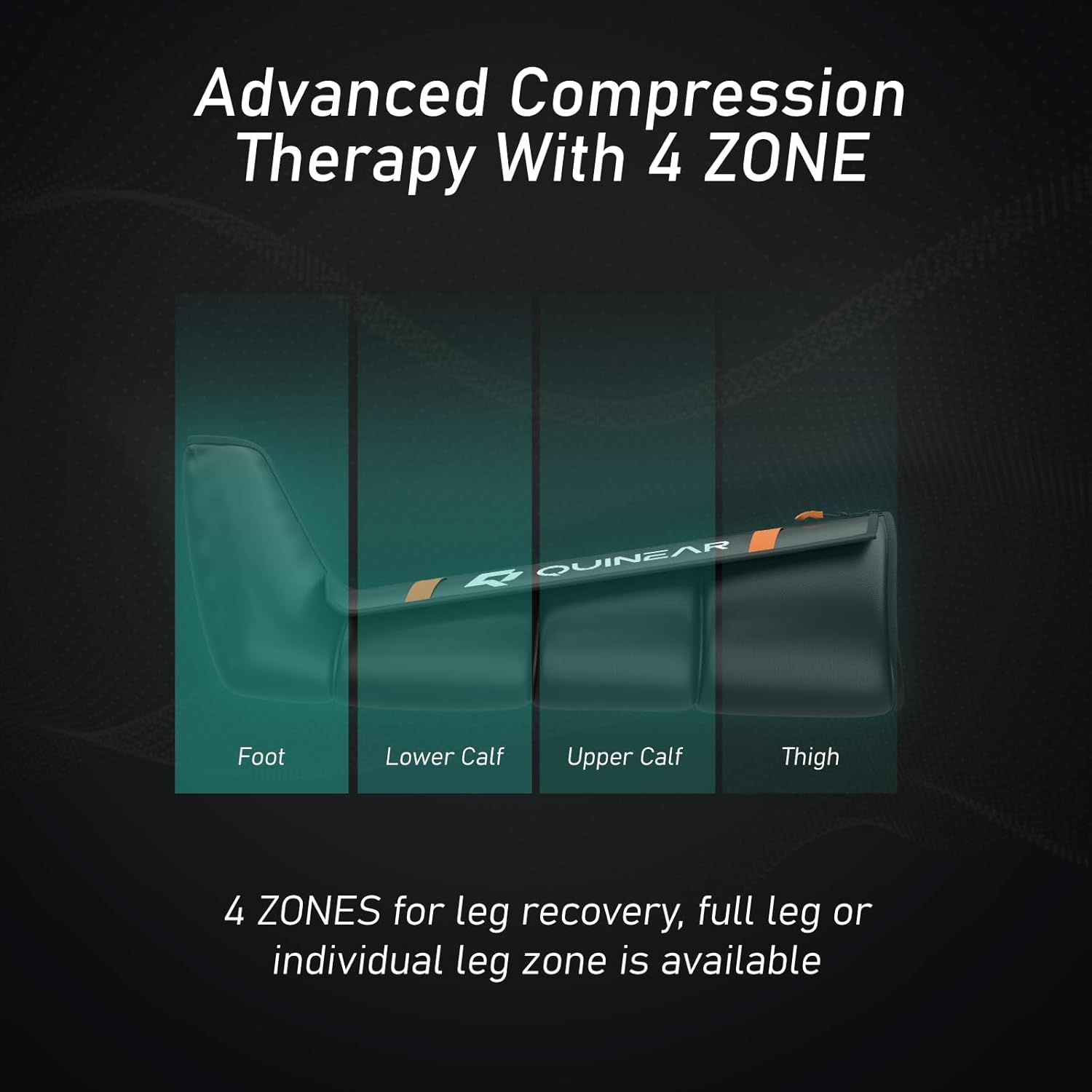
Image 6.2: Illustration of the four distinct compression zones within the leg boots.
7. Maintenance
7.1 Cleaning
- Ensure the device is powered off and unplugged before cleaning.
- Wipe the surface of the leg boots and controller with a soft, damp cloth. Do not use abrasive cleaners or immerse any part of the device in water.
- Allow all components to air dry completely before storage or next use.
7.2 Storage
- Store the device in its travel bag in a cool, dry place, away from direct sunlight and extreme temperatures.
- Avoid placing heavy objects on top of the device during storage.
8. Troubleshooting
If you encounter any issues with your QUINEAR Leg Recovery System, please refer to the following common problems and solutions:
| Problem | Possible Cause | Solution |
|---|---|---|
| Device does not power on. | Low battery or power adapter not connected. | Charge the controller fully. Ensure the power adapter is securely connected to both the controller and a working outlet. |
| No compression or weak compression. | Air hoses not securely connected or boots not properly zipped. | Check that all air hoses are firmly attached to the controller and boots. Ensure the leg boots are fully zipped and snug around your legs. Increase intensity setting. |
| Unusual noise during operation. | Minor operational noise is normal. Significant unusual noise may indicate an issue. | Ensure the device is on a flat, stable surface. If the noise persists or is excessively loud, discontinue use and contact customer support. |
| Controller display is not working. | Device is off or battery is depleted. | Press and hold the power button to turn on. Charge the device if the battery is low. |
If the problem persists after attempting these solutions, please contact QUINEAR customer support.
9. Specifications
| Feature | Detail |
|---|---|
| Model Number | QN-090A |
| Product Dimensions | 15.75 x 12.2 x 6.1 inches (packaged) |
| Item Weight | 4.71 Kilograms (10.38 Pounds) |
| Power Source | Battery Powered (1 Lithium Ion battery included) |
| Battery Capacity | 2500mAh |
| Continuous Use Time | 2-4 hours on a full charge |
| Material | Nylon |
| Intensity Levels | 12 (40-150 mmHg) |
| Massage Modes | 3 (Sequence, Circulation, Combination) |
| Timer Settings | 15-60 minutes (5-minute increments) |
| Targeted Zones | 4 (Foot, Lower Calf, Upper Calf, Thigh) |
| Manufacturer | QUINEAR |
| ASIN | B0CQRG91XZ |
10. Warranty and Support
10.1 Product Warranty
The QUINEAR Professional Leg Recovery System comes with a 24-month warranty from the date of purchase. This warranty covers manufacturing defects and malfunctions under normal use. It does not cover damage caused by misuse, accidents, unauthorized modifications, or improper maintenance.
10.2 Customer Support
For technical assistance, warranty claims, or any questions regarding your QUINEAR product, please contact QUINEAR customer service. You can typically find contact information on the official QUINEAR website or through your purchase platform (e.g., Amazon seller page for QUINEAR WELLNESS).
Please have your model number (QN-090A) and proof of purchase ready when contacting support.

