
Introduction
This instruction manual provides important information regarding the assembly, operation, maintenance, and troubleshooting of your VECELO Semi-Double Bed Frame. Please read this manual thoroughly before assembly and retain it for future reference.
Safety Information
- Ensure all parts are present and undamaged before beginning assembly. Do not use if any parts are missing or broken.
- Assemble the bed frame on a soft, clean surface to prevent scratches.
- Tighten all screws and bolts securely. Periodically check and re-tighten fasteners to ensure stability.
- Do not exceed the maximum weight capacity of 340 kg (750 lbs).
- Keep children away from the assembly area. Small parts can be a choking hazard.
- Use the integrated power outlets and USB ports only for their intended purpose. Do not overload the outlets.
Package Contents
Verify that all components listed below are included in your package. If any parts are missing, please contact customer support.
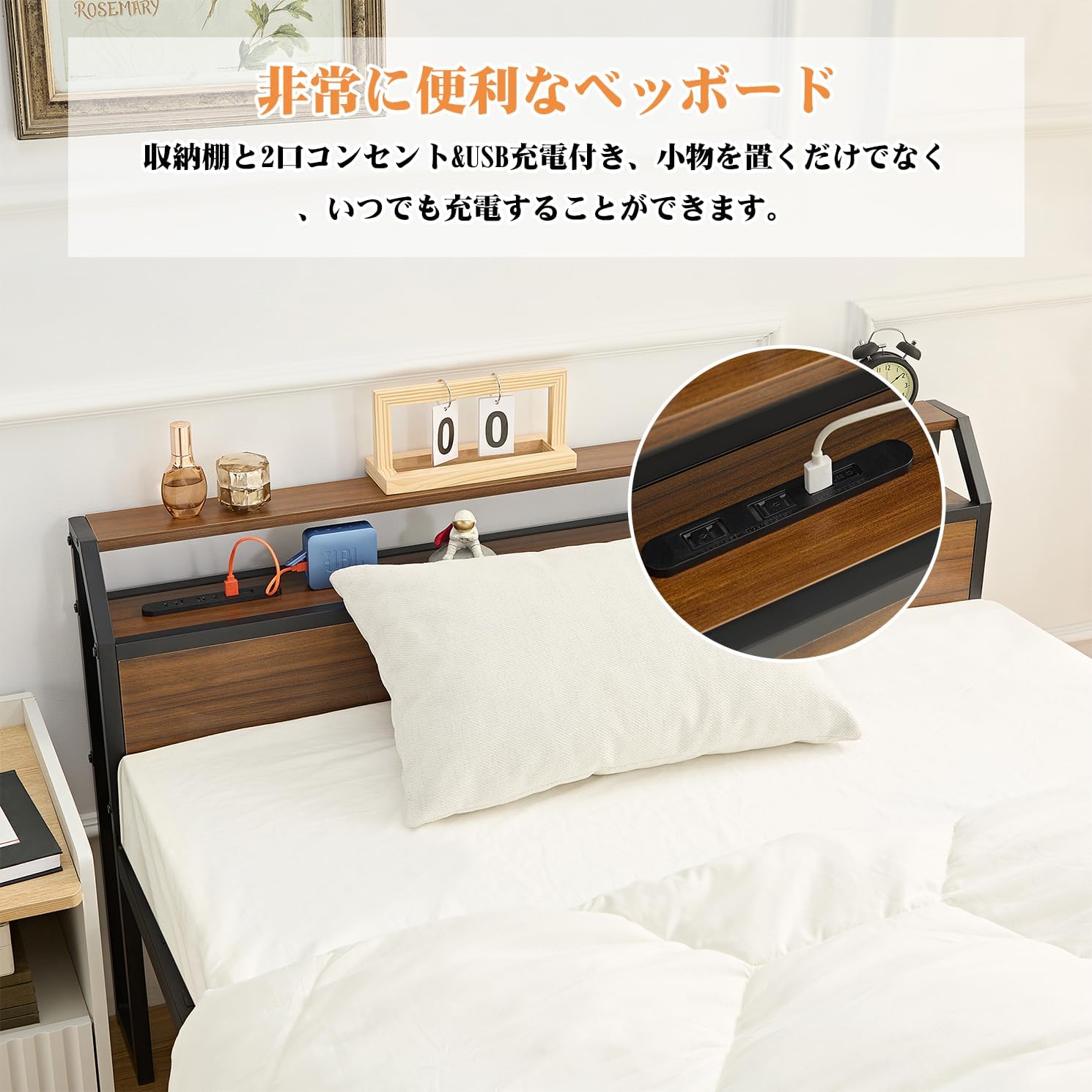
- Headboard with integrated power outlets and USB charging ports
- Bed frame side rails (steel)
- Bed frame support legs
- Steel slat system
- Assembly hardware (screws, bolts, washers)
- Assembly tools (wrench, screwdriver)
- Instruction Manual (Japanese language included)
Setup and Assembly Instructions
Follow these steps carefully for proper assembly. An instruction manual in Japanese is included to guide you through the process.


- Unpack all components and lay them out on a clean, soft surface.
- Identify all parts according to the parts list in the included manual.
- Attach the side rails to the headboard and footboard using the designated bolts and nuts. Do not fully tighten yet.
- Install the central support beam and its support legs. Ensure they are centered and stable.
- Place the steel slats onto the frame. Secure them using the provided fasteners.
- Once all components are in place, fully tighten all bolts and screws.
- Connect the power cord from the headboard to a wall outlet.
Operating Instructions
Integrated Power Outlets and USB Ports
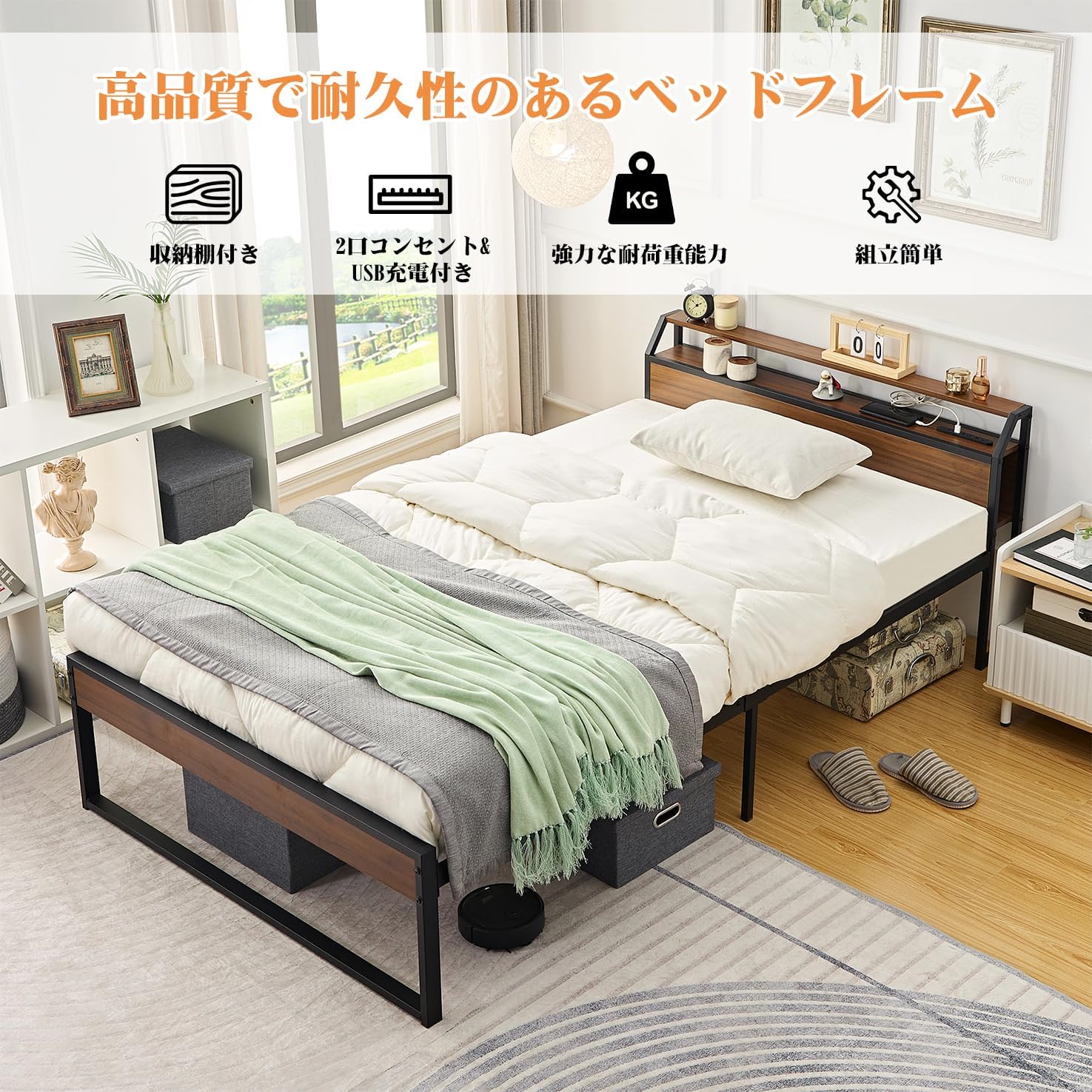
The headboard of your VECELO bed frame is equipped with two standard power outlets and two USB charging ports for your convenience.
- To use, slide open the protective cover on the headboard to reveal the outlets.
- Plug your devices into the appropriate power outlet or USB port.
- After use, slide the cover back to protect the outlets from dust and debris.
- Ensure the bed frame's power cord is securely plugged into a functioning wall outlet.
Caution: Do not exceed the maximum electrical load capacity of the integrated outlets. Avoid using high-power appliances simultaneously.
Maintenance
Cleaning
- Wipe the steel frame and MDF surfaces with a dry cloth.
- For stubborn marks, use a slightly damp cloth with mild soap, then dry immediately.
- Avoid using harsh chemicals or abrasive cleaners, as these can damage the finish.
General Care
- Periodically check all bolts and screws and re-tighten them as necessary to maintain stability.
- The mesh design of the bed base promotes ventilation, preventing moisture buildup and mold. Ensure adequate airflow around the bed.
- The 30 cm under-bed clearance allows for easy cleaning with a vacuum cleaner or robot vacuum.
Troubleshooting
Bed Frame Wobbles
- Solution: Check all assembly bolts and screws. Tighten any loose fasteners. Ensure the bed is on a level surface.
Power Outlets/USB Ports Not Working
- Solution: Verify that the bed frame's power cord is securely plugged into a functional wall outlet. Check if the wall outlet itself is working by plugging in another device. Ensure the sliding cover is fully open.
Missing or Damaged Parts
- Solution: Do not proceed with assembly. Contact VECELO customer support immediately for replacement parts.
Specifications
| Feature | Detail |
|---|---|
| Model Number | KHD-BSD05-BLK-JP |
| Size | Semi-Double (121.5 cm W x 219 cm L x 71 cm H) |
| Under-bed Clearance | 31 cm |
| Material | Steel Frame, MDF Board |
| Weight Capacity | Up to 340 kg (750 lbs) |
| Power Outlets | 2 (Integrated in headboard) |
| USB Charging Ports | 2 (Integrated in headboard) |
| Assembly Required | Yes |
| Care Instructions | Dry wipe |
| GTIN/UPC | 840408904780 |
Warranty Information
The VECELO Semi-Double Bed Frame comes with a 1-year warranty from the date of purchase. This warranty covers manufacturing defects and material flaws under normal use. It does not cover damage resulting from improper assembly, misuse, accidents, or normal wear and tear. Please retain your proof of purchase for warranty claims.
Customer Support
If you have any questions, require assistance with assembly, or need to report missing/damaged parts, please contact VECELO customer support. Refer to your purchase documentation or the retailer's website for specific contact details.
We are committed to providing a comfortable and satisfactory experience with your VECELO product.


