
Dexnor Samsung Galaxy Tab A9 Plus
Dexnor Full Body Protective Case for Samsung Galaxy Tab A9 Plus (2023)
Instruction Manual
1. Introduction
This manual provides instructions for the installation, use, and maintenance of your Dexnor Full Body Protective Case for the Samsung Galaxy Tab A9 Plus (2023). This case is designed to offer comprehensive protection for your device, featuring a built-in screen protector and a versatile kickstand.
2. Compatibility
This Dexnor protective case is exclusively designed for the Samsung Galaxy Tab A9 Plus 11-inch (2023) model. It is not compatible with any other tablet models, including the standard Samsung Galaxy Tab A9.
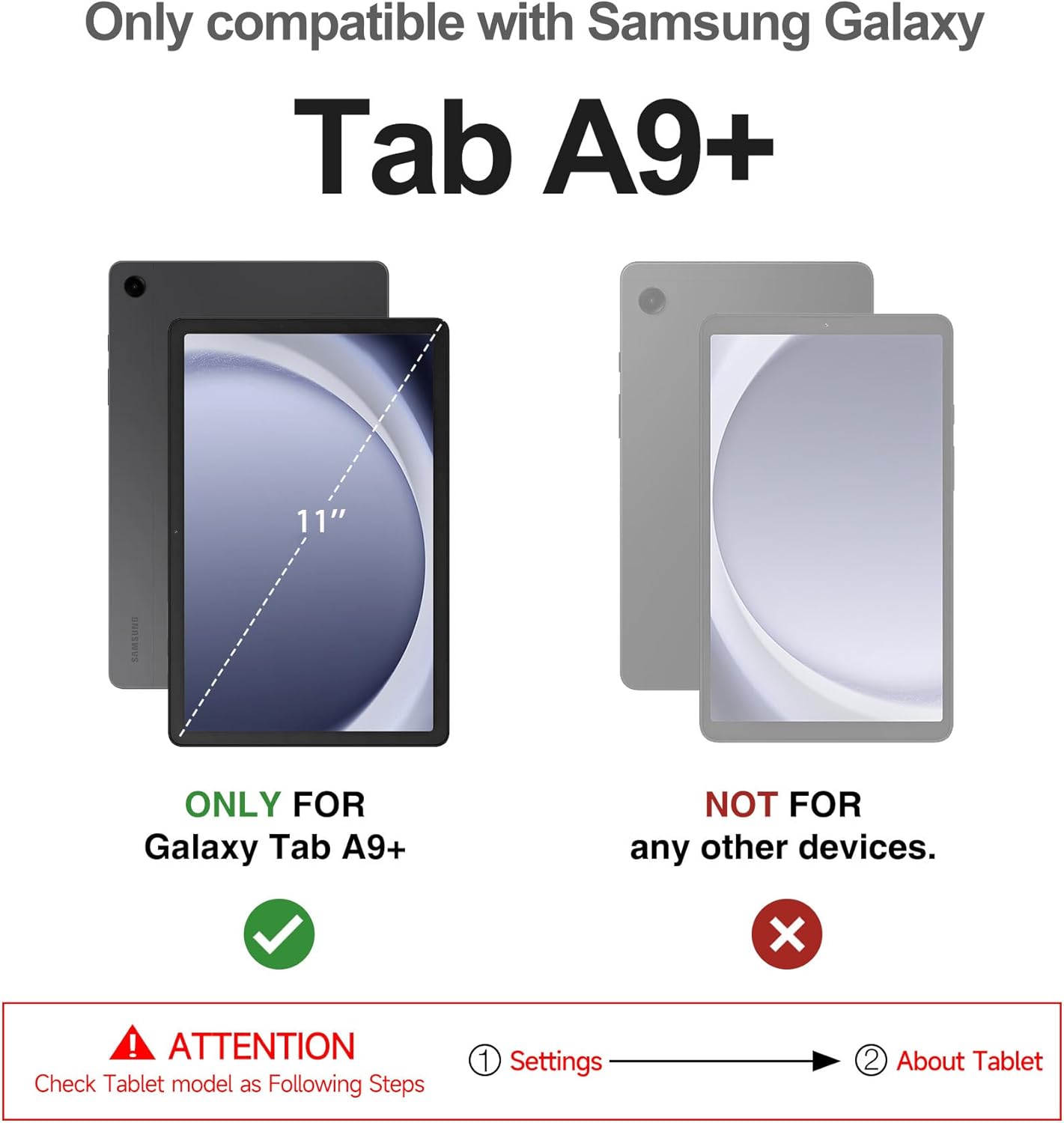
Image 2.1: Compatibility check for the Dexnor case. Ensure your tablet is the Galaxy Tab A9 Plus 11-inch (2023).
To verify your tablet model, navigate to Settings > About Tablet on your device.
3. Key Features
- Dual-Layer Hybrid Protection: Constructed with a combination of shock-absorbing TPU and hard polycarbonate materials for robust drop protection.
- Built-in Screen Protector: An integrated screen protector safeguards your tablet's display from scratches without compromising touch sensitivity.
- Multi-Angle Kickstand: A foldable kickstand allows for hands-free viewing in multiple angles, suitable for various activities.
- Precise Cutouts: Ensures easy access to all buttons, ports, and the camera without removing the case.
- Hollow Back Design: Facilitates heat dissipation to maintain optimal device performance.

Image 3.1: Illustration of the case's multi-layered protection, including the built-in screen protector and PC/TPU back cover.

Image 3.2: The case's robust design with double-layered back and BumperShock corners for enhanced protection.
4. Installation Instructions
Follow these steps to properly install your Dexnor protective case:
- Separate the Case: Carefully pry apart the two components of the case: the front frame with the built-in screen protector and the back cover. Look for a small notch, typically at the bottom-right corner, to assist in separation.
- Insert Tablet into Front Frame: Place your Samsung Galaxy Tab A9 Plus into the front frame, ensuring it sits securely and all edges are aligned.
- Attach Back Cover: Align the front frame (with your tablet inside) with the back cover. Press firmly around the edges until the two parts snap together, ensuring a tight and secure fit.

Image 4.1: Visual representation of the case components and how they fit together.

Image 4.2: Detail of the case's design for easy and scratch-free installation.
5. Operating the Kickstand
The integrated kickstand provides convenient hands-free viewing. To use the kickstand:
- Locate the Kickstand: The kickstand is integrated into the back of the case.
- Extend the Kickstand: Gently pull the kickstand outwards from the case until it locks into your desired viewing angle.
- Adjust Angle: The kickstand can be adjusted to provide multiple viewing angles for both landscape and portrait orientations.
- Retract the Kickstand: When not in use, push the kickstand back into its recessed position until it sits flush with the case.

Image 5.1: The case's foldable kickstand supporting the tablet for hands-free viewing.

Image 5.2: The kickstand provides hands-free convenience for media consumption.
6. Care and Maintenance
To ensure the longevity and effectiveness of your Dexnor case:
- Cleaning: Wipe the case with a soft, damp cloth. Avoid harsh chemicals or abrasive cleaners, as these can damage the material or the built-in screen protector.
- Screen Protector Care: For optimal touch sensitivity and clarity, keep the built-in screen protector clean and free of dust or smudges.
- Regular Inspection: Periodically check the case for any signs of wear or damage. If the case is significantly damaged, consider replacing it to ensure continued protection for your tablet.
7. Troubleshooting
7.1 Screen Protector Touch Sensitivity
If you experience reduced touch sensitivity with the built-in screen protector:
- Clean the Screen: Ensure both your tablet's screen and the inside of the screen protector are free of dust, fingerprints, or debris before installation.
- Reinstall the Case: Sometimes, improper installation can cause a slight gap, affecting sensitivity. Remove and carefully reinstall the case, ensuring a snug fit.
- Adjust Tablet Settings: Some tablets have a 'Touch Sensitivity' or 'Glove Mode' setting that can be enabled to improve responsiveness with screen protectors. Check your tablet's display settings for this option.
8. Product Specifications
| Feature | Detail |
|---|---|
| Brand | Dexnor |
| Compatible Devices | Samsung Galaxy Tab A9 Plus 11 Inch (2023) |
| Item Model Number | Samsung Galaxy Tab A9 Plus |
| Material | Polycarbonate (PC) and Thermoplastic Polyurethane (TPU) |
| Form Factor | Bumper |
| Shell Type | Hard |
| Item Weight | 12.8 ounces |
| Product Dimensions | 10.6 x 7.2 x 0.6 inches |
9. Warranty and Support
Dexnor offers a 10-year warranty for its phone and tablet cases. For warranty claims or technical support, please contact Dexnor customer service through the retailer where you purchased the product or visit the official Dexnor brand store online.

Image 9.1: Dexnor warranty and support information.
Ask a question about this manual
Ask about setup, troubleshooting, compatibility, parts, safety, or missing instructions. Manuals+ will review the question and use this page’s manual context to help answer it.