1. Product Overview
The iMeshbean Automatic Sliding Gate Opener is designed for secure and convenient access control for sliding gates up to 40 feet in length and weighing up to 4000 lbs. This system features a powerful 750W motor, multiple control options including APP, remote controls, and a wireless keypad, and integrated safety mechanisms.

Image 1.1: The iMeshbean Automatic Sliding Gate Opener unit, showcasing its compact design and the various control methods including a smartphone app and a physical remote control.
2. Safety Information
Prioritize safety during installation and operation. This gate opener includes several safety features:
- Motor Temperature Protection: The motor automatically cuts off power if it overheats, preventing damage.
- Motor Time Protection: Prevents the motor from running excessively in case of a malfunction. Default is 90 minutes, adjustable.
- Infrared Sensor Compatibility: The system supports infrared sensors to detect obstructions, stopping or reversing the gate to prevent accidents.
- Manual Clutch: Allows for manual gate operation during power outages.

Image 2.1: Illustration of the infrared ray device detecting a person, car, or object, causing the gate to stop and prevent accidents. This feature enhances safety by preventing the gate from closing on obstructions.
3. Setup and Installation
The iMeshbean Automatic Sliding Gate Opener is designed for straightforward installation without requiring specialized electrical or welding skills. Ensure all components are present before beginning.
3.1. Included Components
- 1 x Sliding Gate Opener Unit
- 1 x Wireless Keypad
- 2 x Infrared Sensors
- 2 x Manual Release Keys
- 4 x Remote Controls
- 1 x 20 ft of Chain (can be split into 2 x 10 ft chains)
- Mounting accessories and instruction manual
3.2. Installation Steps (General)
- Mount the Gate Operator: Securely attach the main gate opener unit to a stable base next to the sliding gate.
- Install the Chain: Attach the provided chain to the gate and route it around the opener's sprocket. Ensure proper tension.
- Connect Power: Wire the unit to a suitable power source. Ensure connections are waterproof.
- Install Limit Blocks: Position the open and close limit blocks on the chain to define the gate's travel limits.
- Install Infrared Sensors: Mount the infrared sensors on opposite sides of the gate opening, ensuring they are aligned and free from obstructions.
- Program Controls: Pair remote controls and the wireless keypad with the gate opener unit.
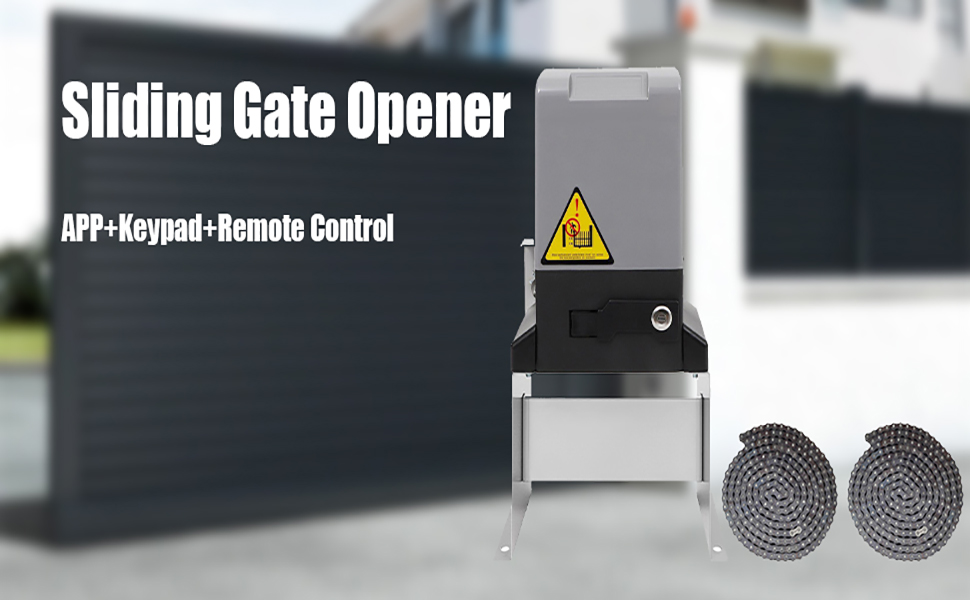
Image 3.1: An installation diagram showing the gate operator, sliding gate, chain, limit blocks, and power input. This visual guide assists in understanding the physical setup of the system.
4. Operating Instructions
The gate opener offers multiple methods for operation, providing flexibility and convenience.
4.1. APP Control
The gate opener can be controlled via a dedicated smartphone application. Once matched, the app works with Wi-Fi, 3G, or 4G networks on Android and iPhone devices. This allows you to control the gate from any location with internet access. The app also supports setting scheduled timers for gate operation.
4.2. Remote Controls
The system includes four 4-button remote controls. These remotes can operate the gate from up to 100 feet away. Additional remotes can be programmed if needed.
4.3. Wireless Keypad
A wireless keypad provides an additional access method, allowing entry via a programmed code.
4.4. Manual Operation (Power Outage)
In the event of a power failure, the gate can be operated manually. Use the provided clutch key to disengage the motor and slide the gate by hand. To restore electric operation, re-engage the clutch and restore power.

Image 4.1: Close-up of the gate opener unit showing the manual release key slot and the keys. This mechanism allows for manual operation of the gate during power outages or emergencies.
5. Maintenance
Regular maintenance ensures the longevity and reliable operation of your gate opener. Perform these checks periodically:
- Inspect the Chain: Check for proper tension, wear, and lubrication. Clean any debris or rust.
- Check Mounting Hardware: Ensure all bolts and fasteners are tight and secure.
- Clean Sensors: Keep infrared sensors clean and free from dirt, spiderwebs, or obstructions that could interfere with their function.
- Lubricate Moving Parts: Apply appropriate lubricant to the gate rollers and other moving components as recommended by the gate manufacturer.
- Test Safety Features: Periodically test the infrared sensors by placing an object in the gate's path to ensure they stop or reverse the gate.
6. Troubleshooting
Refer to the following guide for common issues and their solutions. For problems not listed or if issues persist, contact customer support.

Image 6.1: A detailed troubleshooting chart outlining various problems and their corresponding solutions. This includes issues related to power, motor operation, sensor function, remote control, and Wi-Fi connectivity.
Common Troubleshooting Steps:
- Power Indicators Off:
- Check 110V power input.
- Check the output line for short circuit.
- Ensure the fuse is not broken and the connector is properly placed.
- Replace fuse with a 12A/250V specification if needed.
- Power Indicator Light On, but Gate Not Responding:
- Re-close the clutch.
- Check for circuit board damage due to short circuit or severe overload.
- Check the motor's capacitance value.
- Gate Stops Automatically or Without Reaching Limit:
- Check for sensor cable short circuit or sensor magnet issues.
- Adjust sensor to single limit according to V.2.
- Infrared Sensor Issues:
- If the "on" infrared sensor light is green, press "off" to stop and return.
- Check circuit and troubleshoot the probe line.
- Check for infrared probe damage and replace if necessary.
- Remote Control Range Reduced:
- Check if the battery is low.
- Reduce interference from iron fences or walls.
- Replace the remote control battery (23A or 27A 12V).
- Ensure the antenna is straightened up as much as possible.
- Motor Does Not Stop at End of Run:
- Check limit damage.
- Adjust sensor to single limit according to V.2.
- Check and adjust the height of the magnet according to instructions.
- Cannot Connect Wi-Fi:
- Check for poor 4G line number or wrong step.
- Move closer to the Wi-Fi router and follow connection instructions.
- Base Shaking:
- Tighten any unfastened bolts.
- Ensure the floor and lock bolts are flat and secure.
7. Specifications
| Feature | Specification |
|---|---|
| Model | 4000Lbs |
| Motor Power | 750W |
| Max Gate Weight | 4000 lbs |
| Max Gate Length | 40 feet |
| Gate Speed | 40 ft per minute |
| Material | Metal |
| Exterior Finish | Silver |
| Installation Type | Screw-In |
| Control Methods | APP Control, Remote Controls, Wireless Keypad, Manual Release Key |
| UPC | 791101590193 |
| ASIN | B0CQR2F29Z |

Image 7.1: A cutaway view of the gate opener's motor, highlighting the pure copper windings. This illustrates the robust construction designed for durability and stable operation.

Image 7.2: A close-up image of the 7mm steel gear plate, indicating its strength and durability for long-term, stable performance without risk of fracture or deformation.
8. Warranty and Support
Specific warranty details for this product are not provided in the available product information. For warranty inquiries or technical support, please contact iMeshbean customer service directly. It is recommended to retain your purchase receipt for any claims.


