
Yimaut Anti-Lost Remote Cover for Onn/Westinghouse Roku TV Remotes
Yimaut Remote Cover and Compatible Remote User Manual
Model: Anti-Lost Remote Cover for Onn/Westinghouse Roku TV Remotes
Introduction
This manual provides comprehensive instructions for the Yimaut Anti-Lost Remote Cover, designed for Onn and Westinghouse Roku TV remotes. It also covers the basic operation of the compatible remote control included with some packages. This product enhances remote control usability by providing protection, improving grip, and offering a glow-in-the-dark feature for easy location.

Image: The Yimaut remote cover in pink, shown with a compatible remote control and a wrist strap. The cover features cat-ear like protrusions at the top and is designed to glow in the dark.
Compatibility
The Yimaut Remote Cover and compatible remote are specifically designed for use with various Onn and Westinghouse Built-in Roku TV models. Please verify your TV model against the lists below to ensure compatibility.
Compatible Onn Built-in Roku TV Models:
- Remote models: HO-RCRUS-22, RC-AFIR, RC439
- TV Sizes: 24", 32", 40", 43", 50", 55", 58", 60", 65", 70" LED UHD 4K Smart Roku TV
- Specific Onn Models: 100012590 (24"), 100012589 (32"), 100005395 (40"), 100012584 (43"), 100005396, 100005843, 100007147, 100012585, 100021258 (50"), 100012586 (55"), 100005397, 100005844 (58"), 100024699 (60"), 100012587 (65"), 100012588 (70"), 3226000855, 3226000858, 100018971, 100005842, 3226000738, 100021261.
Compatible Westinghouse Built-in Roku TV Models:
- TV Sizes: 24", 32", 40", 42", 43", 50", 55", 65", 70", 75" LED UHD 4K Smart Roku TV
- Specific Westinghouse Models:
- 24": WR24HX2210, WR24HT2212
- 32": WR32HC2210, WR32HX2210, WD32HX5201, WR32HT2212
- 40": WR40FX2019
- 42": WR42FX2210, WR42FX2002
- 43": WR43UT4009, WR43EX2300, WR43EX4300, WR43FX2212, WR43UX4210, WR43UT4212, WR43QX400
- 50": WR50UT4009, WR50EX4300, WR50UX4210, WR50UT4212, WR50QX400
- 55": WR55UT4009, WR55EX4300, WR55UX4212, WR55UT4212, WR55QX400
- 65": WR65UT4019, WR65EX4300, WR65UX4210, WR65UT4212, WR65QX400
- 70": WR70UT4212
- 75": WR75UX4200, WR75EX4300, WR75UX4210, WR75QX400
Note: This product is NOT compatible with Roku Stick or Roku Streaming Stick devices.

Image: A detailed chart listing compatible Onn and Westinghouse Roku TV models and sizes, emphasizing that it is not for Roku Stick or Streaming Stick.
Setup Instructions
The Yimaut remote control is designed for ease of use with no complex setup or programming required. It is ready to operate directly out of the box.
- Insert Batteries: Open the battery compartment on the back of the remote control. Insert two (2) AAA batteries, ensuring correct polarity (+/-). Close the battery compartment securely. (Note: AAA batteries are not included with the product.)
- Apply Remote Cover: Gently slide the remote control into the Yimaut Anti-Lost Remote Cover, ensuring a snug fit. The cover is designed to align with all buttons and sensors.
Once batteries are inserted and the cover is applied, the remote is ready for immediate use with your compatible Onn or Westinghouse Roku TV.
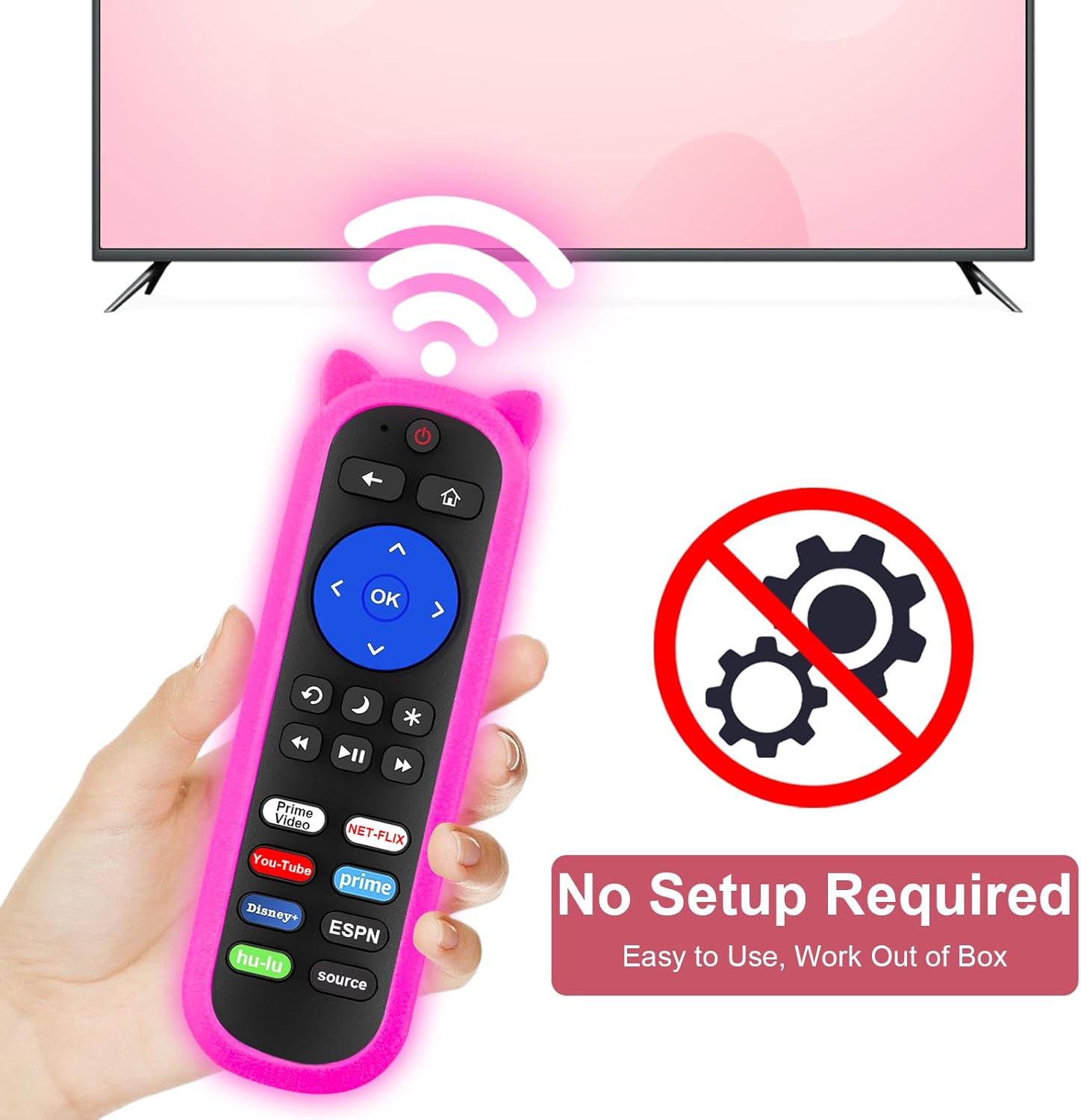
Image: A hand holding the Yimaut remote with the cover, showing a Wi-Fi signal icon pointing towards a TV, and a "No Setup Required" icon, indicating ease of use.
Operating Instructions
The remote control provides intuitive navigation and quick access to popular streaming services.
Key Functions:
- Power Button: Located at the top, turns the TV on or off.
- Navigation Pad (Arrow Keys & OK): Used to navigate menus and select options.
- Back Button: Returns to the previous screen or menu.
- Home Button: Returns to the Roku TV home screen.
- Volume Control: Adjusts the TV's volume (Volume Up, Volume Down, Mute).
- Playback Controls: Play/Pause, Fast Forward, Rewind.
- Shortcut Buttons: Dedicated buttons for quick access to popular streaming applications.
8 Popular Shortcut Keys:
The remote features dedicated shortcut buttons for instant access to your favorite content:
- Netflix
- HULU
- Disney+
- Amazon Prime Video
- YouTube
- ESPN+
- Source Button (to switch input sources)
- One additional customizable button (if applicable, or a general "Prime" button as shown in images)
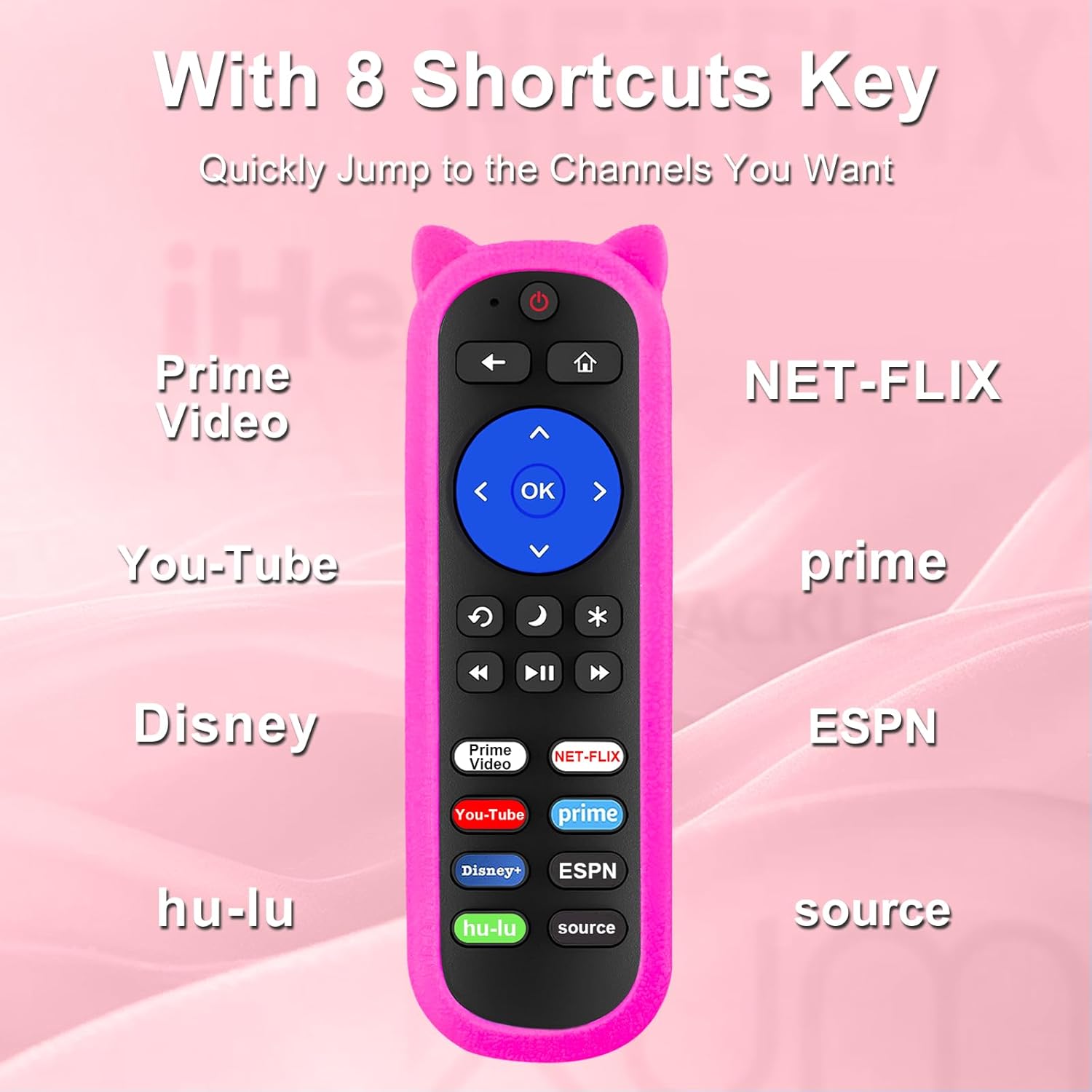
Image: A close-up of the Yimaut remote control, highlighting the 8 shortcut keys for various streaming services like Netflix, Hulu, Disney+, Amazon Prime Video, YouTube, and ESPN+, along with a Source button.
Key Features
- Anti-Lost Design with Glow-in-the-Dark Feature: The silicone remote cover is designed to glow in the dark, making it significantly easier to locate your remote in low-light conditions or at night. This feature helps prevent misplacement.
- Wrist Strap: Includes an adjustable wrist strap for added security and portability. The strap allows you to hang the remote, further reducing the chance of losing it.
- High-Quality, Safe Material: The remote cover is made from premium ABS plastic and silicone, ensuring durability and a comfortable grip. The material is safe for use around children and pregnant women.
- Sensitive Buttons: The remote's buttons are designed to be soft and highly responsive, ensuring quick and accurate commands with a response time of 0.2 seconds.
- Longer Transmit Distance: The remote offers a farther transmitting distance of up to 40 feet (12 meters), providing reliable control from various points in a room.
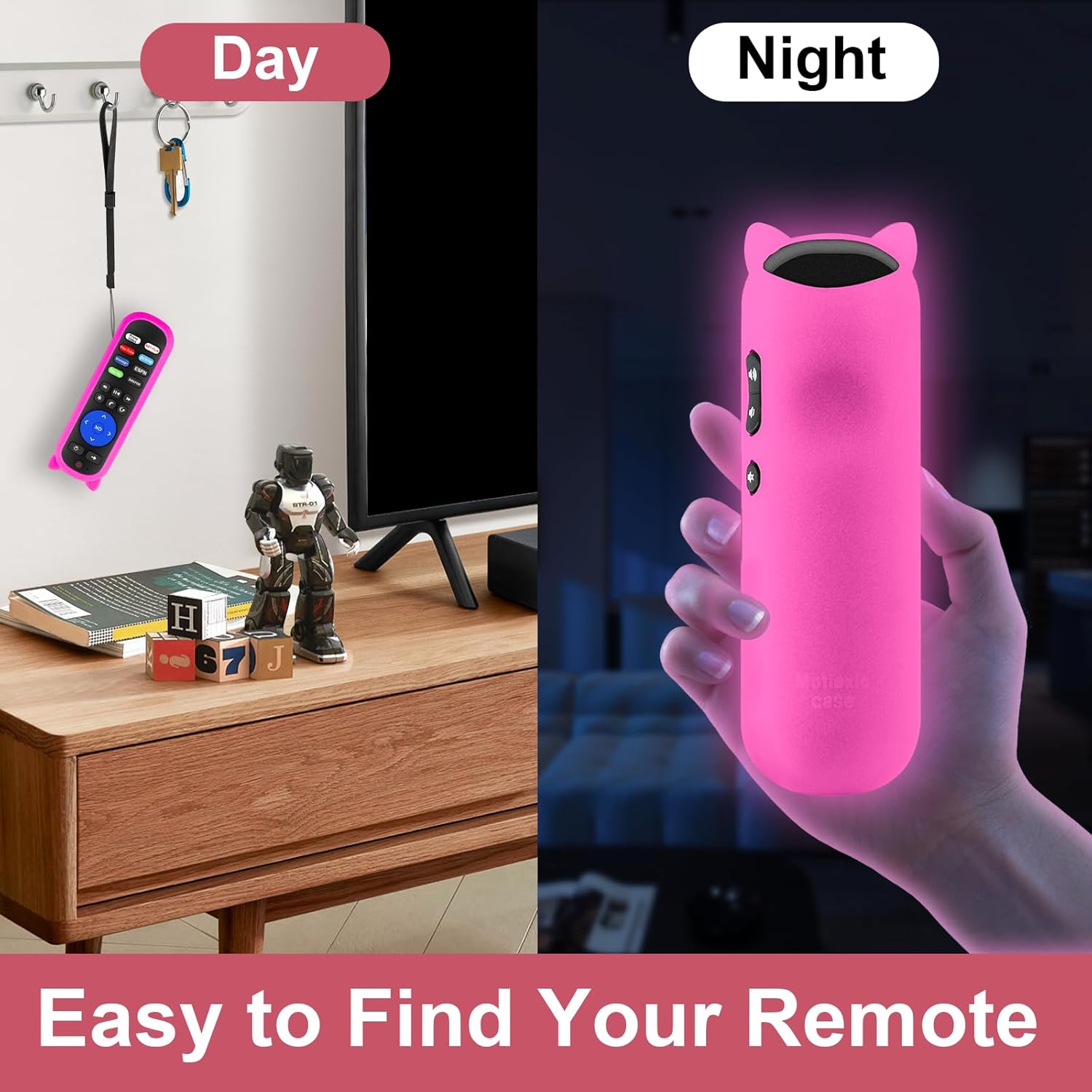
Image: A split image demonstrating the glow-in-the-dark feature of the remote cover. On the left, the remote is shown hanging on a hook during the day. On the right, the remote cover is shown glowing in a dark room, illustrating its easy visibility at night.

Image: A baby holding the Yimaut remote with its cover, illustrating that the material is safe and harmless for children.

Image: A family using the Yimaut remote, with a graphic indicating "Sensitive Buttons, React in 0.2s" and "Refuse to get stuck," highlighting the remote's quick response time.
Maintenance
Proper care and maintenance will extend the lifespan of your Yimaut remote cover and remote control.
- Cleaning the Cover: The silicone cover can be easily removed and cleaned with a damp cloth and mild soap if necessary. Ensure it is completely dry before re-applying to the remote.
- Cleaning the Remote: Use a soft, dry cloth to wipe the remote control. Avoid using abrasive cleaners or solvents.
- Battery Replacement: Replace batteries when the remote's performance diminishes. Always use new AAA batteries and dispose of old batteries responsibly.
- Storage: Store the remote in a cool, dry place away from direct sunlight and extreme temperatures when not in use for extended periods.
- Glow Feature Activation: For optimal glow performance, expose the remote cover to light (natural or artificial) for a period before use in the dark. The glow effect is due to phosphorescent material absorbing light energy.
Troubleshooting
| Problem | Possible Cause | Solution |
|---|---|---|
| Remote not responding. | Dead or incorrectly inserted batteries. Remote out of range or obstructed signal. | Replace batteries with new AAA batteries, ensuring correct polarity. Move closer to the TV (within 40 feet) and ensure no objects are blocking the signal path. |
| Glow-in-the-dark feature is weak or not visible. | Insufficient exposure to light. | Expose the remote cover to bright light (sunlight or artificial light) for at least 15-30 minutes to "charge" the phosphorescent material. |
| Buttons feel stuck or unresponsive. | Debris under buttons or cover misalignment. | Remove the silicone cover and check for any debris. Re-apply the cover, ensuring it is correctly aligned with all buttons. |
| Remote does not control TV. | Incompatible TV model. | Verify your TV model against the compatibility list in this manual. This remote is only for specific Onn and Westinghouse Built-in Roku TVs, not Roku Sticks or other brands. |
Specifications
- Brand: Yimaut
- Compatible Devices: Onn Built-in Roku TV, Westinghouse Built-in Roku TV
- Connectivity Technology: Infrared
- Special Features: Glow in Dark, Anti-lost, Portable
- Form Factor: Cover
- Color: Pink (as per product details, though other colors may exist)
- Shell Type: Soft Silicone
- Item Weight: 3.17 ounces
- Package Dimensions: 6.61 x 3.19 x 0.91 inches
- Manufacturer: Yimaut
Warranty and Support
For any issues not covered in this manual or for warranty inquiries, please contact Yimaut customer support through the retailer where the product was purchased. Keep your purchase receipt as proof of purchase.
For further assistance, you may visit the official Yimaut store on Amazon: Yimaut Store
Ask a question about this manual
Ask about setup, troubleshooting, compatibility, parts, safety, or missing instructions. Manuals+ will review the question and use this page’s manual context to help answer it.