
ZeroKor R200
ZeroKor R200 Portable Power Station User Manual
Model: R200 | Brand: ZeroKor
1. Introduction
The ZeroKor R200 Portable Power Station is a versatile and reliable power source designed to meet your electricity needs whether outdoors or indoors. Ideal for camping, RV use, outdoor activities, or as a backup power supply during home power outages, this compact and lightweight unit provides multiple charging ports and essential safety features.
2. Package Contents
Upon unboxing your ZeroKor R200 Portable Power Station, please ensure all the following items are included:
- 1 × ZeroKor 300W Portable AC Power Bank
- 1 × Wall AC Adapter (15V MAX)
- 1 × Cigarette Lighter Adapter
- 1 × 12V Car Charging Cable
- 1 × User Manual
Note: Solar panel is not included and must be purchased separately.

Image: All items included in the ZeroKor R200 Portable Power Station package.
3. Product Features and Components
The ZeroKor R200 is equipped with a variety of ports and features to power your devices:
- AC Outlets: 2 x 110V/300W MAX Pure Sine Wave AC outlets.
- DC Output: 1 x DC (9V~12.6V/10A MAX) port.
- USB Ports: 3 x 5V/3A MAX USB ports and 1 x QC USB (5V/3A 9V/2A Max) port.
- LED Flashlight: Integrated LED flashlight with three modes: Reading mode, SOS-1 mode (strobe slowly), and SOS-2 mode (strobe quickly).
- Display Screen: Digital display showing battery percentage and active output indicators.
- Carrying Handle: Durable and comfortable handle for easy portability.

Image: Front view of the power station highlighting all output ports.
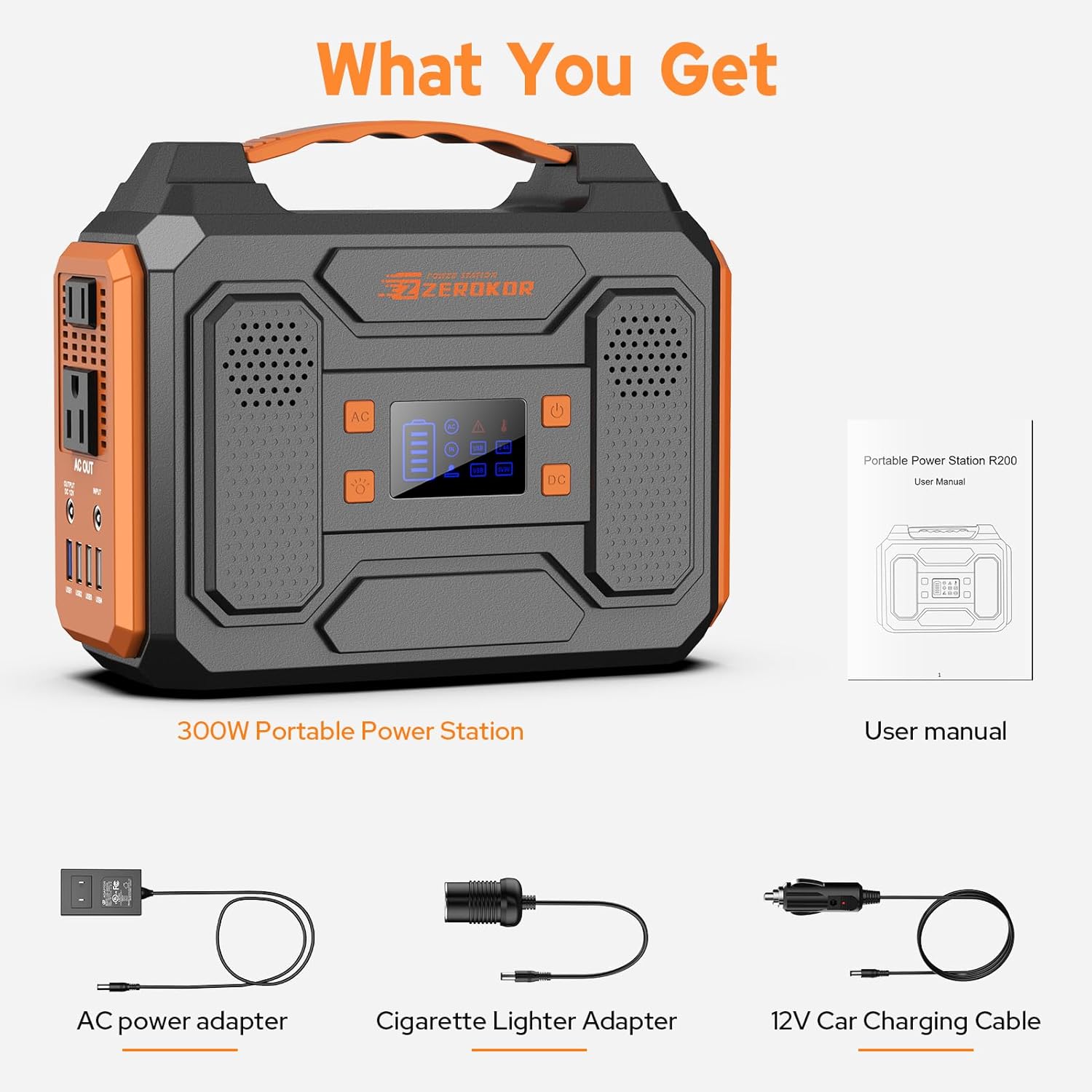
Image: The power station's LED flashlight in use, providing illumination.
4. Setup
Before first use, it is recommended to fully charge your ZeroKor R200 Portable Power Station.
Initial Charging (AC Wall Adapter)
- Connect the Wall AC Adapter to a standard 110V AC outlet.
- Plug the DC output of the adapter into the 'INPUT' port on the power station.
- The display screen will indicate charging progress.
Initial Charging (12V Car Charging Cable)
- Connect the 12V Car Charging Cable to your vehicle's cigarette lighter socket.
- Plug the other end of the cable into the 'INPUT' port on the power station.
- The display screen will indicate charging progress.

Image: The power station connected to its AC wall adapter for charging.
5. Operating Instructions
Powering On/Off
Press the main power button on the display panel to turn the unit on or off. The display will illuminate, showing the current battery level.
Using AC/DC/USB Outputs
- Once the unit is powered on, press the 'AC' button to activate the 110V AC outlets.
- Press the 'DC' button to activate the DC and USB ports.
- Plug your devices into the appropriate ports. The display will show active outputs.
Note: The AC output needs to be turned on or off manually.
Using the LED Flashlight
Press the dedicated flashlight button on the display panel to cycle through the three lighting modes:
- Reading Mode: Provides a steady, soft light for general illumination.
- SOS-1 Mode: Strobe slowly for emergency signaling.
- SOS-2 Mode: Strobe quickly for emergency signaling.

Image: Close-up of the power station's digital display.

Image: The power station in use, charging multiple devices.
6. Charging Methods
Your ZeroKor R200 Portable Power Station can be recharged using three convenient methods:
AC Wall Charging
Use the included Wall AC Adapter to charge the power station from any standard home outlet. This is the fastest way to fully recharge the unit.
Car Charging
Utilize the included 12V Car Charging Cable to recharge the power station from your vehicle's cigarette lighter socket. This method is ideal for keeping your unit charged while on the go.
Solar Charging
The power station features a built-in MPPT controller, allowing it to be recharged by compatible DC5521 13V-23V output solar panels (solar panel sold separately). This eco-friendly method is perfect for off-grid adventures.
Image: Input ports for AC, car, and solar charging.
Video: Official ZeroKor video demonstrating the solar charging capabilities of the power station.
7. Safety Features & Precautions
The ZeroKor R200 is built with multiple protection mechanisms to ensure safe operation:
- Built-in BMS: Features short circuit protection, over-current protection, over-voltage protection, and overload protection.
- Intelligent Cooling System: Automatically activates when the unit gets hot to maintain a constant temperature without continuous fan operation.
Important Precautions:
- Do not use electrical appliances over 300W, as this may damage the unit. This includes devices prone to heat or with built-in air compressors (e.g., coffee makers, hair dryers, toasters, electric blankets, welders, water pumps).
- Do not use up the unit's power completely before recharging.
- The power station is not suitable for long-term storage as an emergency-only power supply.
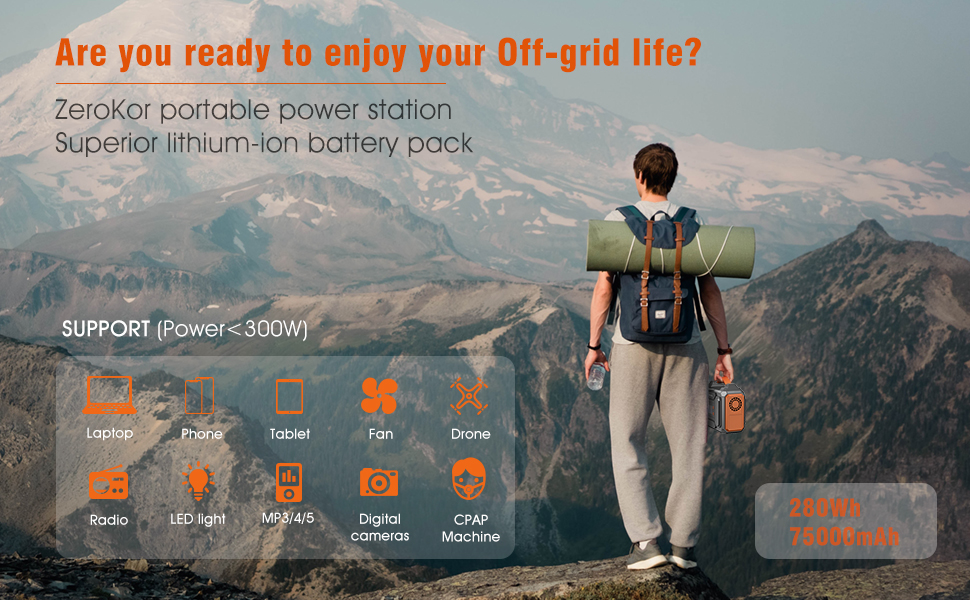
Image: Visual guide of appliances not suitable for use with the power station due to high wattage.
8. Maintenance
Proper maintenance ensures the longevity and optimal performance of your power station:
- Storage: Store the unit in a cool, dry place. Avoid direct sunlight, high humidity, or extreme temperatures.
- Recharge Frequency: If not in use, recharge the Portable Laptop Power Bank at least once every half a month.
- Battery Level for Storage: Keep the battery capacity at 60%-80% properly for long-term storage.
- Cleaning: Use a soft, dry cloth to clean the exterior of the unit. Do not use harsh chemicals or abrasive materials.
9. Troubleshooting
If you encounter any issues with your ZeroKor R200, try the following general troubleshooting steps:
- Unit Not Turning On: Ensure the power button is pressed firmly. Check if the battery is completely depleted and try charging it.
- Devices Not Charging: Verify that the AC or DC output is activated. Check if the device's power consumption exceeds the 300W limit. Ensure cables are securely connected.
- Charging Issue: Confirm the charging adapter/cable is correctly connected to both the power station and the power source.
For persistent issues, please contact customer support.
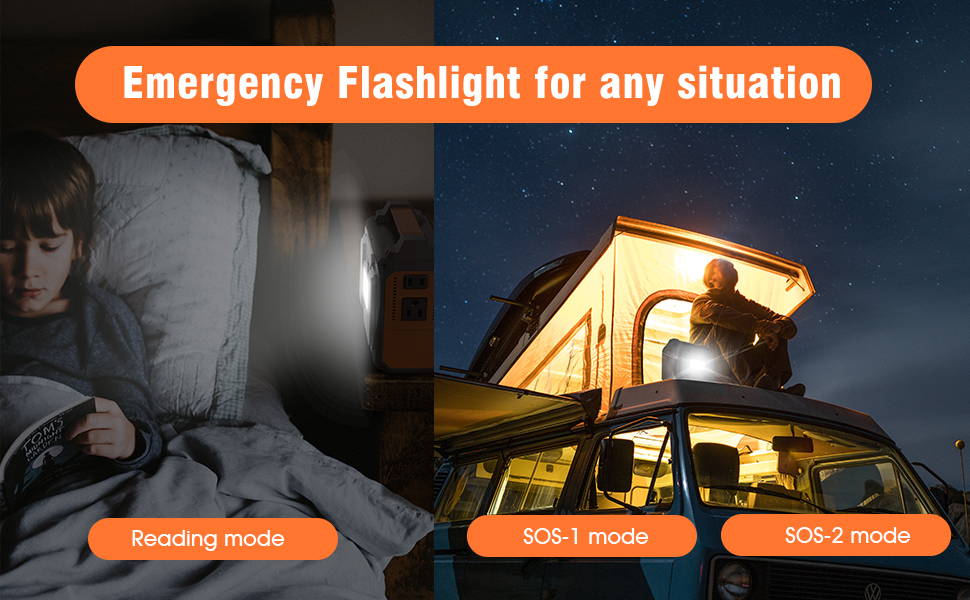
Image: A visual representation of frequently asked questions or troubleshooting scenarios.
10. Specifications
| Attribute | Value |
|---|---|
| Model Name | R200 Portable Power Station |
| Brand | ZeroKor |
| Capacity | 280Wh / 75000mAh |
| AC Output | 2 x 110V/300W MAX Pure Sine Wave |
| DC Output | 1 x 9V~12.6V/10A MAX |
| USB Output | 3 x 5V/3A MAX, 1 x QC USB (5V/3A 9V/2A Max) |
| Charging Input | DC5521 13V-23V (Solar/AC Adapter/Car) |
| Dimensions (L x W x H) | 8.5" x 6.7" x 4.1" |
| Item Weight | 5.1 Pounds |
| Battery Type | Lithium-ion |
| UPC | 764046731860 |
11. Warranty & Support
ZeroKor offers professional customer assistance and 12-months customer support for your Portable Power Station. For any inquiries or assistance, please refer to the contact information provided in your user manual or visit the official ZeroKor website.
Related documentsR200

Ask a question about this manual
Ask about setup, troubleshooting, compatibility, parts, safety, or missing instructions. Manuals+ will review the question and use this page’s manual context to help answer it.