
1. Introduction
This instruction manual provides essential information for the proper setup, operation, and maintenance of your YOURRYONG NRF51822-A1 module. The NRF51822-A1 is a versatile module designed for various industrial and scientific applications, particularly in computing components and internal parts. Please read this manual thoroughly before using the module to ensure optimal performance and longevity.
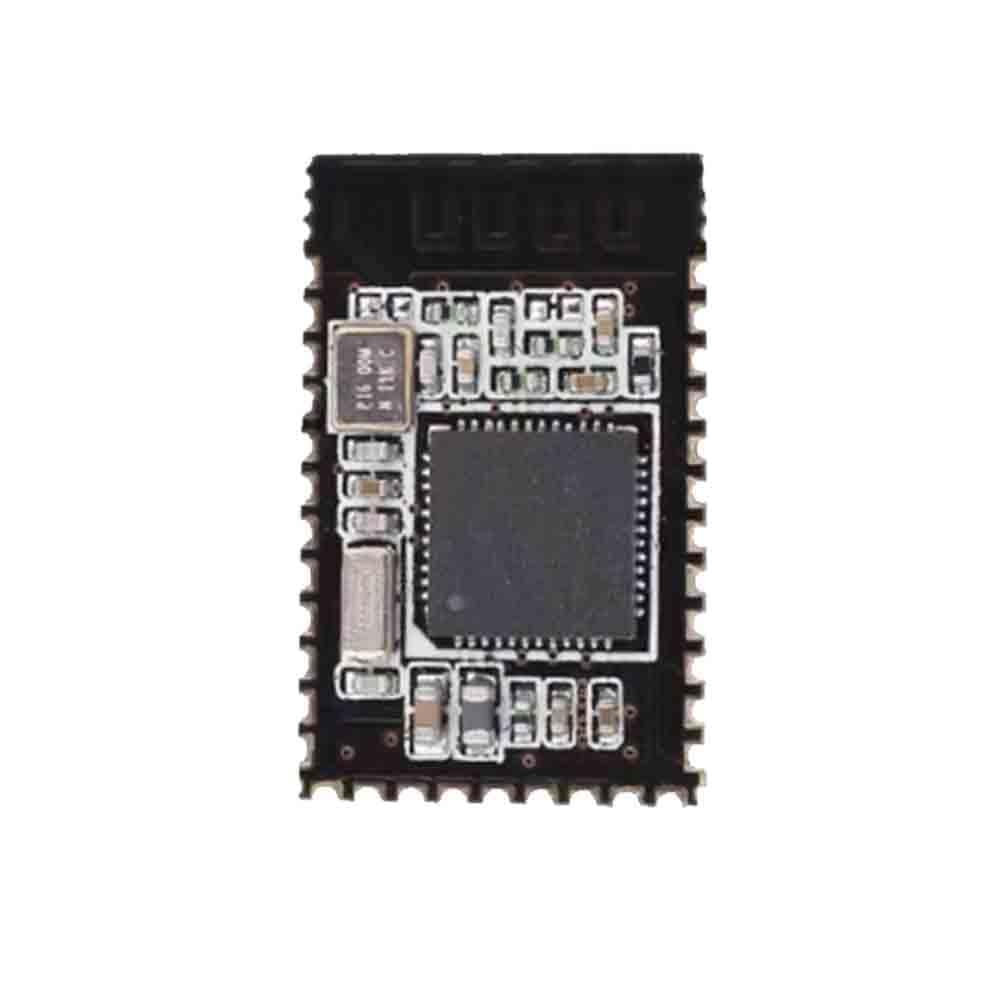
Figure 1: The YOURRYONG NRF51822-A1 module. This image displays the compact rectangular circuit board, featuring a prominent central integrated circuit (IC) chip, surrounded by various smaller electronic components such as resistors, capacitors, and a crystal oscillator. The module has castellated edges for easy soldering onto a host PCB.
2. Setup and Installation
Proper installation is crucial for the functionality of the NRF51822-A1 module. Follow these general guidelines:
- Preparation: Ensure your development environment is set up with the necessary tools and software for NRF51822 development (e.g., SDK, compiler, debugger).
- Power Supply: Connect the module to a stable power supply within the specified voltage range (refer to the NRF51822 datasheet for exact voltage requirements). Incorrect voltage can damage the module.
- Pin Connections: Carefully identify and connect the module's pins (e.g., VCC, GND, SWD, UART, SPI, I2C, GPIO) to your host board or development kit according to your application's design. Refer to the module's pinout diagram for accurate connections.
- Programming: Use a compatible programmer (e.g., J-Link, ST-Link) to flash your firmware onto the NRF51822 microcontroller via the SWD (Serial Wire Debug) interface.
- Testing: After programming, perform initial tests to verify basic functionality, such as power-on, LED indicators (if any), and communication with other components.
Note: Always handle the module with anti-static precautions to prevent electrostatic discharge (ESD) damage.
3. Operating Instructions
The NRF51822-A1 module operates based on the firmware loaded onto its microcontroller. General operating principles include:
- Firmware Execution: Once powered, the module will execute the programmed firmware, enabling its intended functionality (e.g., Bluetooth Low Energy communication, sensor data acquisition, control tasks).
- Communication: Depending on the firmware, the module can communicate wirelessly (Bluetooth LE) or via wired interfaces (UART, SPI, I2C) with other devices.
- Power Management: The NRF51822 is known for its low-power capabilities. Implement appropriate power management strategies in your firmware to optimize battery life for portable applications.
- Interfacing: Interact with the module through its exposed GPIO pins, which can be configured as inputs or outputs to control external components or read sensor data.
4. Maintenance
The NRF51822-A1 module is a robust electronic component, but proper care ensures its longevity:
- Environmental Conditions: Operate and store the module within its specified temperature and humidity ranges. Avoid extreme conditions.
- Cleaning: If necessary, gently clean the module with a soft, dry, anti-static brush or cloth. Do not use liquids or abrasive materials.
- Physical Protection: Protect the module from physical shock, vibration, and direct exposure to dust or moisture.
- Firmware Updates: Regularly check for and apply firmware updates from the NRF51822 SDK provider or your application developer to ensure optimal performance and security.
5. Troubleshooting
If you encounter issues with your NRF51822-A1 module, consider the following troubleshooting steps:
- No Power:
- Verify the power supply voltage and connections.
- Check for any short circuits on the power lines.
- Module Not Responding:
- Ensure the module is correctly powered.
- Check SWD connections if attempting to program or debug.
- Confirm that the correct firmware is loaded and running.
- Communication Issues (e.g., Bluetooth LE):
- Verify antenna connection (if external).
- Check for interference from other 2.4 GHz devices.
- Ensure the communication protocol in your firmware is correctly implemented.
- Confirm that the peer device is within range and properly configured.
- Unexpected Behavior:
- Review your firmware code for logical errors.
- Check for hardware conflicts or incorrect pin configurations.
- Consult the NRF51822 datasheet and SDK documentation for specific error codes or behaviors.
6. Specifications
| Feature | Detail |
|---|---|
| Model | NRF51822-A1 |
| Brand | YOURRYONG |
| Type | Module Board (NRF51822) |
| UPC / GTIN | 749771625783 |
| Part Number | 749771625776 |
| Origin | China |
| Application | Industrial and Scientific Computing Components (Motherboards) |
7. Warranty and Support
Specific warranty information for the YOURRYONG NRF51822-A1 module is not provided in this document. Please refer to the retailer or manufacturer's official website for detailed warranty terms and conditions.
For technical support, documentation, or further assistance, please contact YOURRYONG customer service or consult the official NRF51822 documentation and community forums.