
1. Important Safety Instructions
When using electrical appliances, basic safety precautions should be followed, including the following:
- Read all instructions before using the appliance.
- Ensure the appliance is properly grounded. Connect only to properly grounded outlets.
- Do not operate the microwave if it has a damaged cord or plug, if it is not working properly, or if it has been dropped or damaged.
- Do not heat liquids or other foods in sealed containers as they are liable to explode.
- Do not attempt to operate this oven with the door open as this can result in harmful exposure to microwave energy.
- Do not place any object between the oven front face and the door or allow soil or cleaner residue to accumulate on sealing surfaces.
- Do not allow children to use the oven without supervision.
- Always use microwave-safe cookware. Metal containers or foil can cause arcing.
- Exercise caution when removing hot food or liquids.
- The microwave oven is intended for heating food and beverages. Drying clothes and heating warming pads, slippers, sponges, damp cloth and similar items may lead to risk of injury, ignition or fire.
2. Product Overview
The Farberware FMR17WHT Over-the-Range Microwave Oven offers efficient and convenient cooking with a 1.7 cubic feet capacity and 1000 watts of cooking power. Designed for modern kitchens, it integrates seamlessly above your cooking range.
Key Features:
- Powerful & Efficient: 1000W output and 1550W input power for fast, even cooking.
- Large Capacity: 1.7 cu. ft. interior, suitable for various meals.
- Versatile Cooking Options: Includes Veggies, Snack Menu, Auto Cook, and a specialized Potato program.
- Smart Defrosting: Time and weight defrost settings for precise thawing.
- Quick Cooking Features: Speedy +30 seconds cooking and Melt/Soften options.
- Child Safety Lock: Prevents unintended use.
- Convenient Kitchen Additions: LED timer, efficient vent fan, and stovetop light.
- Adjustable Volume Control: Low, normal, high, and off settings for alerts.
- Space-Saving Design: Over-the-range installation for a streamlined kitchen setup.

Image 2.1: Front view of the Farberware FMR17WHT Over-the-Range Microwave Oven.
3. Setup and Installation
This Farberware microwave oven is designed for over-the-range installation. Due to the nature of this installation, it is recommended that a qualified installer or service technician perform the installation to ensure proper mounting and electrical connection.
Dimensions:
- Product Dimensions (D x W x H): 16.42" x 29.88" x 15.75"
- Designed to fit standard 30-inch wide cabinets.

Image 3.1: External dimensions of the microwave oven.

Image 3.2: Microwave oven installed in a kitchen setting.
4. Operating Instructions
Familiarize yourself with the control panel and its functions for optimal use of your microwave oven.

Image 4.1: Control panel overview.
4.1 Control Panel Functions:
- Number Pad (0-9): Used to enter cooking times, weights, and clock settings.
- STOP/CANCEL: Stops cooking, clears entries, or cancels a program.
- START/+30 SEC: Starts cooking or adds 30 seconds to cooking time.
- TIMER: Sets a kitchen timer independent of cooking functions.
- DEFROST: Accesses time or weight defrost options.
- CLOCK: Sets the current time.
- FAN: Controls the vent fan speed.
- LIGHT: Controls the stovetop light.
4.2 Basic Cooking:
- Place food in the microwave.
- Enter desired cooking time using the number pad.
- Press START/+30 SEC. For different power levels, press POWER LEVEL before START/+30 SEC and enter the desired power level (1-10).
4.3 Quick Start Cooking:
Press the START/+30 SEC button to immediately start cooking for 30 seconds at 100% power. Each subsequent press adds 30 seconds.
4.4 Auto Cook Features:
The microwave includes pre-programmed settings for common foods:
- Veggies: For cooking vegetables.
- Popcorn: For popping popcorn.
- Potato: For baking potatoes.
- Snack Menu: Pre-set options for various snacks.
- Auto Cook: Additional pre-set cooking options.
- Melt/Soften: For melting butter, chocolate, or softening cream cheese.
To use, press the desired auto cook button, select the quantity if prompted, and press START/+30 SEC.
4.5 Defrosting:
Press the DEFROST button to choose between Time Defrost or Weight Defrost. Follow the prompts to enter time or weight, then press START/+30 SEC.
4.6 Child Safety Lock:
To activate the Child Safety Lock, press and hold the STOP/CANCEL button for 3 seconds. The lock indicator will appear on the display. To deactivate, repeat the process.
4.7 Adjustable Volume Control:
The microwave offers low, normal, high, and off settings for alert sounds. Refer to the full manual for specific steps to adjust the volume.
5. Maintenance and Cleaning
Regular cleaning and maintenance will ensure the longevity and optimal performance of your Farberware microwave oven.
5.1 Interior Cleaning:
The microwave features an easy-to-clean interior. Wipe the interior cavity, door seals, and turntable with a damp cloth and mild detergent after each use. For stubborn stains, a solution of water and lemon juice can be microwaved for a few minutes to loosen residue before wiping.
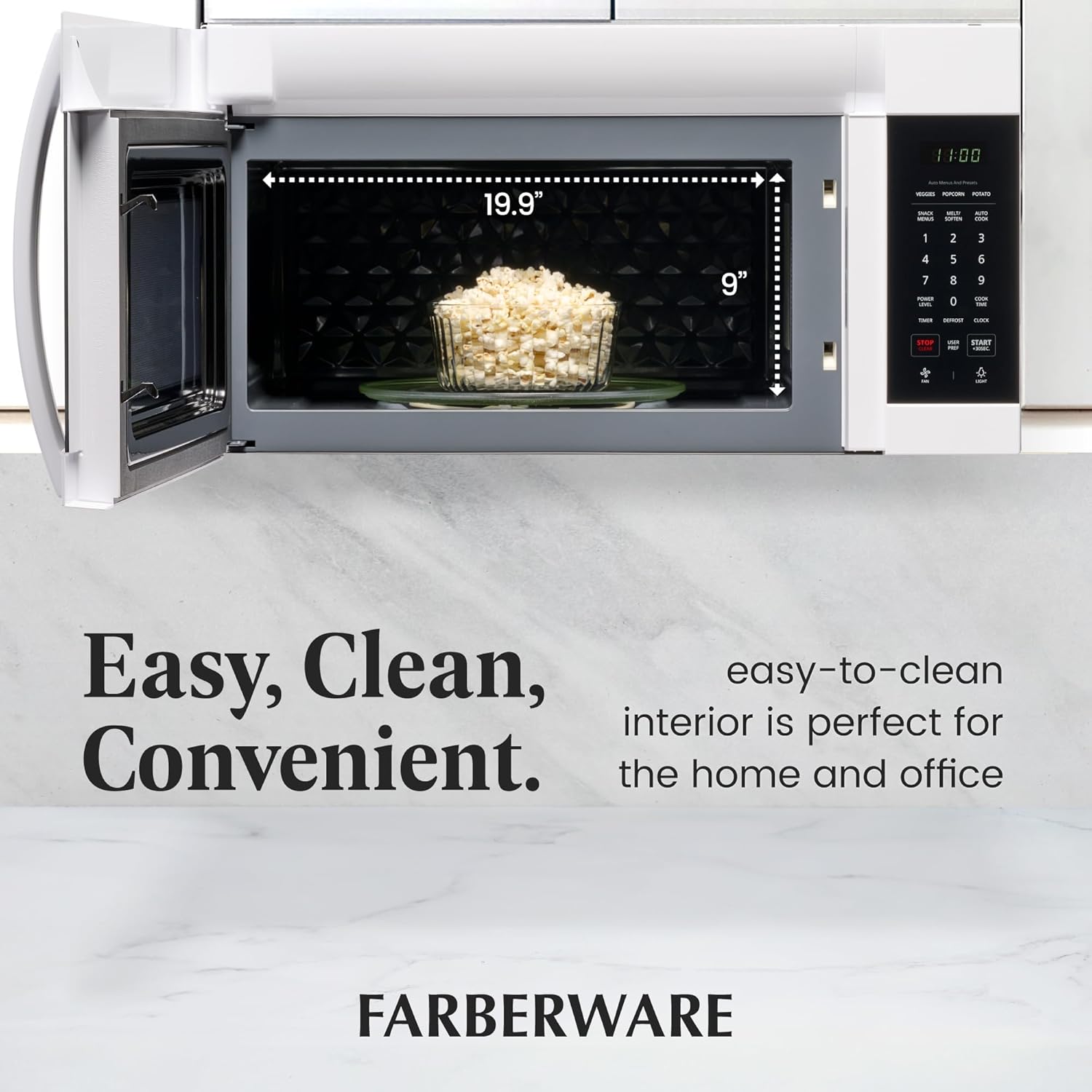
Image 5.1: Interior view of the microwave oven.
5.2 Exterior Cleaning:
Clean the exterior surfaces with a soft, damp cloth. Avoid abrasive cleaners or scouring pads that could scratch the finish.
5.3 Turntable Care:
The glass turntable can be removed for cleaning. Wash it in warm, soapy water or in the dishwasher. Ensure it is dry before placing it back in the oven.
6. Troubleshooting
If you encounter issues with your microwave oven, refer to the following common problems and solutions before contacting customer service.
| Problem | Possible Cause / Solution |
|---|---|
| Microwave does not start. | Ensure the door is securely closed. Check if the power cord is plugged in. Check for a tripped circuit breaker or blown fuse. |
| Food is not heating. | Verify cooking time and power level settings. Ensure the door is closed properly. Check if the Child Safety Lock is active. |
| Turntable does not rotate. | Ensure the turntable is correctly placed on its support and coupler. Check for obstructions beneath the turntable. |
| Unusual noise during operation. | Check if the turntable or roller ring is properly seated. Ensure no foreign objects are inside the cavity. |
| Display shows an error code. | Refer to the complete user manual for specific error code meanings and solutions. Try unplugging the unit for a few minutes and plugging it back in. |
7. Specifications
| Specification | Detail |
|---|---|
| Model Number | FMR17WHT |
| Brand | Farberware |
| Product Dimensions (D x W x H) | 16.42" x 29.88" x 15.75" |
| Item Weight | 58.9 pounds |
| Capacity | 1.7 Cubic Feet |
| Wattage | 1000 watts |
| Voltage | 120 Volts |
| Color | White |
| Material | Stainless Steel |
| Installation Type | Over-the-Range |
| Special Feature | Child Safety Lock |
8. Warranty and Support
This Farberware microwave oven is covered by a manufacturer's warranty. Please refer to the warranty card included with your product for specific terms, conditions, and duration.
For technical assistance, troubleshooting beyond this manual, or warranty claims, please contact Farberware Customer Support. Contact information can typically be found on the manufacturer's website or in the product packaging.


