1. Introduction
This user manual provides comprehensive instructions for the Shimbol M5 5.5-inch 3D LUT 4K HDMI HDR Touchscreen Monitor. Please read this manual thoroughly before operating the device to ensure proper usage and to maximize its performance. Retain this manual for future reference.

Image 1.1: The Shimbol M5 5.5-inch Professional On-Camera Monitor, highlighting its compact design and key features like 4K 30, HDR, 1200Nit brightness, and 3D LUT support.
2. Safety Information
- Do not expose the monitor to rain or moisture to avoid electric shock or fire.
- Avoid placing the monitor in direct sunlight or near heat sources.
- Use only the specified power adapters and batteries.
- Do not attempt to disassemble or modify the monitor. Refer all servicing to qualified personnel.
- Keep the monitor away from strong magnetic fields.
- Clean the screen with a soft, dry cloth. Avoid using liquid cleaners.
3. Package Contents
Verify that all items listed below are included in your package. If any items are missing or damaged, please contact your retailer.
- Shimbol M5 Monitor
- Carry Case
- Hot Shoe Mount
- Screen Protector
- User Manual (this document)
- Cleaning Cloth
- Micro HDMI Cable
- HDMI Cable
- Color Box

Image 3.1: Visual representation of the Shimbol M5 monitor and its included accessories, such as the carry case, cables, hot shoe mount, screen protector, and user manual.
4. Product Overview
The Shimbol M5 monitor features a durable aviation aluminum body, designed for both lightness and robustness. Its fanless design ensures quiet operation, with a low power consumption of less than 6.5W.

Image 4.1: Close-up view of the Shimbol M5 monitor's side profile, showcasing its aviation aluminum construction, slim form factor (26.5mm thickness), and lightweight design (278g).
4.1. Interfaces and Controls
The monitor is equipped with various ports and controls for seamless integration into your workflow.
- DC In: Power input port.
- HDMI Input: Connect your camera or video source.
- HDMI Output: Loop-through signal to another monitor or device.
- 3.5mm Headphone Out: For audio monitoring.
- SD Card Slot: For LUT file loading and firmware updates.
- Type-C Port: For data transfer or power (check specifications for exact functionality).
5. Setup
5.1. Powering the Monitor
The Shimbol M5 monitor can be powered using an NP-F type battery or a DC power adapter (6.5V-16.8V). These power sources are typically sold separately. Ensure the power source is securely connected to the DC In port.
5.2. Mounting the Monitor
Attach the included hot shoe mount to your camera's hot shoe or a compatible rig. Secure the monitor to the mount using the 1/4-inch screw thread located at the bottom of the monitor.
5.3. Connecting Video Sources
Connect your camera or video output device to the monitor's HDMI Input port using the provided HDMI or Micro HDMI cable. If needed, you can use the HDMI Output port to loop the video signal to another display.
6. Operating Instructions
6.1. Touchscreen Interface
The M5 features an intuitive touchscreen interface with an icon-based UI for quick access to functions. Tap icons to select settings and swipe to navigate menus.
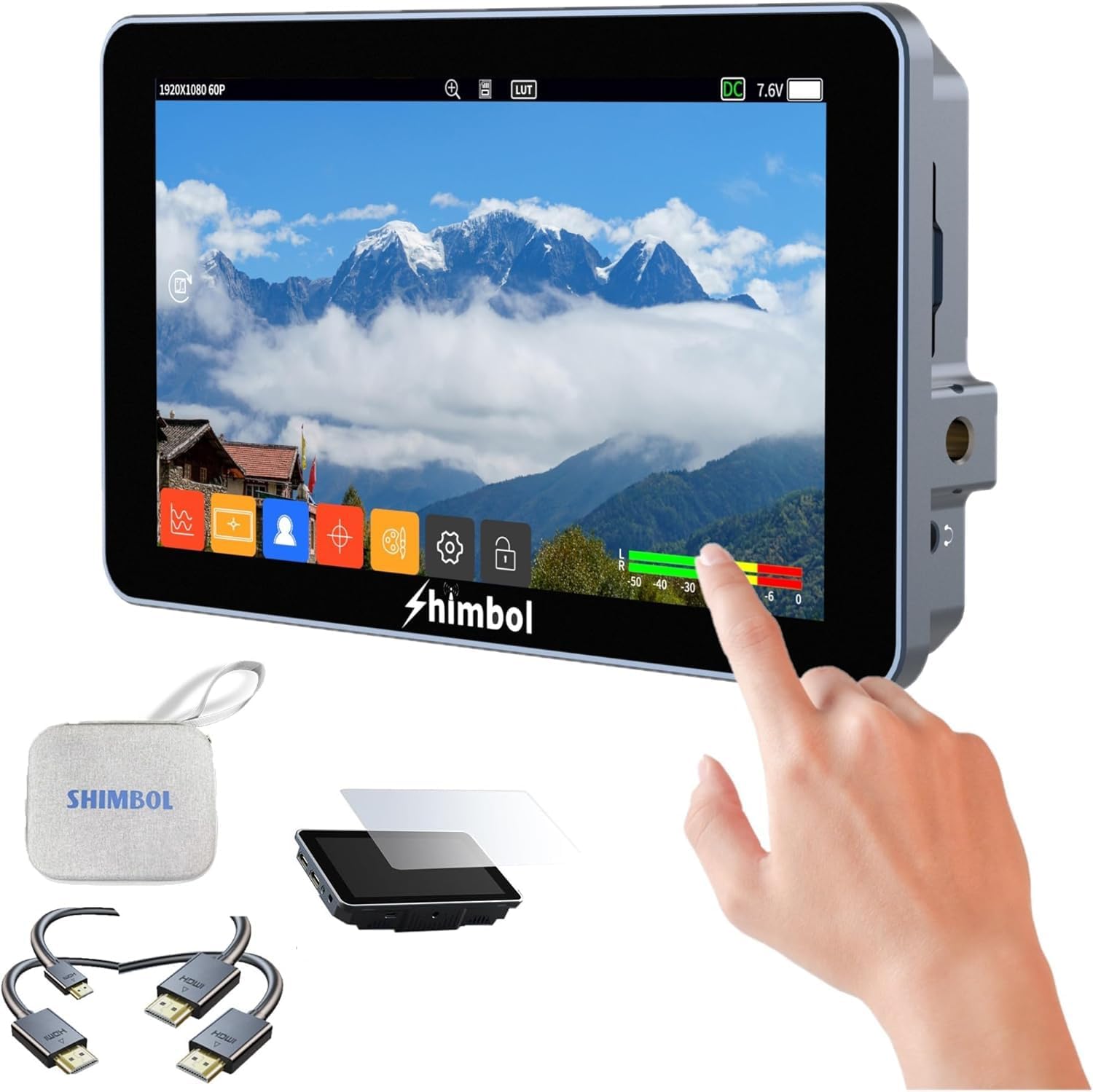
Image 6.1: The Shimbol M5 monitor displaying its touchscreen interface with various monitoring tools and settings accessible via touch, demonstrating user interaction.
6.2. Display Features
- 1200nits Brightness: The 5.5-inch Full HD IPS touchscreen offers 1200nits brightness and a 1000:1 contrast ratio, ensuring clear visibility even in bright sunlight.
- 4K30 HDR Monitoring: Supports up to 4K30 HDR monitoring with a built-in HLG mode.
- Professional Color Calibration: Achieves 100% REC 709 color accuracy with a Delta-E of 0.6 for precise color reproduction.
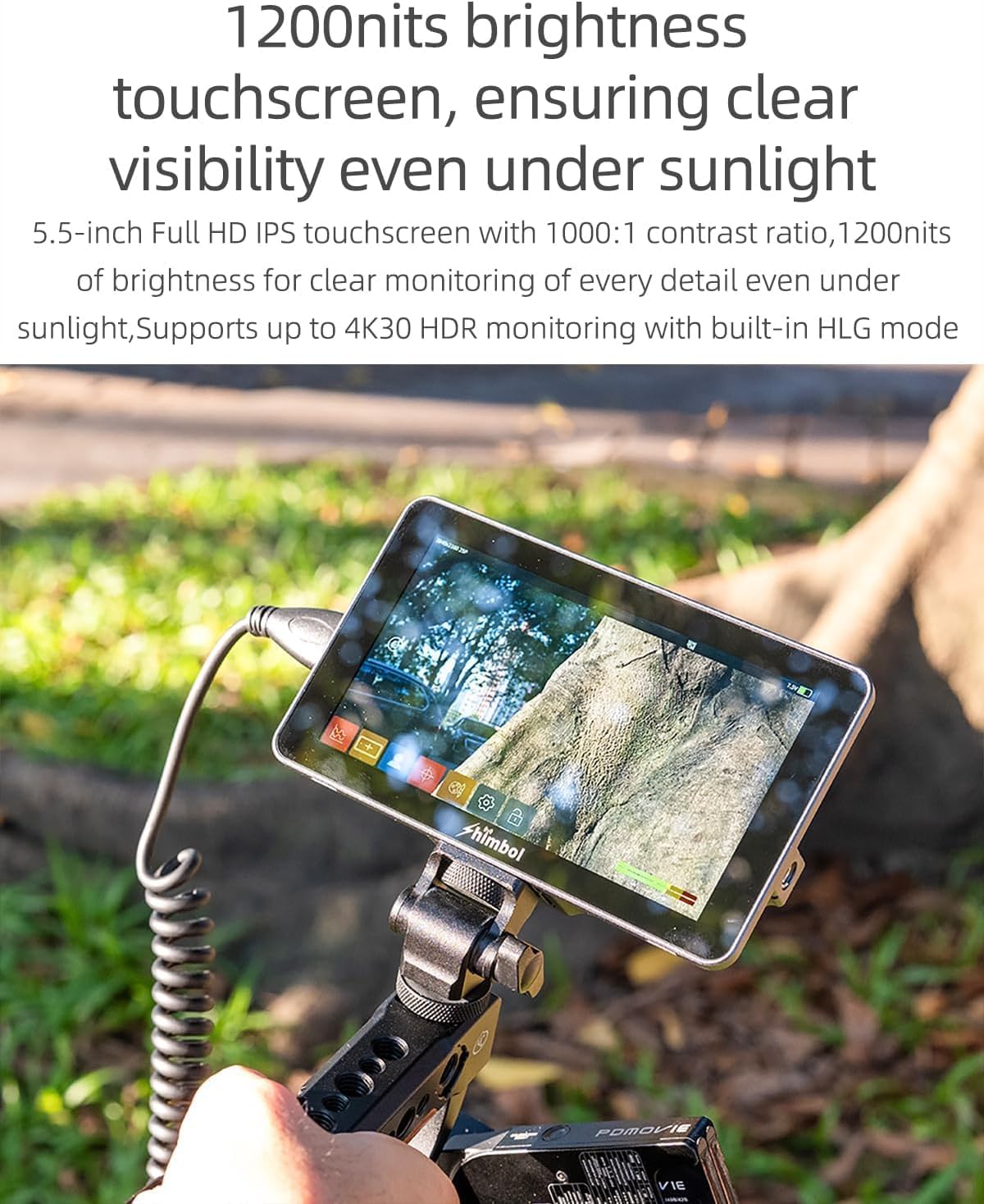
Image 6.2: The Shimbol M5 monitor in an outdoor setting, demonstrating its high brightness and clear display under direct sunlight, allowing for detailed monitoring.

Image 6.3: The Shimbol M5 monitor displaying a scene with accurate color reproduction, emphasizing its professional color calibration capabilities (100% REC 709 / Delta-E 0.6).
6.3. Custom 3D LUTs
The monitor includes 8 original De-log LUTs and supports loading up to 99 custom LUTs via the SD card slot, offering extensive creative possibilities for color grading and monitoring.

Image 6.4: The Shimbol M5 monitor's menu interface showing the 3D LUT settings, including options for selecting built-in LUTs and loading custom LUT files.
6.4. Professional Monitoring Tools
The M5 integrates a suite of professional monitoring tools to assist during shooting:
- Custom RGB: Adjust individual RGB channels.
- Filter: Apply various display filters.
- False Color: Visualize exposure levels.
- Anamorphic Ratio: De-squeeze anamorphic footage.
- Mask: Apply various aspect ratio masks.
- Waveform Monitoring: Broadcast-precision waveform for video and audio signal information.

Image 6.5: A composite image demonstrating various professional monitoring tools available on the Shimbol M5, including Custom RGB settings, High Precision Oscillogram (waveform), False Color adjustment, and Mask overlays.
7. Maintenance
- Cleaning: Use the provided cleaning cloth to gently wipe the screen and body. For stubborn smudges, slightly dampen the cloth with water. Do not use harsh chemicals.
- Storage: When not in use, store the monitor in its carry case in a cool, dry place, away from direct sunlight and extreme temperatures.
- Firmware Updates: Periodically check the official Shimbol website for firmware updates. Follow the instructions provided with the update file for installation via the SD card slot.
8. Troubleshooting
| Problem | Possible Cause | Solution |
|---|---|---|
| Monitor does not power on. | No power, low battery, or faulty power connection. | Ensure battery is charged or DC adapter is properly connected. Try a different power source. |
| No video signal. | HDMI cable loose or faulty, incorrect input selected, camera output issue. | Check HDMI cable connections. Ensure camera is outputting video. Verify correct input source on monitor. |
| Screen is dim or flickering. | Brightness setting too low, power issue, or environmental factors. | Adjust brightness settings. Ensure stable power supply. Avoid extreme temperatures. |
| Touchscreen unresponsive. | Software glitch, screen protector interference, or physical damage. | Restart the monitor. Ensure screen protector is properly applied. If issue persists, contact support. |
9. Specifications
| Parameter | Value |
|---|---|
| Model No. | M5 |
| Screen Size | 5.5 inches |
| Screen Resolution | 1920*1080 |
| Aspect Ratio | 16:9 |
| Brightness | 1200cd/m² |
| Contrast Ratio | 1000:1 |
| Viewing Angle | 160° (H/V) |
| Interface | DC In, HDMI Input, HDMI Output, 3.5mm Headphone out, SD card slot, Type-C |
| LUT Format | .cube file (17*17*17 And 33*33*33) |
| Output/Input Signal Formats | 4096*2160P25/24/23.98, 3840*2160P30/23.98/25/24/23.98, 1920*1080P60/59.94/50/30/29.97/25/24/23.98, 1920*1080I60/59.94/50, 1280*720p60/59.94/50 |
| Audio Frequency | 48KHz |
| Power Supply Method | NP-F/DCIN |
| Input Voltage | DC 6.5V-16.8V |
| Power Consumption | < 6.5W |
| Firmware Update | SD card update |
| Weight | 278.5g |
| Unit Size | 146.6*87.6*26.5mm |

Image 9.1: A detailed table outlining the technical specifications of the Shimbol M5 monitor, including screen size, resolution, brightness, interfaces, and power consumption.
10. Warranty and Support
For warranty information, technical support, or service inquiries, please refer to the warranty card included with your product or visit the official Shimbol website. Contact details for customer support can typically be found on the manufacturer's website.


