
SANNCE SANNCE 5MP WiFi Security Camera
SANNCE 5MP WiFi Security Camera User Manual
Model: SANNCE 5MP WiFi Security Camera
Brand: SANNCE
Introduction
This manual provides comprehensive instructions for the installation, operation, and maintenance of your SANNCE 5MP WiFi Security Camera. This camera is designed to provide high-definition surveillance with advanced features such as AI human detection, two-way audio, and remote access, ensuring reliable security for your property.

Figure 1: SANNCE 5MP WiFi Security Camera, front view.
Product Overview
Package Contents
- SANNCE 5MP WiFi Security Camera
- Power Adapter
- Mounting Screws and Wall Plugs
- User Manual (this document)
- Waterproof Kit for Network Cable (if applicable)
Camera Components

Figure 2: Detailed diagram of the camera's external components, including WiFi antenna, IP66 housing, microphone, LEDs, lens, IR-CUT filter, SD card slot, and speaker.
- WiFi Antenna: For wireless network connection.
- IP66 Housing: Provides weather resistance for outdoor use.
- Mic: Built-in microphone for audio input.
- 8 Dual-Light LEDs: For enhanced night vision and full-color night vision.
- 3.6 mm HD Lens: Captures 5MP resolution video.
- IR-CUT Filter: Automatically switches between day and night modes.
- SD Card Slot: Supports local storage up to 128GB (MicroSD card not included).
- Speaker: For two-way audio communication.
Setup
1. Powering On the Camera
- Unpack the camera and all accessories.
- Connect the power adapter to the camera's power input port.
- Plug the power adapter into a standard electrical outlet. The camera will power on and initiate its self-test.
2. App Installation and Account Creation
Download the official SANNCE mobile application from your device's app store (iOS App Store or Google Play Store). Follow the on-screen instructions to create a new account or log in if you already have one.
3. Adding the Camera to the App
- Open the SANNCE app and tap the "Add Device" or "+" icon.
- Select "Wireless Camera" or scan the QR code located on the camera or its packaging.
- Follow the in-app prompts to connect the camera to your 2.4GHz Wi-Fi network. Ensure your mobile device is connected to the same Wi-Fi network during setup.
- Once connected, you can name your camera and begin live viewing.

Figure 3: Illustration of camera connectivity options, including WiFi and wired connections to an NVR system.
4. Physical Installation
The camera is designed for both indoor and outdoor use with an IP66 weatherproof rating.

Figure 4: The SANNCE camera mounted on an exterior wall, demonstrating its IP66 weatherproof design, suitable for various weather conditions.
- Choose a suitable mounting location that provides the desired viewing angle and is within range of your Wi-Fi network.
- Use the provided mounting template (if included) to mark drill holes on the wall or ceiling.
- Drill the holes and insert the wall plugs.
- Secure the camera's mounting bracket to the surface using the provided screws.
- Attach the camera to the mounting bracket and adjust its angle as needed.
Operating the Camera
Live View and Recording
Access the live feed of your camera through the SANNCE app. You can manually record video or capture screenshots directly from the live view interface.

Figure 5: A clear 5MP (2880x1620) resolution image captured by the camera, showing children playing in a garden.
Pan and Tilt Functionality
The camera features a 350° horizontal pan and 90° vertical tilt, allowing for comprehensive coverage. Use the controls within the app to adjust the camera's viewing angle.

Figure 6: An illustration demonstrating the camera's 350-degree pan and 90-degree tilt capabilities, along with 16X digital zoom.

Figure 7: The camera positioned in a living room, illustrating its wide field of view achieved through pan and tilt functions.
Two-Way Audio
Utilize the built-in microphone and speaker for real-time two-way communication. Tap the microphone icon in the app to speak through the camera, and listen to audio from the camera's location.
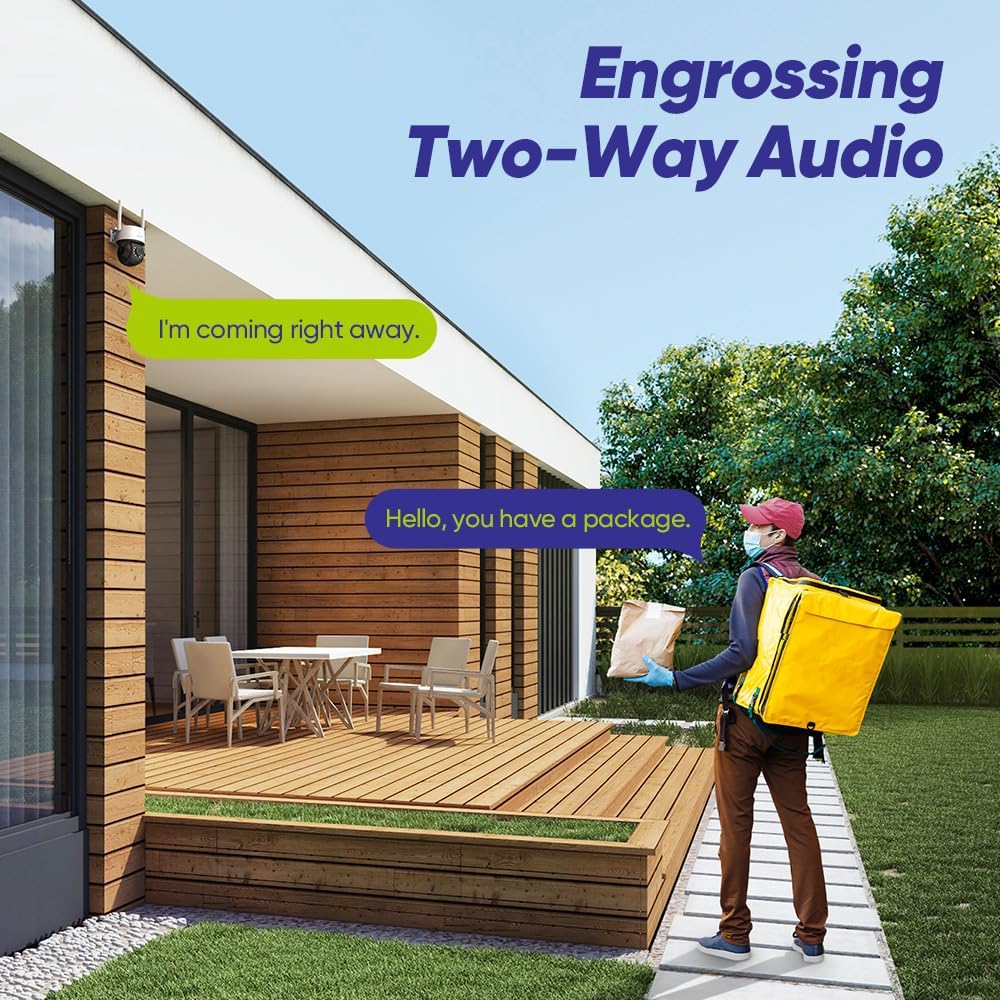
Figure 8: An example of two-way audio in use, showing a conversation between a resident and a delivery person via the camera.
Motion Detection and Alerts
The camera features intelligent motion and human detection. Configure alert settings in the app to receive notifications on your mobile device when motion or a human figure is detected.

Figure 9: The camera's intelligent human detection feature highlighting detected individuals in a yard, with multi-channel playback shown on a screen.

Figure 10: An overhead view of a house with customized surveillance zones and preset points highlighted, demonstrating flexible monitoring.
Night Vision
The camera provides clear night vision up to 100ft (30m) and full-color visuals within 33ft (10m) using its dual-light LEDs.

Figure 11: The camera's night vision capability, showing clear black and white imaging and enhanced color vision in low-light conditions.
Storage Options
The camera supports local storage via a MicroSD card (up to 128GB, not included) and cloud storage services (subscription may be required).

Figure 12: The camera highlighting its support for up to 128GB MicroSD card storage and optional cloud storage.
Alexa Integration
The SANNCE camera is compatible with Amazon Alexa. You can use voice commands to view the camera feed on compatible Alexa-enabled devices.

Figure 13: An example of the camera working with Amazon Alexa, allowing users to view the camera feed on an Echo Show device.
Maintenance
- Cleaning: Regularly wipe the camera lens and housing with a soft, damp cloth to remove dust and dirt. Do not use harsh chemicals or abrasive cleaners.
- Firmware Updates: Check the SANNCE app periodically for firmware updates. Keeping your camera's firmware up-to-date ensures optimal performance and security.
- Network Stability: Ensure your Wi-Fi network is stable and strong at the camera's location for uninterrupted operation.
Troubleshooting
| Problem | Possible Cause | Solution |
|---|---|---|
| Camera offline in app | No power; Wi-Fi disconnected; Router issue. | Check power connection; Verify Wi-Fi signal strength; Restart router and camera. |
| Cannot connect to Wi-Fi | Incorrect Wi-Fi password; 5GHz network; Weak signal. | Ensure correct 2.4GHz Wi-Fi password; Move camera closer to router; Reset camera and try again. |
| Poor image quality | Dirty lens; Insufficient lighting; Network bandwidth. | Clean the lens; Ensure adequate lighting for night vision; Check internet speed. |
| Motion alerts not received | Detection settings off; App notifications disabled. | Enable motion detection in app; Check phone notification settings for the SANNCE app. |
Specifications
| Feature | Detail |
|---|---|
| Video Resolution | 5MP (2880x1620) |
| Connectivity | Wi-Fi (2.4GHz) |
| Pan/Tilt Range | Horizontal 350°, Vertical 90° |
| Night Vision Range | Up to 100ft (30m) B/W, 33ft (10m) Color |
| Two-Way Audio | Supported (Built-in Mic & Speaker) |
| Storage | MicroSD Card (Max 128GB), Cloud Storage |
| Weatherproof Rating | IP66 |
| Operating Temperature | -4°F to 122°F (-20°C to 50°C) |
| Power Source | Corded Electric |
| Compatibility | Amazon Alexa |
Warranty and Support
For warranty information and technical support, please refer to the SANNCE official website or contact their customer service directly. Details can typically be found on the product packaging or the SANNCE brand store on Amazon.
SANNCE Customer Service: Please visit www.sannce.com/support for assistance.
Related documentsSANNCE 5MP WiFi Security Camera


Ask a question about this manual
Ask about setup, troubleshooting, compatibility, parts, safety, or missing instructions. Manuals+ will review the question and use this page’s manual context to help answer it.