
CoasTeering Planet
CoasTeering Planet Cordless Robotic Pool Cleaner Instruction Manual
Model: Planet
1. Introduction
Thank you for choosing the CoasTeering Planet Cordless Robotic Pool Cleaner. This manual provides essential information for the safe and efficient operation, maintenance, and troubleshooting of your device. Please read it thoroughly before first use and retain it for future reference.

Image: The CoasTeering Planet Robotic Pool Cleaner operating in a swimming pool, demonstrating its automatic cleaning function while users relax.
2. Safety Information
- Always ensure the pool cleaner is fully charged before use.
- Do not operate the cleaner if the battery or charging port is damaged.
- Keep children and pets away from the pool area when the cleaner is in operation.
- Only use the provided power adapter for charging.
- Do not attempt to disassemble or repair the unit yourself. Contact customer support for assistance.
- Remove the cleaner from the pool before adding chemicals or performing maintenance.
- Ensure the pool cleaner is completely dry before charging.
- This device is designed for cleaning pool floors only. It is not suitable for climbing walls or steps.
3. Package Contents
Verify that all items are present in the package:
- CoasTeering Planet Robotic Pool Cleaner (x1)
- User Manual (x1)
- Retrieval Hook (x1)
- Power Adapter (x1)
- Replacement Brushes (x2)

Image: A visual representation of the package contents, including the robotic cleaner, user manual, retrieval hook, power adapter, and two replacement brushes, laid out on a wooden surface.
4. Product Overview
The CoasTeering Planet is a cordless robotic pool cleaner designed for efficient cleaning of above-ground and flat-floor in-ground pools.
Key Features:
- Dual Drive Cleaning: Equipped with dual drive motors and dual suction ports for enhanced cleaning power.
- Extended Runtime: A 4000mAh battery provides up to 120 minutes of cleaning on a single charge.
- Automatic Operation: Simple one-button activation for automatic pool cleaning.
- Smart Parking: Automatically stops near the pool edge when the cleaning cycle is complete or the battery is low.
- Cordless Design: Eliminates tangled wires and hoses for hassle-free operation.
- Quiet Operation: Cleans with minimal noise, comparable to a microwave.
- Advanced Filtration: Features a 180µl filter to capture dust, debris, leaves, sand, and small stones.

Image: A top-down view of the CoasTeering Planet Robotic Pool Cleaner, showcasing its compact design and the two included brushes.
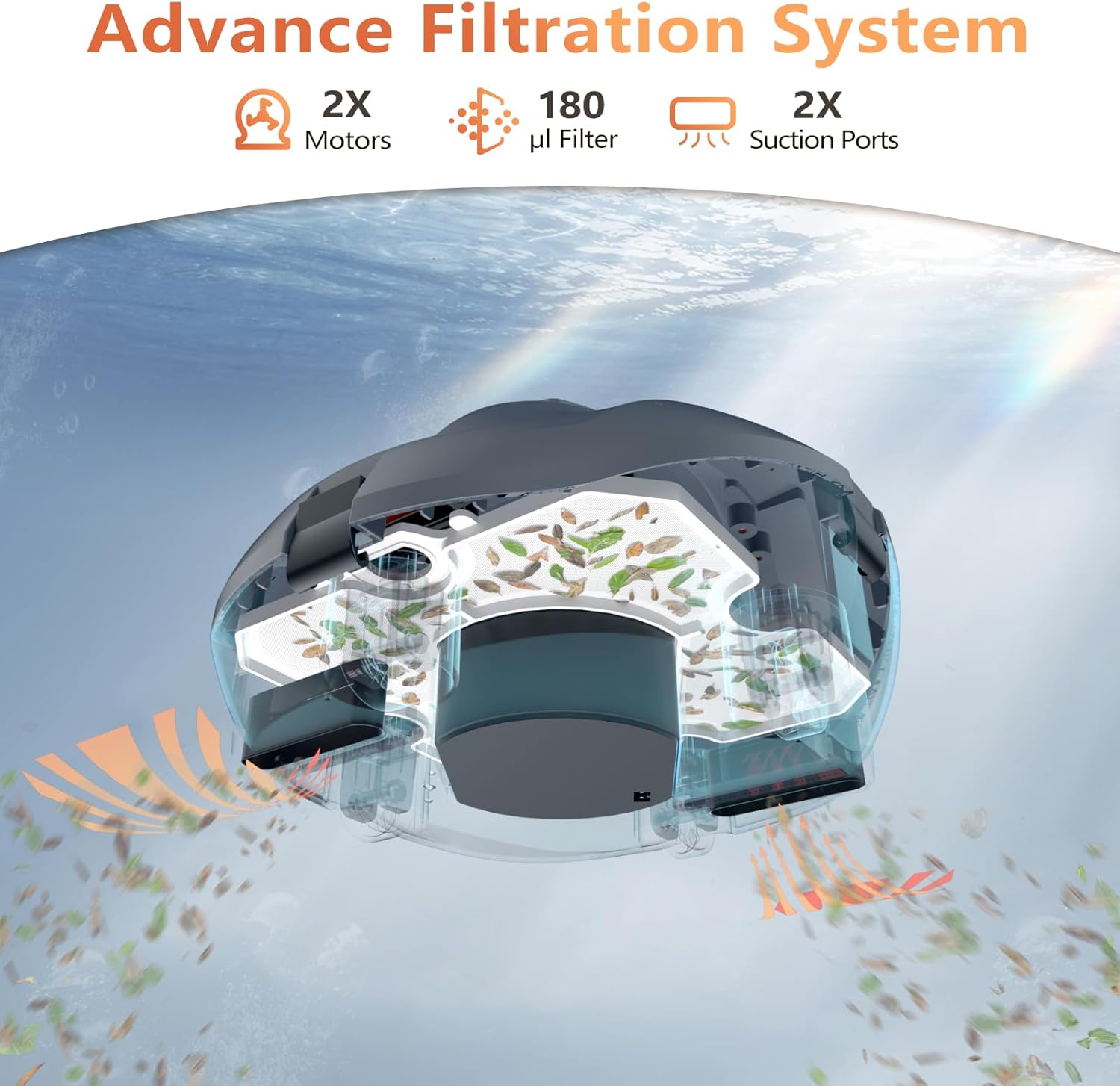
Image: An X-ray view illustrating the internal advanced filtration system of the pool cleaner, highlighting the dual motors, 180µl filter, and dual suction ports.

Image: A graphic depicting two powerful motors, emphasizing the dual-drive cleaning capability of the device.

Image: A graphic illustrating a 4000mAh battery, highlighting the extended cleaning time feature.
5. Setup
5.1 Charging the Cleaner
- Ensure the cleaner is completely dry before charging.
- Connect the power adapter to the charging port on the cleaner.
- Plug the adapter into a power outlet. The indicator light will show charging status.
- A full charge takes approximately 3.7 hours, providing up to 120 minutes of operation.

Image: The CoasTeering Planet Robotic Pool Cleaner connected to its power adapter and charging, indicating a full charge in 2 hours.
5.2 Attaching Brushes
Attach the two included brushes to the designated slots on the underside of the cleaner. Ensure they are securely fastened.

Image: A close-up view demonstrating how to attach the brushes to the underside of the CoasTeering Planet Robotic Pool Cleaner.
6. Operating Instructions
6.1 Starting a Cleaning Cycle
- Ensure the cleaner is fully charged.
- Place the cleaner into the pool. It will sink to the bottom.
- Press the power button located on the top of the unit. The indicator light will illuminate, and the cleaner will begin its cleaning cycle.

Image: A hand pressing the power button on the CoasTeering Planet Robotic Pool Cleaner, indicating its easy one-click activation.
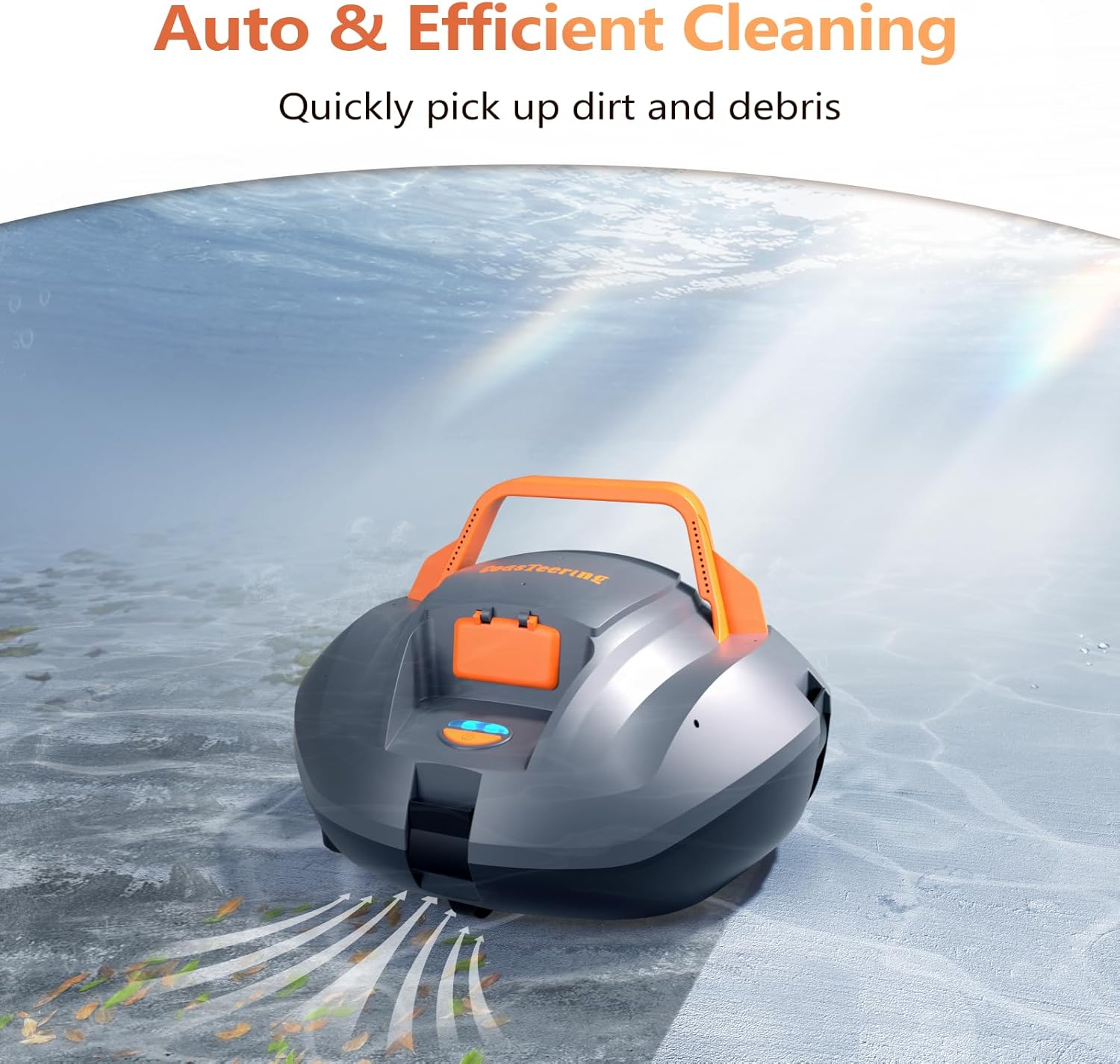
Image: The CoasTeering Planet Robotic Pool Cleaner actively cleaning the bottom of a pool, showing debris being drawn into its suction ports.

Image: An aerial view of a large rectangular pool with the robotic cleaner operating, indicating an extended cleaning time of 100 minutes for up to 850 sq. ft.
6.2 Smart Parking and Retrieval
At the end of its cleaning cycle or when the battery is low, the CoasTeering Planet will automatically move to the edge of the pool. Use the included retrieval hook (attached to a standard pool pole, not included) to lift the cleaner out of the water.

Image: The CoasTeering Planet Robotic Pool Cleaner automatically parking near the pool wall, indicated by a 'P' symbol on the pool floor, when its battery is low.
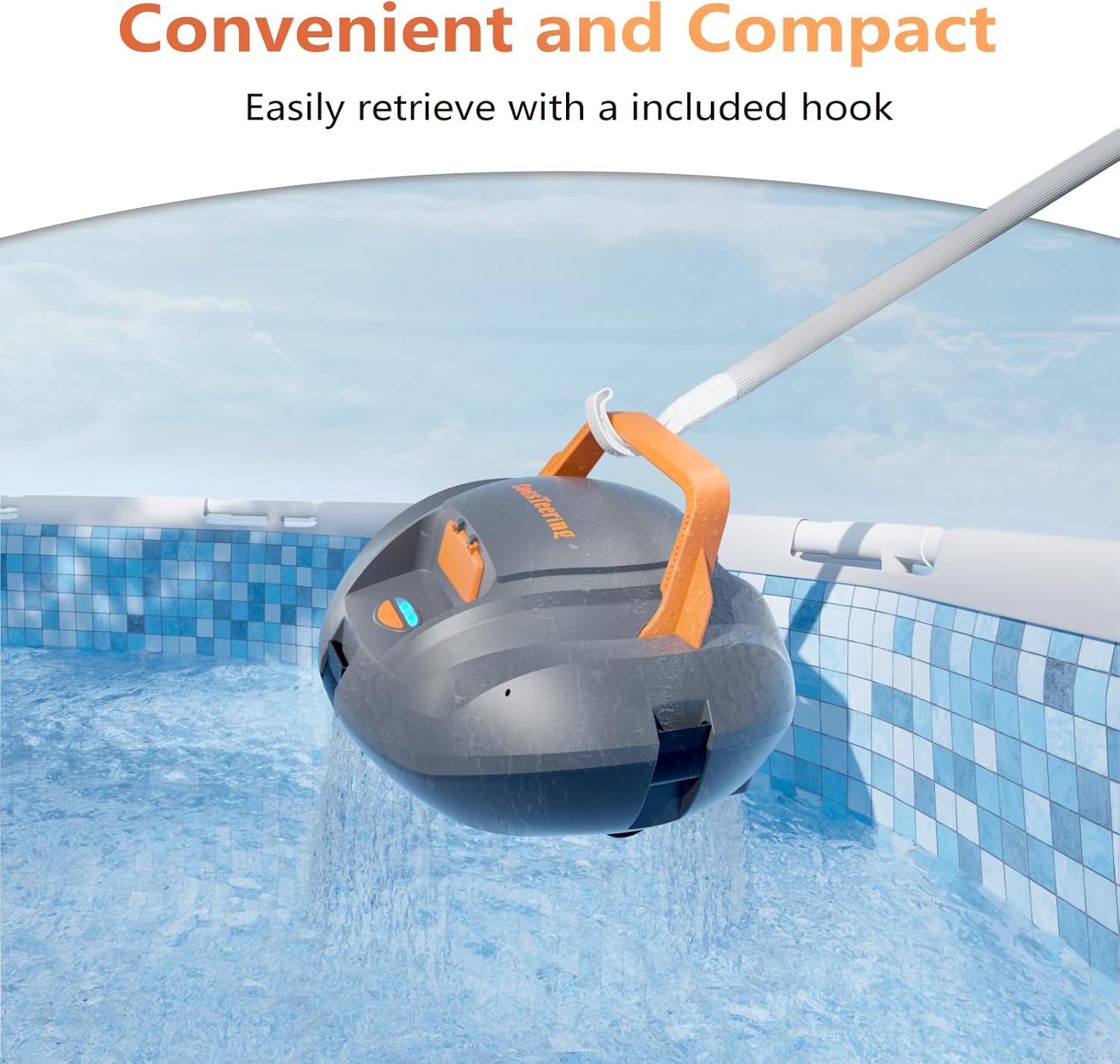
Image: A person using the provided retrieval hook to easily lift the CoasTeering Planet Robotic Pool Cleaner out of the pool.
6.3 Battery Indicator Lights
The indicator lights on the cleaner provide information about the battery level:
- Green Light: 100%-71% battery remaining.
- Blue Light: 70%-31% battery remaining.
- Red Light: 30%-0% battery remaining.

Image: A diagram showing the different color indications (green, blue, red) of the battery status lights on the robotic pool cleaner, corresponding to charge levels.
7. Maintenance
7.1 Cleaning the Filter
- After each cleaning cycle, remove the cleaner from the pool.
- Open the filter compartment.
- Remove the filter basket and empty any collected debris.
- Rinse the filter basket thoroughly with a hose to remove fine particles.
- Reinsert the clean filter basket and close the compartment securely.

Image: A person cleaning the filter basket of the robotic pool cleaner with a garden hose, showing debris being washed away.
7.2 General Care
- Periodically inspect the brushes for wear and tear. Replace them as needed using the provided replacement brushes.
- Store the cleaner in a cool, dry place when not in use, away from direct sunlight.
- Ensure the charging port cover is securely closed when the cleaner is in the water.
8. Troubleshooting
| Problem | Possible Cause | Solution |
|---|---|---|
| Cleaner does not start. | Low battery; Power button not pressed correctly. | Charge the cleaner fully; Press the power button firmly until the indicator light illuminates. |
| Cleaner stops prematurely. | Low battery; Obstruction; Filter basket full. | Recharge the cleaner; Check for and remove any obstructions; Clean the filter basket. |
| Poor cleaning performance. | Filter basket is dirty or clogged; Brushes are worn; Large debris. | Clean the filter basket thoroughly; Replace worn brushes; Manually remove large debris before operating. |
| Cleaner gets stuck. | Uneven pool floor (e.g., drain covers, slight slopes); Large debris. | Ensure pool floor is flat; Manually remove large debris. Note: This cleaner is designed for flat-bottom pools and may struggle with significant slopes or obstacles. |
| Charging indicator not working. | Power adapter not connected properly; Faulty adapter or charging port. | Ensure secure connection; Try a different outlet; Contact customer support if issue persists. |
9. Specifications
- Model: Planet
- Product Dimensions: 13 x 13 x 8.6 inches
- Item Weight: 10.23 pounds
- Battery: 4000mAh Lithium Ion (included)
- Charging Time: Approximately 3.7 hours
- Runtime: Up to 120 minutes
- Filter Fineness: 180µl
- Max Pool Size: Up to 33ft (850 sq. ft)
- Compatibility: Above-ground pools and flat-floor in-ground pools (no slopes). Not suitable for pools with steps or wall-climbing.

Image: A diagram showing the dimensions of the CoasTeering Planet Robotic Pool Cleaner, measuring 13 inches in length, 13 inches in width, and 8.6 inches in height, along with brush dimensions.

Image: A visual guide indicating the types of pools supported (above-ground, flat-floored in-ground up to 850 sq. ft) and unsupported (large areas, sloped floors, steps, wall-climbing) by the robotic pool cleaner.
10. Warranty and Support
For warranty information, please refer to the warranty card included with your product or contact CoasTeering customer support directly. If you encounter any issues or have questions regarding your CoasTeering Planet Robotic Pool Cleaner, please reach out to our customer service team for assistance.
Manufacturer: CoasTeering
Contact Information: Please visit the official CoasTeering website or refer to the contact details provided in your product packaging for support.
Related documentsPlanet

Ask a question about this manual
Ask about setup, troubleshooting, compatibility, parts, safety, or missing instructions. Manuals+ will review the question and use this page’s manual context to help answer it.