
1. Introduction
Thank you for choosing the Cozion Smart Bird Feeder. This device allows you to observe birds in your garden in real-time, capture high-definition photos and videos, and identify bird species using AI recognition. Equipped with a solar panel, it offers continuous operation with minimal maintenance. Please read this manual carefully before use to ensure proper installation and operation.
2. Safety Information
- Placement: Position the bird feeder away from areas easily accessible to predators to ensure the safety of visiting birds. Ensure the feeder is stable and securely mounted to prevent it from falling.
- Power Source: The device is solar-powered. Ensure the solar panel receives adequate direct sunlight for optimal charging.
- Water Resistance: The feeder features an IP65 waterproof design, suitable for outdoor use. However, avoid submerging the device in water.
- Cleaning: Disconnect the camera module before cleaning the feeder. Use a soft, damp cloth for cleaning.
- Children and Pets: Keep small parts and packaging materials away from children and pets to prevent choking hazards.
3. Package Contents
Verify that all items are present in the package:
- Smart Bird Feeder Unit (with integrated camera)
- Solar Panel
- Mounting Accessories (straps, screws, etc.)
- User Manual (this document)
- AA Battery (1 included)
4. Product Overview
The Cozion Smart Bird Feeder combines a traditional bird feeder with advanced smart technology. Key features include:
- 1080P HD Camera: Captures clear images and videos of birds.
- 140° Wide-Angle Lens: Provides a broad view of the feeding area.
- AI Bird Recognition: Identifies over 10,000 bird species.
- Built-in Microphone: Allows for audio capture.
- Solar Panel: Powers the camera and charges the 5000mAh rechargeable battery.
- APP Control: Manage settings, view live streams, and receive notifications via a dedicated mobile application.
- IP65 Waterproof Design: Ensures durability in various weather conditions.

Figure 4.1: Cozion Smart Bird Feeder with Camera and Solar Panel, illustrating its main features.
5. Setup Instructions
5.1. Assembly and Mounting
- Choose a Location: Select a suitable outdoor location for the bird feeder. Ensure it is stable, secure, and provides a clear view for the camera. The location should also receive ample direct sunlight for the solar panel.
- Mount the Feeder: Use the provided mounting accessories (e.g., straps for tree mounting or screws for wall mounting) to securely attach the bird feeder. Ensure it is level and firm.
- Fill the Feeder: Open the feeder compartment and fill it with appropriate bird seeds, fruits, nuts, or mealworms. The feeder has a capacity of 1.6 liters.
5.2. Camera and Solar Panel Connection
- Insert Battery: Ensure the included AA battery is correctly inserted into the camera module.
- Connect Solar Panel: Connect the solar panel cable to the camera unit. Position the solar panel to maximize exposure to direct sunlight.

Figure 5.2.1: Illustration of the solar panel charging the 5000mAh battery.
5.3. App Installation and Wi-Fi Connection
- Download the App: Search for the dedicated Cozion bird feeder app on your smartphone's app store (iOS or Android) and install it.
- Create Account: Open the app and follow the on-screen instructions to create a new user account or log in if you already have one.
- Add Device: In the app, select the option to add a new device. Follow the prompts to connect your bird feeder camera to your 2.4G Wi-Fi network. Ensure the feeder is within range of your Wi-Fi router.
- Pairing: The app will guide you through the pairing process, which typically involves scanning a QR code on the camera or pressing a reset button.

Figure 5.3.1: App remote control interface for the bird feeder camera.
6. Operating Instructions
6.1. Live View and Recording
- Access Live Stream: Open the app and select your bird feeder device to view the live 1080P HD video stream.
- Capture Photos/Videos: Use the dedicated buttons within the app to manually capture photos or record video clips of visiting birds.
- Night Vision: The camera automatically switches to night vision mode in low-light conditions, allowing for 24/7 observation.
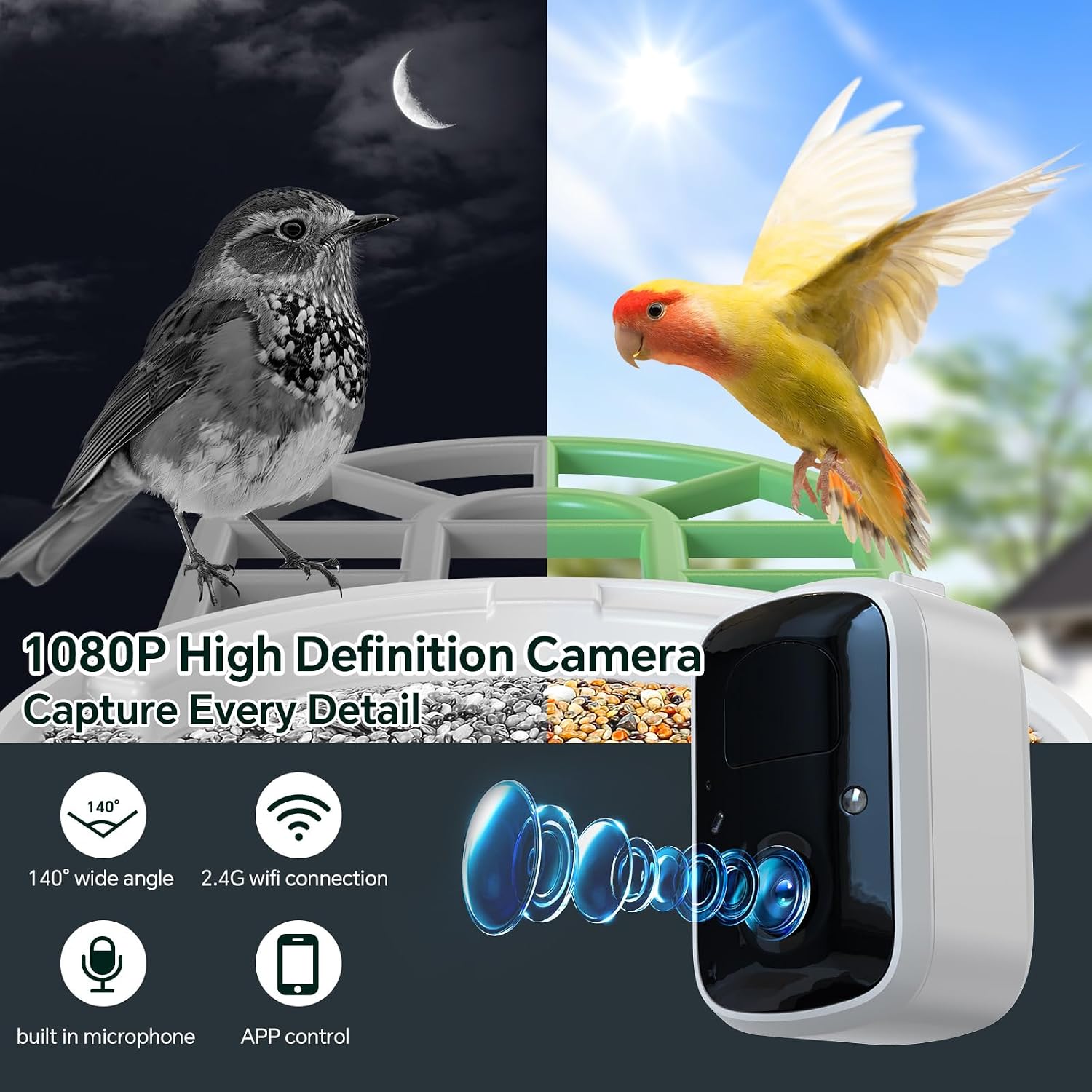
Figure 6.1.1: 1080P High Definition Camera features and day/night capabilities.
6.2. AI Bird Recognition and Notifications
- Automatic Identification: The AI system automatically identifies bird species that visit the feeder.
- Instant Notifications: Receive instant notifications on your smartphone when a bird is detected, along with the identified species.
- Species Database: The app provides access to a database with information on identified bird species.

Figure 6.2.1: Intelligent AI System identifying a bird species.
6.3. Sharing Content
- Share Moments: The app allows you to easily share captured photos and videos of birds with friends and family via social media or messaging platforms.

Figure 6.3.1: Sharing bird observations with others.
6.4. Video Demonstration
Video 6.4.1: A short video demonstrating a bird feeding at the Cozion Smart Bird Feeder. This clip provides a real-world view of the feeder in action and how birds interact with it.
7. Maintenance
- Cleaning the Feeder: Regularly clean the bird feeder to prevent the spread of disease among birds. Disconnect the camera module before cleaning. Use warm soapy water and a brush to remove old seeds and droppings. Rinse thoroughly and allow to dry completely before refilling.
- Cleaning the Camera Lens: Gently wipe the camera lens with a soft, lint-free cloth to ensure clear image quality. Avoid abrasive materials.
- Solar Panel Maintenance: Keep the solar panel clean and free of dust, leaves, or snow to ensure efficient charging. Wipe it periodically with a damp cloth.
- Battery Life: The 5000mAh rechargeable battery is designed for long-term use. If the device experiences power issues despite adequate sunlight, check the battery connection or consider replacing the AA battery if necessary.

Figure 7.1: IP65 Waterproof Design for all-weather durability.
8. Troubleshooting
| Problem | Possible Cause | Solution |
|---|---|---|
| Device not powering on. | Low battery; Solar panel not charging; Battery not inserted correctly. | Ensure solar panel receives direct sunlight. Check battery insertion. Allow time for solar charging. |
| Cannot connect to Wi-Fi. | Incorrect Wi-Fi password; Feeder out of Wi-Fi range; Only 2.4G Wi-Fi supported. | Verify Wi-Fi password. Move feeder closer to router. Ensure you are connecting to a 2.4G network. |
| Poor image/video quality. | Dirty camera lens; Insufficient light. | Clean the camera lens. Ensure adequate lighting or rely on automatic night vision. |
| AI recognition not working. | Poor image clarity; Software issue. | Ensure camera lens is clean and lighting is good. Check app for updates. |
| No notifications. | App notification settings disabled; Phone settings blocking notifications. | Check notification settings within the app and on your smartphone. |
9. Specifications
| Feature | Detail |
|---|---|
| Model Number | G12-BG-EU |
| Dimensions (L x W x H) | 15 x 30 x 21 cm |
| Weight | 2.15 kilograms |
| Camera Resolution | 1080P HD |
| Field of View | 140° Wide Angle |
| Connectivity | 2.4G Wi-Fi |
| Power Source | Solar Powered, 5000mAh Rechargeable Battery |
| Battery Type | 1 AA (included) |
| Waterproof Rating | IP65 |
| Feeder Capacity | 1.6 Liters |
| Recommended Usage | Fruit, Seed, Nut, Mealworm |
| Special Features | Solar panel, AI bird species detection |
| Mounting Type | Suspended mounting |
10. Warranty and Support
Cozion products are designed for quality and reliability. For warranty information, technical support, or assistance with your Smart Bird Feeder, please refer to the contact information provided on the product packaging or visit the official Cozion website. Keep your purchase receipt as proof of purchase for warranty claims.