
Surtime 8216
Surtime 44-Inch Low Profile Ceiling Fan User Manual
Model: 8216 | Brand: Surtime
1. Product Overview
The Surtime 44-Inch Low Profile Ceiling Fan with Lights is designed for both indoor and outdoor (covered) use, offering versatile functionality and modern aesthetics. It features a powerful yet quiet DC motor, reversible blades, dimmable LED lighting with adjustable color temperature, and convenient control via remote or a dedicated mobile application.
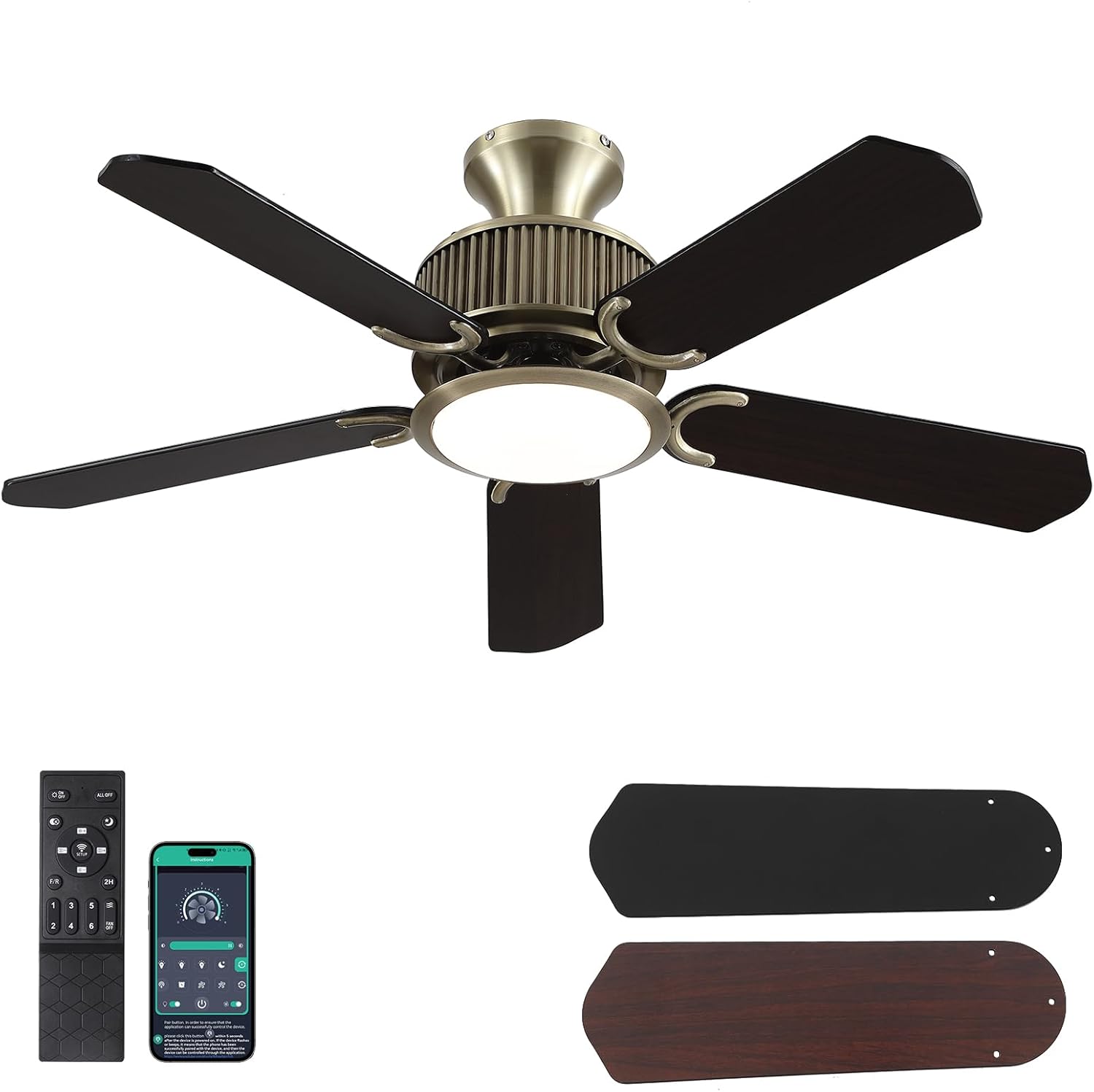
Figure 1.1: Surtime 44-Inch Low Profile Ceiling Fan with remote and reversible blades.
2. Safety Information
WARNING: To reduce the risk of fire, electric shock, or personal injury, always follow these basic precautions:
- Read all instructions carefully before installation and use.
- Ensure the power is turned off at the circuit breaker before beginning installation or performing any maintenance.
- All wiring must be in accordance with national and local electrical codes. If you are unsure, consult a qualified electrician.
- The mounting structure must be capable of supporting the weight of the fan (approximately 11.9 pounds).
- Do not operate the fan with damaged blades or housing.
- Keep hands, clothing, and other objects clear of the fan blades when the fan is in operation.
3. Package Contents
Verify that all components are present and undamaged before proceeding with installation.
- Ceiling Fan Unit (with integrated light source)
- 5 Double-Sided Blades (Bronze/Walnut finish)
- Remote Control
- Installation Instructions
- Necessary Mounting Hardware
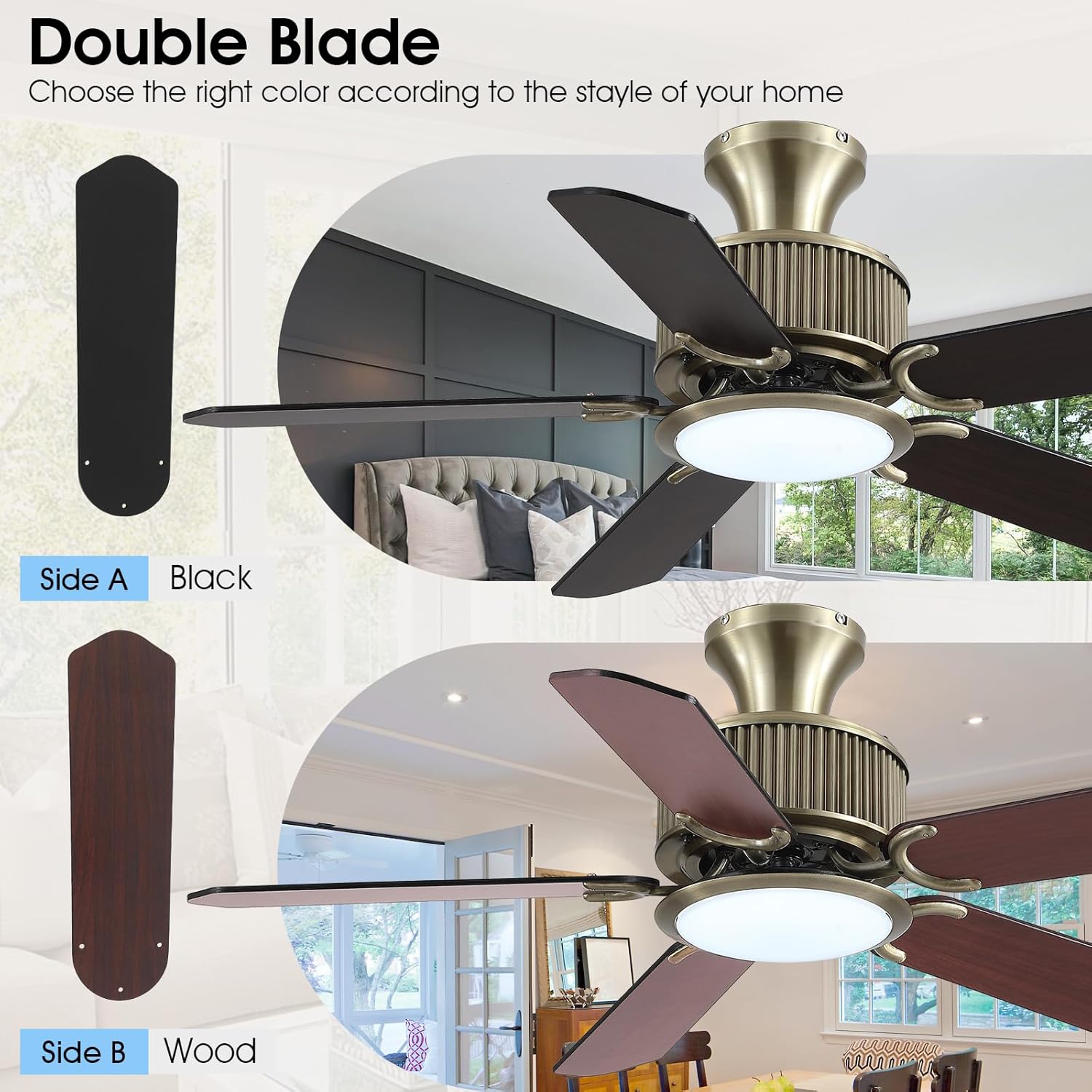
Figure 3.1: The fan includes double-sided blades, allowing you to choose between a black or wood finish to match your decor.
4. Setup and Installation
The Surtime ceiling fan is designed for easy, embedded installation, often requiring only one person. Detailed installation videos are available to assist with the process.
Video 4.1: Official installation and feature demonstration video for the Surtime Ceiling Fan. This video provides a visual guide to the setup process and highlights key functionalities.
4.1 Mounting Options
This fan supports flush mount installation. Ensure the ceiling junction box is securely mounted and capable of supporting the fan's weight.

Figure 4.1: The fan is designed for flush mount installation, providing a low-profile appearance.
5. Operating Instructions
Your Surtime ceiling fan can be controlled using the included remote control or a dedicated mobile application.
5.1 Remote Control and APP Operation
The smart ceiling fan allows control of 6 fan speeds, reverse air flow, 2-hour timer, and night light mode. The tri-color dimmable LED lights can also be adjusted.
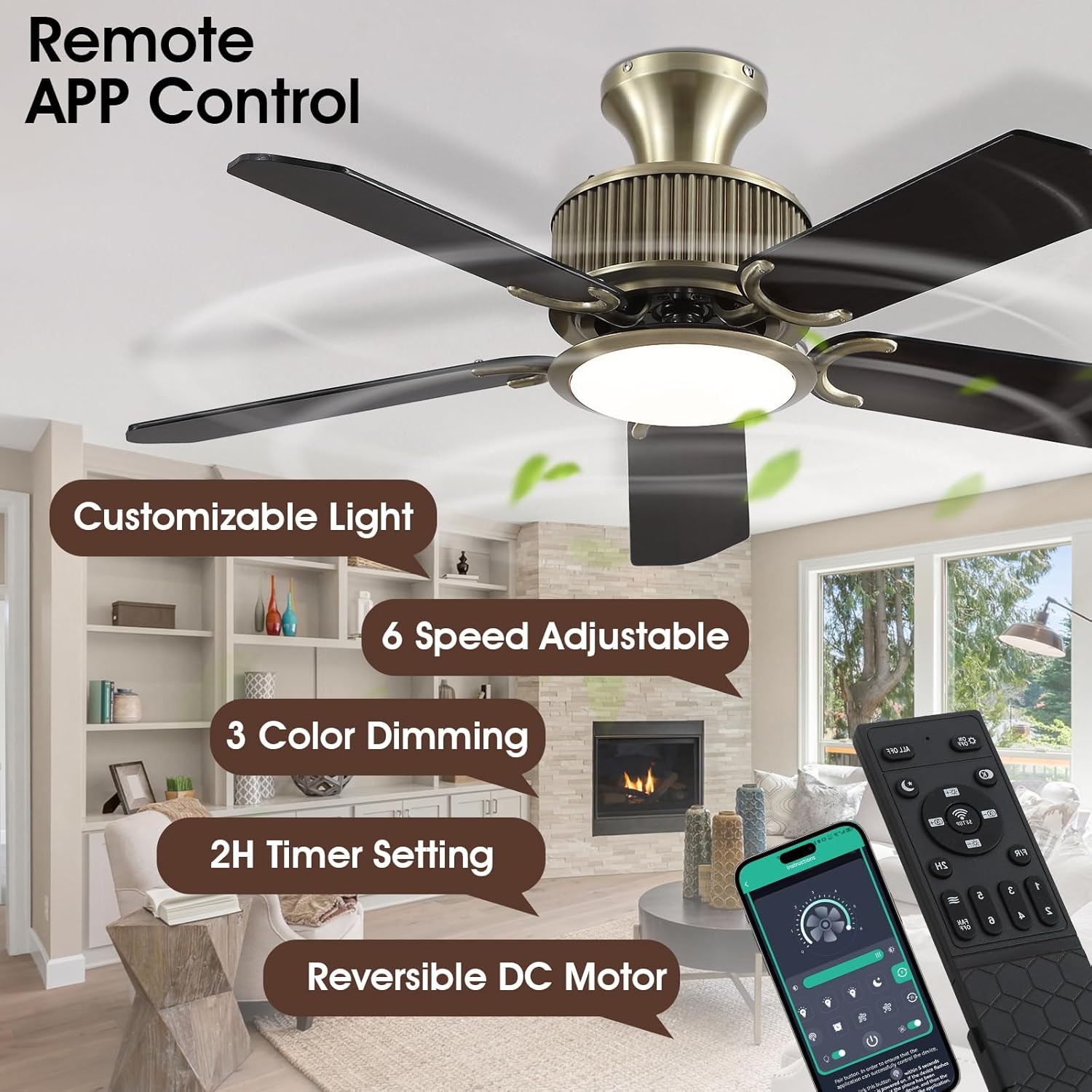
Figure 5.1: The fan can be conveniently controlled via the included remote or a smartphone application.

Figure 5.2: Detailed view of the remote control functions and QR code for downloading the control app. The app can be downloaded from jasonghost.com/fanlamppro/.
5.2 Light Control (3 Colors Dimmable & Memory Function)
Adjust the light color temperature and brightness to suit your preference. The fan features three light colors (3000K Warm Light, 4500K Natural Light, 6000K White Light) and a memory function that recalls your last setting.

Figure 5.3: Choose from warm, natural, or white light settings to create the desired ambiance.
5.3 Fan Speed Adjustment (6 Speeds)
The fan offers 6 adjustable speeds to provide optimal airflow for various activities and comfort levels, from a soft breeze for sleep to a strong wind for exercise.

Figure 5.4: Six speed settings cater to various needs, from gentle air circulation to powerful cooling.
5.4 Reversible Motor for All Seasons
The fan features a reversible DC motor, allowing for both forward (downdraft) and reverse (updraft) rotation. Forward rotation creates a cooling breeze for summer, while reverse rotation helps circulate warm air in winter.

Figure 5.5: Utilize the reversible function to optimize air circulation for both cooling in summer and warming in winter. To reverse, press the 'R' key on the remote and wait 5-8 seconds for the fan to stop and automatically reverse.
5.5 Timer Function (2H)
Set the fan to automatically turn off after 2 hours using the timer function, ideal for nighttime use.
5.6 Night Light Mode
Activate the warm night light mode for gentle illumination, promoting relaxation and sleep.

Figure 5.6: The warm night light emits gentle lighting, ideal for creating a relaxing environment.
6. Maintenance
Regular maintenance ensures optimal performance and longevity of your ceiling fan.
- Cleaning: To clean the fan, wipe with a soft, damp cloth. Do not use abrasive cleaners or solvents. Ensure power is off before cleaning.
- Blade Care: Periodically check fan blade screws for tightness. Loose screws can cause wobbling and noise.
- Motor: The DC motor is designed for quiet and energy-efficient operation and typically requires no lubrication.

Figure 6.1: The fan features a highly energy-efficient and noiseless DC motor.
7. Troubleshooting
If you encounter issues with your Surtime ceiling fan, refer to the following common problems and solutions:
| Problem | Possible Cause | Solution |
|---|---|---|
| Fan does not operate / Light does not turn on | No power supply; Loose wiring; Remote/APP issue | Check circuit breaker; Ensure all connections are secure; Replace remote batteries or re-pair remote/APP. |
| Fan wobbles | Loose blade screws; Unbalanced blades; Loose mounting hardware | Tighten all blade screws; Check for bent blades; Ensure mounting bracket is secure. |
| Fan makes noise | Loose screws; Motor issue; Obstruction | Check all screws; Ensure no wires are rubbing; If noise persists, contact customer support. |
| Remote/APP not responding | Low batteries; Interference; Not paired | Replace batteries; Reduce interference; Follow pairing instructions in the full manual. |
If you can't find the installation instructions or need further assistance, you can contact Surtime customer support.
8. Specifications
| Feature | Specification |
|---|---|
| Brand | Surtime |
| Model Name | 8216 |
| Size | 44 inches (Diameter) |
| Color | Bronze-44IN (with reversible Black/Wood blades) |
| Power Source | AC/DC |
| Voltage | 110 Volts |
| Wattage | 18 watts (Light) |
| Number of Blades | 5 |
| Control Method | App, Remote |
| Light Type | LED (3000K/4500K/6000K Dimmable) |
| Special Features | App Operable, Dimmable Light, Light Memory Function, Strong Airflow, Reversible Motor, 2H Timer |
| Indoor/Outdoor Usage | Indoor, Outdoor (covered) |
| Item Weight | 11.9 pounds |
| Product Dimensions | 44"D x 44"W x 12"H |
9. Warranty and Support
Surtime offers a worry-free 1-year warranty on quality-related issues for this ceiling fan. If you encounter any problems or require assistance, please do not hesitate to contact Surtime customer support. You can find contact information by clicking the store entrance on the product homepage.
Ask a question about this manual
Ask about setup, troubleshooting, compatibility, parts, safety, or missing instructions. Manuals+ will review the question and use this page’s manual context to help answer it.