
1. Safety Information
WARNING: CHOKING HAZARD - Small Parts. This product contains small parts and is not suitable for children under 3 years of age. Adult supervision is recommended during assembly and operation, especially for younger users. Keep all packaging materials away from children.
2. Product Overview
The UNCLE BRICK Hummer Off-Road Remote Control Car Building Blocks set (Model 11044) allows for the construction of a detailed 1:8 scale off-road vehicle. This set includes a Technic Motorize system for remote control functionality, offering an interactive building and play experience. The model features a robust design, a V6 engine, and track-based propulsion for navigating various terrains.

Figure 2.1: Fully assembled UNCLE BRICK Hummer Off-Road Remote Control Car with its remote controller.
3. Setup and Assembly
Detailed step-by-step assembly instructions are provided in the included printed manual. Please follow these instructions carefully to ensure correct construction and functionality of your UNCLE BRICK Hummer. Organize all building blocks before starting assembly to facilitate the process.
3.1. Battery Installation
The Technic Motorize system and remote controller require batteries for operation. Refer to the specific sections in the printed manual for battery type and installation procedures for both the vehicle's power unit and the remote controller. Ensure batteries are inserted with correct polarity.
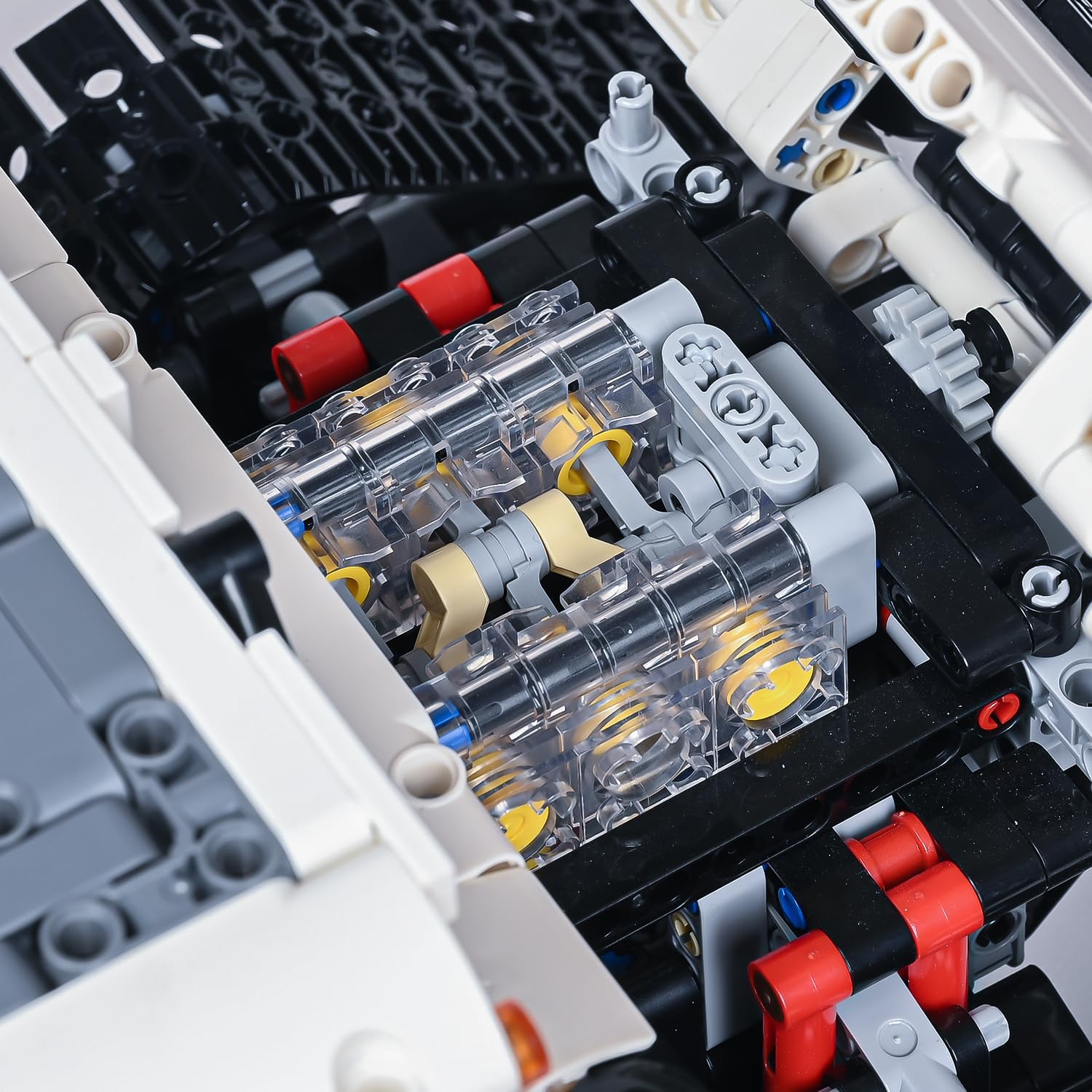
Figure 3.1: Internal view of the V6 engine block within the UNCLE BRICK Hummer model.
3.2. Power Unit Activation
After assembly and battery installation, locate the power switch on the vehicle's motorize unit. Turn it to the 'ON' position to activate the vehicle's electronic components. The remote controller should also be powered on and paired according to the instructions in the printed manual.
Video 3.1: Demonstration of the UNCLE BRICK Hummer Off-Road Remote Control Car's features, including engine operation, opening doors, and winch functionality.
4. Operating Instructions
The UNCLE BRICK Hummer can be controlled via a dedicated remote controller or a mobile application. Ensure the vehicle's power unit is on and the controller/app is successfully paired before operation.
4.1. Driving Controls
Use the joysticks or directional controls on your remote or mobile app to maneuver the vehicle. The track system allows for movement across various surfaces. Practice in an open area to familiarize yourself with the controls.
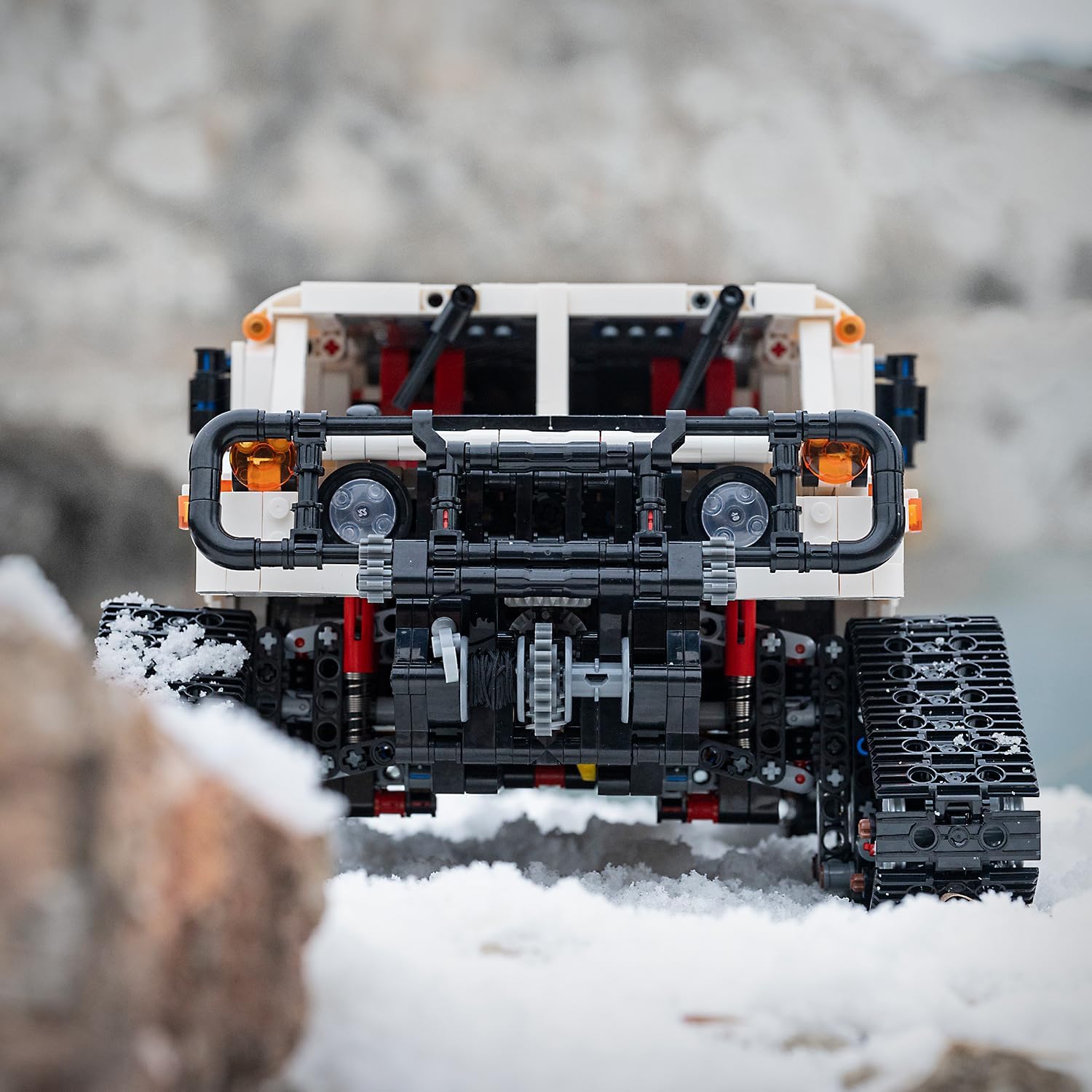
Figure 4.1: The UNCLE BRICK Hummer navigating a snowy environment, showcasing its front design and track system.
4.2. Special Features
- Winch Operation: The front of the vehicle is equipped with a functional winch. Use the designated controls on the remote or app to extend and retract the winch cable. This feature can be used for towing or self-recovery.
- Opening Doors: All four doors of the vehicle can be opened manually, providing access to the detailed interior.
- Engine Hood and Rear Hatch: The engine hood and rear hatch can be opened to reveal the internal mechanisms, including the V6 engine model.

Figure 4.2: Close-up of the vehicle's track system, designed for off-road performance.
Video 4.1: The UNCLE BRICK Hummer Off-Road Remote Control Car navigating snowy terrain and performing a rescue operation with its front winch.
5. Maintenance
Proper maintenance ensures the longevity and optimal performance of your UNCLE BRICK Hummer.
5.1. Cleaning
To clean the model, gently wipe surfaces with a dry, soft cloth. Avoid using harsh chemicals or abrasive materials, as these can damage the plastic components. For intricate areas, a soft brush can be used to remove dust and debris.
5.2. Storage
Store the assembled model in a cool, dry place away from direct sunlight and extreme temperatures. Disassemble the model if long-term storage is required, following the reverse steps of the assembly manual, and store components in their original packaging or a suitable container.
5.3. Battery Care
Remove batteries from both the vehicle and the remote controller when not in use for extended periods to prevent leakage and damage. Dispose of used batteries responsibly according to local regulations.
6. Troubleshooting
If you encounter issues with your UNCLE BRICK Hummer, refer to the following common troubleshooting steps:
- Vehicle Not Responding:
- Ensure the power unit is switched on and batteries are correctly installed and charged.
- Verify that the remote controller is powered on and properly paired with the vehicle.
- Check for any loose connections in the motorize system. - Tracks Coming Off:
- Inspect the track links for any damage or incorrect assembly.
- Ensure all track wheels and gears are securely attached and aligned.
- Avoid operating the vehicle on surfaces that may cause excessive strain on the tracks. - Motor Malfunction:
- Confirm battery levels. Low power can affect motor performance.
- Check for any obstructions preventing motor movement.
- If the motor is making unusual noises or not functioning, contact customer support. - Difficulty with Assembly:
- Double-check the steps in the printed instruction manual. Sometimes a small error can affect subsequent steps.
- Ensure all pieces are correctly oriented and fully connected.
7. Specifications
| Feature | Detail |
|---|---|
| Product Dimensions | 17 x 9.13 x 6.93 inches |
| Item Weight | 6.64 pounds |
| Item Model Number | 11044 |
| Manufacturer Recommended Age | 8 - 12 years |
| Manufacturer | UNCLE BRICK |
| Control Method | Remote Controller / Mobile App |
| Engine Type | V6 Engine Model (non-functional replica) |
| Propulsion | Track-based system |
8. Warranty and Support
For any questions, concerns, or support regarding your UNCLE BRICK Hummer Off-Road Remote Control Car Building Blocks set, please contact UNCLE BRICK customer service. Information on warranty coverage and how to reach support can typically be found on the product packaging or the official UNCLE BRICK website. You may also visit the UNCLE BRICK Store on Amazon for additional resources.