
1. Introduction
Thank you for choosing the ODK ZJZ-U-1005 U-Shaped Desk. This manual provides detailed instructions for assembly, operation, maintenance, and troubleshooting to ensure safe and efficient use of your new desk. This versatile desk features a reversible design, integrated power strip, LED lighting, and ample storage solutions, making it suitable for both gaming and home office environments.
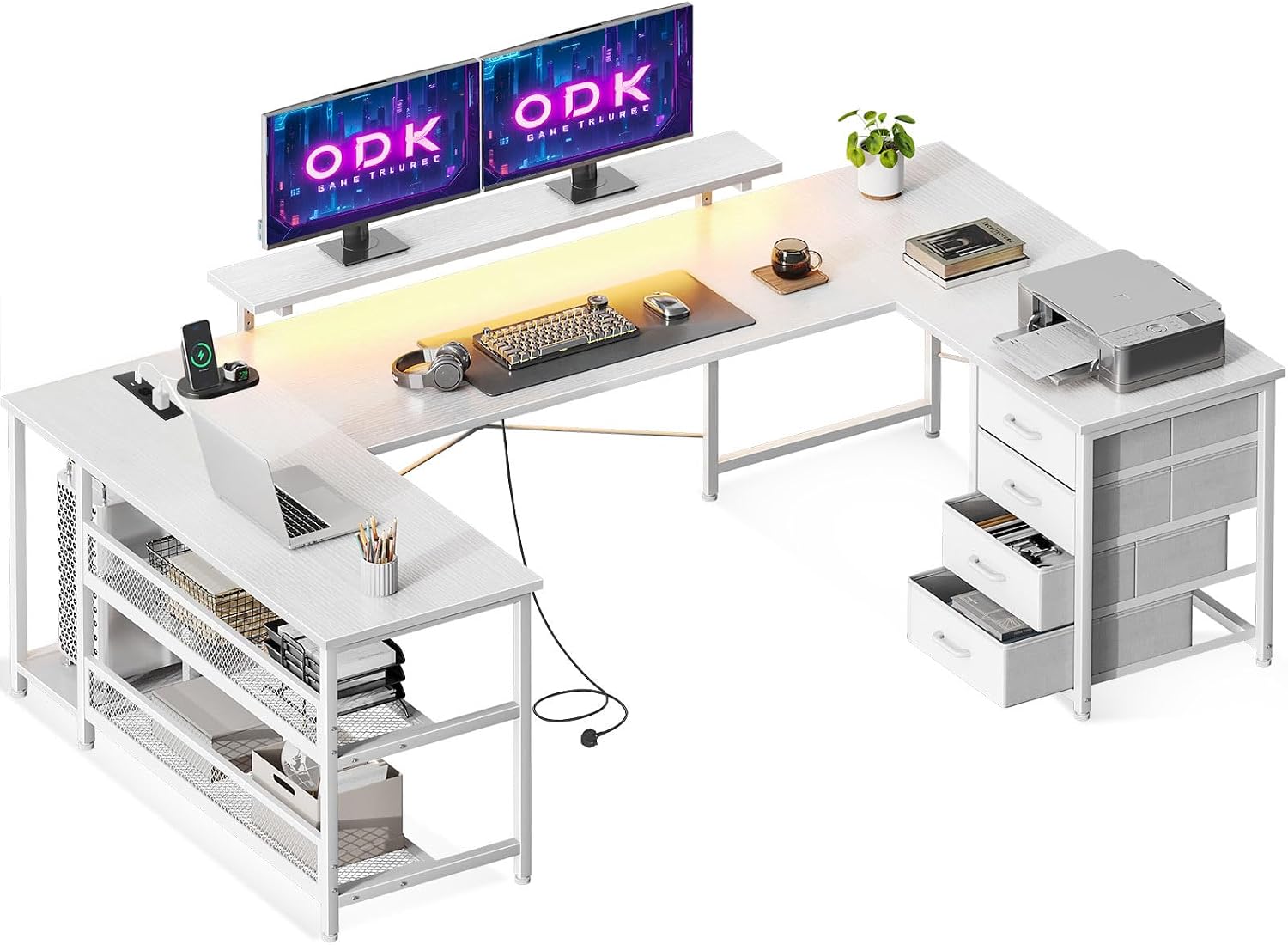
Image 1.1: Overview of the ODK U-Shaped Desk setup.
2. Safety Warnings
Attention: Please follow these instructions carefully to assemble and handle the desk safely. Pay particular attention to the electrical components and ensure the desk is properly anchored to prevent tipping or falling. Failure to do so may result in injury or damage to the product.
- Always assemble the desk on a soft, clean surface to prevent scratches.
- Ensure all screws and fasteners are securely tightened before use.
- Do not overload the desk or shelves beyond their stated weight capacity.
- Keep electrical components away from liquids.
- Children should not climb on or play with the desk.
3. Package Contents
Before beginning assembly, verify that all components listed in the assembly guide (provided separately with the product) are present and undamaged. The package typically includes:
- Desk panels (main desktop, side panels, monitor stand)
- Metal frame components and legs
- 4 fabric drawers with handles
- Integrated power strip with 2 AC outlets and 2 USB ports
- LED light strip with remote control (if applicable)
- Assembly hardware (screws, bolts, Allen wrench)
- Instruction manual (this document)
4. Setup and Assembly
Assembly of the ODK ZJZ-U-1005 desk requires following the step-by-step instructions provided in the separate assembly guide. Please refer to that guide for detailed diagrams and part identification.
4.1 Reversible Configuration
The corner desk design is reversible. During installation, you can choose to position the drawer unit and the open shelving unit on either the left or right side, according to your preference and room layout. This flexibility allows for optimal space utilization.

Image 4.1: The reversible design allows for left or right-hand configuration.
4.2 Monitor Stand Adjustment
The monitor stand is designed to be height-adjustable. This feature allows you to customize the monitor's elevation to achieve an ergonomic viewing level, promoting better posture and reducing neck and back strain during extended use.
5. Operating Instructions
5.1 Integrated Power Strip
The desk includes an integrated power strip with two standard AC outlets (220-250V/15A) and two USB charging ports (5V/2.1A). To use, connect the power strip's main cord to a wall outlet. You can then plug in your computer, monitor, tablet, phone, and other devices directly into the desk's power strip.

Image 5.1: The integrated power strip provides convenient access to power.
5.2 LED Lighting System
The desk is equipped with an LED lighting system featuring 10 colors and 10 lighting modes. This system can be controlled via a remote (if included) or a button on the desk. The LED lights have a memory function, which means they will resume the last selected mode when turned on again. This allows for customization of your workspace ambiance.

Image 5.2: The LED lighting system offers multiple colors and modes.

Image 5.3: Example of the LED lighting creating an immersive environment.
5.3 Storage Solutions
The desk provides extensive storage, including four tiered drawers, two open shelves, and a dedicated UPC stand. These features help keep your workspace organized and clutter-free.
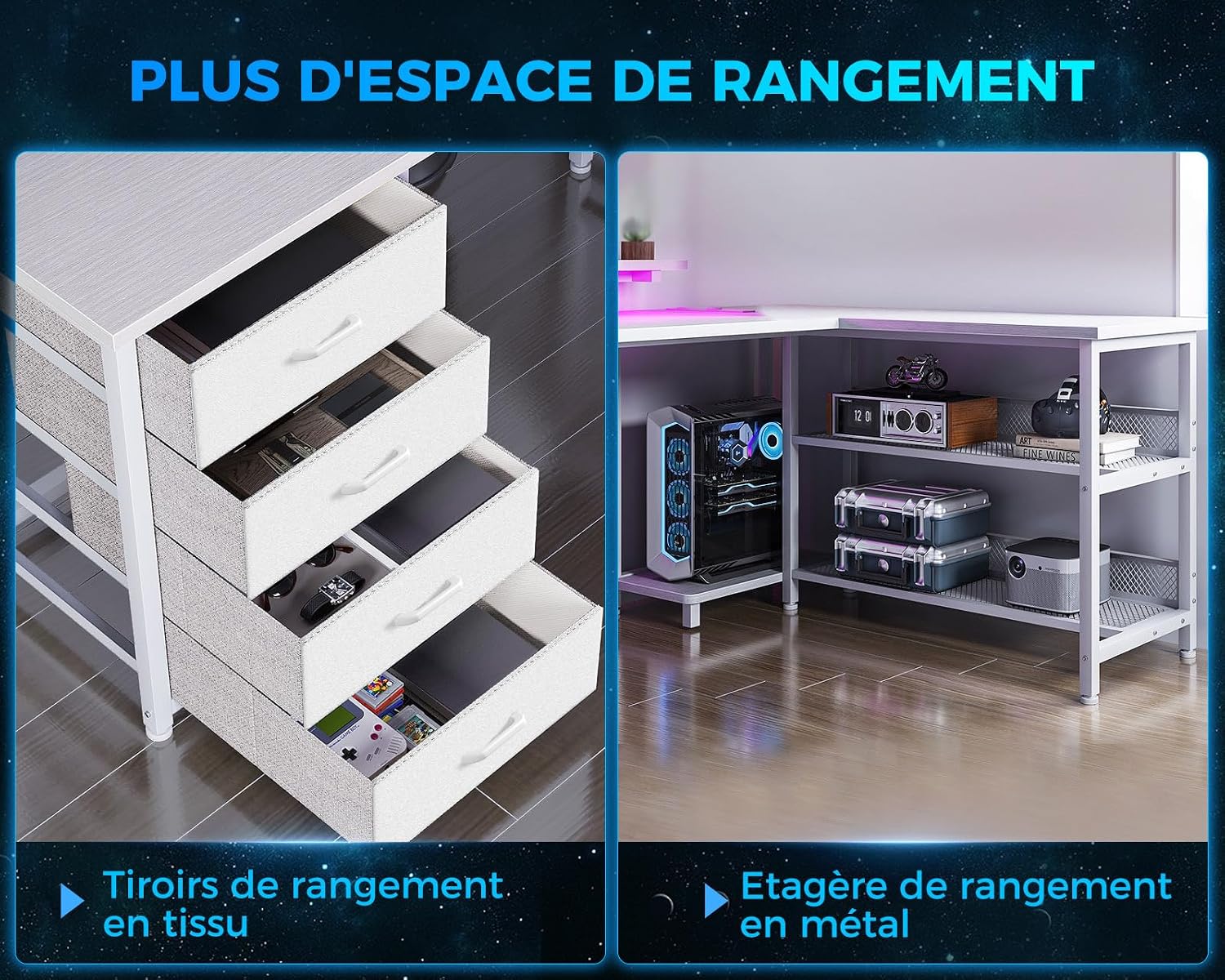
Image 5.4: Detailed view of the fabric drawers and open metal shelves.
6. Maintenance
To maintain the appearance and longevity of your ODK desk, follow these simple maintenance guidelines:
- Cleaning: Wipe surfaces with a soft, damp cloth. Avoid abrasive cleaners or harsh chemicals that could damage the finish.
- Dusting: Regularly dust all surfaces to prevent buildup.
- Spills: Clean up spills immediately to prevent staining or damage to the engineered wood.
- Fasteners: Periodically check and tighten all screws and bolts to ensure stability.
- Electrical Components: Ensure the power strip and LED lights are kept dry and free from dust.
7. Troubleshooting
If you encounter any issues with your ODK desk, refer to the following common troubleshooting tips:
- Desk is wobbly: Ensure all assembly screws are tightened. Check that the desk is on a level surface. Adjust leveling feet if present.
- LED lights not working: Check if the power strip is plugged in and turned on. Ensure the LED strip is properly connected to its power source. Verify remote control battery if applicable.
- Power outlets/USB ports not working: Confirm the main power strip cord is securely plugged into a functional wall outlet. Test the wall outlet with another device.
- Drawers not sliding smoothly: Check for any obstructions in the drawer slides. Ensure drawers are correctly inserted and not overloaded.
For issues not covered here, please contact ODK customer support.
8. Specifications
Detailed specifications for the ODK ZJZ-U-1005 U-Shaped Desk:

Image 8.1: Dimensional diagram of the ODK U-Shaped Desk.
| Feature | Detail |
|---|---|
| Model Number | ZJZ-U-1005 |
| Dimensions (L x W x H) | 167 cm x 102 cm x 89 cm (65.7 x 40.1 x 35 inches) |
| Product Weight | 27.7 Kilograms (61.07 lbs) |
| Material | Engineered Wood |
| Color | Pure White |
| Power Strip | 2 AC Outlets (220-250V/15A), 2 USB Ports (5V/2.1A) |
| LED Lighting | 10 Colors, 10 Modes, Memory Function |
| Storage | 4 Fabric Drawers, 2 Open Shelves, 1 UPC Stand |
| Special Features | Reversible Configuration, Adjustable Monitor Stand |
9. Warranty and Support
ODK provides a standard manufacturer's warranty for this product. Please refer to the warranty card included in your package for specific terms, conditions, and duration. For any product-related inquiries, missing parts, or technical support, please contact ODK customer service directly through the retailer's platform or the contact information provided with your purchase.