

Introduction
This manual provides essential instructions for the safe and efficient use of your bokman Electric Vehicle Charging Cable Type 2. Please read this manual thoroughly before operating the device and retain it for future reference.
Safety Information
Electrical Safety: Always ensure the power distribution cable is free from damage before connecting. Do not use if any part of the cable or plug is visibly damaged.
Water Resistance: The charger control box is IP65 waterproof. However, the Schuko plug itself is not waterproof. Exercise caution and avoid exposing the plug to water or moisture.
Temperature Range: The cable is designed to maintain flexibility and function within a temperature range of -30°C to 50°C. Avoid using outside this range.
Overcharging Protection: The charger features an auto shut-off function to prevent overcharging, ensuring battery longevity. Do not attempt to bypass this feature.
Proper Connection: Ensure all plugs are fully inserted into their respective sockets to prevent electrical hazards and ensure proper charging.
Package Contents
Verify that all items listed below are present in your package:
- 1 x Portable EV Charger (with integrated cable and plugs)
- 1 x Carry Bag
- 1 x Double Sided Microfiber Towel
- 1 x User Manual (this document)

Setup
Unpack: Carefully remove all components from the packaging.
Inspect: Before each use, visually inspect the charging cable, plugs, and control box for any signs of damage, such as cuts, cracks, or bent pins. Do not use the charger if any damage is observed.
Placement: Ensure the charger control box is placed in a location where it is protected from direct heavy rain, although it is IP65 rated. The Schuko plug should always be kept dry.
Power Source: Connect the Schuko plug to a suitable, grounded wall socket. Ensure the socket can provide the necessary current (up to 16A) for safe operation.
Operating Instructions
Starting the Charging Process
Connect to Wall Socket: Plug the Schuko power plug firmly into a compatible wall socket. Ensure a secure connection.
Connect to Vehicle: Connect the Type 2 charging plug to your electric vehicle's charging port. Push it in completely until it locks into place.
Charging Indication: The control box will indicate the charging status. A blue light typically signifies "Ready to Charge," while a green light indicates "Charging." Refer to the control box indicators section for details.

Stopping the Charging Process
Disconnect from Wall Socket: First, disconnect the Schuko power plug from the wall socket.
Disconnect from Vehicle: Then, disconnect the Type 2 charging plug from your vehicle's charging port.
Protect Connectors: Cover the connector cap on the Type 2 charging plug to protect it from dust and moisture.
Storage: Carefully coil the charging cable and place it into the provided carrying case for storage. This helps prevent damage and tangling.
Charging Rates
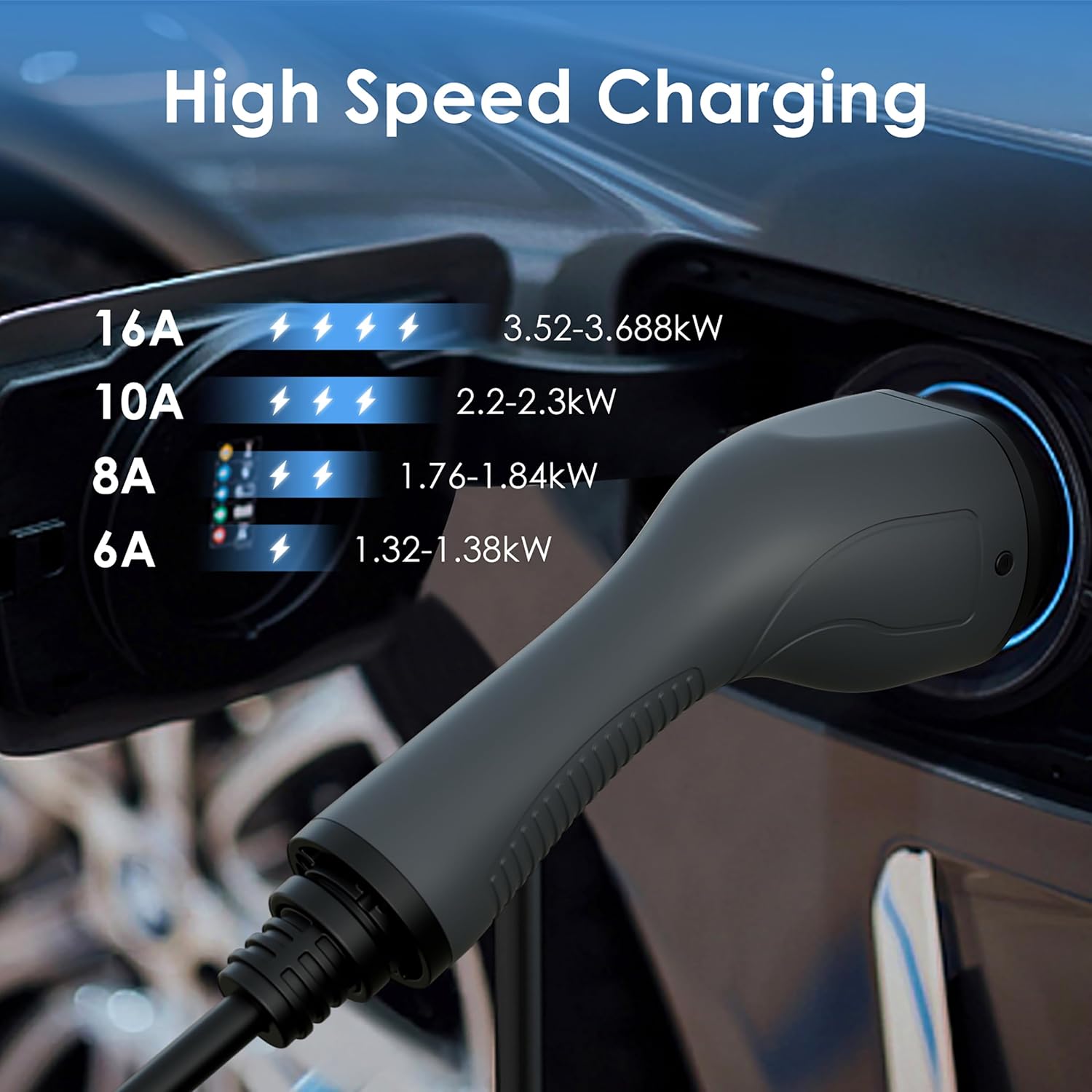
The charger supports various current settings, influencing the charging speed:
- 16A: Approximately 3.52-3.68kW
- 10A: Approximately 2.2-2.3kW
- 8A: Approximately 1.76-1.84kW
- 6A: Approximately 1.32-1.38kW
Maintenance
Cleaning: Use the provided microfiber towel or a soft, dry cloth to clean the charger and cable. Do not use abrasive cleaners or solvents. Ensure the charger is disconnected from power before cleaning.
Storage: When not in use, store the charging cable in its carry bag in a dry, cool place, away from direct sunlight and extreme temperatures. Avoid kinking or sharply bending the cable.
Inspection: Regularly inspect the cable and plugs for any signs of wear, damage, or corrosion. Pay close attention to the connection points.
Durability: The cable's TPU material and robust construction are designed for longevity and resistance to physical stress, including pressure up to 2.5 tons and drops from 1 meter. However, continuous abuse should be avoided to ensure optimal performance.


Troubleshooting
| Problem | Possible Cause | Solution |
|---|---|---|
| Charger not starting | Power plug not fully inserted; vehicle not ready to charge; charger fault. | Ensure Schuko plug is fully inserted into the wall socket. Check vehicle's charging status. Inspect cable for damage. If an error light is on, refer to the control box indicators. |
| Error indicator light is on | Overcurrent, overvoltage, leakage, or overheat protection activated. | Disconnect the charger from both the wall and the vehicle. Wait a few minutes, then reconnect. If the error persists, contact customer support. |
| Slow charging speed | Lower amperage setting selected; vehicle's battery management system limiting charge. | Ensure the charger is set to the desired amperage (e.g., 16A for maximum speed). Check your vehicle's settings. |
| Cable feels warm | Normal during high-power charging; potential overheating if excessively hot. | A slight warmth is normal. If the cable or control box feels excessively hot to the touch, disconnect immediately and allow it to cool. Check for obstructions around the control box. |
Specifications
Model: BKM23605
Connector Type (Vehicle Side): Type 2 (IEC 62196-2)
Connector Type (Power Source Side): Schuko Plug
Cable Length: 5 Metres (approximately 16.4 feet)
Maximum Current: 16A
Maximum Power: 3.68kW
Ingress Protection (Control Box): IP65 (Waterproof and Dustproof)
Operating Temperature: -30°C to 50°C (-22°F to 122°F)
Cable Material: TPU (Thermoplastic Polyurethane)
Durability: Withstands drops from 1 meter; withstands pressure up to 2.5 tons
Safety Features: Leakage/Voltage Protection, Lightning Protection, Over current Protection, Overheat Protection, Auto Shut-off
Compatibility: Most BEV and PHEV electric vehicles conforming to IEC 62196-2 standard (e.g., Model Y/3, 500e, e-208)
Item Weight: Approximately 5.94 pounds (2.69 kg)
Package Dimensions: Approximately 14.41 x 13.35 x 4.17 inches (36.6 x 33.9 x 10.6 cm)

Warranty and Support
Your bokman Electric Vehicle Charging Cable Type 2 (BKM23605) is covered by a manufacturer's warranty. Please refer to the warranty card included with your purchase for specific terms and conditions, including the warranty period and coverage details.
For technical assistance, troubleshooting beyond this manual, or warranty claims, please contact bokman customer support through the retailer where the product was purchased or visit the official bokman website for contact information.
When contacting support, please have your product model number (BKM23605) and purchase date readily available.
