
1. Introduction
Thank you for choosing the RIENOK Bluetooth Speaker. This manual provides detailed instructions on how to set up, operate, and maintain your speaker to ensure optimal performance and longevity. Please read this manual carefully before using the product and keep it for future reference.
The RIENOK Bluetooth Speaker is a versatile and portable audio device designed for various environments. It features Bluetooth 5.3 for stable connections, IPX5 water resistance for outdoor use, FM radio, and vibrant RGB lighting to enhance your listening experience. Enjoy powerful sound and dynamic bass wherever you go.
2. Package Contents
- RIENOK Bluetooth Speaker (Model S2)
- USB-C Charging Cable
- AUX Cable
- User Manual
3. Product Overview

Figure 3.1: Side view of the speaker highlighting the USB-C charging port, USB-A port for USB stick, and AUX-in port.

Figure 3.2: Front view of the RIENOK Bluetooth Speaker, showcasing its compact design and integrated RGB lighting.
Key Features:
- Bluetooth 5.3: Ensures a stable and extended wireless connection for seamless audio streaming.
- Long Playtime: Up to 12-15 hours of continuous music playback on a single charge (at 50% volume).
- IPX5 Waterproof: Designed to withstand splashes and light rain, making it ideal for outdoor and wet environments.
- True Wireless Stereo (TWS): Connect two RIENOK S2 speakers for an immersive 360° surround sound experience.
- FM Radio: Built-in FM radio functionality allows you to tune into your favorite stations.
- Multiple Playback Modes: Supports Bluetooth, TF Card, USB Disk, AUX input, and FM Radio modes.
- Dynamic RGB Lighting: Multi-color LED lights that sync with the music, enhancing the atmosphere.
- Portable Design: Compact and lightweight, with a convenient strap for easy carrying or attachment to bags.
4. Setup Guide
4.1 Initial Charging
Before first use, fully charge the speaker. Connect the provided USB-C charging cable to the speaker's USB-C port and the other end to a compatible USB power adapter (not included) or a computer's USB port. The charging indicator light will show the charging status and turn off when fully charged.
4.2 Power On/Off
- Power On: Press and hold the Power button ( ) for approximately 2-3 seconds until you hear an audible prompt and the indicator light turns on.
- Power Off: Press and hold the Power button ( ) for approximately 2-3 seconds until you hear an audible prompt and the indicator light turns off.
5. Operating Instructions
5.1 Bluetooth Pairing
- Ensure the speaker is powered on and in Bluetooth pairing mode (the indicator light will flash).
- On your mobile device (smartphone, tablet, etc.), enable Bluetooth and search for available devices.
- Select "Rienok S2" from the list of devices.
- Once connected, you will hear a confirmation sound, and the indicator light will remain solid.

Figure 5.1: Connecting the speaker to a mobile device via Bluetooth.
5.2 True Wireless Stereo (TWS) Pairing
To achieve a stereo sound experience, you can pair two RIENOK S2 speakers together.
- Ensure both speakers are powered on and disconnected from any Bluetooth devices.
- On one speaker (this will be the primary speaker), short press the TWS button ( ). You will hear a prompt indicating it's searching for another speaker.
- The primary speaker will automatically search for and connect to the second speaker.
- Once successfully paired, you will hear a confirmation sound, and the indicator lights on both speakers will synchronize.
- Now, connect your mobile device to the primary speaker via Bluetooth as described in Section 5.1. Audio will play through both speakers in stereo.
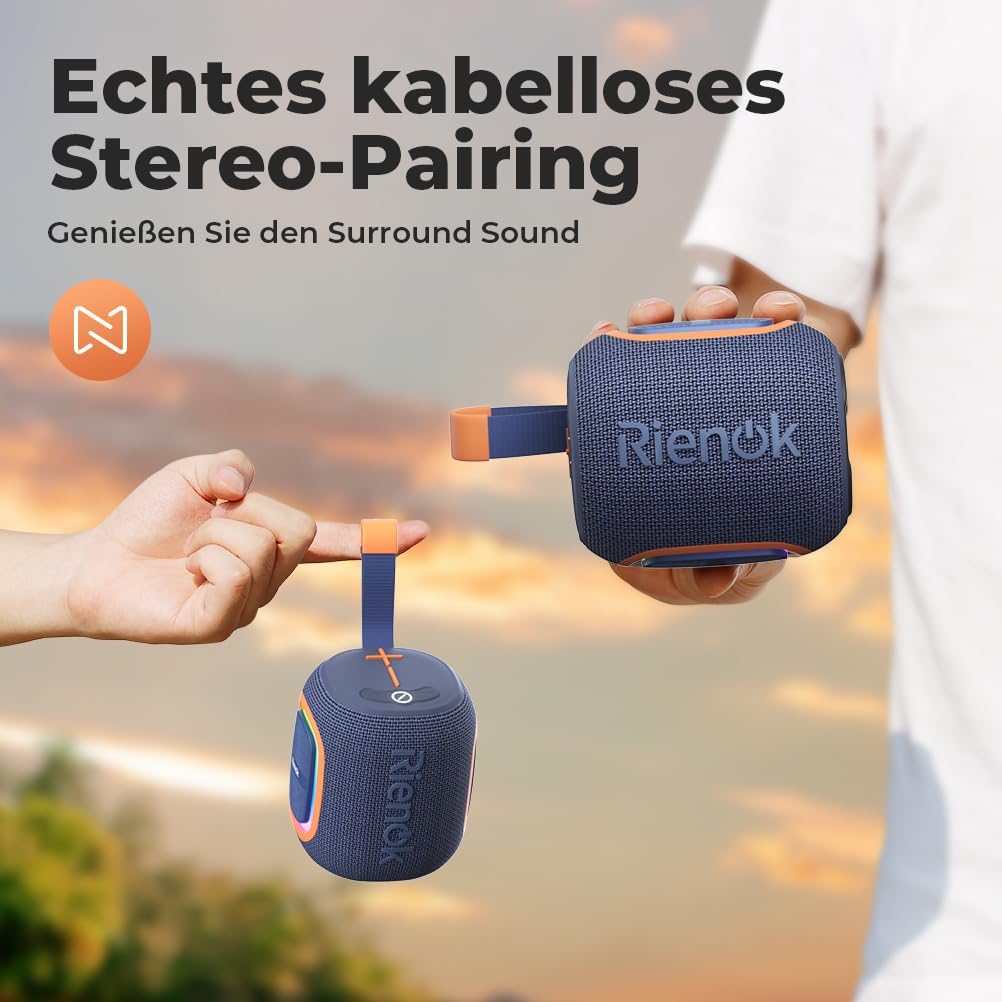
Figure 5.2: Two speakers establishing a TWS connection for enhanced audio.
Video 5.1: Official product video demonstrating the features of the Rienok S2 speaker, including TWS pairing, waterproof capabilities, portability, RGB lighting, and FM radio usage.
5.3 FM Radio Mode
- Plug the provided AUX cable into the AUX port of the speaker. This cable acts as an antenna for better FM reception.
- Press and hold the TWS button ( ) to switch to FM Radio mode.
- Double-click the Power button ( ) to automatically scan and save available FM stations.
- Short press the '+' or '-' buttons to switch between saved stations.
- Adjust the volume by long pressing the '+' or '-' buttons.

Figure 5.3: Step-by-step guide for operating the FM radio function.
5.4 Playback Modes (TF Card, USB Disk, AUX)
The speaker supports various input sources:
- TF Card: Insert a TF (microSD) card with MP3 audio files into the TF card slot. The speaker will automatically switch to TF card mode and begin playback.
- USB Disk: Insert a USB flash drive with MP3 audio files into the USB-A port. The speaker will automatically switch to USB disk mode and begin playback.
- AUX Input: Connect an external audio device (e.g., MP3 player, computer) to the speaker's AUX port using the provided AUX cable. The speaker will automatically switch to AUX mode.

Figure 5.4: Various connectivity options for playing audio from different sources.
5.5 RGB Lighting Control
The speaker features dynamic RGB lighting that can be controlled:
- Toggle Lights: Short press the Light button ( ) to cycle through different light modes or turn the lights off.
- The RGB lights can sync with the music rhythm, creating an engaging visual experience.

Figure 5.5: The speaker displaying its multi-color RGB lighting feature.
6. Maintenance
- Cleaning: Use a soft, dry cloth to clean the speaker's surface. Do not use abrasive cleaners or solvents.
- Storage: Store the speaker in a cool, dry place away from direct sunlight and extreme temperatures.
- Battery Care: To prolong battery life, avoid fully discharging the battery frequently. Charge the speaker regularly, even if not in use for extended periods.
- Water Resistance: While IPX5 water-resistant, avoid submerging the speaker in water. Ensure all port covers are securely closed before exposure to water.
7. Troubleshooting
| Problem | Possible Cause | Solution |
|---|---|---|
| Speaker does not power on. | Low battery. | Charge the speaker fully. |
| No sound. | Volume too low; incorrect mode; device not connected. | Increase volume; switch to correct mode (Bluetooth, AUX, etc.); ensure device is paired/connected. |
| Bluetooth pairing failed. | Speaker not in pairing mode; device too far; interference. | Ensure speaker is in pairing mode; move device closer; turn off other Bluetooth devices. |
| Poor FM radio reception. | No AUX cable connected; weak signal. | Connect the AUX cable as an antenna; try moving to a location with better signal. |
| TWS pairing failed. | Speakers too far apart; one speaker already connected to a device. | Ensure speakers are close to each other; disconnect both speakers from any Bluetooth devices before TWS pairing. |
8. Specifications
| Feature | Detail |
|---|---|
| Brand | RIENOK |
| Model Name | Rienok S2 |
| Connectivity Technology | Bluetooth 5.3 |
| Speaker Type | Portable Speaker |
| Maximum Output Power | 5 Watts |
| Frequency Response | 20 KHz |
| Audio Output Mode | Surround Sound (with TWS) |
| Water Resistance Rating | IPX5 |
| Battery | 1800 mAh (1 D Battery required, included) |
| Playtime | Up to 12-15 hours (varies with volume/audio type) |
| Product Dimensions | 10 x 11.6 x 10 cm |
| Weight | 520 Grams |
| Material | Rubber/Plastic |
| Supported Modes | Bluetooth, TF Card, U-Disk, AUX, Radio |
9. Warranty and Support
RIENOK products are designed and manufactured to the highest quality standards. This product comes with a standard manufacturer's warranty against defects in materials and workmanship. For specific warranty terms and conditions, please refer to the warranty card included with your purchase or visit the official RIENOK brand store.
For technical support, troubleshooting assistance, or any inquiries regarding your RIENOK Bluetooth Speaker, please contact our customer service team through the Amazon platform or visit the official RIENOK store:


