
Introduction
The Biling GLQ-002 Solar Pond Filter System is designed to maintain a clean and healthy pond environment. This eco-friendly system utilizes a 62W solar panel to power a 660 GPH water pump and filtration unit, effectively removing debris, sediment, and pollutants. It is suitable for garden ponds, water features, and waterfall pools, providing a clear aquatic habitat without requiring external electricity or batteries.
Safety Instructions
- Read all instructions thoroughly before installing and operating the system.
- Ensure all electrical connections are secure and protected from water.
- Do not operate the system if any components are visibly damaged.
- Position the solar panel securely to prevent it from being dislodged by wind or other factors.
- Keep children and pets away from the operating pump and fountain to prevent accidents.
- Always disconnect the solar panel from the pump before performing any maintenance or cleaning.
- Do not attempt to modify the system components. Use only original Biling replacement parts.
Package Contents
Verify that all the following items are included in your package:
- 62W Solar Panel with stand
- 660 GPH Water Pump
- Filter Box
- Filter Media (e.g., coarse and fine sponges, bio-balls)
- Fountain Nozzles/Attachments (various patterns)
- Connecting Cables
- User Manual
Product Overview
The Biling GLQ-002 system consists of a solar panel, a water pump integrated into a filter box, and various fountain attachments. The filter box houses multiple layers of filter media to ensure comprehensive water purification.
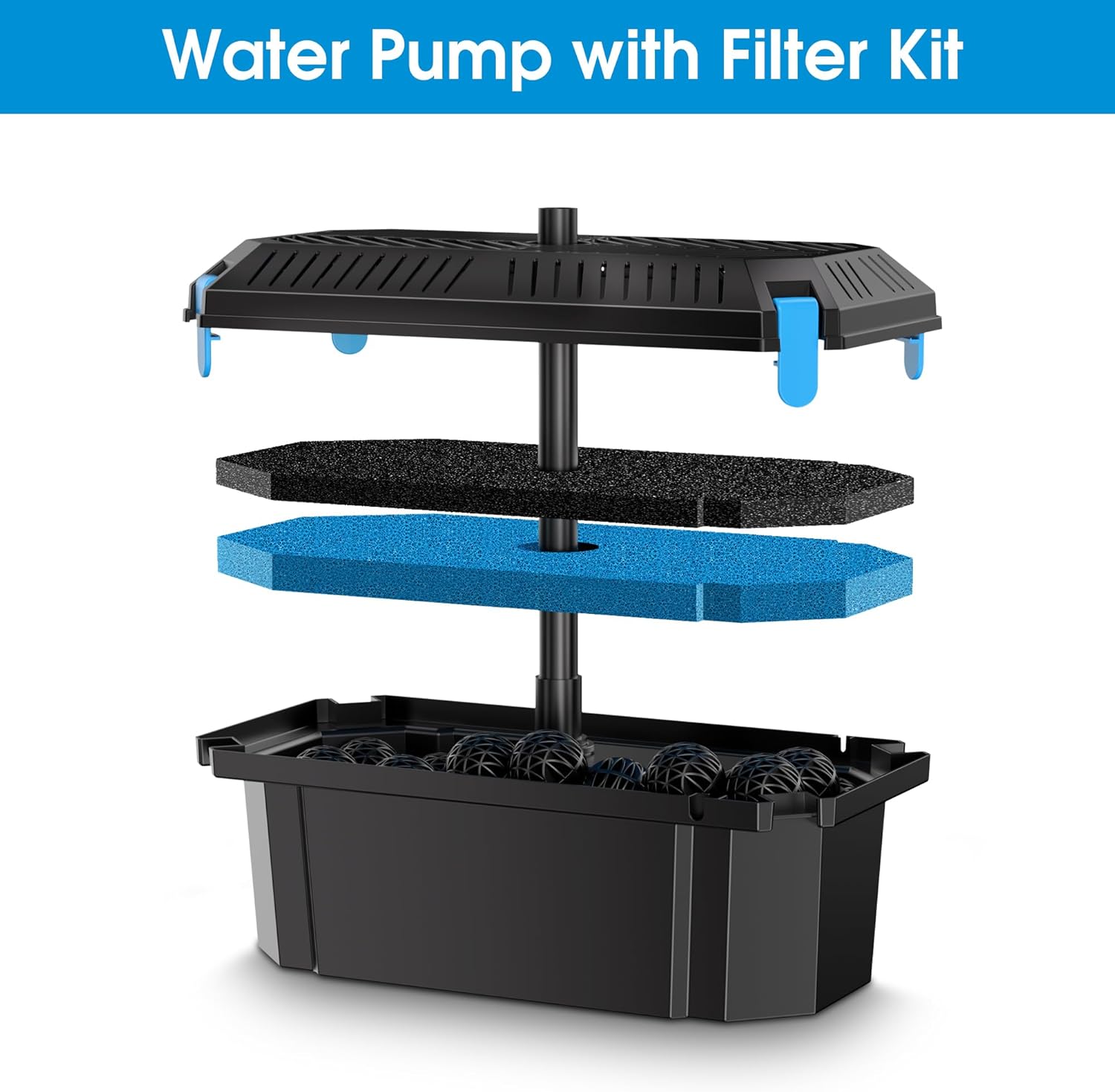
Figure 1: Components of the Water Pump with Filter Kit. This image illustrates the internal structure of the filter box, including the base, bio-balls, blue and black filter sponges, and the top cover with the pump connection.

Figure 2: Overall dimensions of the Biling GLQ-002 system. The solar panel measures approximately 22.4 inches high by 20 inches wide. The filter box is about 27.5 inches long, 12.8 inches wide, and 6.5 inches high. The pump extends approximately 5.4 inches above the filter box, and the connecting cable is 16.4 feet long.
Setup
- Unpack Components: Carefully remove all items from the packaging and verify against the 'Package Contents' list.
- Assemble Filter Box: Open the filter box. Place the bio-balls at the bottom, followed by the coarse (black) and fine (blue) filter sponges. Ensure they are seated correctly.
- Connect Pump to Filter Box: Securely place the water pump inside the filter box, ensuring its outlet aligns with the designated opening for the fountain attachment. Close the filter box lid.
- Attach Fountain Nozzle: Select your desired fountain nozzle (e.g., dome, spray) and firmly attach it to the pump outlet extending from the filter box.
- Position Filter Box: Place the assembled filter box in your pond. Ensure it is fully submerged and stable on a flat surface to prevent tipping.
- Position Solar Panel:
- Choose a location for the solar panel that receives maximum direct sunlight throughout the day, free from shade from trees or buildings.
- Angle the solar panel towards the sun for optimal energy collection. The included stand allows for adjustment.
- Secure the solar panel to prevent it from being moved by wind or accidental bumps.
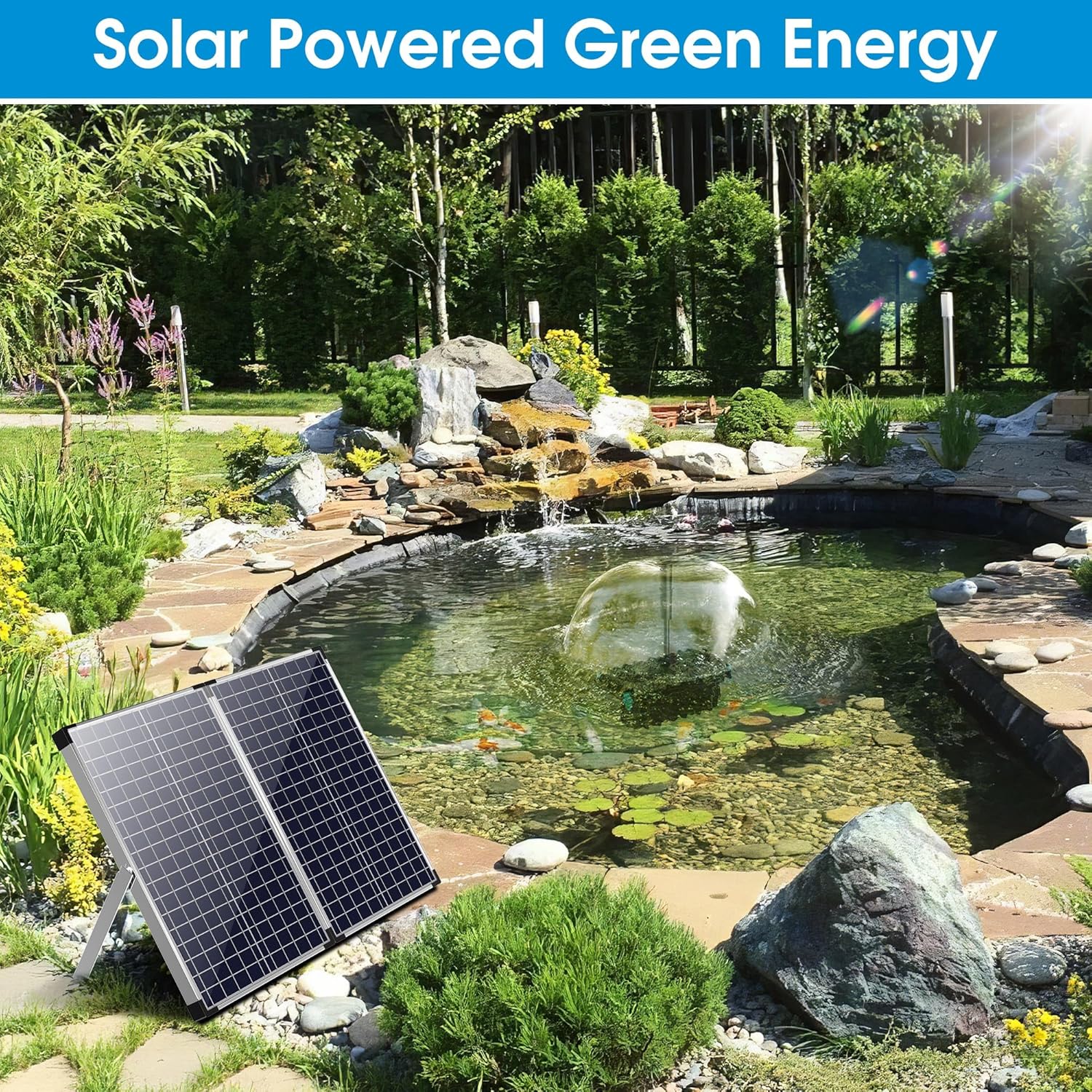
Figure 3: Example of solar panel placement near a pond. The panel should be positioned to maximize direct sunlight exposure for efficient operation.
- Connect Solar Panel to Pump: Connect the cable from the solar panel to the corresponding input on the water pump. Ensure the connection is tight and secure. The system will begin operating once sufficient sunlight is available.
Operating Instructions
The Biling GLQ-002 Solar Pond Filter System operates automatically. Once the solar panel is connected to the pump and exposed to sufficient direct sunlight, the pump will activate, circulating and filtering pond water, and creating a fountain effect.
- Sunlight Dependency: The performance of the pump and fountain is directly dependent on the intensity of sunlight. On bright, sunny days, the fountain will spray powerfully. On cloudy days or in shaded conditions, the fountain's strength will be reduced or may not operate.
- Obstruction Check: Regularly ensure that no debris, leaves, or other obstructions are blocking the solar panel surface, as this will reduce its efficiency.
- Fountain Adjustment: You can change the fountain pattern by replacing the attached nozzle with a different one provided in the package.
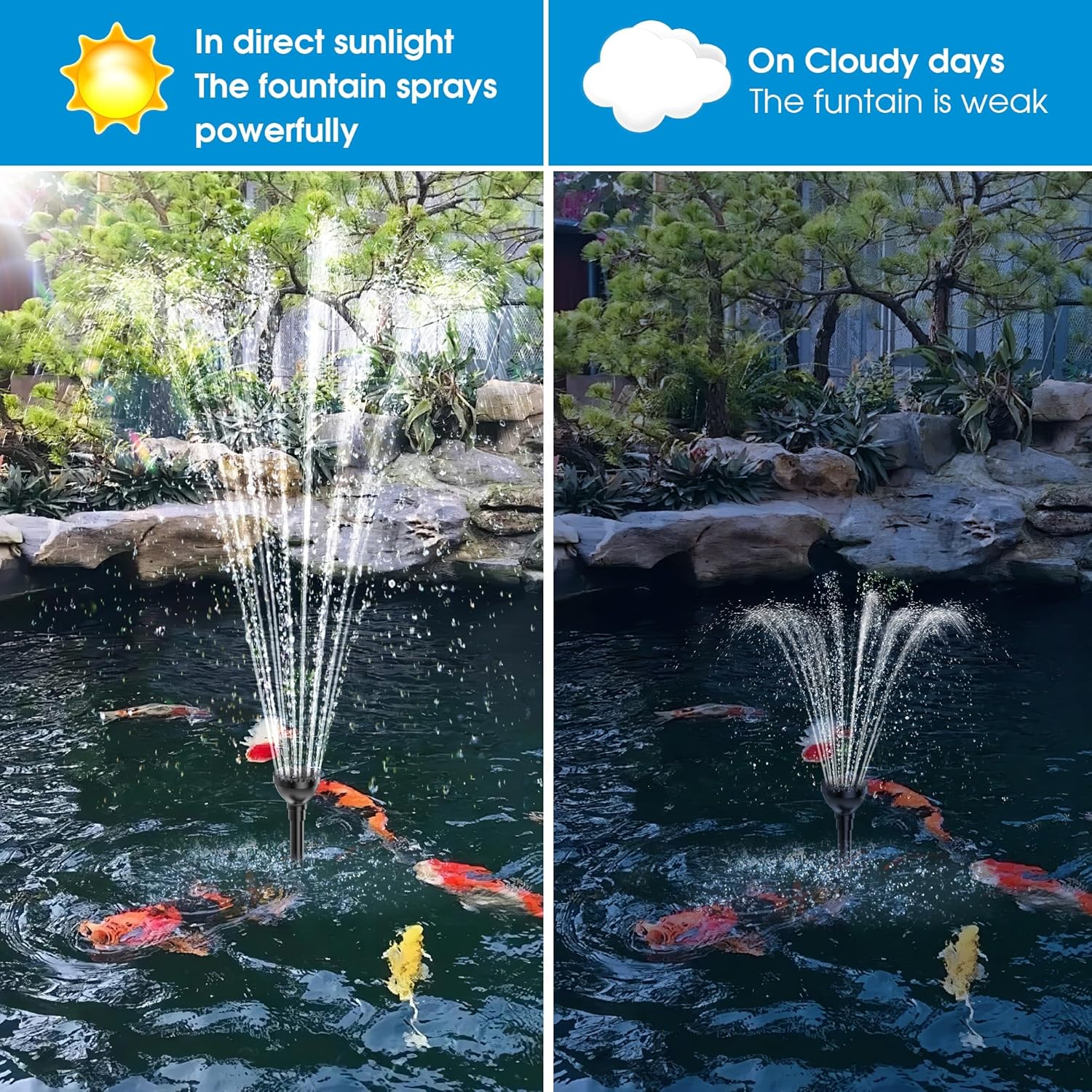
Figure 4: Illustration of fountain performance under varying sunlight conditions. The fountain sprays powerfully in direct sunlight and is weaker on cloudy days.
Maintenance
Regular maintenance is crucial for the longevity and efficient operation of your Biling Solar Pond Filter System.
- Cleaning Filter Media:
- Frequency: Clean the filter media weekly or bi-weekly, depending on the amount of debris in your pond.
- Procedure: Disconnect the solar panel from the pump. Carefully remove the filter box from the pond. Open the filter box and remove the sponges and bio-balls. Rinse them thoroughly with pond water (do not use tap water, as chlorine can harm beneficial bacteria). Reassemble the filter box and return it to the pond.
- Cleaning Solar Panel: Periodically wipe the surface of the solar panel with a soft, damp cloth to remove dust, dirt, bird droppings, or leaves. A clean panel ensures maximum power generation.
- Inspecting Pump: Occasionally check the pump impeller for any blockages caused by debris, algae, or small stones. Clear any obstructions carefully.
- Winterization: In regions where temperatures drop below freezing, it is recommended to remove the entire pump and filter system from the pond before winter. Clean all components thoroughly, allow them to dry, and store them in a dry, frost-free location until spring.
Troubleshooting
If you encounter issues with your Biling Solar Pond Filter System, refer to the following common problems and solutions:
| Problem | Possible Cause | Solution |
|---|---|---|
| Pump not running or weak flow | Insufficient sunlight | Ensure solar panel is in direct sunlight and free from shade. Clean the solar panel surface. |
| Blocked pump impeller or nozzle | Disconnect solar panel, remove pump/nozzle, and clear any debris. | |
| Dirty filter media | Clean the filter sponges and bio-balls as described in the Maintenance section. | |
| Loose connection | Check that the solar panel cable is securely connected to the pump. | |
| Pond water not clearing | Infrequent filter cleaning | Increase the frequency of filter media cleaning. |
| System not running consistently | Refer to 'Pump not running' solutions above to ensure continuous operation. | |
| Pond size exceeds system capacity | This system is designed for small ponds. For larger ponds, multiple units or a higher capacity system may be required. |
Specifications
| Feature | Detail |
|---|---|
| Brand | Biling |
| Model | GLQ-002 |
| Solar Panel Power | 62W |
| Water Pump Flow Rate | 660 GPH (Gallons Per Hour) |
| Operating Voltage | 12V DC |
| Solar Panel Dimensions (approx.) | 22.4 in (H) x 20 in (W) |
| Filter Box Dimensions (approx.) | 27.5 in (L) x 12.8 in (W) x 6.5 in (H) |
| Cable Length | 16.4 ft |
Warranty and Support
For detailed warranty information, product registration, or technical assistance, please refer to the documentation included with your product packaging or visit the official Biling website. You may also contact Biling customer service directly for support.