
1. Introduction
Thank you for choosing the Deeyaple Bluetooth 5.3 Speaker, Model A10. This portable speaker is designed to deliver powerful sound with deep bass, featuring Bluetooth 5.3 connectivity, IPX7 waterproofing, and the ability to pair two speakers for True Wireless Stereo (TWS) sound. It also includes pulsating LED lights for an enhanced audio-visual experience.

Image 1.1: Deeyaple Bluetooth Speaker A10, showcasing its design and controls.
2. Package Contents
Please check the package for the following items:
- Deeyaple Bluetooth Speaker (Model A10)
- USB Charging Cable
- User Manual
3. Setup and Charging
3.1 Initial Charge
Before first use, fully charge the speaker. Connect the provided USB charging cable to the speaker's charging port and to a standard USB power adapter (not included). The charging indicator light will show the charging status.

Image 3.1: Speaker dimensions (8x8x10 cm) and battery specifications (2500mAh, 3-4 hours fast charging, up to 12 hours playback at 50% volume).
3.2 Power On/Off
- To power on: Press and hold the Power button (ⓘ) for 2-3 seconds.
- To power off: Press and hold the Power button (ⓘ) for 2-3 seconds.
4. Operating Instructions
4.1 Bluetooth Pairing
To connect your speaker to a Bluetooth-enabled device:
- Ensure the speaker is powered on and in Bluetooth pairing mode (indicated by a flashing LED light).
- On your device (smartphone, tablet, etc.), enable Bluetooth and search for available devices.
- Select "P1S" from the list of devices.
- Once connected, the speaker will emit a confirmation sound, and the LED light will become solid.
The speaker supports Bluetooth 5.3, providing a stable connection up to 10 meters (33 feet).

Image 4.1: Demonstrates connecting the Deeyaple speaker (named P1S) to a smartphone via Bluetooth 5.3.
4.2 True Wireless Stereo (TWS) Pairing
For an immersive stereo sound experience, you can pair two Deeyaple A10 speakers together:
- Ensure both speakers are powered on and not connected to any other Bluetooth device.
- On one speaker, press the TWS button (∞). It will enter TWS pairing mode.
- The two speakers will automatically connect to each other. A confirmation sound will indicate successful pairing.
- Once TWS is established, connect your device to one of the speakers via Bluetooth as described in Section 4.1.

Image 4.2: Two Deeyaple speakers wirelessly connected to provide 360-degree surround sound.
4.3 Button Functions
- Power Button (ⓘ): Press and hold to power on/off.
- Volume Down / Previous Track (<): Short press for volume down. Long press for previous track.
- Volume Up / Next Track (>): Short press for volume up. Long press for next track.
- Play/Pause / Call Button (▶▌▌): Short press to play/pause music. Short press to answer/end a call. Long press to reject a call.
- TWS Button (∞): Short press to activate/deactivate TWS pairing mode.
4.4 Pulsating LED Lights
The speaker features integrated LED lights that pulsate and change colors, creating a dynamic visual effect. These lights are designed to enhance your listening experience and can be particularly engaging in low-light environments.
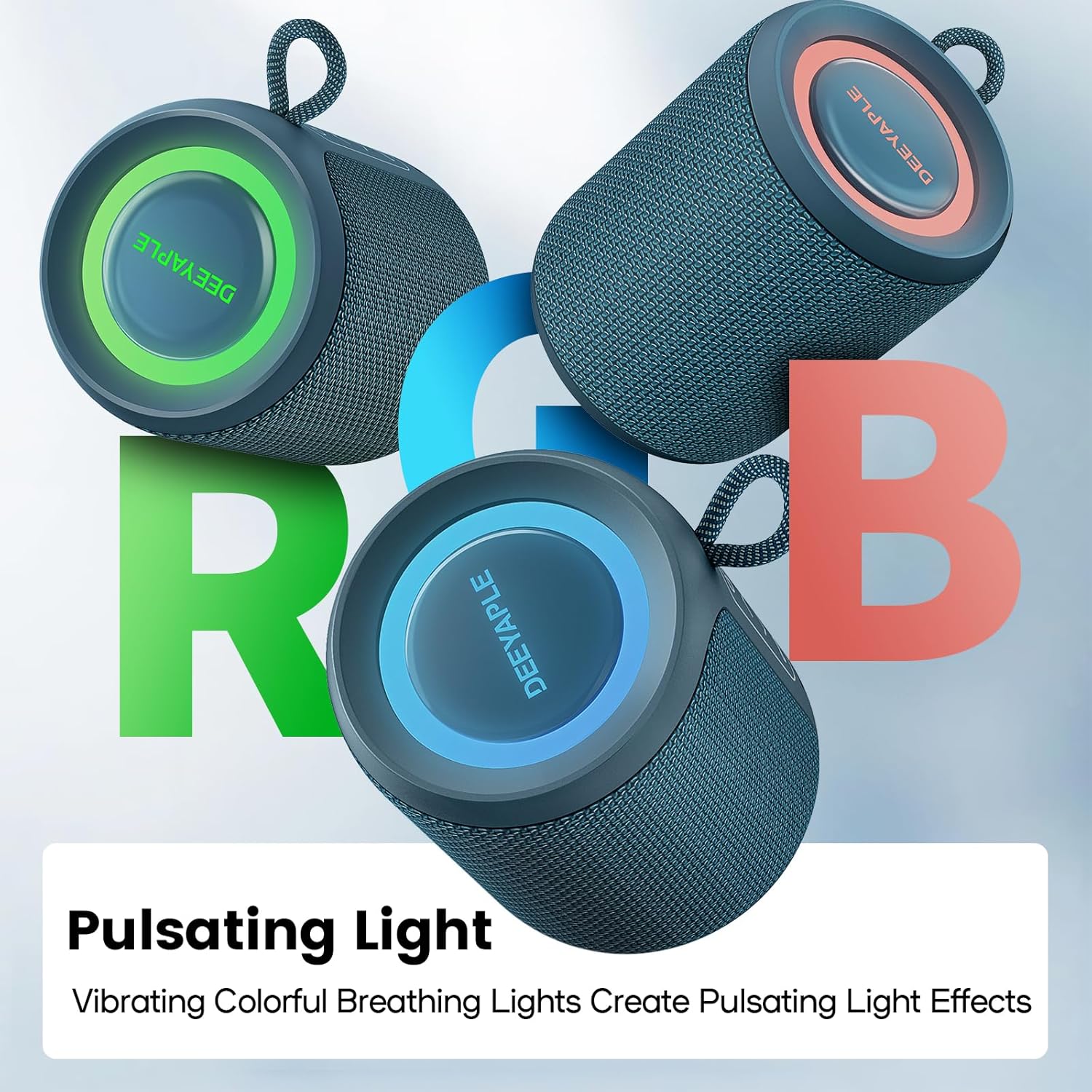
Image 4.3: Multiple Deeyaple speakers displaying their vibrant, pulsating RGB light effects.
5. Maintenance and Care
5.1 IPX7 Waterproofing
The Deeyaple A10 speaker is IPX7 waterproof, meaning it can be submerged in up to 1 meter of water for 30 minutes. This makes it suitable for use in wet environments like showers, beaches, or poolside. Ensure the charging port cover is securely closed before exposing the speaker to water.

Image 5.1: A person enjoying music with the Deeyaple speaker outdoors during light rain, highlighting its IPX7 waterproof feature.
5.2 Cleaning
To clean the speaker, use a soft, damp cloth. Do not use abrasive cleaners or solvents, as these may damage the surface.
5.3 Storage
Store the speaker in a cool, dry place away from direct sunlight and extreme temperatures when not in use for extended periods.
6. Troubleshooting
- Speaker does not power on: Ensure the battery is charged. Connect the speaker to a power source and try again.
- Cannot pair with Bluetooth device:
- Ensure the speaker is in pairing mode (flashing LED).
- Make sure Bluetooth is enabled on your device.
- Move the speaker closer to your device.
- Clear the Bluetooth device list on your phone and try pairing again.
- No sound or low volume:
- Adjust the volume on both the speaker and your connected device.
- Ensure the speaker is not muted.
- Check if the speaker is properly connected via Bluetooth.
- Poor sound quality or crackling:
- Move the speaker closer to your device and away from potential interference sources (e.g., Wi-Fi routers, other electronic devices).
- Ensure the speaker is fully charged.
- If using TWS, ensure both speakers are within close proximity to each other.
7. Specifications
| Model Name | A10 |
| Brand | Deeyaple |
| Connectivity Technology | Bluetooth 5.3 |
| Output Power | 15 Watts |
| Waterproof Rating | IPX7 |
| Battery Life | Up to 10 hours (continuous use) |
| Charging Time | 3-4 hours |
| Dimensions (L x W x H) | 8 x 8 x 10 cm |
| Weight | 349 grams |
| Frequency Response | 80 Hz - 20 kHz |
| Control Method | Tactile Buttons |
| Special Features | Bluetooth, Portable, IPX7 Waterproof, True Wireless Stereo, Pulsating LED Lights |
8. Warranty and Support
Deeyaple products come with a standard manufacturer's warranty. For detailed warranty information, please refer to the warranty card included in your package or contact Deeyaple customer support.
If you encounter any issues or have questions regarding your Deeyaple Bluetooth Speaker, please contact our customer support team for assistance.


