
1. Introduction
This manual provides essential information for the safe and effective use of your Omron Upper Arm Blood Pressure Monitor, model HCR-1802. This device is designed for non-invasive measurement of systolic and diastolic blood pressure for health management purposes. Please read this manual thoroughly before use and keep it for future reference.
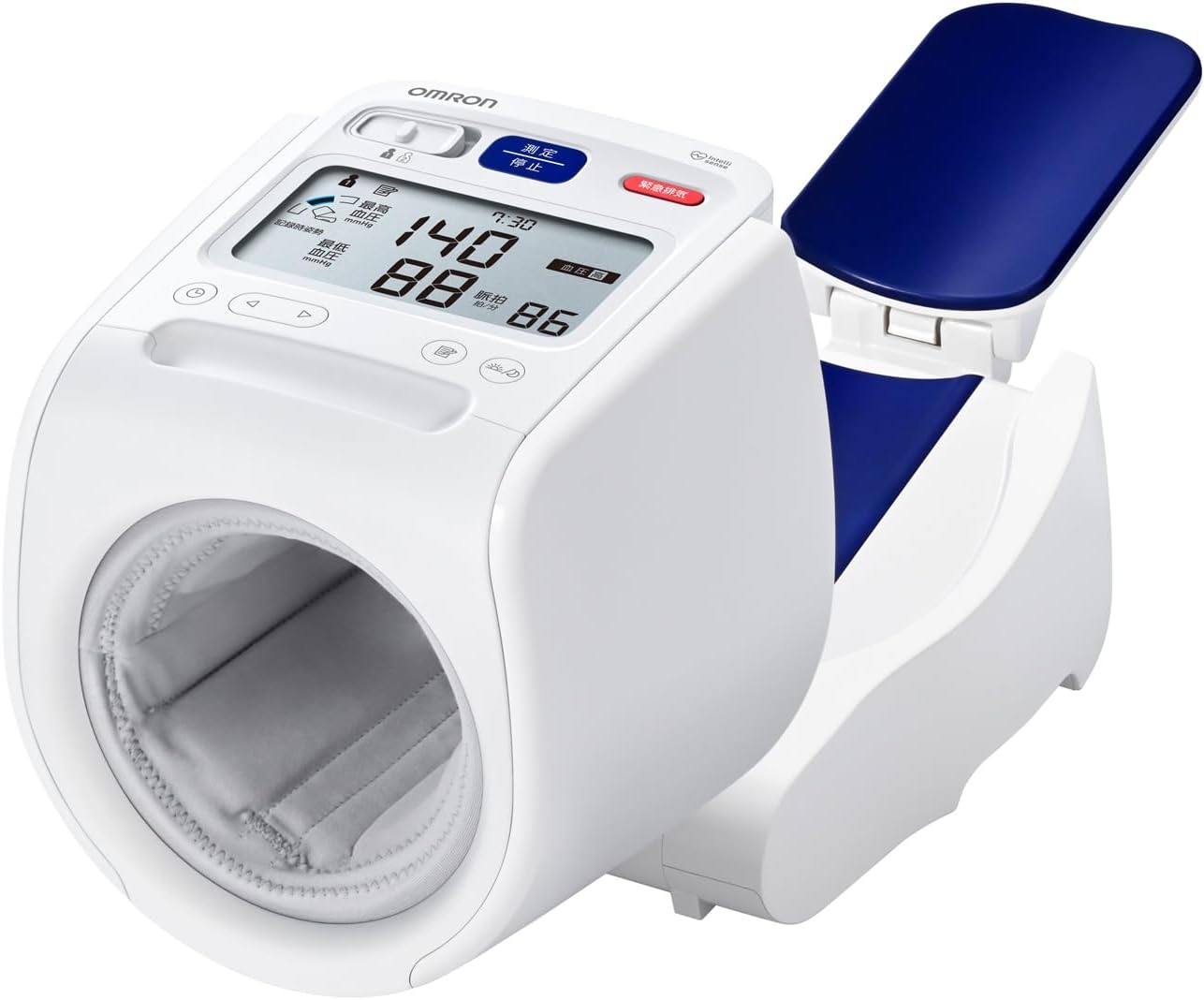
Image 1.1: The Omron Upper Arm Blood Pressure Monitor HCR-1802, showing its compact design and integrated arm cuff.
2. Important Safety Information
2.1. Prohibitions and Restrictions
- Self-diagnosis or self-treatment based on measurement results: This may lead to worsening of symptoms. Always consult a healthcare professional.
- Measurement on an injured or treated arm: This may lead to worsening of symptoms.
- Measurement on an arm undergoing intravenous drip or blood transfusion: This may lead to worsening of symptoms.
- Use near flammable or combustion-supporting gases: This may cause fire, ignition, or explosion.
- Use beyond the specified service life: This may result in inaccurate measurements.
- Use by an unspecified number of people in medical institutions or public places: This may cause accidents or operational issues.
2.2. Precautions for Use
- Individuals with severe circulatory disorders or blood diseases should use this device only under the guidance of a physician.
- If an abnormality occurs during measurement, immediately remove your arm from the arm cuff.
- Do not use this device on infants or individuals who cannot express themselves.
- Do not inflate the arm cuff above 300 mmHg.
- Do not use this device for purposes other than blood pressure measurement.
- Do not use mobile phones or smartphones near the blood pressure monitor, as they may interfere with its operation.
- Do not disassemble or modify the main unit.
- Ensure batteries are inserted with correct polarity (+ and -).
- Use only the specified batteries.
- Remove batteries when the device will not be used for a long period.
3. Setup
3.1. Power Supply
The Omron HCR-1802 can be powered by either the dedicated AC adapter or four AA alkaline batteries.
- AC Adapter: Connect the dedicated AC adapter (Input: AC100V, 50/60Hz, 18VA) to the device and a power outlet.
- Batteries: Insert four AA alkaline batteries (DC6V, 6W) into the battery compartment, ensuring correct polarity.
3.2. Initial Setup
Before first use, ensure the device is placed on a stable surface. The time setting is pre-configured, but may need adjustment if the device is not used for an extended period.
4. Operating Instructions
4.1. Arm Cuff Placement and Posture
Proper arm cuff placement and posture are crucial for accurate measurements. The device features a posture guide to assist you.
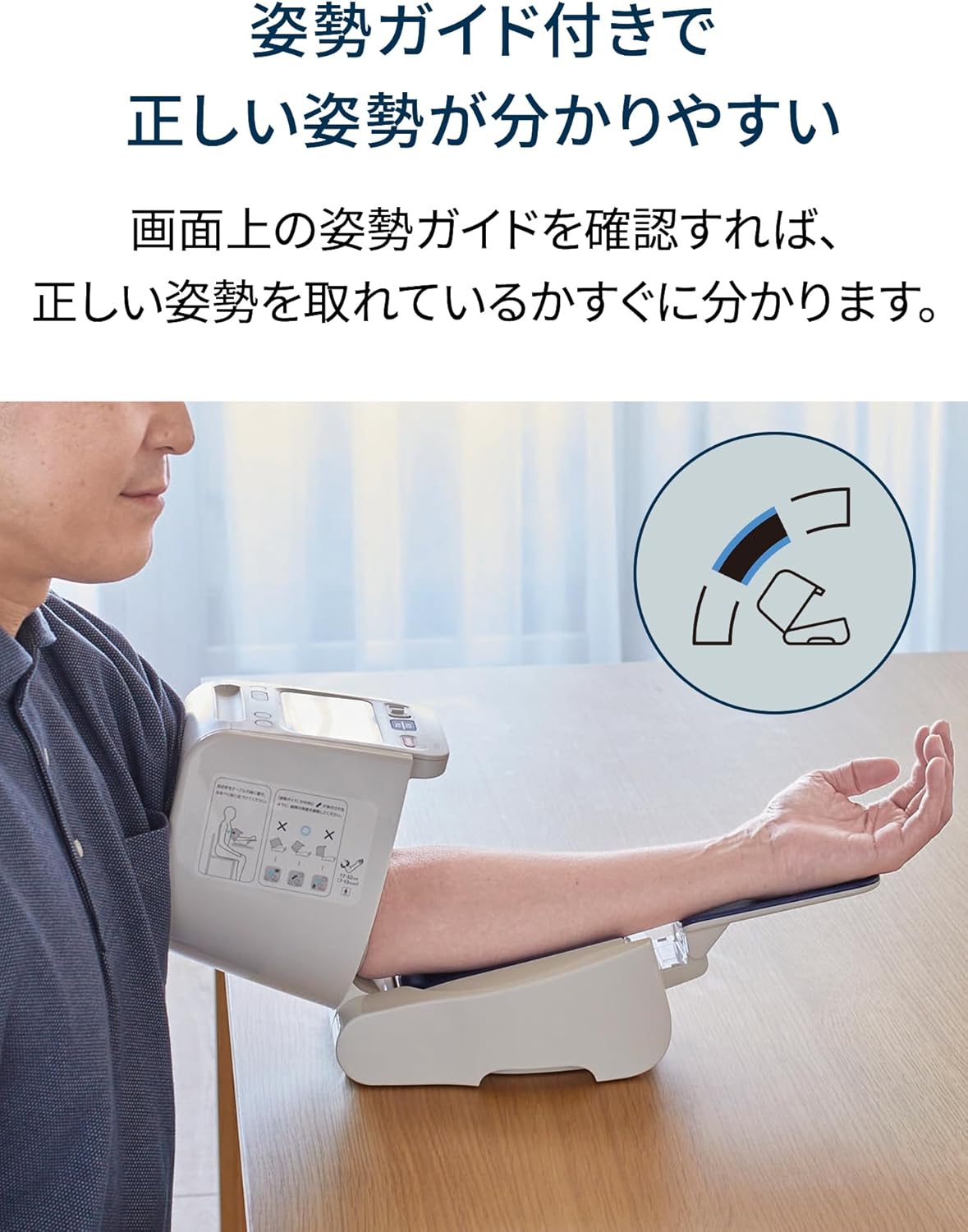
Image 4.1: A user demonstrating correct arm placement and posture, with an on-screen guide indicating proper positioning.
Place your arm into the cuff opening, ensuring your elbow rests comfortably on the arm rest. The device supports arm circumferences from 17 to 32 cm.
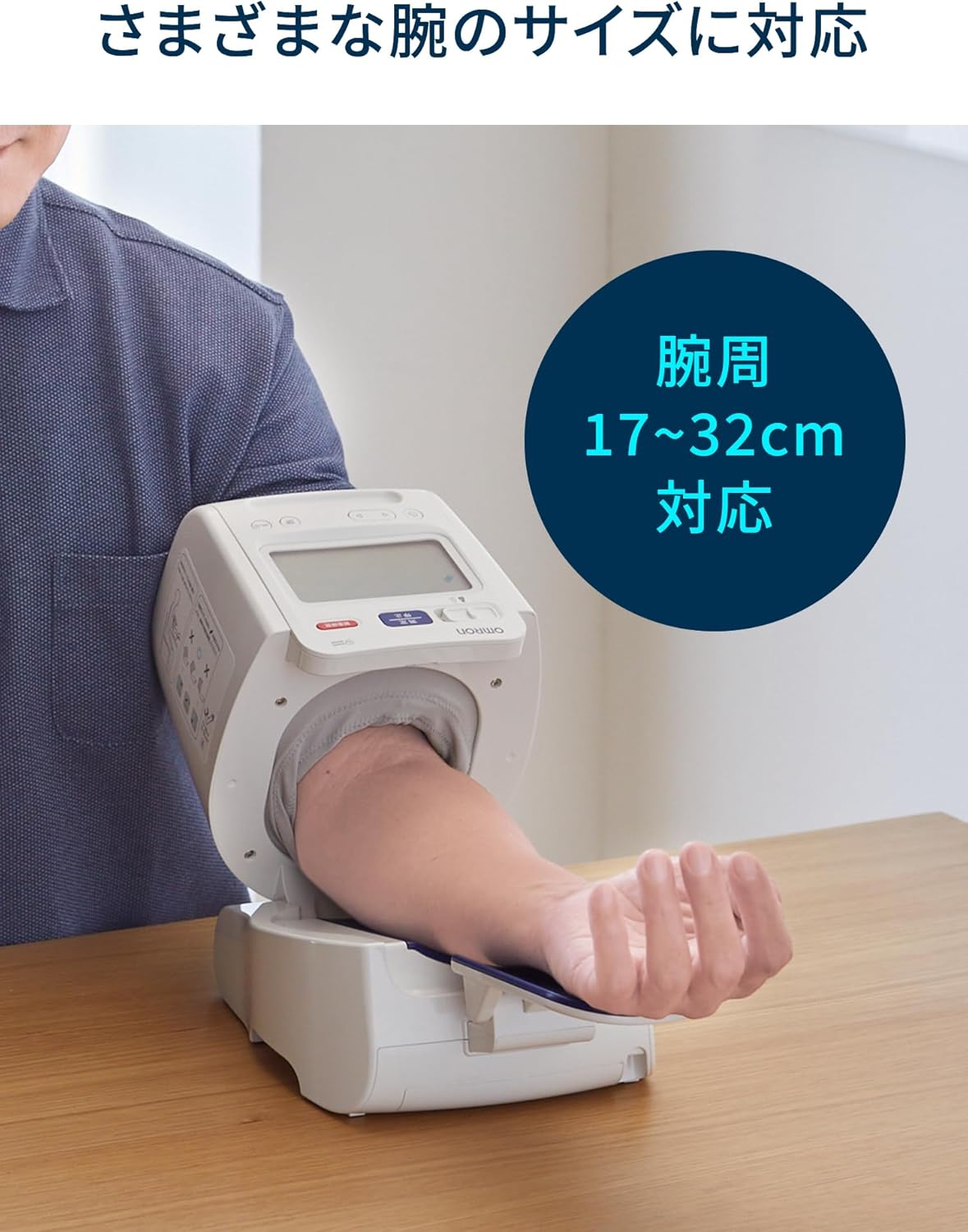
Image 4.2: The device accommodates arm circumferences between 17 and 32 cm, ensuring a comfortable fit for various users.
4.2. Power ON/OFF
The device automatically powers on when the arm cuff is opened and powers off when it is closed, simplifying daily use.
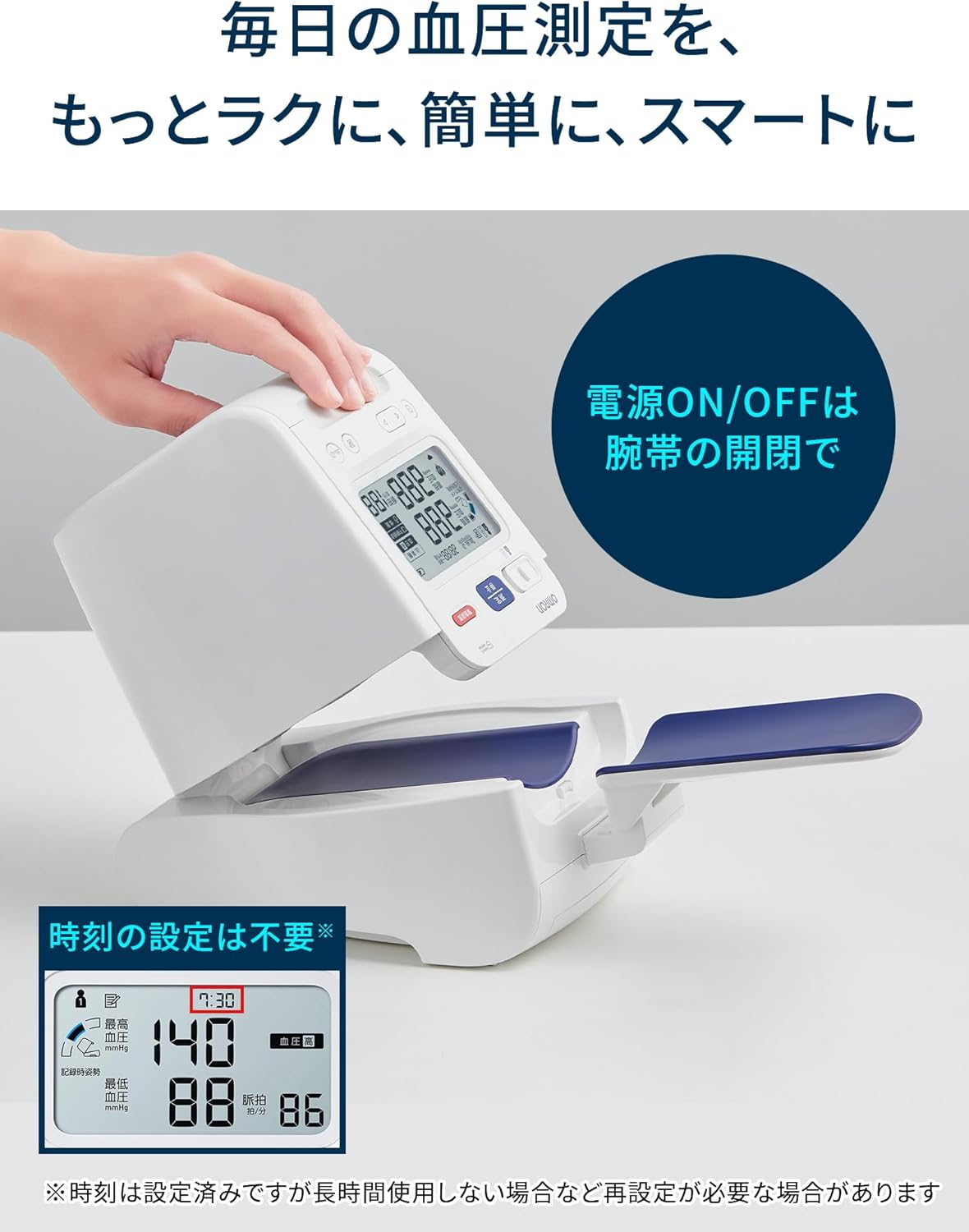
Image 4.3: The device powers on when the arm cuff is opened, and off when closed, for convenient operation.
4.3. User Selection and Measurement
Use the slide switch to select the user (the device supports 2 users with 100 memories each). Press the 'Measurement' button to start the measurement. The large display shows systolic, diastolic, and pulse rate clearly.

Image 4.4: Close-up of the large display screen, showing blood pressure readings and the user selection switch.
5. Features
The Omron HCR-1802 blood pressure monitor is equipped with several features to support effective health management:
- Posture Guide: Visual feedback on the display helps ensure correct measurement posture.
- Large Screen Display: Provides clear and easy-to-read measurement results.
- Morning Hypertension Check: Identifies potential morning hypertension, which can be difficult to detect in a clinical setting.
- Irregular Heartbeat Notification: Alerts the user to the presence of an irregular heartbeat during measurement.
- Memory Function: Stores up to 100 measurements for two users, allowing for tracking of blood pressure trends.
- Backlight: Ensures visibility of the display in various lighting conditions.
- AC Adapter Included: Provides an alternative power source to batteries.

Image 5.1: The display indicating a morning hypertension alert, a key feature for early detection.

Image 5.2: A visual summary of the main functions and features of the blood pressure monitor.
6. Maintenance
To ensure the longevity and accuracy of your blood pressure monitor, follow these maintenance guidelines:
- Cleaning: Wipe the main unit and arm cuff with a soft, dry cloth. Do not use abrasive cleaners or immerse the device in water.
- Storage: Store the device in a clean, dry place away from direct sunlight, extreme temperatures, and humidity.
- Battery Replacement: Replace all four AA alkaline batteries when the low battery indicator appears on the display.
7. Troubleshooting
If you encounter any issues with your Omron HCR-1802, please refer to the following common troubleshooting tips:
- Device does not power on: Check if the AC adapter is properly connected or if the batteries are inserted correctly and have sufficient charge.
- Inaccurate readings: Ensure correct arm cuff placement, proper posture, and that you are not moving or talking during measurement. Avoid using mobile phones nearby.
- Cuff does not inflate: Check for any kinks in the air tube or ensure the cuff is securely attached to the main unit.
If the problem persists after attempting these solutions, please contact Omron Customer Service.
8. Specifications
8.1. General Specifications
| Item | Specification |
|---|---|
| External Dimensions | Approx. 179 (W) x 211 (H) x 246 (D) mm |
| Weight | Approx. 1700 g (excluding batteries) |
| Applicable Arm Circumference | 17 ~ 32 cm |
| Operating Environment Conditions | +10~+40℃ / 15~90%RH (non-condensing) / 800 ~ 1060 hPa |
8.2. Electrical Ratings
| Item | Specification |
|---|---|
| Power Supply | Dedicated AC Adapter (Input: AC100V, 50/60Hz, 18VA) 4 x AA alkaline batteries (DC6V, 6W) |
| Electric Shock Protection | Class II equipment (Internal power supply equipment when AC adapter is not used) |
| BF Type Applied Part | Arm cuff, elbow rest, arm rest |
| IP Protection Class | IP20 (main unit), IP21 (dedicated AC adapter) |
8.3. Performance and Safety Standards
| Item | Specification |
|---|---|
| Error in blood pressure measurement by clinical performance test (Average error with auscultatory method) | Within ±5 mmHg |
| Error in blood pressure measurement by clinical performance test (Standard deviation) | Within 8 mmHg |
| Pressure display error due to environmental conditions (Pressure range 0 ~ 299 mmHg) | Within ±3 mmHg |
| Time required for rapid exhaust from 260 mmHg to 15 mmHg (Stop operation) | 10 seconds or less |
| Reproducibility of blood pressure measurement | 3 mmHg or less |
| Maximum pressure in normal state | 299 mmHg |
9. Package Contents
The following items are included with your Omron Upper Arm Blood Pressure Monitor HCR-1802:
- Main Unit (Omron Upper Arm Blood Pressure Monitor HCR-1802)
- Dedicated AC Adapter (HHP-AH02)
- Instruction Manual (with Quality Guarantee)
- Medical Device Attached Document

Image 9.1: Visual representation of the main unit, AC adapter, and documentation included in the package.
10. Warranty and Support
For product inquiries, support, or warranty information, please contact the manufacturer/distributor:
Manufacturer/Distributor: Omron Healthcare Co., Ltd.
Phone: 0120-30-6606 (Omron Customer Service Center)