Introduction
Welcome to the world of effortless pool cleaning with your new Dolphin Explorer E40 Robotic Pool Cleaner. This advanced device is engineered to provide a pristine swimming environment by efficiently cleaning the floor, walls, and waterline of inground pools up to 50 feet in length. Equipped with Wi-Fi connectivity, active scrubbing brushes, and intelligent navigation, the Explorer E40 simplifies pool maintenance, allowing you more time to enjoy your pool.

The Dolphin Explorer E40 robotic pool cleaner, ready for operation.
Package Contents
Before beginning setup, please ensure all components are present in your package:

Contents of the Dolphin E40 package.
- Dolphin E40 Robotic Pool Cleaner
- Fine Filter Cartridges (9991428-ASSY)
- Power Supply Unit (99956083-ASSYV4)
- Remote Control (99954226-R1)
- User Manual
- Quick Start Guide
- Registration Card
Setup
Follow these steps for the initial setup of your Dolphin Explorer E40:
- Unpack and Assemble: Carefully remove all components from the packaging. Ensure the filter cartridges are properly installed in the cleaner.
- Position the Power Supply: Place the power supply unit at least 12 feet (3.6 meters) from the edge of the pool. Ensure it is in a shaded area and not exposed to direct sunlight or standing water.
- Connect the Cleaner: Connect the floating cable from the Dolphin Explorer E40 to the power supply unit. Ensure the connection is secure.
- Plug into Power: Plug the power supply unit into a grounded electrical outlet.
- Place in Pool: Gently lower the Dolphin Explorer E40 into the pool. Allow it to sink to the bottom, releasing any trapped air bubbles. Ensure the floating cable is not tangled.

Gently lower the cleaner into the pool.
Operating Instructions
The Dolphin Explorer E40 offers convenient operation through its Wi-Fi connectivity and intuitive controls.
Initial Start-Up
- After placing the cleaner in the pool and connecting the power supply, press the ON/OFF button on the power supply unit. The cleaner will begin its cleaning cycle.
- The Explorer E40 is designed for precise movement and agile steering, navigating around obstacles with its Dual Drive system.


The Dual Drive system ensures efficient navigation and cleaning.
Wi-Fi Connectivity and App Control
The Dolphin Explorer E40 can be controlled and scheduled from anywhere using the MyDolphin Plus mobile app.
- Download the MyDolphin Plus app from your device's app store.
- Follow the in-app instructions to connect your Explorer E40 to your home Wi-Fi network.
- Once connected, you can schedule weekly cleanings, select different cleaning modes, manually drive the robot, and receive full filter indicators directly on your smartphone.

Control your Dolphin Explorer E40 remotely via the MyDolphin Plus app.
Cleaning Capabilities
- Wall Climbing: The robot is designed to climb pool walls, ensuring comprehensive cleaning beyond just the floor.
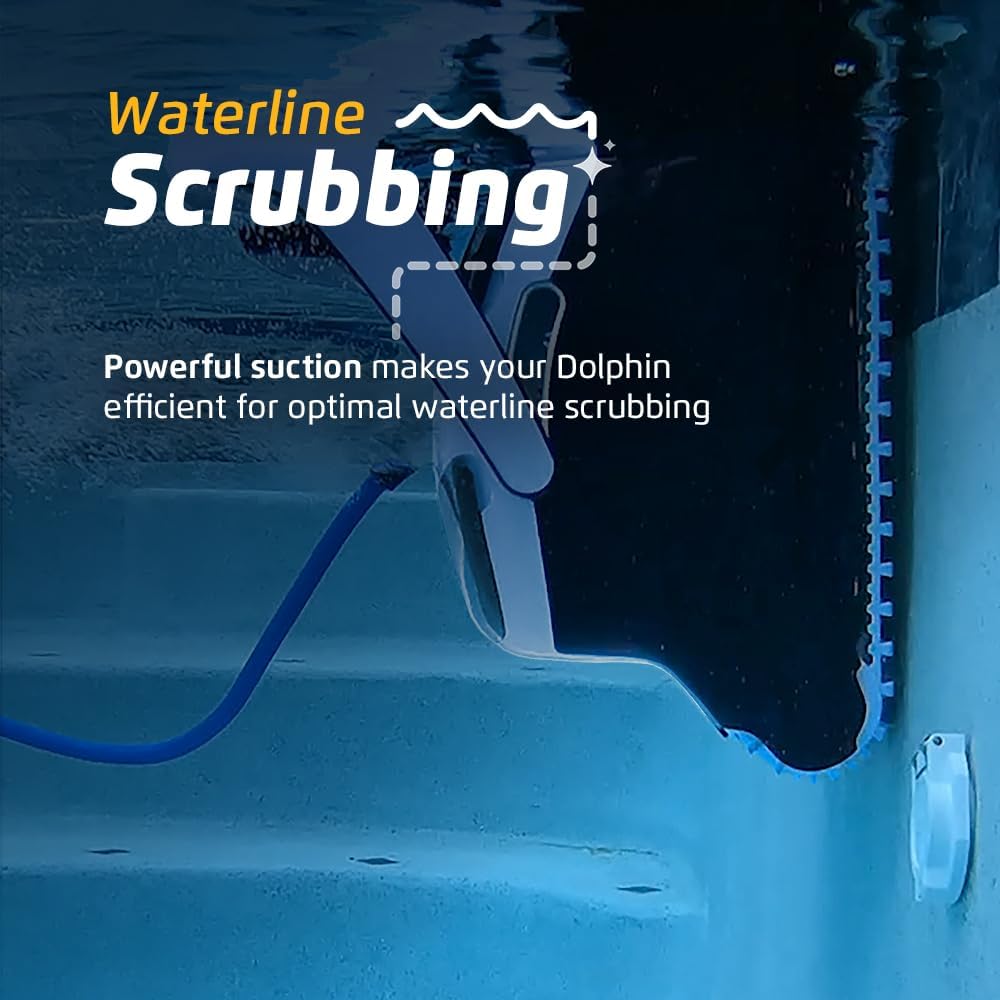
- Waterline Scrubbing: Powerful suction and active scrubbing brushes ensure a spotless waterline, effectively removing grime and debris.
- Active Scrubbing: The active scrubbing brush rotates at twice the speed of the tracks, providing enhanced cleaning performance on all pool surfaces.
The Explorer E40's wall climbing capability ensures a thorough clean.


Dedicated waterline scrubbing and active brushes for superior cleaning.
Maintenance
Regular cleaning and maintenance of your Dolphin Explorer E40 will ensure optimal performance and longevity.
Filter Cleaning
The Explorer E40 features an easy-access top-load filter system for convenient cleaning.
- After each cleaning cycle, or when the full filter indicator is active, remove the cleaner from the pool.
- Open the top cover of the cleaner.
- Pull out the filter basket.
- Rinse the filter basket thoroughly with a garden hose to remove all debris.
- Reinsert the clean filter basket and close the top cover.

The easy-access top-load filter simplifies maintenance.

Regularly clean the filter basket for optimal performance.
General Care
- Store the cleaner in a shaded area when not in use.
- Avoid leaving the cleaner in the pool for extended periods when not operating.
- Periodically check the brushes and tracks for wear and tear.
Troubleshooting
If you encounter issues with your Dolphin Explorer E40, refer to the following common problems and solutions:
| Problem | Possible Cause | Solution |
|---|---|---|
| Cleaner not moving or starting. | No power, tangled cable, debris in motor. | Check power supply connection, untangle cable, inspect for debris in brushes/impeller. |
| Poor cleaning performance. | Clogged filter, worn brushes, incorrect cleaning mode. | Clean filter basket, check brush condition, select appropriate cleaning mode via app. |
| Cleaner not climbing walls. | Air in cleaner, dirty filter, water chemistry imbalance. | Ensure all air is released, clean filter, check pool water chemistry (pH, alkalinity). |
| Cleaner getting stuck. | Obstacles in pool, cable tangling. | Remove large obstacles, ensure cable is spread out before operation. |
For more detailed troubleshooting or issues not listed here, please refer to the comprehensive troubleshooting guide in your full user manual or contact Dolphin customer support.
Specifications
Key technical specifications for the Dolphin Explorer E40 Robotic Pool Cleaner:
| Feature | Detail |
|---|---|
| Model Name | E40 |
| Product Dimensions | 16.8 x 16 x 10.3 inches |
| Item Weight | 40.1 pounds |
| Material | Plastic |
| Engine Type | Electric Motor |
| Control Method | App (Wi-Fi) |
| Hose Length | 50 Feet |
| Load Capacity | 75 gallons |
| Installation Type | Simple Setup |
| Special Feature | Self Propelled |
| Manufacturer | Maytronics |
| UPC | 810071221989 |
Warranty and Support
The Dolphin Explorer E40 comes with a 2-year manufacturer's warranty. This warranty covers defects in materials and workmanship under normal use.
For warranty claims, technical support, or service inquiries, please refer to the contact information provided in your product's registration card or visit the official Dolphin website. Ensure you have your model number and proof of purchase readily available.





