
1. Introduction
The Sennheiser ACCENTUM Plus Wireless Headphones are designed to provide an exceptional audio experience for various users, including travelers, remote workers, and audio enthusiasts. These headphones feature soft, luxurious ear pads for extended comfort and effective noise isolation, ideal for commutes, focused work, or relaxation. With reliable Bluetooth connectivity and an impressive battery life of up to 50 hours, your listening sessions remain uninterrupted. The lightweight design and adjustable stainless steel headband ensure durability and portability for daily use. The closed-back design minimizes sound leakage, making them suitable for various environments. These headphones offer a balance of long playback time and wireless freedom, delivering high-quality sound for all your needs.
Key Features:
- Rapid Charging & Extended Battery Life: Enjoy up to 50 hours of playback. A quick 10-minute charge provides 5 hours of use, ensuring your music is always ready.
- Immersive HD Sound: Experience rich, noise-free listening with precisely engineered Sennheiser sound, featuring a 5-band equalizer, customizable sound modes, and adaptive hybrid active noise cancellation.
- All-Day Comfort: The lightweight and ergonomically designed headphones offer cushioned earcups and an adjustable headband for a secure and comfortable fit during prolonged use.
- Intuitive Touch Controls: Easily manage music and calls with simple tap, swipe, and slide gestures on the earcups.
- Hybrid ANC & Transparency Mode: Customize your listening experience by blocking out ambient noise or allowing surrounding sounds to pass through.
- Seamless Bluetooth Connectivity: Enjoy reliable and uninterrupted music listening throughout the day with stable Bluetooth pairing.
- Wired Option & Included Accessories: The headphones are wired compatible and come with a USB-C cable, an additional audio cable, and a padded carrying case for convenient portability.
2. Setup
2.1 Unboxing and Initial Charge
Upon opening the package, remove the headphones, USB-C charging cable, audio cable, and carrying case. It is recommended to fully charge your headphones before first use.

Image: Sennheiser ACCENTUM Plus Wireless Headphones and carrying case.
2.2 Bluetooth Pairing
- Ensure your headphones are charged.
- Power on the headphones.
- Activate Bluetooth on your audio device (smartphone, tablet, laptop).
- Put the headphones into pairing mode (refer to the quick guide for specific button presses, usually holding the power button).
- Select "Sennheiser ACCENTUM Plus" from the list of available devices on your audio device.
- Once connected, the LED indicator on the headphones will confirm successful pairing.
2.3 Wearing the Headphones
Adjust the headband so that the earcups sit comfortably over your ears. The earcups are designed to provide a secure and comfortable fit for optimal sound and noise cancellation.

Image: Front view of the Sennheiser ACCENTUM Plus Wireless Headphones.
3. Operating Instructions
3.1 Power On/Off
- To power on: Press and hold the power button until the LED illuminates.
- To power off: Press and hold the power button until the LED turns off.
3.2 Touch Controls
The right earcup features intuitive touch controls for managing playback, calls, and voice assistant activation.

Image: A user interacting with the touch controls on the earcup.
- Play/Pause: Single tap on the earcup.
- Next Track: Swipe forward on the earcup.
- Previous Track: Swipe backward on the earcup.
- Volume Up: Swipe up on the earcup.
- Volume Down: Swipe down on the earcup.
- Answer/End Call: Single tap during an incoming call.
- Reject Call: Press and hold during an incoming call.
- Activate Voice Assistant: Double tap on the earcup.
3.3 Active Noise Cancellation (ANC) and Transparency Mode
The ACCENTUM Plus headphones feature Hybrid Adaptive ANC to block out ambient noise and a Transparency Mode to allow you to hear your surroundings without removing the headphones.
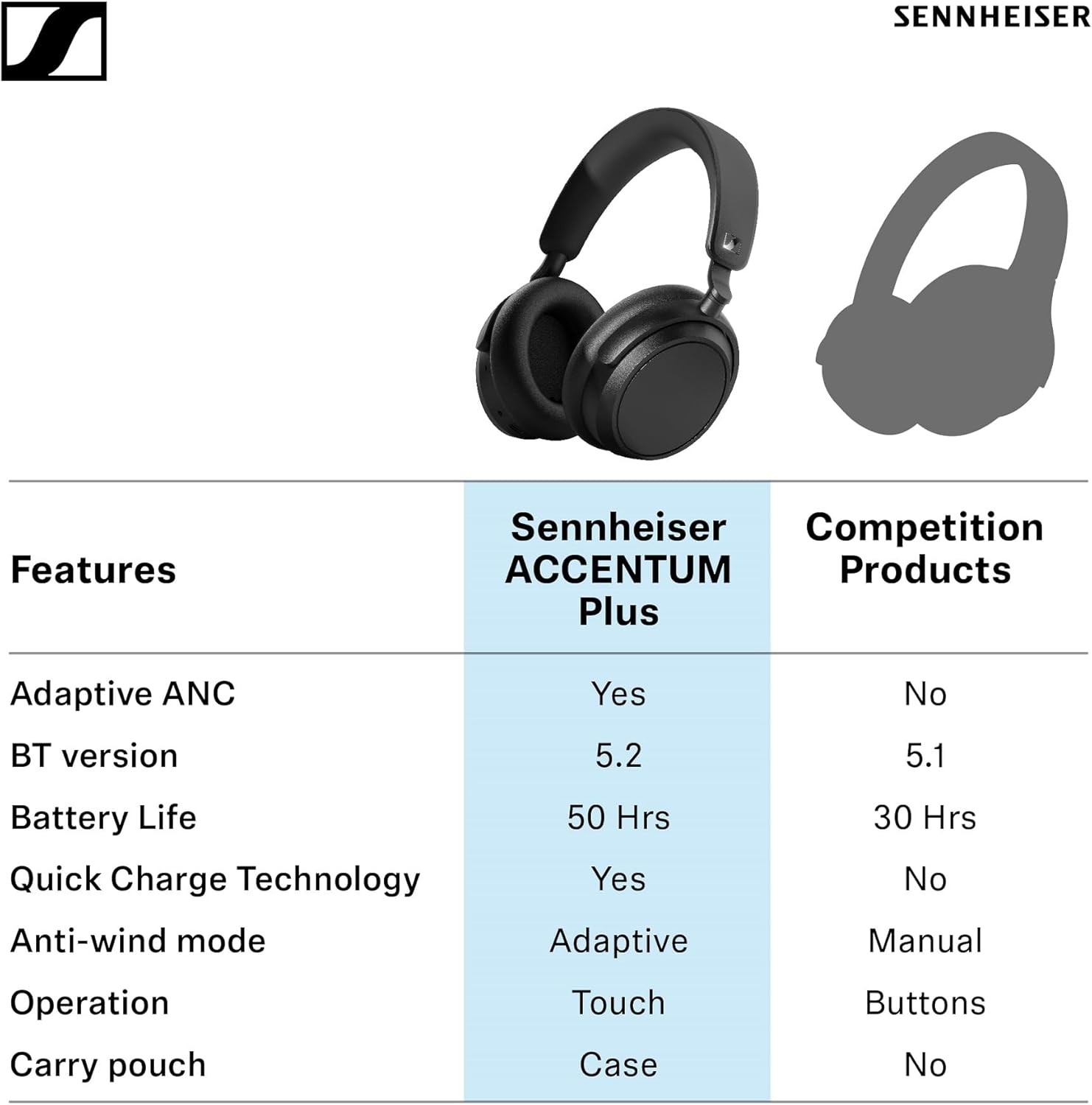
Image: A person using the headphones, highlighting the ANC and Transparency Mode features.
- Toggle ANC/Transparency Mode: Press the dedicated ANC button (location may vary, refer to quick guide).
- Adaptive ANC: The headphones automatically adjust the level of noise cancellation based on your environment.
3.4 Smart Pause
The headphones are equipped with a smart pause feature. Music playback will automatically pause when you remove the headphones and resume when you put them back on.
Video: Demonstrates the smart pause feature, where music automatically stops when headphones are removed and resumes when worn.
4. Charging and Battery
The Sennheiser ACCENTUM Plus headphones offer up to 50 hours of battery life on a single charge. They also support rapid charging.

Image: A person wearing the headphones, illustrating the long battery life and fast charging capabilities.
4.1 Charging the Headphones
- Connect the supplied USB-C cable to the charging port on the headphones and to a USB power source.
- The LED indicator will show the charging status.
- A full charge takes approximately 3.5 hours.
- Rapid Charge: A 10-minute charge provides approximately 5 hours of playback.
Video: Shows the rapid charging feature of the headphones, indicating that a short charge provides significant playback time.
5. Maintenance
5.1 Cleaning
- Use a soft, dry cloth to clean the earcups and headband.
- Do not use cleaning agents or solvents that may damage the materials.
- The headphones are not waterproof; avoid exposure to liquids.
5.2 Storage
When not in use, store the headphones in their padded carrying case to protect them from dust and damage. Store in a cool, dry place away from direct sunlight.
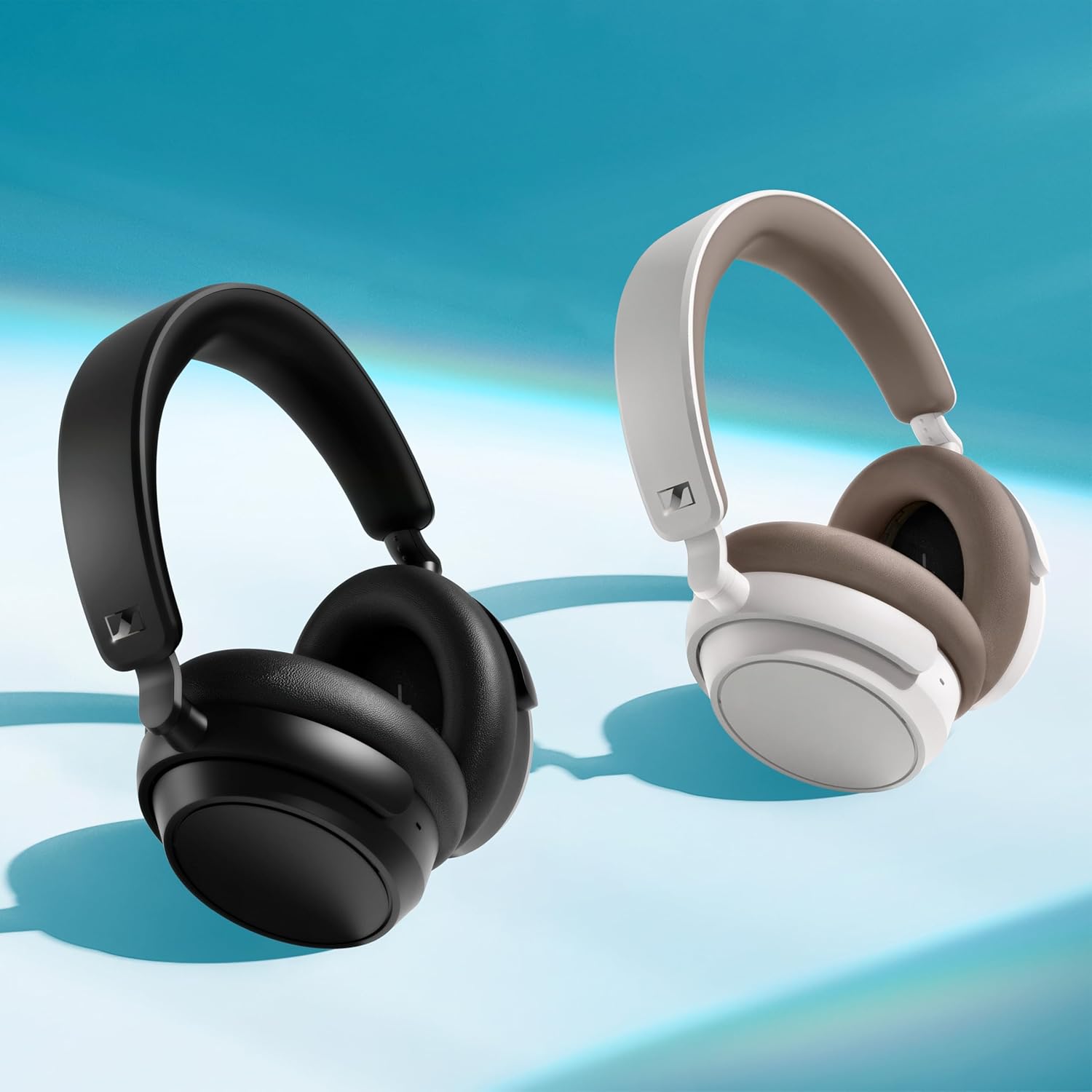
Image: The headphones demonstrating their foldable design for compact storage.
6. Troubleshooting
6.1 No Sound or Poor Sound Quality
- Ensure the headphones are powered on and charged.
- Check that the headphones are properly paired with your device.
- Adjust the volume on both the headphones and your audio device.
- Move closer to your audio device to ensure a stable Bluetooth connection.
- Try restarting both the headphones and your audio device.
6.2 Pairing Issues
- Ensure the headphones are in pairing mode.
- Disable and re-enable Bluetooth on your audio device.
- Clear previous Bluetooth connections from your device's memory and try pairing again.
6.3 Active Noise Cancellation Not Working Effectively
- Ensure ANC is activated and not in Transparency Mode.
- Check that the earcups form a good seal around your ears. Adjust the fit if necessary.
7. Specifications
| Feature | Detail |
|---|---|
| Model Name | ACCENTUM Plus Wireless |
| Noise Control | Hybrid Noise Cancelling |
| Frequency Response | 22 KHz |
| Sensitivity | 106 dB |
| Headphone Jack | 3.5mm Jack |
| Connectivity Technology | Wireless |
| Wireless Communication Technology | Bluetooth |
| Included Components | Cable, Protective Case, Instruction Manual |
| Target Audience | Adult |
| Material | Faux Leather, Metal |
| Charging Time | 3.5 Hours |
| Recommended Uses | Music, Travel |
| Compatible Devices | Tablet, Laptop, Mobile Phone |
| Control Type | Media Control, Call Control |
| Cable Feature | Cable-less (Wireless) |
| Item Weight | 227 Grams |
| Water Resistance Level | Not Waterproof |
| Unit Count | 1.0 Count |
| Style | Single Item |
| Control Method | Touch |
| Number of Items | 1 |
| Battery | 1 Lithium Polymer Battery |
| Manufacturer Discontinued | No |
| Color | White |
| Interface | Bluetooth |
| Size | Over-Ear |
| Battery Type | Lithium Ion |
| ASIN | B0CQKFTYW5 |
| Impedance | 95 Ohm |
8. Warranty and Support
Sennheiser products are covered by a manufacturer's warranty. For detailed information regarding warranty terms, conditions, and duration, please refer to the warranty card included in your product packaging or visit the official Sennheiser website.
For technical support, troubleshooting assistance, or service inquiries, please contact Sennheiser customer support through their official channels. Contact information can typically be found on the Sennheiser website or in the product documentation.


