
Yuposl YPF04-SB00
Yuposl Automatic Cat Feeder
Model: YPF04-SB00 User Manual
Introduction
This manual provides essential instructions for the safe and efficient operation of your Yuposl Automatic Cat Feeder. Please read this manual thoroughly before using the device and retain it for future reference. This automatic feeder is designed to provide scheduled meals for your pet, ensuring consistent feeding habits and fresh food availability.
Safety Information
- Ensure the feeder is placed on a stable, level surface to prevent tipping.
- This device is intended for indoor use only.
- Use only dry pet food with appropriate kibble size (0.02-0.07 inches) to prevent blockages.
- Keep the power cord away from pet chewing and water.
- Do not immerse the base unit in water.
- Keep out of reach of children.
Package Contents
Verify that all items are present in the package:
- Yuposl Automatic Pet Feeder Unit
- Stainless Steel Food Storage Container (integrated)
- Stainless Steel Feeding Bowl
- Type-C Power Cable
- Power Adapter
- Desiccant Pack
- User Manual
Product Overview
Familiarize yourself with the components of your automatic pet feeder:
- Food Tank: Top section for storing dry food, made of stainless steel.
- Lid: Secures the food tank, includes a spring-lock and space for a desiccant pack.
- Control Panel: Located on the front, features LED indicators and buttons for WiFi, recording, and manual feeding.
- Dispensing Outlet: Where food exits the feeder into the bowl.
- Feeding Bowl: Stainless steel bowl that attaches to the base for food collection.
- Base Unit: Contains the motor, electronics, power port, and battery compartment.

Figure 1: Yuposl Automatic Cat Feeder with smartphone app interface.

Figure 2: The Pet Zero app interface for device connection.
Setup
- Unpack the Feeder: Carefully remove all components from the packaging.
- Assemble the Bowl: Attach the stainless steel feeding bowl to the base unit. It is designed to clip securely into place.
- Power Options:
- AC Power: Connect the Type-C power cable to the feeder's power port and plug the adapter into a wall outlet.
- Battery Backup: For power outages or portability, install 3 D-Size batteries (not included) into the battery compartment on the bottom of the base unit.
- Install Desiccant: Place the provided desiccant pack inside the designated slot in the lid to help keep food fresh.
- Fill Food Tank: Open the lid and pour dry pet food into the stainless steel food storage container. Ensure the kibble size is appropriate (0.02-0.07 inches) to prevent jamming. Close the lid securely.
- Download the App: Scan the QR code in the user manual or search for "Pet Zero" in your smartphone's app store (available for iOS and Android).
- Connect to WiFi: Follow the in-app instructions to connect your feeder to your home's 2.4GHz or 5GHz WiFi network. The WiFi indicator light on the feeder will guide you through the connection status (Flash Red: To be connected; Steady Red: Outlet Blocked; Flash White: Connecting; Steady White: Connected; Flash Red&White: Device Resetting).
Video 1: Unboxing and initial setup of the Yuposl Automatic Cat Feeder.
Video 2: Detailed setup and app connection process for the automatic cat feeder.
Operating Instructions
- Scheduling Meals: Use the "Pet Zero" app to create a feeding schedule. You can set up to 6 meals per day and choose between 1 to 16 portions per meal (each portion is approximately 7g).
- Manual Feeding: To dispense food instantly, press the "Feed Button" on the feeder's control panel twice, or use the manual feed option within the app. Each press or app activation dispenses one precise portion.
- Voice Recording: Long press the "Record Button" on the feeder for 3 seconds to start recording a personalized voice message (e.g., to call your pet for meals). Press once to play the recorded message.
- Multi-Feeder Control: The app allows you to add and manage multiple Yuposl automatic pet feeders, enabling simultaneous feeding for multi-pet households.
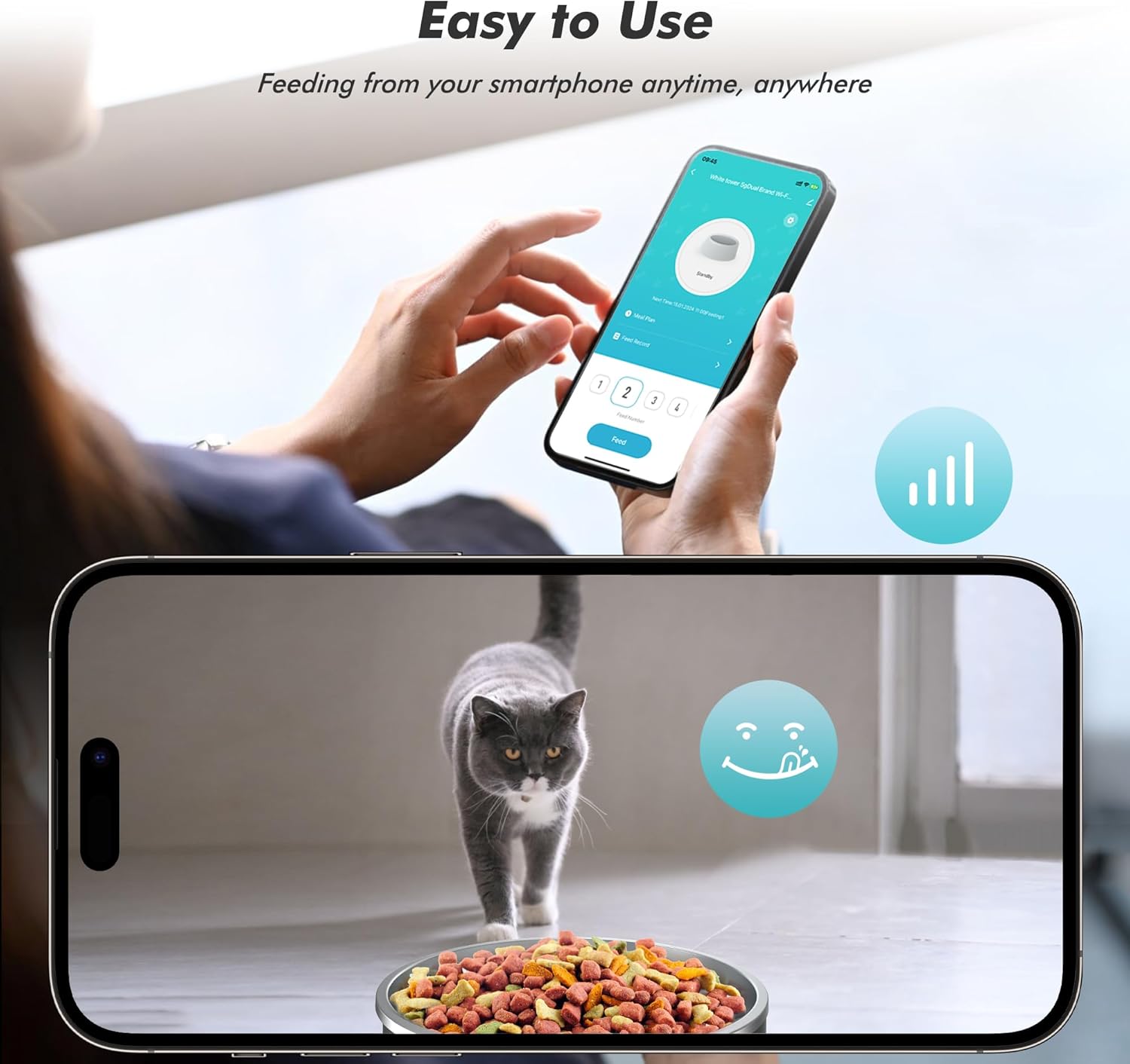
Figure 3: Remote control of the feeder via the smartphone app.

Figure 4: The voice recording feature for calling pets to eat.
Video 3: Demonstration of manual food dispensing with a single portion.
Recommended Feeding Plan
The following table provides a general guideline for feeding based on daily intake. Adjust portions and meals according to your pet's specific needs and veterinary advice.
| Daily Intake | Meals per Day | Portions per Meal | Per Portion (approx.) |
|---|---|---|---|
| 1/2 cup | 2 | 6 | 1/24 cup (10.4ml) |
| 1/2 cup | 4 | 3 | |
| 1/3 cup | 2 | 4 | |
| 1/3 cup | 3 | 2-3 | |
| 2/3 cup | 2 | 8 | |
| 2/3 cup | 3 | 5-6 | |
| 3/4 cup | 2 | 9 | |
| 3/4 cup | 3 | 6 | |
| 1 cup | 2 | 12 | |
| 1 cup | 3 | 8 |
Table 1: Recommended Feeding Plan (based on YPF03 model, general guidance).
Maintenance
- Cleaning the Food Tank and Bowl: The stainless steel food storage container and feeding bowl are removable and easy to clean. Wash them with mild soap and water, then rinse thoroughly and dry completely before reassembling.
- Cleaning the Base Unit: Do not wash the base unit with water. Wipe it clean with a dry or slightly damp cloth.
- Replacing Desiccant: Replace the desiccant pack every 1-2 months to maintain food freshness.

Figure 5: Easy-to-clean stainless steel components of the feeder.
Troubleshooting
- Feeder not dispensing food:
- Check if the food tank is empty.
- Ensure the kibble size is within the recommended range (0.02-0.07 inches) to prevent blockages.
- Check for any obstructions in the dispensing outlet.
- Verify the feeder is powered on (either via AC adapter or batteries).
- WiFi connection issues:
- Ensure your router is broadcasting a 2.4GHz or 5GHz network.
- Check the WiFi indicator light status on the feeder.
- Try resetting the device by long-pressing the "Reset Button" for 3 seconds.
- Ensure the feeder is within range of your WiFi router.
- App not responding or connecting:
- Restart the app on your smartphone.
- Check your phone's internet connection.
- Ensure the feeder's firmware is up to date via the app.
- Food not staying fresh:
- Ensure the lid is securely closed.
- Replace the desiccant pack regularly (every 1-2 months).
Specifications
- Model: YPF04-SB00
- Brand: Yuposl
- Color: Midnight Black
- Size: 3L (3 Liters)
- Material: Acrylonitrile Butadiene Styrene, Stainless Steel
- Item Dimensions (LxWxH): 13.8 x 7.7 x 9.4 inches
- Item Weight: 3.56 pounds (1.62 Kilograms)
- Food Capacity: Approximately 12 cups of dry food
- Kibble Size: 0.02-0.07 inches recommended
- Meals per Day: Up to 6
- Portions per Meal: 1-16 (approx. 7g per portion)
- Connectivity: 2.4GHz & 5GHz WiFi
- Power: Type-C cable (included) or 3 D-Size batteries (not included)
- Battery Life: Up to 45 days (with D-size batteries, actual duration may vary)
Warranty & Support
This Yuposl Automatic Cat Feeder comes with a 2-year manufacturer's warranty. For any support inquiries, troubleshooting assistance, or warranty claims, please refer to the contact information provided on the product packaging or the official Yuposl website.
Ask a question about this manual
Ask about setup, troubleshooting, compatibility, parts, safety, or missing instructions. Manuals+ will review the question and use this page’s manual context to help answer it.