
1. Introduction and Overview
Thank you for choosing the LIFEMOI EN-EL20 Multifunctional Battery Charger. This device is designed to provide efficient charging for your camera batteries, offer convenient data transfer via its integrated SD card reader, and serve as a portable power bank for other devices. Please read this manual carefully before use to ensure proper operation and longevity of your product.
Key Features:
- Dual Battery Charging: Simultaneously charges two EN-EL20 batteries.
- Integrated SD Card Reader: Directly read SD card content by connecting to a computer.
- Power Bank Function: Use charged camera batteries to power other USB devices.
- LCD Display: Real-time display of battery levels and charging status.
- Compact and Portable Design: Ideal for travel and on-the-go use.
Compatibility:
This battery charger is compatible with EN-EL20 batteries and suitable for charging batteries used in the following camera models:
- Nikon COOLPIX P1000
- Nikon COOLPIX P950
- Nikon AJ1
- Nikon J2
- Nikon J3
- Nikon S1
- BMPCC (Blackmagic Pocket Cinema Camera)
- Nikon AW1

Figure 1: Multifunction Charger Overview
2. Setup
Package Contents:
- 1 x LIFEMOI Multifunctional Charging Box
- 1 x USB Charging Cable (34 cm)
- 1 x User Manual
Note: Batteries are not included with this product.
Inserting Batteries:
- Open the charger lid.
- Align the EN-EL20 batteries with the charging slots (CH1 and CH2) according to their polarity.
- Gently push the batteries into the slots until they are securely seated.
Connecting to Power:
The charger supports both USB and Type-C input for power supply.
- Connect the provided USB cable to the USB Input port on the charger. Alternatively, use a Type-C cable and connect it to the Type-C Input port.
- Connect the other end of the cable to a compatible USB power adapter (e.g., wall charger, computer USB port, power bank) with a 5V/2A output.
- The LCD display will illuminate, indicating the charging status.

Figure 2: Charger Ports and Inputs
3. Operating Instructions
Charging Batteries:
- Ensure batteries are correctly inserted into the charging slots.
- Connect the charger to a power source as described in the Setup section.
- The LCD display will show the current charge level for each battery (CH1 and CH2). The "INPUT" indicator will be lit.
- Charging is complete when the battery level reaches 100% on the LCD display.
Using the SD Card Reader Function:
The charger features an automatic SD card reader for convenient data transfer.
- Insert an SD memory card into one of the two dedicated SD card slots on the charger.
- Connect the charger to your computer using the USB cable.
- The computer should automatically detect the SD card as a removable drive. The "SD" indicator on the charger will be lit.
- You can now access and transfer files from your SD card. The read/write speed is 25 MB/s.

Figure 3: SD Card Read/Write Function
Using as a Power Bank:
When charged batteries are inserted, the charger can act as a portable power bank.
- Ensure at least one charged EN-EL20 battery is inserted into the charger.
- Connect your external device (e.g., smartphone, tablet) to the USB-B Output port on the charger using an appropriate USB cable.
- The charger will begin to supply power to your device. The "OUTPUT" indicator will be lit.
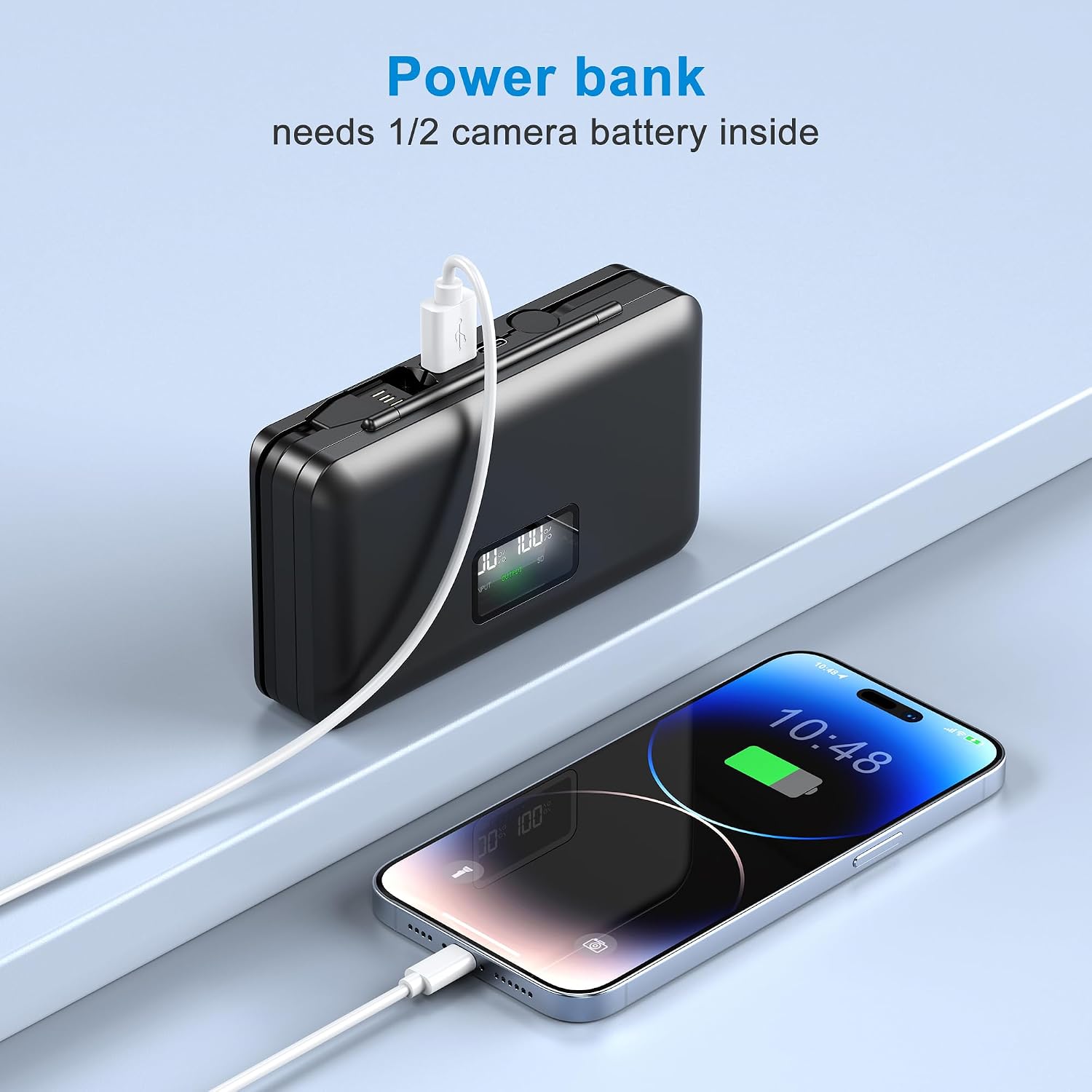
Figure 4: Power Bank Functionality
4. Maintenance
Cleaning:
- Ensure the charger is disconnected from all power sources and batteries are removed before cleaning.
- Wipe the exterior of the charger with a soft, dry cloth.
- Do not use liquid cleaners, solvents, or abrasive materials, as these can damage the device.
Storage:
- Store the charger in a cool, dry place away from direct sunlight and extreme temperatures.
- Keep out of reach of children.
- If storing for extended periods, ensure batteries are partially charged (around 50%) to prolong their lifespan.
5. Troubleshooting
Common Issues and Solutions:
| Problem | Possible Cause | Solution |
|---|---|---|
| Batteries not charging | Incorrect battery insertion No power supply Faulty cable/adapter | Ensure batteries are correctly seated. Check power connection and adapter. Try a different USB cable or power adapter. |
| SD card not recognized | SD card not fully inserted Charger not connected to computer Corrupted SD card | Re-insert the SD card firmly. Ensure the charger is connected to a computer via USB. Try a different SD card. Format the card if necessary (data will be lost). |
| Power bank function not working | No charged batteries inserted Device not connected to USB-B Output Device requires more power | Ensure batteries are charged and inserted. Connect device to the correct USB-B Output port. Check if your device is compatible with 5V/(0.5A-1A) output. |
| LCD display not working | No power supply Device malfunction | Check power connection. Contact customer support if the issue persists. |
If you encounter any issues not listed here or if the problem persists after attempting the solutions, please contact LIFEMOI customer support for assistance.
6. Specifications
| Feature | Detail |
|---|---|
| Model Number | CA-BA-CHA |
| Input (USB) | 5V / 2A |
| Input (Type-C) | 5V / 2A |
| Output (USB-B) | 8.4V / 2A |
| Charging Output | 5V / (0.5A-1A) x 2 |
| SD Card Read/Write Speed | 25 MB/s (R&W) |
| Dimensions (L x W x H) | 137 x 78 x 29 mm (5.4 x 3.1 x 1.1 inches) |
| Weight | 100 g |
| Operating Temperature | -10°C to 50°C |
| Material | High-quality Die-cast ABS |

Figure 5: Product Dimensions and Packaging
7. Warranty and Support
Warranty Information:
This product comes with a 12-month free warranty service from the date of purchase. Please retain your proof of purchase for warranty claims.
Certifications:
The LIFEMOI EN-EL20 Battery Charger has passed the following certifications, ensuring its quality and safety standards:
- FCC (Federal Communications Commission) - USA
- CE (Conformité Européenne) - Europe
- ROHS (Restriction of Hazardous Substances) - Europe
- PSE (Product Safety Electrical Appliance & Material) - Japan
Customer Support:
For any questions, concerns, or technical support regarding your LIFEMOI product, please contact our customer service. We are committed to providing 24/7 online support to assist you.