
Introduction
Thank you for choosing the ODK 13-Drawer Dresser. This versatile storage unit is designed to enhance your living space with ample storage and convenient integrated charging capabilities. Please read this manual thoroughly before assembly and use to ensure safe and proper operation. Keep this manual for future reference.
Video: This video demonstrates the various functions and features of the ODK 13-Drawer Dresser, including its storage capacity and integrated charging ports.
Safety Information
- Anti-Tip Kit: Always install the included anti-tip kit to prevent the dresser from tipping over, especially in households with children or pets. Securely fasten it to a wall stud.
- Weight Capacity: Do not overload drawers or the top surface. Refer to the specifications section for maximum weight limits.
- Electrical Safety: Ensure the power cord for the integrated charging ports is properly connected to a grounded outlet. Do not use if the cord is damaged. Avoid spilling liquids near the power outlets.
- Assembly: Follow all assembly instructions carefully. Do not skip steps or use unauthorized parts.
- Placement: Place the dresser on a level surface to ensure stability.

Image: Detail of the anti-tip anchor mechanism, designed to secure the dresser to a wall for enhanced stability and safety.
Package Contents
Before beginning assembly, please verify that all components listed below are present and undamaged. If any parts are missing or damaged, please contact customer support.
- Steel Frame Components
- Wooden Top Board
- 13 Fabric Drawers (various sizes)
- Drawer Handles
- Integrated Power Strip with 2 AC Outlets and 2 USB Ports
- Adjustable Feet
- Anti-Tip Anchoring Kit
- Assembly Hardware (screws, bolts, Allen wrench)
- Instruction Manual
Assembly Instructions
Assembly of the ODK 13-Drawer Dresser is designed to be straightforward. Please follow the step-by-step instructions provided in the separate assembly manual included in your package. Ensure you have adequate space and the necessary tools (usually a Phillips head screwdriver and the provided Allen wrench).
- Unpack all components and verify against the package contents list.
- Assemble the steel frame according to the diagrams in the manual.
- Attach the wooden top board to the assembled frame.
- Install the integrated power strip into the designated slot on the top board.
- Assemble the fabric drawers by inserting the bottom panels and attaching the handles.
- Insert the assembled drawers into the frame.
- Attach the adjustable feet to the bottom of the frame and level the dresser.
- Install the anti-tip kit to a wall stud for safety.
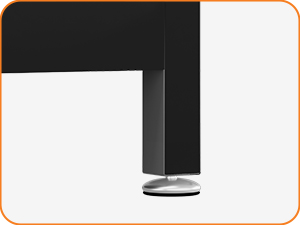
Image: Detail of an adjustable foot, allowing for leveling on uneven surfaces.
Operating Instructions
The ODK dresser is designed for convenient storage and device charging.
Using the Drawers
- The 13 fabric drawers provide ample space for clothing, accessories, and other household items.
- Pull the drawer handles gently to open and push to close. Avoid forcing drawers.
- Distribute weight evenly within the drawers to maintain stability and prevent damage.
Using the Integrated Charging Ports
The dresser features a built-in power strip with 2 standard AC outlets and 2 USB-A charging ports.
- Ensure the dresser's power cord is plugged into a functional wall outlet.
- For AC devices, plug them into the standard power outlets.
- For USB-powered devices, connect them to the USB-A ports using appropriate cables.
- The charging ports are designed for convenience. Do not exceed the maximum power output specified in the technical specifications.
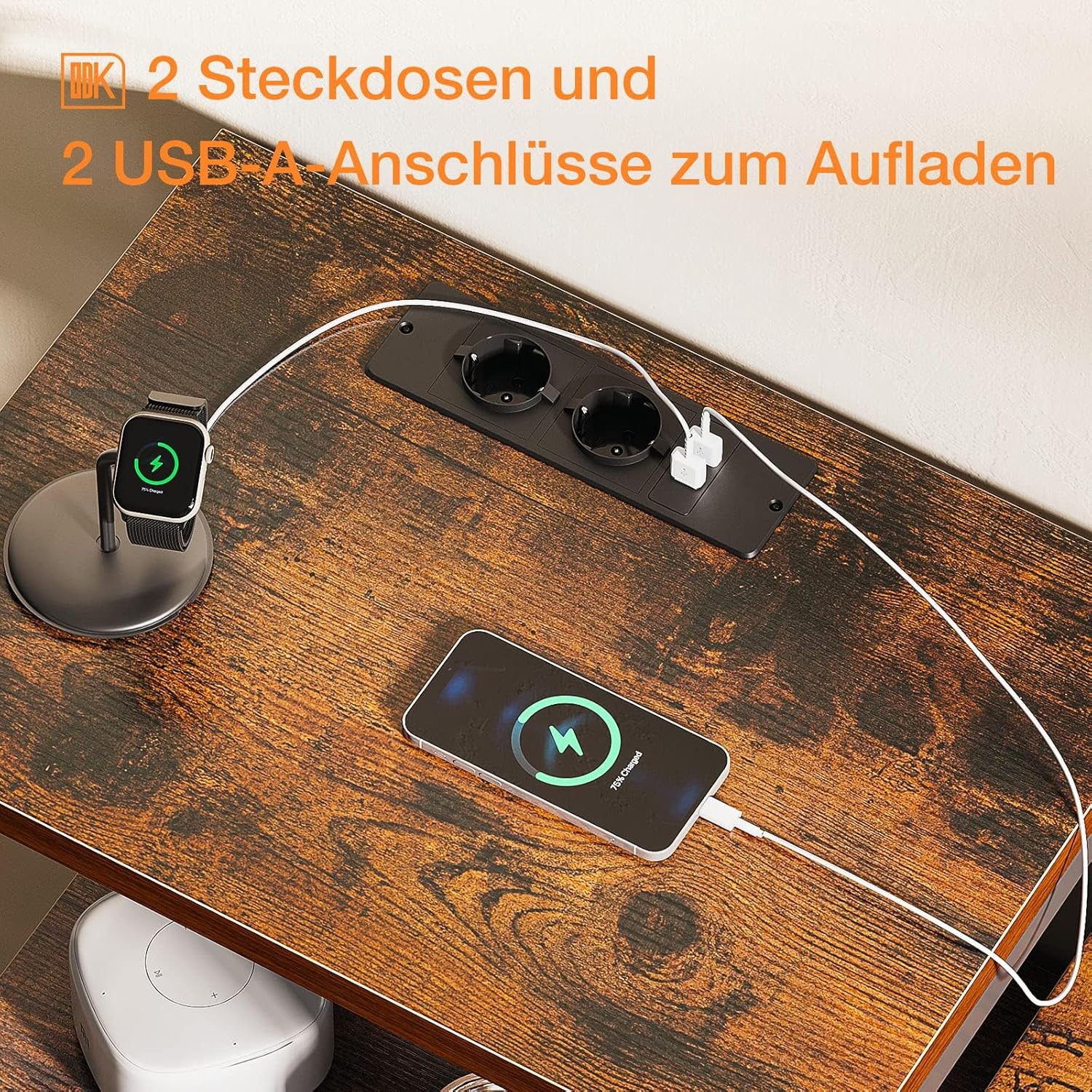
Image: A close-up view of the integrated power strip on the dresser's wooden top, demonstrating its functionality with a smartphone and smartwatch connected for charging.
Maintenance
Regular maintenance will help prolong the life and appearance of your ODK dresser.
- Cleaning the Wooden Top: Wipe the wooden top with a soft, damp cloth. Avoid harsh chemicals or abrasive cleaners that could damage the finish. Dry immediately.
- Cleaning Fabric Drawers: For light cleaning, use a lint roller or a soft brush to remove dust and debris. For stains, spot clean with a mild detergent and a damp cloth. Allow to air dry completely. Do not machine wash the drawers.
- Cleaning the Metal Frame: Wipe the metal frame with a soft, damp cloth.
- Inspection: Periodically check all screws and connections to ensure they are tight. Re-tighten if necessary.

Image: A fabric drawer with its removable bottom insert, illustrating the construction for easy cleaning and assembly.
Troubleshooting
- Dresser is Wobbly: Ensure the dresser is on a level surface. Adjust the leveling feet at the bottom of the frame until stable. Check all assembly screws for tightness.
- Drawers Do Not Close Smoothly: Check that the drawer bottom inserts are fully seated. Ensure no items are obstructing the drawer's path. Verify the frame is assembled correctly and not warped.
- Charging Ports Not Working: Ensure the dresser's main power cord is securely plugged into a live wall outlet. Check if the wall outlet itself is functional by plugging in another device. Do not overload the power strip.
- Missing Parts: If you discover missing parts during assembly, refer to the package contents list and contact ODK customer support for assistance.
Specifications
| Feature | Detail |
|---|---|
| Brand | ODK |
| Model Number | SNG-0157-13 |
| Color | Vintage Brown |
| Product Dimensions (L x W x H) | 145 x 30 x 101 cm (57.1 x 11.8 x 39.8 inches) |
| Item Weight | 21 kg (46.3 lbs) |
| Material | Wood (top), Steel (frame), Cationic Fabric (drawers) |
| Finish Type | Painted |
| Number of Drawers | 13 |
| Style | Vintage |
| Assembly Required | Yes |
| Charging Ports | 2 AC Outlets, 2 USB-A Ports |

Image: Detailed product dimensions, illustrating the overall size and individual drawer measurements for planning placement and storage.
Warranty and Support
ODK is committed to providing high-quality products and excellent customer service.
- Return/Exchange Policy: ODK offers a 30-day free return or exchange service from the date of purchase. Please retain your proof of purchase.
- Customer Service: For any questions, concerns, or assistance with your ODK dresser, our professional 24-hour online customer service team is available to help. Please refer to the contact information provided with your purchase or on the official ODK website.

