
FK Trading X13 Earbuds
User Manual for FK Trading X13 Bluetooth Headphones
Model: X13 Earbuds
Introduction
Thank you for choosing the FK Trading X13 Bluetooth Headphones. These wireless sports earbuds are designed to provide a stable connection, clear calls, and high-fidelity audio, making them ideal for workouts, running, and daily use. Featuring a comfortable ear hook design and IPX6 waterproof rating, they are built for durability and performance.
This manual provides detailed instructions on how to set up, operate, maintain, and troubleshoot your new earbuds to ensure optimal performance and longevity.
What's in the Box
Please check the package contents to ensure all items are present:
- X13 Wireless Earbuds (Left and Right)
- Charging Case
- USB-C Charging Cable
- Silicone Eartips (S/M/L sizes)
- User Manual
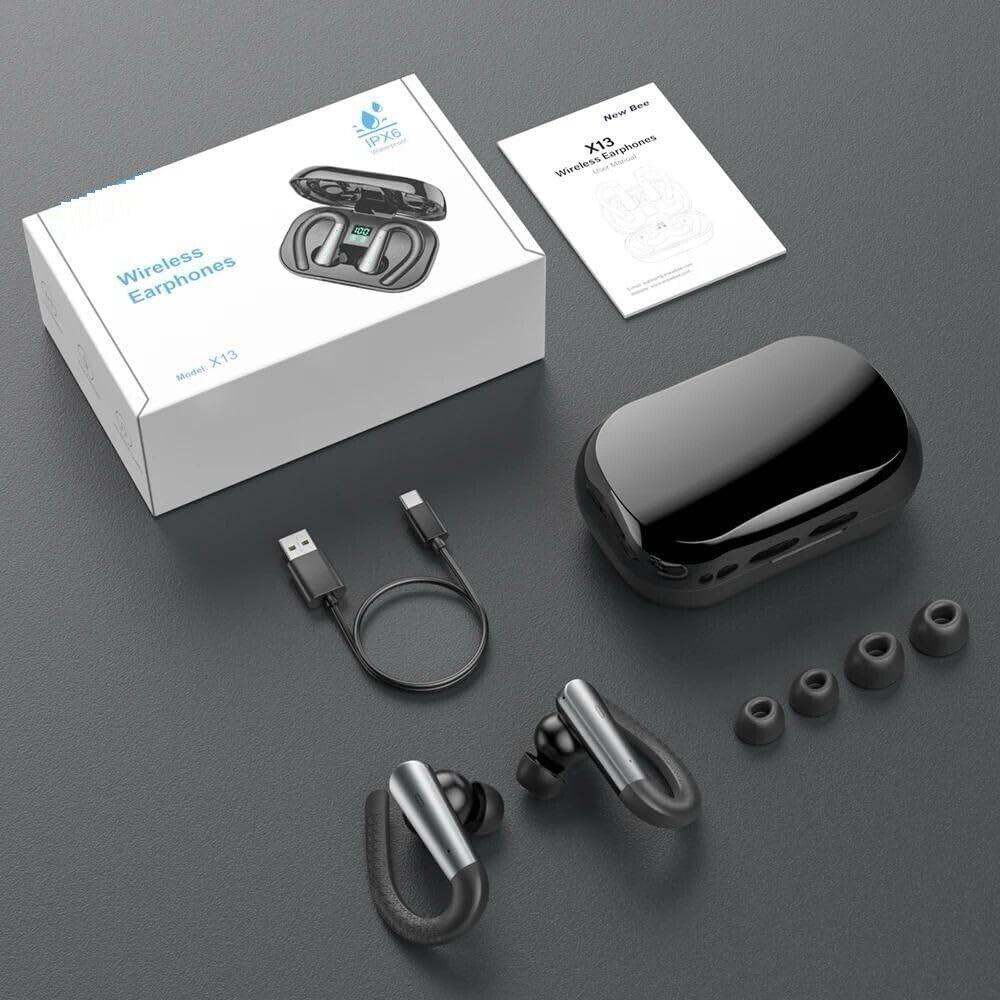
Image: The X13 Earbuds package contents, showing the earbuds, charging case, USB-C cable, and three pairs of silicone eartips, alongside the user manual and product box.
Setup
1. Charging the Earbuds and Case
Before first use, fully charge the earbuds and the charging case.
- Place the earbuds into the charging case. Ensure they are correctly seated.
- Connect the USB-C charging cable to the charging port on the case and the other end to a USB power source (e.g., computer, wall adapter).
- The LED display on the charging case will indicate the battery level. A full charge for the case takes approximately 1.5 hours.
- The earbuds will charge automatically when placed in the case.

Image: The X13 Earbuds resting in their open charging case, displaying a digital battery percentage on the LED screen.
2. Wearing the Earbuds
The X13 earbuds feature an ear hook design for a secure and comfortable fit, especially during physical activity. Three sizes of silicone eartips (S/M/L) are provided to ensure optimal comfort and sound isolation.
- Choose the eartip size that best fits your ear canal. A good seal is crucial for sound quality and bass response.
- Gently insert the earbud into your ear canal.
- Adjust the ear hook over the top of your ear until it feels secure and comfortable. The ear hook should rest snugly behind your ear.
- Ensure the earbud is firmly seated in your ear to prevent it from falling out during movement.
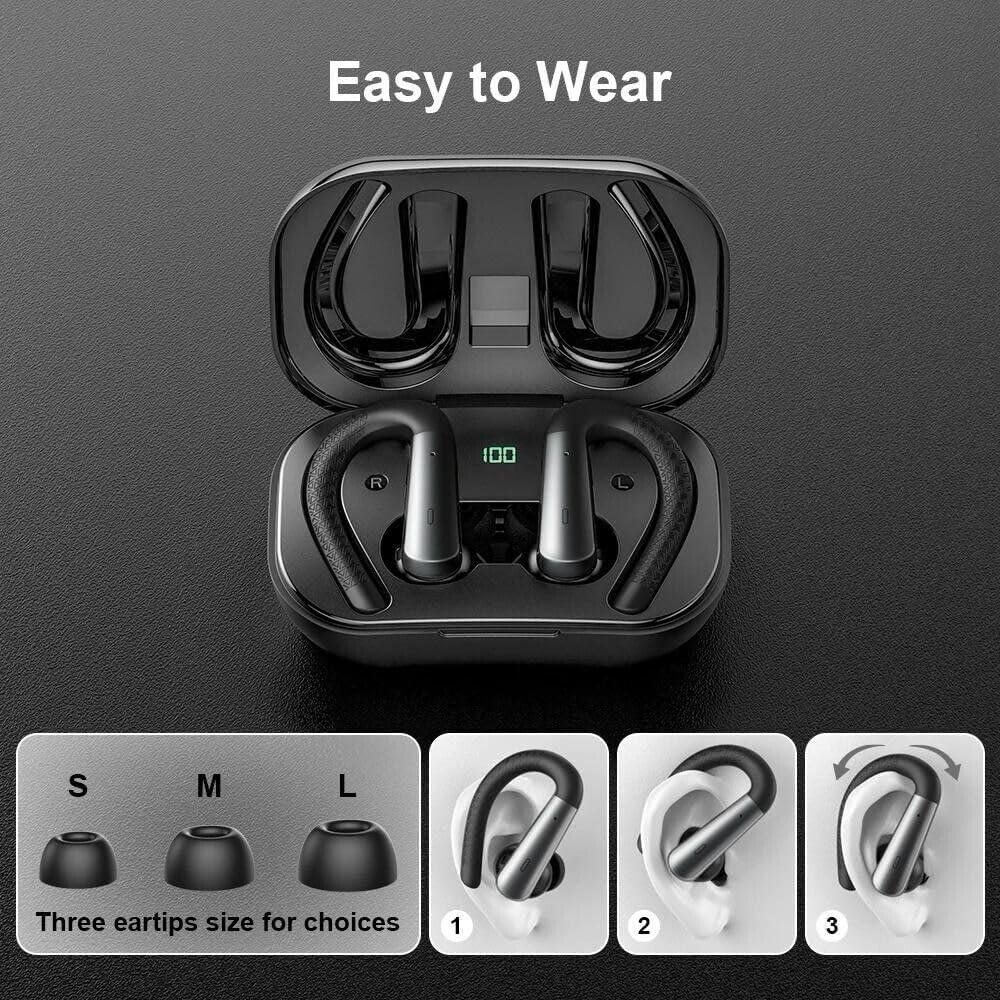
Image: A visual guide demonstrating the "Easy to Wear" process for the X13 earbuds, including the three eartip sizes (S, M, L) and a three-step illustration of how to correctly position the earbud and ear hook.
3. Bluetooth Pairing
The earbuds utilize Bluetooth 5.3 for a stable and fast connection.
- Power On: Open the charging case, and the earbuds will automatically power on and enter pairing mode. The indicator light on the earbuds will flash.
- Activate Bluetooth: On your device (smartphone, tablet, etc.), go to the Bluetooth settings and turn on Bluetooth.
- Select Device: Look for "X13 Earbuds" (or similar name) in the list of available devices and select it to connect.
- Confirmation: Once connected, the earbud indicator light will stop flashing, and you will hear a voice prompt confirming the connection.
- Automatic Reconnection: After the initial pairing, the earbuds will automatically connect to the last paired device when taken out of the case, provided Bluetooth is enabled on the device.
Operating Instructions
The X13 earbuds feature touch controls for easy management of calls and music playback.
Touch Controls
| Function | Action (Left Earbud) | Action (Right Earbud) |
|---|---|---|
| Play/Pause Music | Single tap | Single tap |
| Next Track | Double tap | Double tap |
| Previous Track | Triple tap | Triple tap |
| Answer/End Call | Single tap | Single tap |
| Reject Call | Press and hold for 2 seconds | Press and hold for 2 seconds |
| Activate Voice Assistant | Press and hold for 3 seconds | Press and hold for 3 seconds |
| Volume Up | N/A (Adjust on device) | N/A (Adjust on device) |
| Volume Down | N/A (Adjust on device) | N/A (Adjust on device) |
Note: Volume control is typically managed directly on your connected device.
Call Functionality
The X13 earbuds are equipped with 4 microphones and environmental noise canceling technology to ensure clear calls.
- Answering Calls: Single tap either earbud.
- Ending Calls: Single tap either earbud during a call.
- Rejecting Calls: Press and hold either earbud for 2 seconds when a call comes in.
Battery Life and Charging
The earbuds provide up to 9 hours of playback on a single charge, and the 500mAh charging case extends the total playtime to 48 hours. The LED display on the case shows the remaining battery percentage.
- When the earbuds' battery is low, you will hear a voice prompt. Place them back into the charging case to recharge.
- To charge the case, use the provided USB-C cable.
Maintenance
Proper maintenance will extend the lifespan of your X13 Bluetooth Headphones.
Cleaning
- Regularly clean the eartips with a soft, dry, lint-free cloth.
- If necessary, remove the eartips and wash them with mild soap and water. Ensure they are completely dry before reattaching.
- Wipe the earbuds and charging case with a soft, slightly damp cloth. Avoid using harsh chemicals or abrasive materials.
- Clean the charging contacts on both the earbuds and the case periodically with a dry cotton swab to ensure proper charging.
Water Resistance (IPX6)
The X13 earbuds are IPX6 waterproof, meaning they are protected against powerful water jets. This makes them suitable for use during strenuous workouts, running, and in light rain. However, they are not designed for submersion in water (e.g., swimming or showering).
- Do not intentionally submerge the earbuds or charging case in water.
- If the earbuds get wet, wipe them dry thoroughly before placing them back in the charging case to prevent damage to the charging contacts.
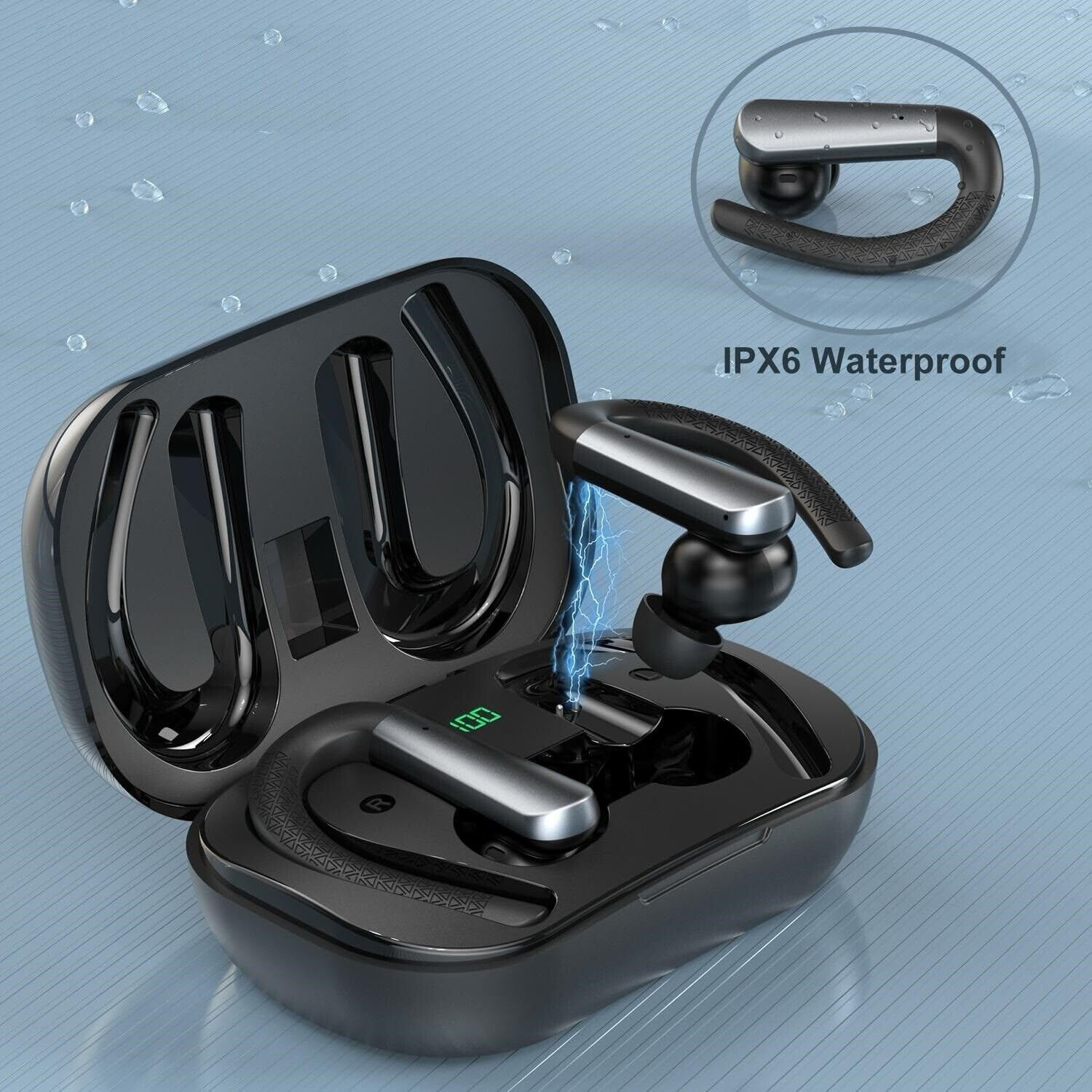
Image: The X13 Earbuds shown with water droplets, emphasizing their IPX6 waterproof and sweatproof capabilities, suitable for exercise.
Storage
- When not in use, store the earbuds in their charging case to protect them and keep them charged.
- Store the device in a cool, dry place, away from extreme temperatures and direct sunlight.
Troubleshooting
If you encounter any issues with your X13 Bluetooth Headphones, please refer to the following common solutions:
| Problem | Possible Cause | Solution |
|---|---|---|
| Earbuds not pairing/connecting | Bluetooth is off on device; earbuds not in pairing mode; previously paired device interfering. |
|
| No sound from earbuds | Volume too low; earbuds not connected; media paused. |
|
| One earbud not working | Low battery; connection issue; earbud not seated correctly in case. |
|
| Charging case not charging | Faulty cable/adapter; dirty charging port. |
|
| Poor call quality | Environmental noise; earbud position. |
|
Specifications
| Feature | Detail |
|---|---|
| Model Name | X13 Earbuds |
| Connectivity Technology | Wireless (Bluetooth) |
| Bluetooth Version | 5.3 |
| Bluetooth Range | 10 Meters (approx. 33 feet) |
| Water Resistance Level | IPX6 Waterproof |
| Battery Life (Earbuds) | Up to 9 Hours |
| Total Playtime (with Charging Case) | Up to 48 Hours |
| Charging Time (Case) | Approx. 1.5 Hours |
| Charging Port | USB-C |
| Control Method | Touch Control |
| Microphone | Yes (4 microphones with ENC) |
| Ear Placement | In Ear with Ear Hooks |
| Material | PC |
| Compatible Devices | iPhone, Android, Samsung Galaxy, iPad Pro, Google Pixel, etc. (Bluetooth-enabled devices) |
Warranty and Support
FK Trading provides a standard warranty for its products. For specific warranty terms and conditions, please refer to the warranty card included with your purchase or contact the manufacturer directly.
If you require further assistance or have questions not covered in this manual, please contact FK Trading customer support through the retailer where you purchased the product or visit the official FK Trading website for support contact information.
Manufacturer: FK Trading
Model Number: X13 Earbuds
Related documentsX13 Earbuds

Ask a question about this manual
Ask about setup, troubleshooting, compatibility, parts, safety, or missing instructions. Manuals+ will review the question and use this page’s manual context to help answer it.