
1. Introduction
This manual provides essential information for the safe and effective operation, assembly, and maintenance of your BH Vanquish Multimedia II Treadmill. Please read this manual thoroughly before using the equipment and retain it for future reference.
The BH Vanquish Multimedia II Treadmill is designed for semi-professional use, offering a robust and interactive training experience. It features a powerful motor, a large running surface, electronic incline, and a multimedia TFT screen for entertainment and interactive training applications.
2. Safety Information
WARNING: To reduce the risk of serious injury, read all important precautions and instructions in this manual before using the treadmill.
- Always consult with a physician before beginning any exercise program.
- Keep children and pets away from the treadmill at all times.
- Place the treadmill on a level surface with at least 2 meters (6.5 feet) of clear space behind it and 0.6 meters (2 feet) on each side.
- Ensure the safety key is properly attached to your clothing during operation. In case of emergency, the safety key will stop the treadmill.
- Do not operate the treadmill if it has a damaged power cord or plug, or if it is not working properly.
- Wear appropriate athletic footwear and clothing. Do not use the treadmill barefoot.
- The maximum user weight capacity for this treadmill is 150 kg (330 lbs).
- Unplug the treadmill from the power outlet when not in use or before cleaning and maintenance.
3. Setup and Assembly
The BH Vanquish Multimedia II Treadmill requires some assembly. Follow these steps carefully:
- Unpacking: Carefully remove all components from the packaging. Ensure all parts listed in the packing list are present.
- Base Assembly: Attach the uprights to the base frame using the provided hardware.
- Console Attachment: Secure the console to the top of the uprights. Connect all necessary cables from the uprights to the console.
- Handlebar Installation: Install the handlebars, ensuring they are firmly secured.
- Power Connection: Plug the power cord into a grounded electrical outlet.
Included Components: The product includes Bluetooth speakers and a bottle holder.

Figure 3.1: The BH Vanquish Multimedia II Treadmill in its operational state.
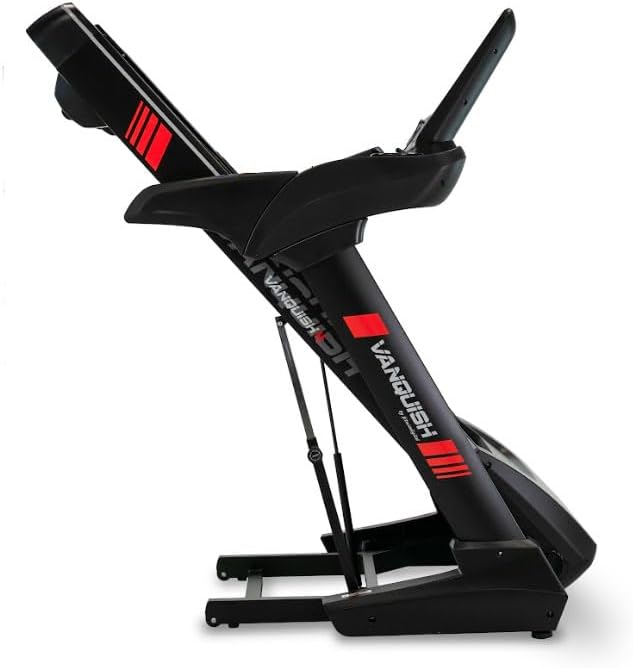
Figure 3.2: The treadmill in its folded position, demonstrating its space-saving design for storage.
4. Operating Instructions
Familiarize yourself with the console and controls before starting your workout.
4.1 Console Overview

Figure 4.1: Close-up view of the treadmill's control console, featuring the 15-inch TFT multimedia screen and various control buttons.
The treadmill is equipped with a 15-inch TFT multimedia screen, allowing access to various applications and workout data.

Figure 4.2: The multimedia screen displaying various application icons, including YouTube, Netflix, Kinomap, and Zwift, alongside workout program options.
The console provides access to applications like YouTube, Netflix, Kinomap, and Zwift for interactive and entertaining workouts. Bluetooth FTMS connectivity allows synchronization with smartphones or tablets.
4.2 Starting a Workout
- Ensure the treadmill is plugged in and the safety key is in place.
- Step onto the treadmill, placing your feet on the side rails.
- Attach the safety key clip to your clothing.
- Press the START button on the console. The belt will begin to move at a low speed.
- Gradually increase speed using the speed control buttons on the console or handlebars.
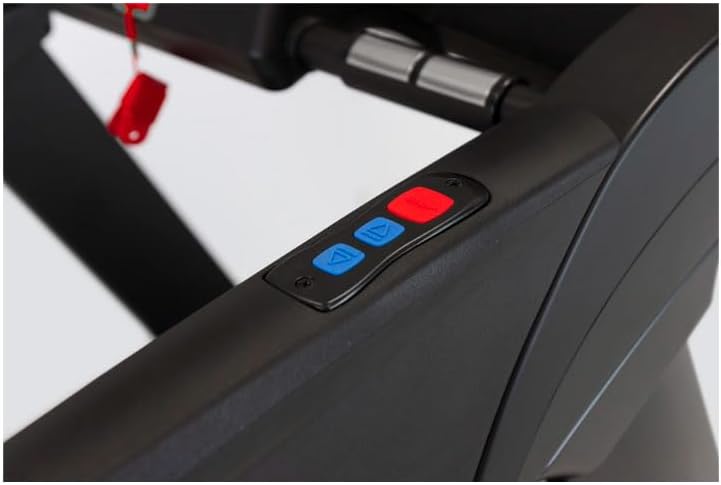
Figure 4.3: Close-up of the handlebar controls, showing buttons for adjusting speed and incline during a workout.
4.3 Adjusting Speed and Incline
- Speed: Use the '+' and '-' buttons on the console or handlebars to adjust the speed. The treadmill offers a maximum speed of 22 km/h.
- Incline: Use the incline control buttons to adjust the gradient. The treadmill features 15 levels of electronic incline.
4.4 Workout Programs
The treadmill includes 32 predefined programs and allows for custom workout creation. It also features 4 virtual routes and 5 user profiles for detailed progress tracking.
- Select a program from the console menu.
- Follow the on-screen prompts to begin the program.
4.5 Monitoring Heart Rate
Heart rate can be monitored using the manual sensors on the handlebars or with a compatible chest strap (not included) connected via Bluetooth Smart or 5 kHz radio frequency.
4.6 Stopping a Workout
- Press the STOP button on the console. The belt will gradually slow down and stop.
- Alternatively, pull the safety key to immediately stop the treadmill.
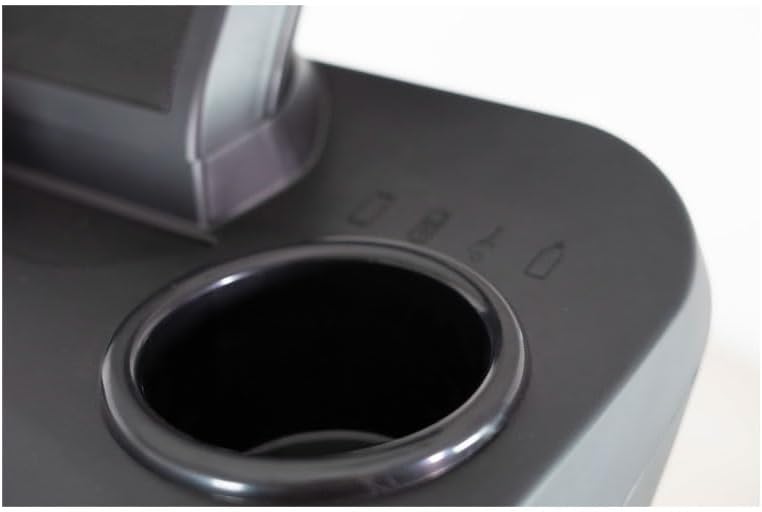
Figure 4.4: Integrated cup holder on the treadmill console, designed for convenient placement of water bottles or other beverages during exercise.
5. Maintenance
Regular maintenance ensures the longevity and optimal performance of your treadmill.
- Cleaning: Wipe down the treadmill surfaces with a damp cloth after each use. Avoid using abrasive cleaners or solvents.
- Belt Lubrication: The running belt may require periodic lubrication. Refer to the specific instructions provided with your lubricant or consult customer support.
- Belt Tension and Alignment: Check the running belt tension and alignment regularly. Adjust as needed according to the instructions in the full product manual.
- Motor Cover: Periodically remove the motor cover and vacuum any dust or debris that may have accumulated. Ensure the treadmill is unplugged before performing this.
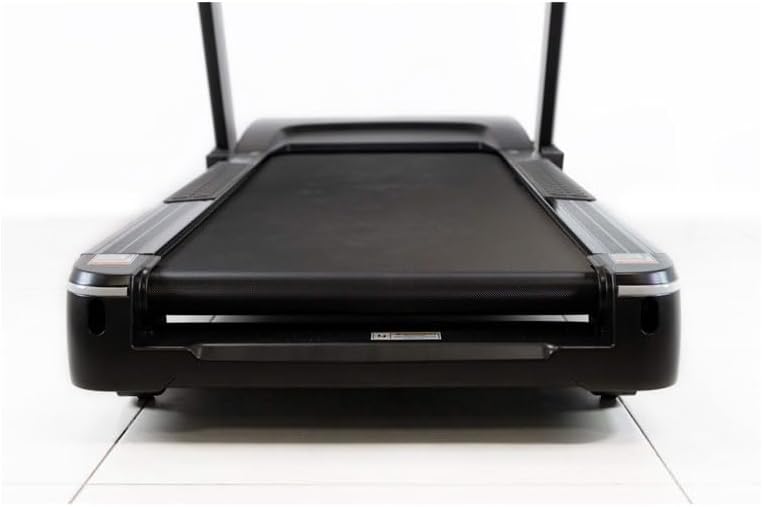
Figure 5.1: View of the treadmill's running deck, highlighting the spacious 150 x 55 cm surface and the robust construction.
6. Troubleshooting
This section addresses common issues you might encounter with your treadmill.
| Problem | Possible Cause | Solution |
|---|---|---|
| Treadmill does not power on. | Power cord not plugged in; circuit breaker tripped; safety key not in place. | Ensure power cord is securely plugged in. Check household circuit breaker. Verify safety key is correctly inserted. |
| Running belt slips or hesitates. | Belt tension too loose; belt requires lubrication. | Adjust belt tension according to manual. Lubricate the running belt. |
| Unusual noise during operation. | Loose components; motor or belt issue. | Check all bolts and screws for tightness. If noise persists, contact customer support. |
| Console display is blank or erratic. | Loose cable connection; power issue. | Check all cable connections to the console. Unplug and replug the treadmill. |
If you encounter issues not listed here or if solutions do not resolve the problem, please contact BH customer support.
7. Specifications
| Feature | Specification |
|---|---|
| Brand | BH |
| Model | Vanquish Multimedia II |
| Motor Power | 4 CV (2.5 CV continuous) |
| Maximum Speed | 22 km/h |
| Incline Levels | 15 (Electronic) |
| Running Surface | 150 x 55 cm |
| Display Type | 15-inch TFT Multimedia Screen |
| Programs | 32 Predefined, Custom Programs |
| Connectivity | Bluetooth FTMS |
| Maximum User Weight | 150 kg |
| Amortization System | 6 Elastomers |
| Foldable | Yes (Soft Drop System) |
| Transport Wheels | Yes |
| Frame Material | Alloy Steel |
| Product Dimensions (L x W x H) | Approx. 214 x 90 x 37 cm (packaged) |
| Product Weight | Approx. 125 kg (packaged) |
8. Warranty and Support
BH Fitness products are designed for durability and performance. For specific warranty terms and conditions, please refer to the warranty card included with your product or visit the official BH Fitness website. Keep your proof of purchase for warranty claims.
For technical assistance, spare parts, or any inquiries regarding your BH Vanquish Multimedia II Treadmill, please contact BH customer support. Contact information can typically be found on the manufacturer's website or in the product packaging.
When contacting support, please have your product model number (Vanquish Multimedia II) and serial number ready.